Canada - Tire Monitor System - TPMS Activation/Initialization
BulletinTSB2858
Issue Date
August 23, 2010
Title
TIRE PRESSURE WARNING SYSTEM ACTIVATION & INITIALIZATION
Component
GENERAL INFORMATION
Models
'11 LX 570
INTRODUCTION:
The 2011 model year LX570 is equipped with a direct-type Tire Pressure Warning System (TPWS). Each tire (including the spare tire) has a tire pressure warning valve/sensor that measures tire pressure. The data is transmitted to the Tire Pressure Warning System antenna/receiver and then to the Tire Pressure Warning System ECU.
During Pre-Delivery Service (PDS), the tire pressure warning valves/sensors must be activated and the system must be initialized according to the procedure in this TSB.

APPLICABILITY:

WARRANTY INFORMATION:
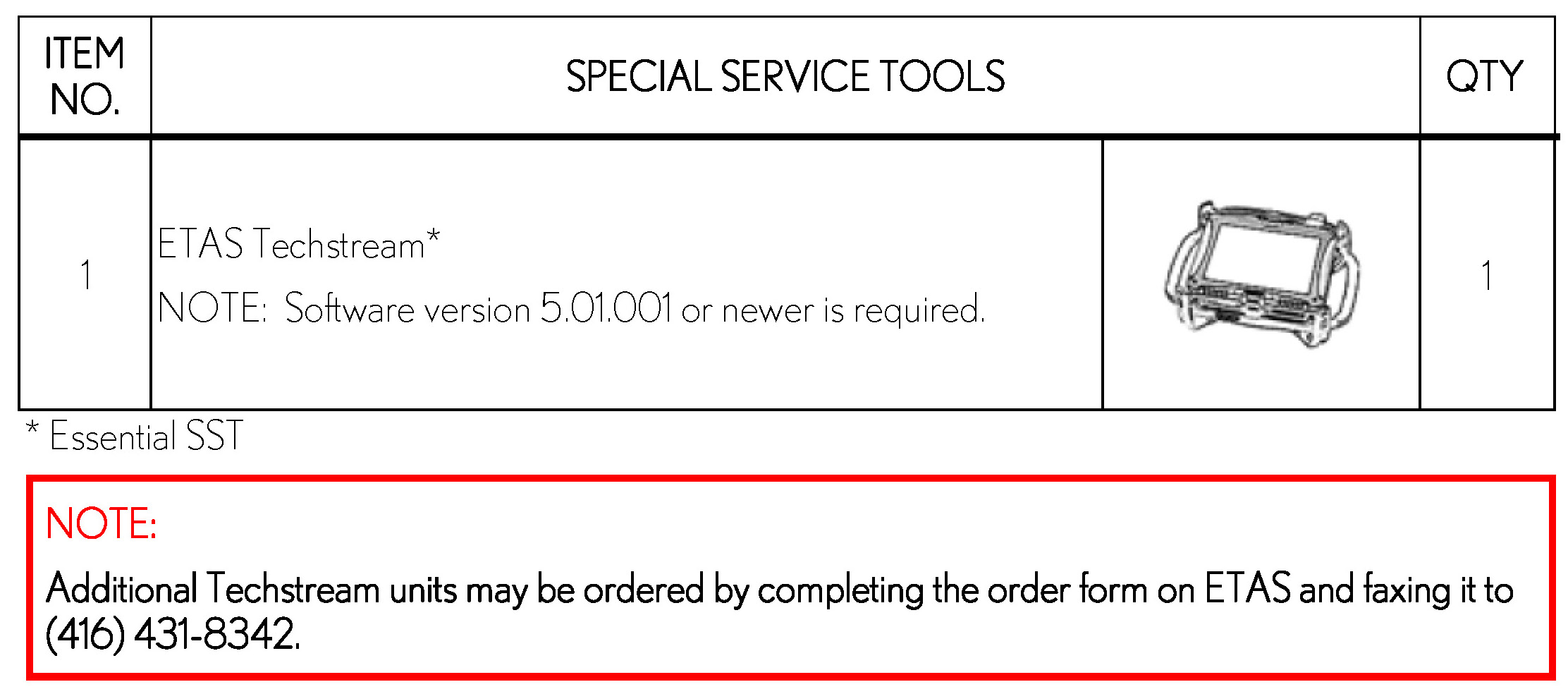
REQUIRED TOOLS & EQUIPMENT:
REFERENCE INFORMATION:
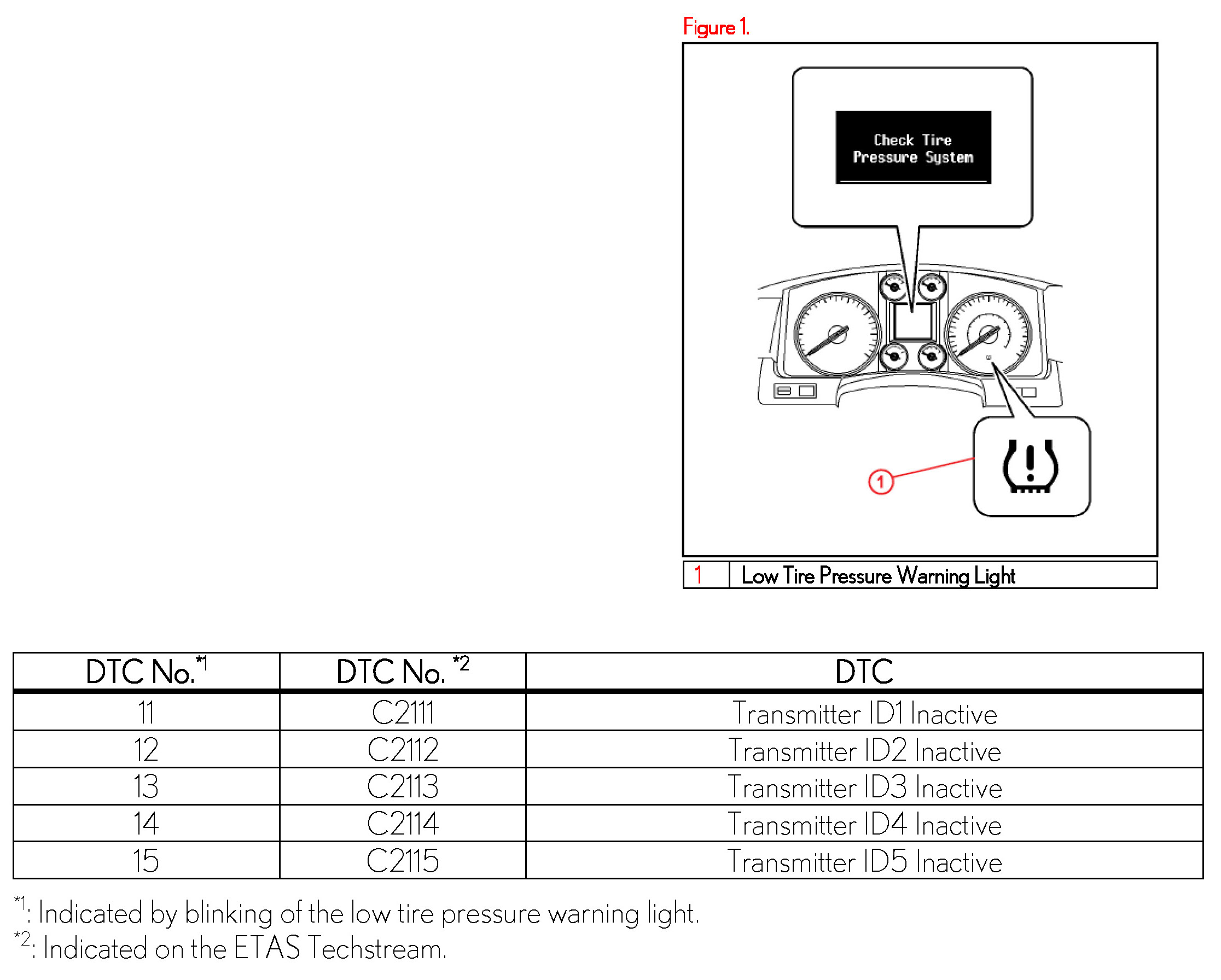
- After cycling the engine switch to the "IG-ON" position, the Low Tire Pressure Warning Light will blink for 1 minute and then remain illuminated until all the tire pressure warning valves/sensors are activated.
- The Diagnostic Trouble Codes (DTCs) listed are stored in the TPWS ECU until the tire pressure warning valves/sensors are activated.
- The multi-information display will read "Check Tire Pressure System" until all tire pressure warning valves/sensors are activated.
- The DTCs will automatically clear when the tire pressure warning valves/sensors are activated.
ACTIVATION PROCEDURE:
1. Connect ETAS Techstream.
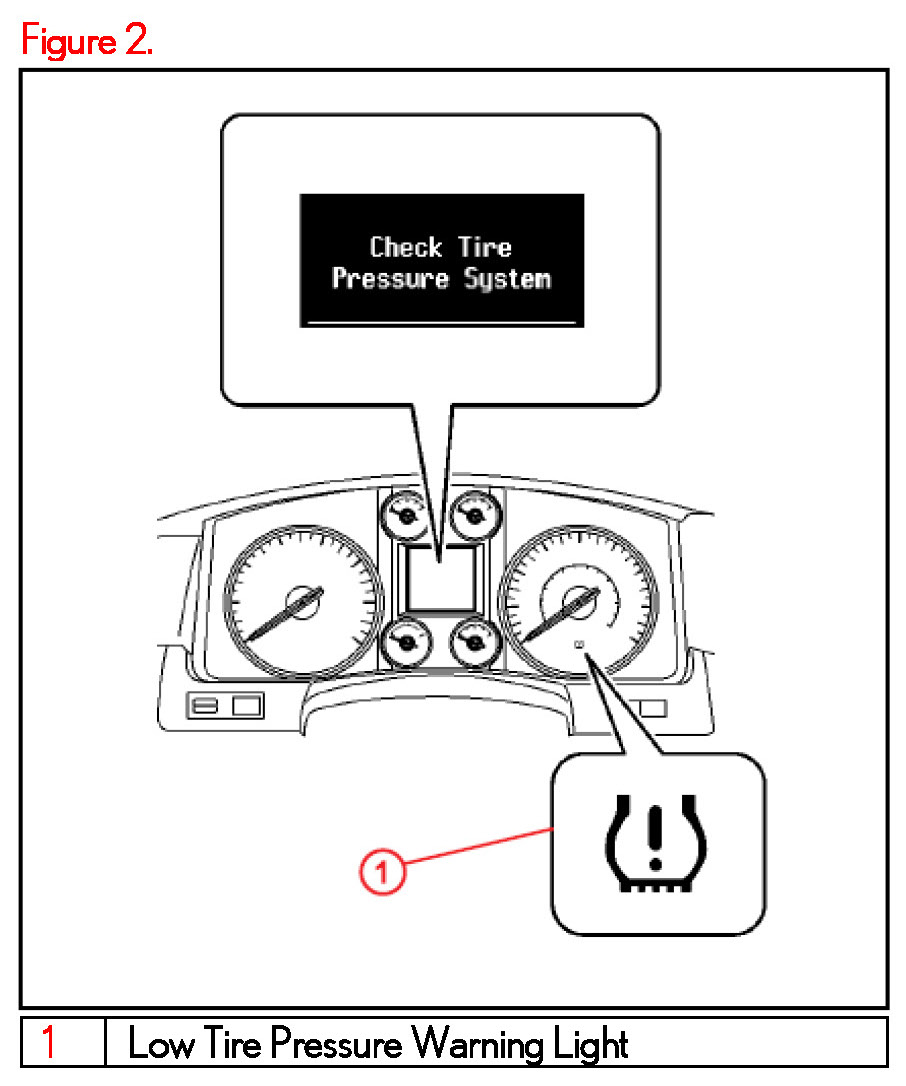
2. Turn the ignition switch to the "IG-ON" mode and check that the Low Tire Pressure Warning Light flashes for 1 minute and then remains illuminated.
NOTE
"Check Tire Pressure System" is displayed on the multi-information display until all tire pressure warning valves/sensors are activated.
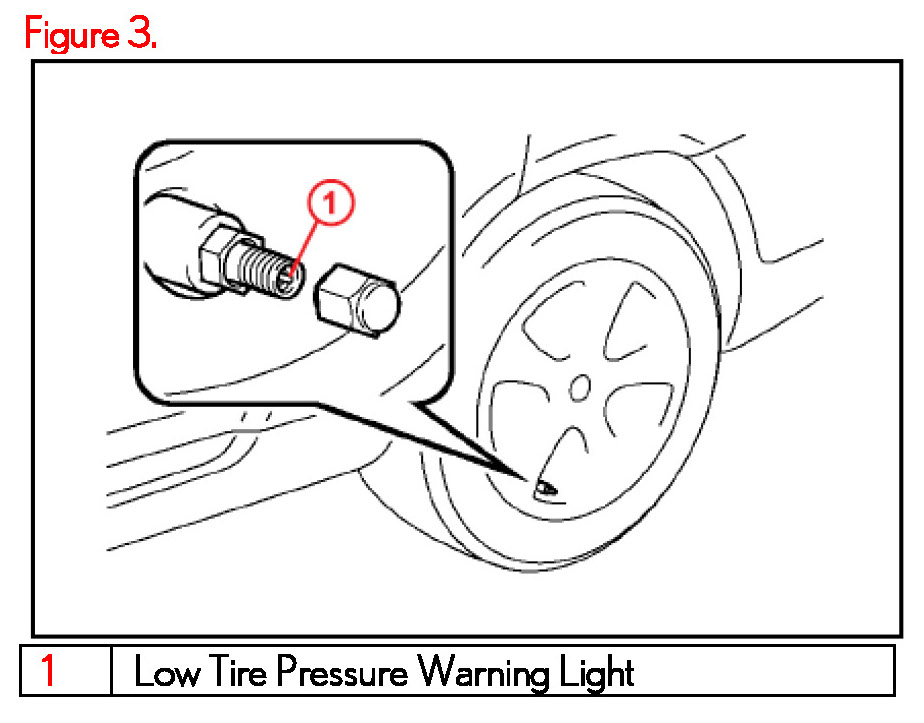
3. Press or remove the valve core to reduce the tire inflation pressure rapidly by 6 psi (0.4 kgf/cm2, 40 kPa), or more, within 30 seconds.
NOTE:
This operation is required for the system to be activated and must be performed for each tire (including the spare tire), one at a time.
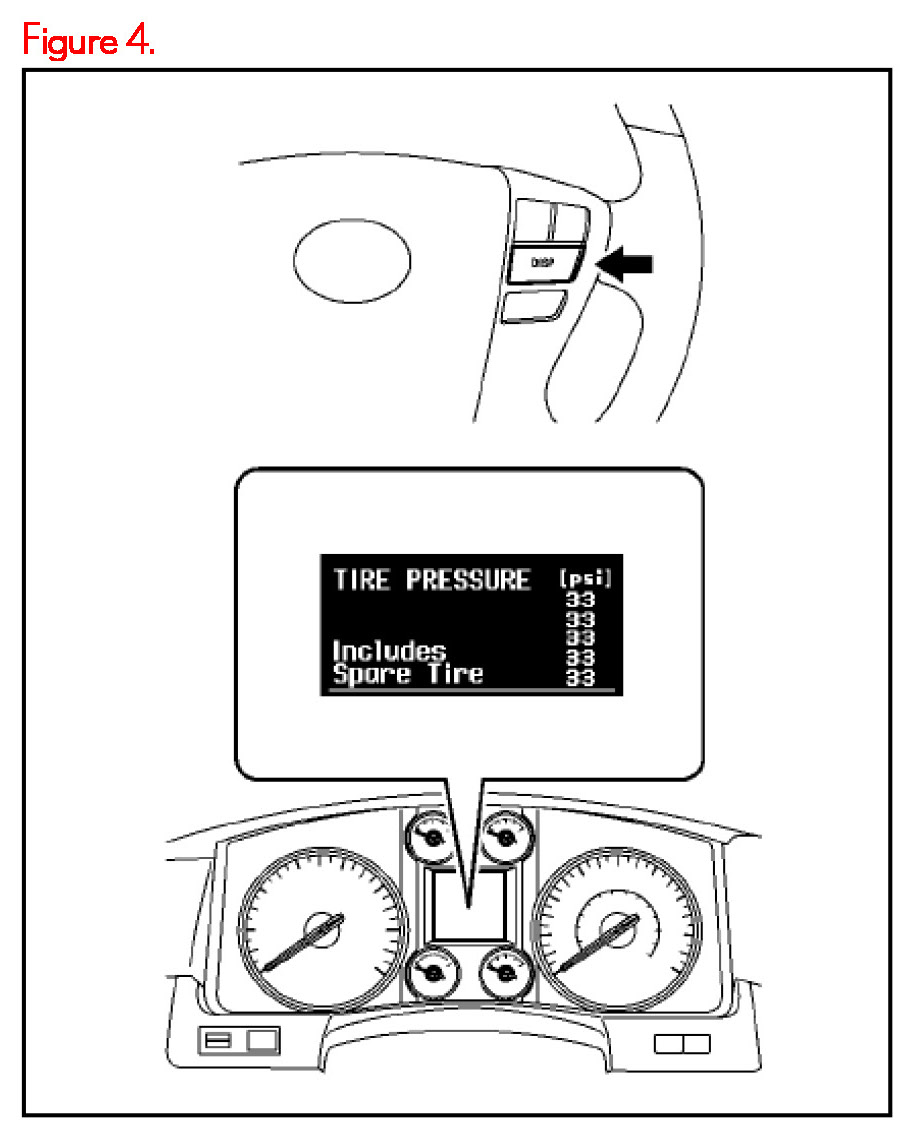
4. Press the "DISP" switch on the steering wheel and check that the tire pressures of all 5 tires are displayed on the multiinformation display.
NOTE:
- The tire pressure display is NOT shown until all tire pressure warning valve/sensors are activated.
- If "Check Tire Pressure System" or "CHECKING" (which means the tire pressures are being measured) is displayed, repeat step 3. If step 3 is performed and the tire pressures are still NOT displayed, lift the vehicle and turn each tire 90 to 270 degrees. Then repeat step 3.
- If the above steps are performed and the multi-information display does NOT show the tire pressures, refer to the Repair Manual.
INITIALIZATION PROCEDURE:
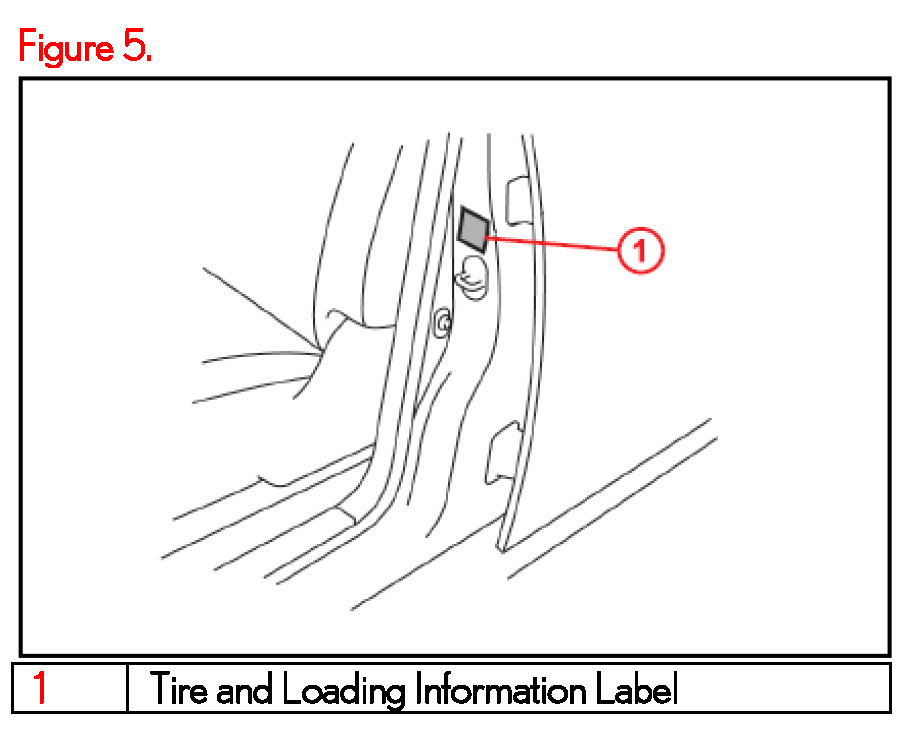
1. Adjust all tires (including the spare tire) to the standard tire inflation pressure, as indicated on the Tire and Loading Information Label located inside the driver's door jamb.
NOTE
To adjust tire pressure correctly when outside temperature is significantly colder or warmer than shop temperature, please reference the Tire Inflation Pressure Compensation and Adjustment Service Bulletin. TSB 0642.
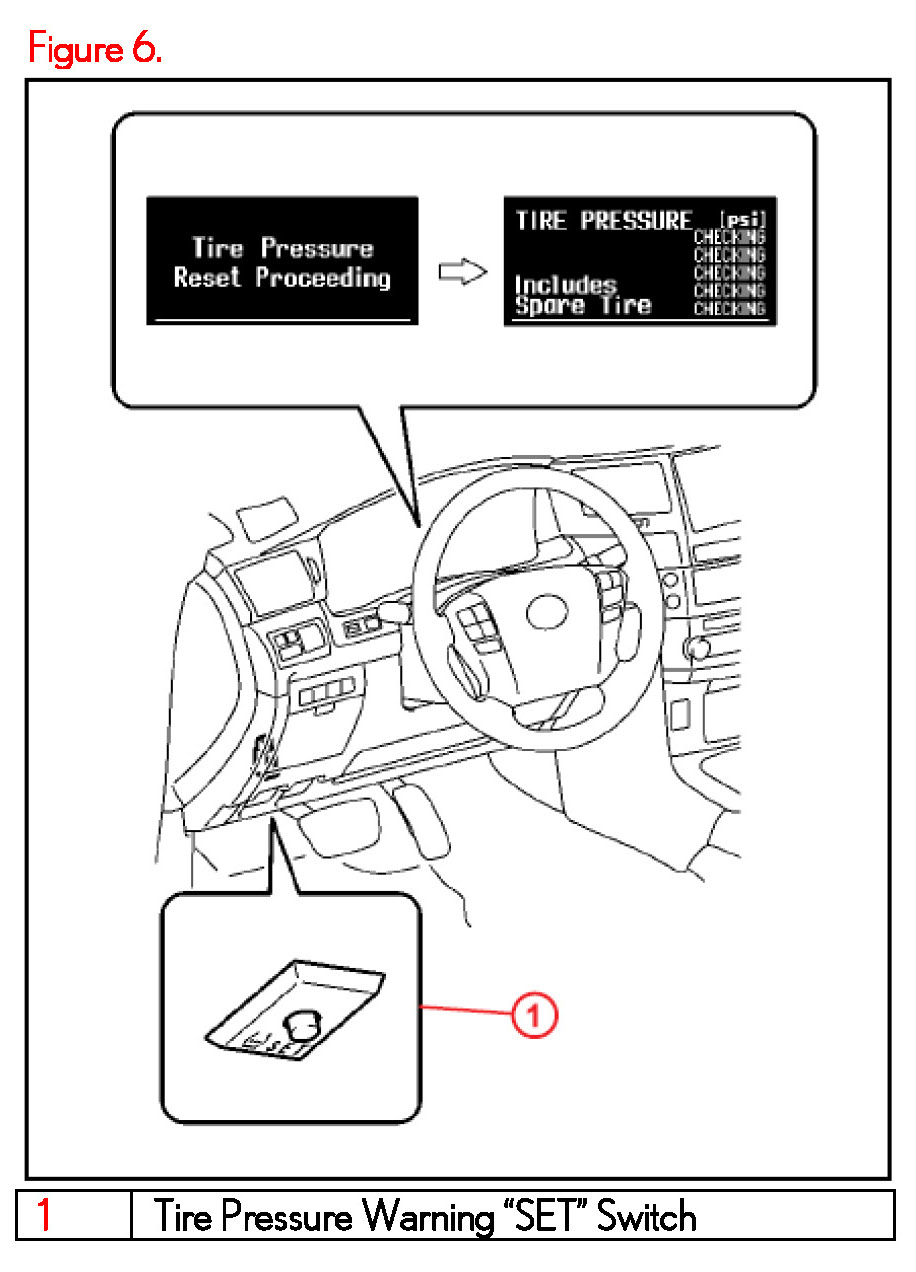
2. Turn the engine switch to the "IG-ON" mode and then push and hold the Tire Pressure Warning "SET" switch for 3 seconds until the Low Tire Pressure Warning Light blinks 3 times and then turns OFF to set the tire pressure initialization.
NOTE:
- Make sure that the "Tire Pressure Reset Proceeding" appears on the multi-information display. After a few seconds, the display changes to "CHECKING" (which means the tire pressures are being measured).
- It is necessary for the ignition to be in the "IG-ON" mode AT LEAST 5 minutes for initialization to complete correctly.
3. Cycle the ignition switch to the "OFF" position and then to the "IG-ON" position.
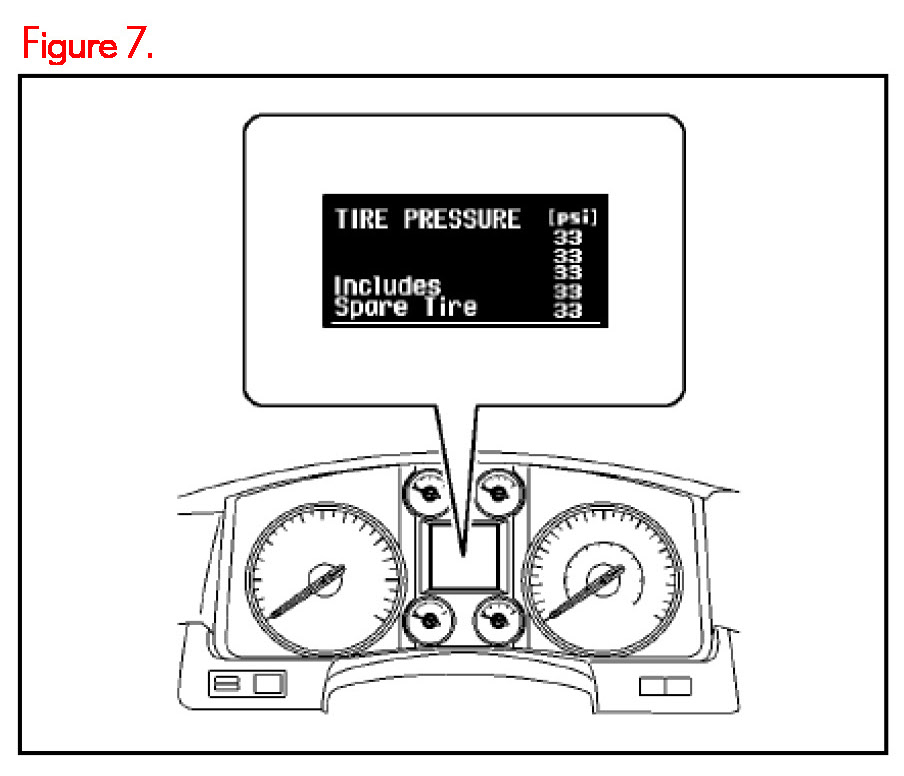
4. Check that the tire pressures for all 5 tires are displayed on the multi-information display.
If the tire pressure values are NOT displayed on the multi-information display, the initialization is NOT complete.
NOTE
- Check that the tire pressure adjusted in step 1 is displayed.
- Initialization will be completed if signals are received from all 5 tires. It takes 2 to 3 minutes to display the tire pressure data.