Recall - Throttle Body Icing Condition: Overview
No.: SR-03-001DATE: January, 2003
MODEL: 2003 Outlander
SUBJECT:
THROTTLE ICING CONDITION
-SAFETY RECALL CAMPAIGN
BACKGROUND INFORMATION
Mitsubishi Motors North America, Inc. is voluntarily recalling certain 2003 Outlanders for possible throttle condition in low ambient temperatures. In extremely low temperatures, ice can build up inside the engine throttle valve, and may cause the accelerator pedal to stick or not to return to idle after accelerating. This condition can be eliminated by reprogramming the software parameters for EGR control in the PCM as described in this bulletin.
AFFECTED VEHICLES
2003 Outlander models produced before 1/30/03
A list of VINs for vehicles shipped to your dealership is provided with this recall bulletin.
WARNING
Effectively immediately, affected vehicles in dealer stock must be inspected/repaired before the vehicle is sold. Affected vehicles may be in transit to your dealership; all vehicles produced before January 30, 2003 must be checked on the Warranty Super Screen to determine whether this reprogramming has been completed. Dealers must check all their inventory vehicles' VINs on the Warranty Super Screen to verify whether the vehicle is an affected VIN for this recall campaign.
CUSTOMER NOTIFICATION
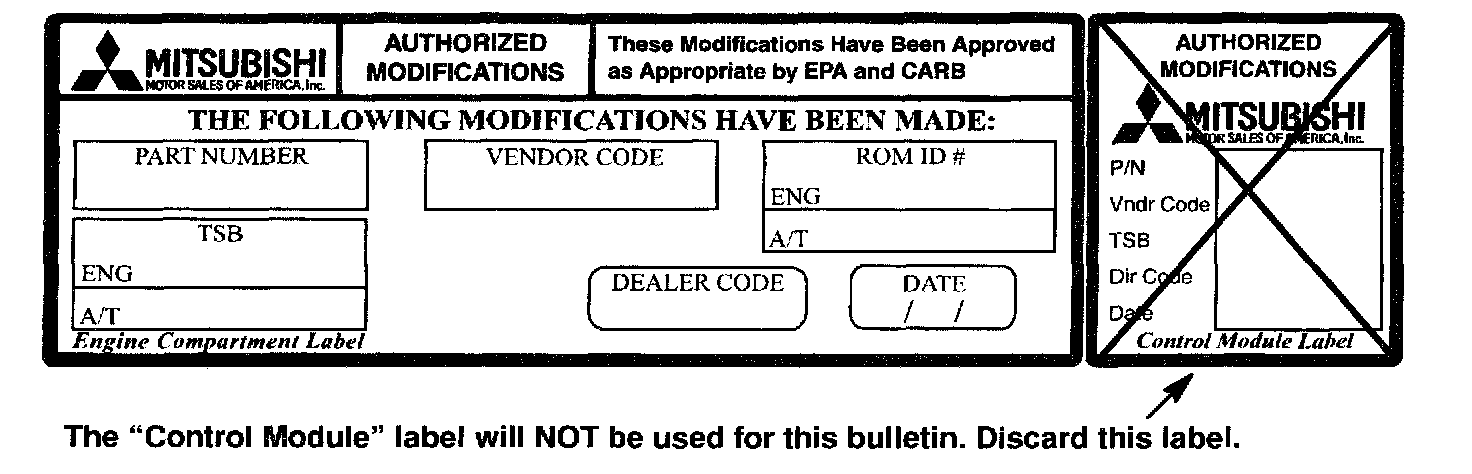
A letter will be sent to all owners of affected vehicles, telling them to bring their vehicle to their Mitsubishi Motors dealer to have the PCM reprogrammed. A copy of the customer notification letter appears later in this bulletin.
REQUIRED OPERATIONS
Before starting this campaign procedure, CHECK THE WARRANTY SUPERSCREEN to verify that the vehicle is an affected VIN for this campaign and that this campaign procedure has not already been completed.
CAUTION
BATTERY VOLTAGE (AS MEASURED AT THE BATTERY POSTS WITHOUT ELECTRICAL LOAD) MUST BE 12.4V OR HIGHER IN ORDER TO REPROGRAM THE PCM.
1. Use the MUT-II to read the ECU part number as described below, then refer to Step 3 to determine the appropriate ROM pack database number.
a. With the MUT-II connected, turn the ignition key to ON.
b. At the MAIN MENU, select "1. System Select" and press Yes/
c. Select "MFI" and press Yes.
d. Select "Mitsubishi MFI" and press Yes.
e. At the OBD-II check code screen press Yes.
f. At the Readiness Tests status screen, press Yes.
g. At the MFI Main Menu screen, press S.
h. At the Check Code screen, press the right arrow -->
i. The ECU part number and ROM ID will display. Note the part number and refer to Step 3 to select the appropriate ROM pack database.
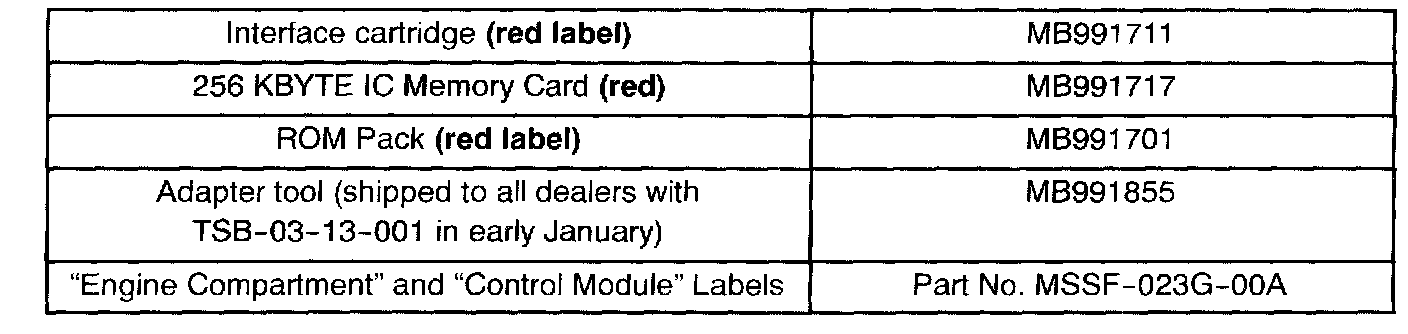
2. Gather the reprogramming equipment shown.

3. Select the appropriate red label ROM pack database shown.
IMPORTANT
Dealers must update ROM packs as needed, depending on vehicle repair requirements for PCM software updates.
For instructions on updating ROM packs using MEDIC, and for current database information:
1) From the MEDIC Main Menu, select "MUT-II ROM Pack Re-write."
2) Select "ROM Pack Information."

When updating the ROM packs for this bulletin, use the following passwords:
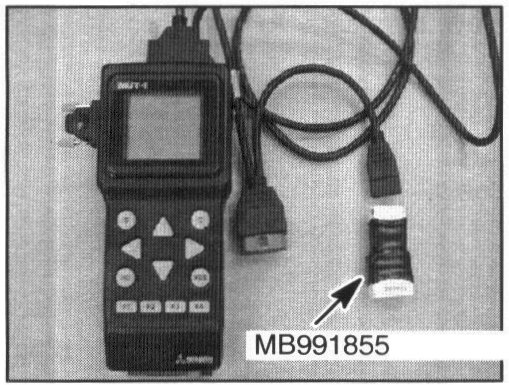
4. Connect adapter tool MB991855 to the MUT-II as shown. Install the red label interface cartridge to the MUT-II. Then install the 256 KBYTE red memory card and the red label ROM pack. Use the ROM pack with the appropriate database number.
5. Connect the MUT-II to the vehicle. Connect both the 16-pin and the 13-pin data link connectors.
6. Turn the ignition key to ON. DO NOT START THE VEHICLE.
CAUTION
DO NOT DISTURB THE HARNESS CABLES OR CONNECTIONS. INTERRUPTION DURING THE PROGRAMMING PROCESS COULD CAUSE THE PCM TO LOSE DATA OR PREVENT FUTURE PCM REPROGRAMMING.
7. Select "MFI". Then press "YES". The MUT-II will take a few seconds to verify the ROM ID.
8. If either of the following messages display. STOP! Do not continue with this procedure:
a. If the PCM has already been reprogrammed, the MUT-IT will display "This ECU has already been reprogrammed." Do not continue with this procedure.
b. If the PCM was manufactured with the latest software update, the MUT-II will display "ECU data for above part # and ROM-ID is not available." Do not continue with this procedure.
9. If the MUT-II displays "Reprogramming is not possible on this ECU," verify that the correct ROM pack is installed.
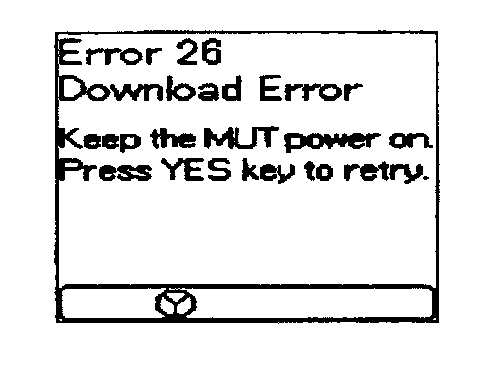
10. If the ECU can be reprogrammed, the MUT-II will display, "Do you want to reprogram this ECU?" Press "YES".
If an "Error 26 Download Error" screen displays, simply press "YES" to continue.
CAUTION
DO NOT DISCONNECT THE MUT-II CABLE. IF THE MUT-II IS DISCONNECTED AT THIS TIME, THE PCM WILL BE DAMAGED AND MUST BE REPLACED.
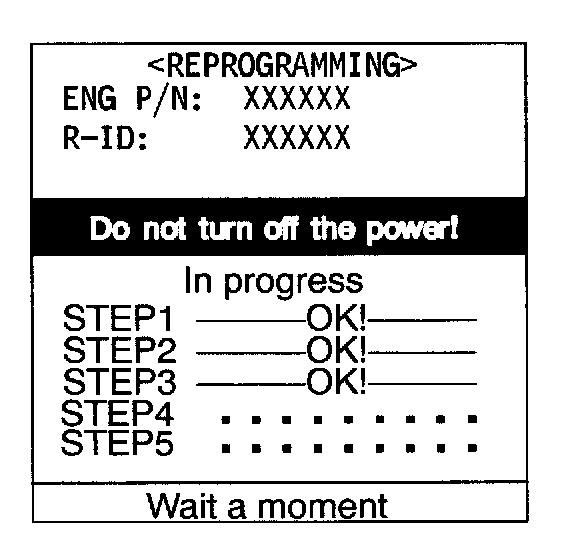
11. The MUT-II will display this screen as it reprograms the PCM. It will take approximately 18 minutes to complete.
DO NOT DISTURB THE HARNESS CABLES OR CONNECTIONS. INTERRUPTION DURING THE PROGRAMMING PROCESS COULD CAUSE THE PCM TO LOSE DATA OR PREVENT FUTURE PCM REPROGRAMMING.
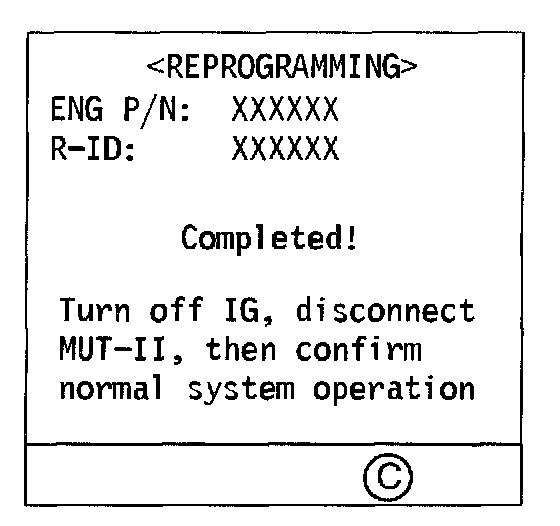
12. When the reprogramming process is finished, the MUT-II screen will display "Completed." Press "C".
If reprogramming does not complete, turn the key off and repeat this process from Step 6.
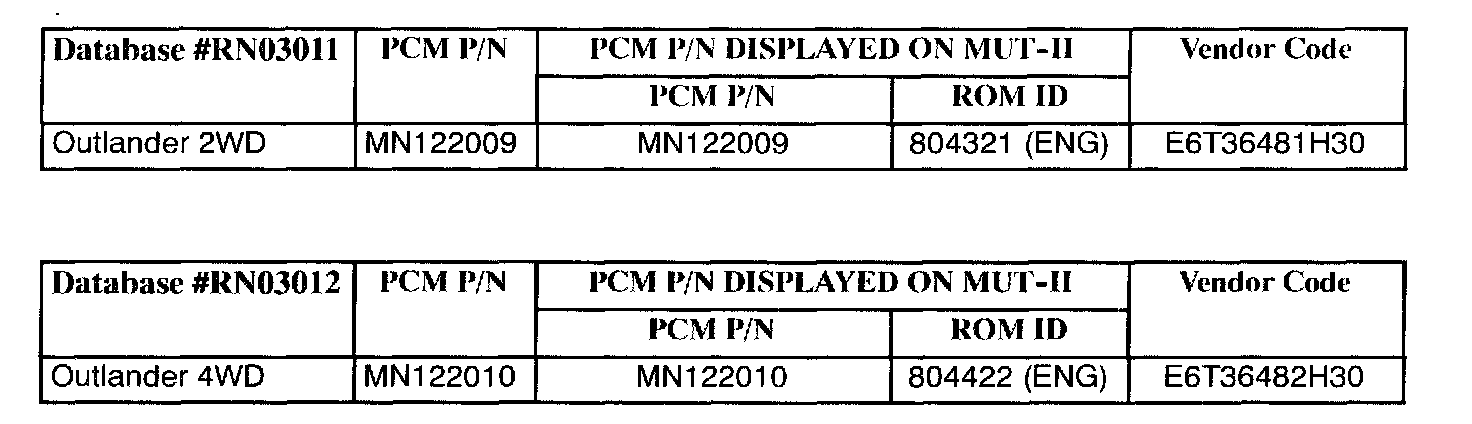
To verify the correct reprogramming has been made, the ROM ID number will display on the MUT-II screen. The table below lists the ECU part numbers, ROM ID numbers,and vendor codes that should display after reprogramming. Note these numbers.
13. Turn the ignition key to OFF and disconnect the MUT-II. Reprogramming is complete.
THE FOLLOWING STEPS ARE REQUIRED BY LAW:
14. Using a ball-point pen, enter the appropriate PCM part number, vendor number, ROM ID #, this recall bulletin number (SR-03-001), your dealer code, and the current date on the Engine Compartment Label (part no. MSSF-023G-00A).
15. Carefully remove all dirt and oil from a vacant area near the VECI label on the underside of the hood, and affix the Engine Compartment label.
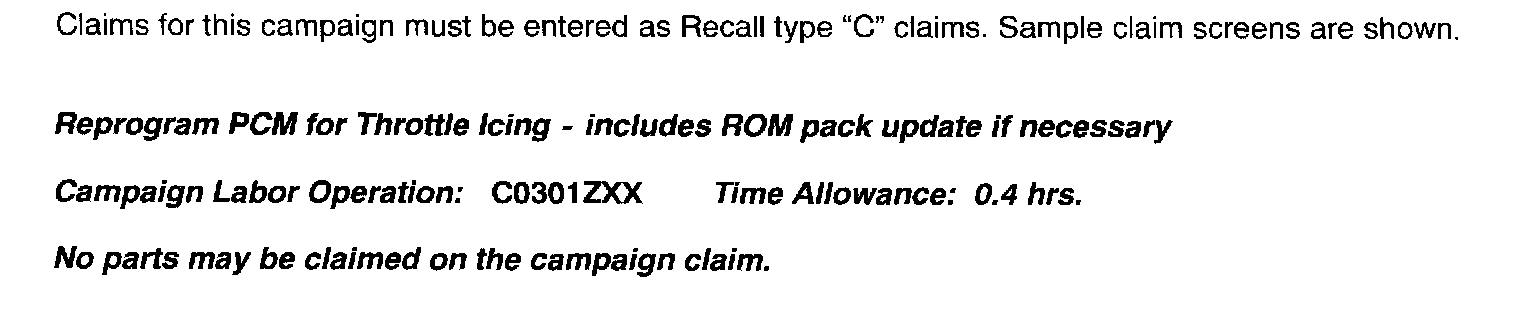
WARRANTY INFORMATION
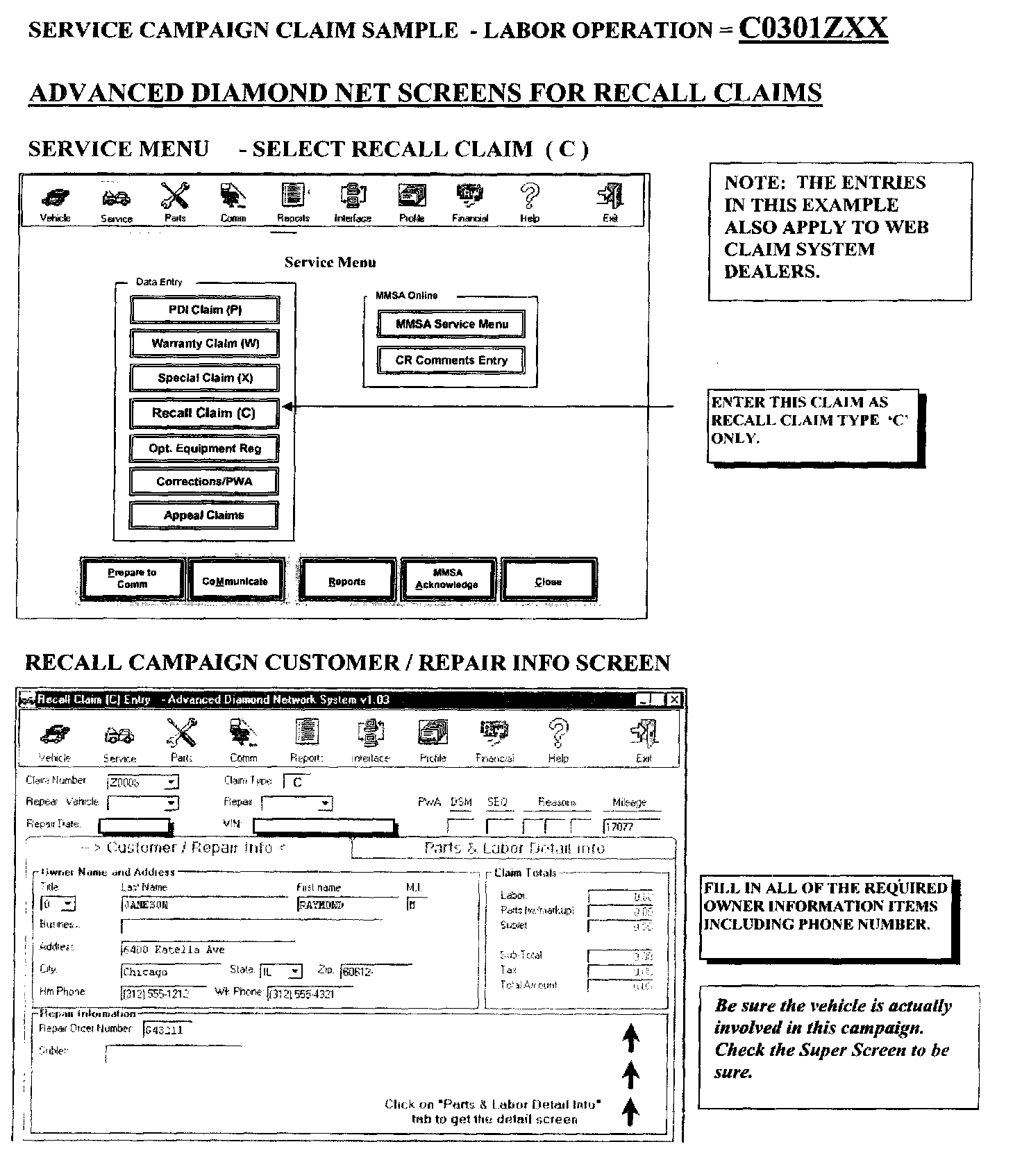
Service Campaign Claim Sample
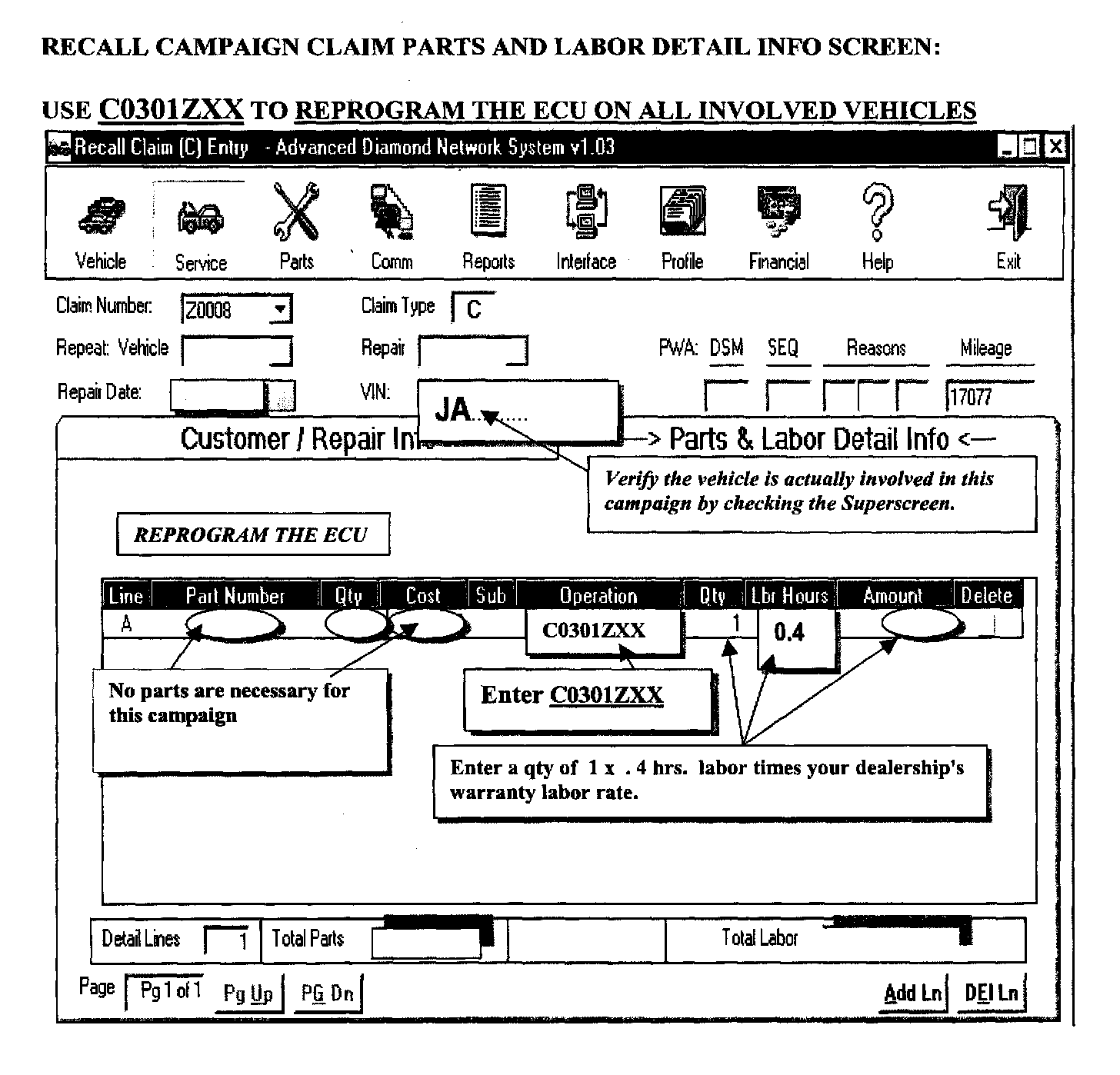
Recall Campaign Claim Parts and Labor Detail Info Screen
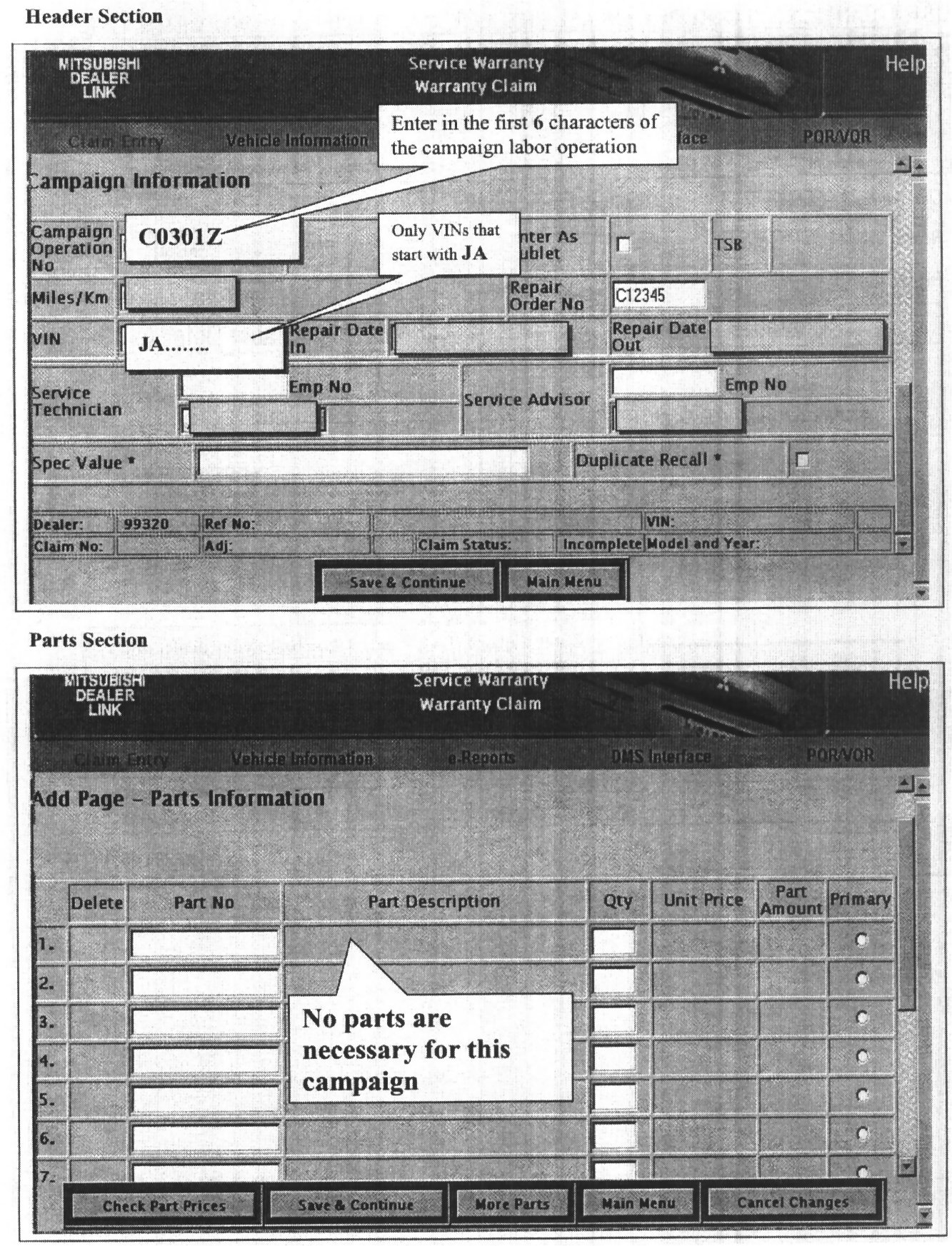
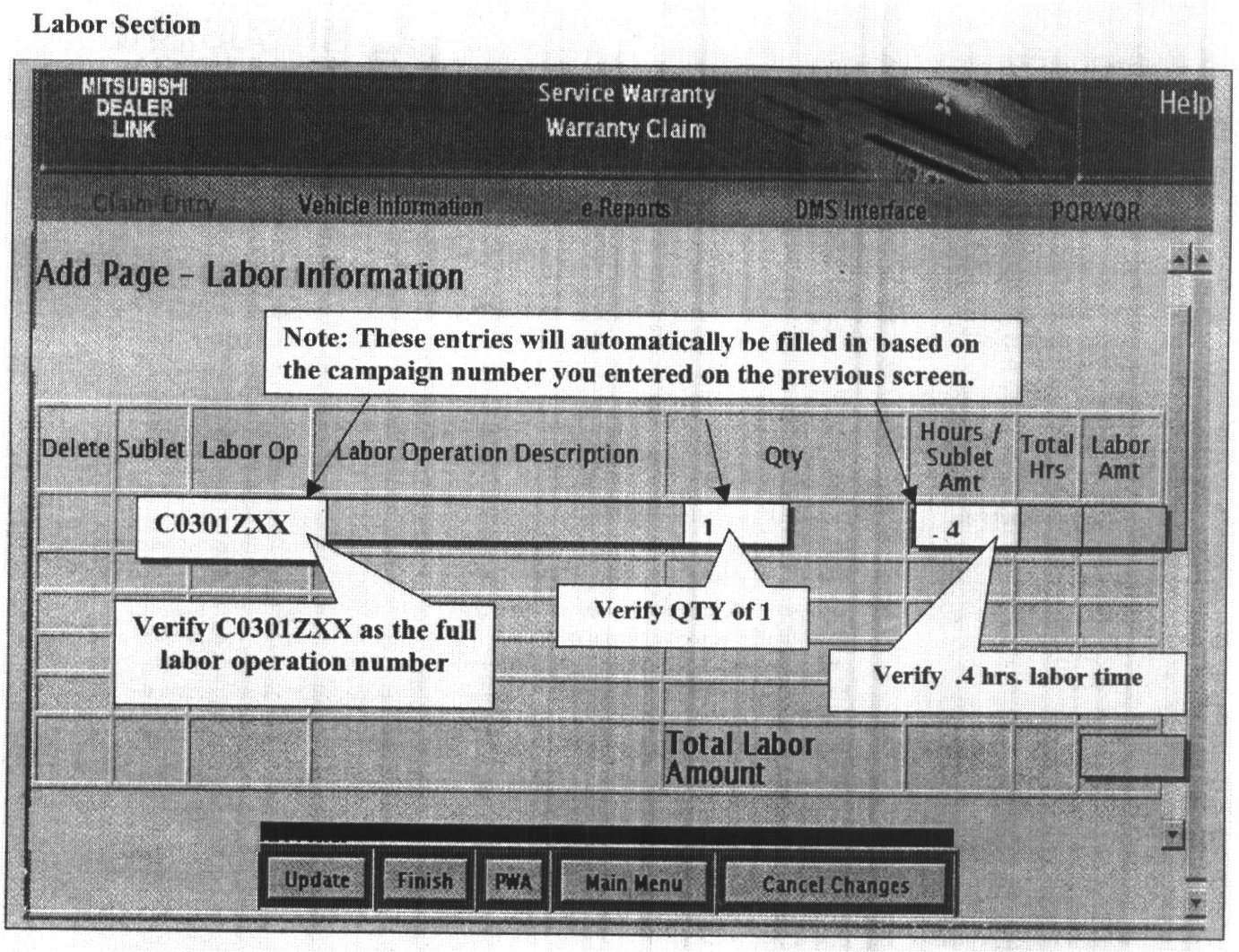
Web Based Claim System - Recall Claim Screens