Read Current Data
READ CURRENT DATA1) On [Main Menu] display, select (Each System Checks).
2) On [System Selection Menu] display, select (Transmission Control System).
3) After transmission type information pops up, select [OK].
4) On [Transmission Diagnosis] display, select (Current Data Display & Save).
5) On [Current Data Display & Save] display, select (Normal sampling).
6) Using the scroll key, scroll the display screen up or down until the desired data is shown.
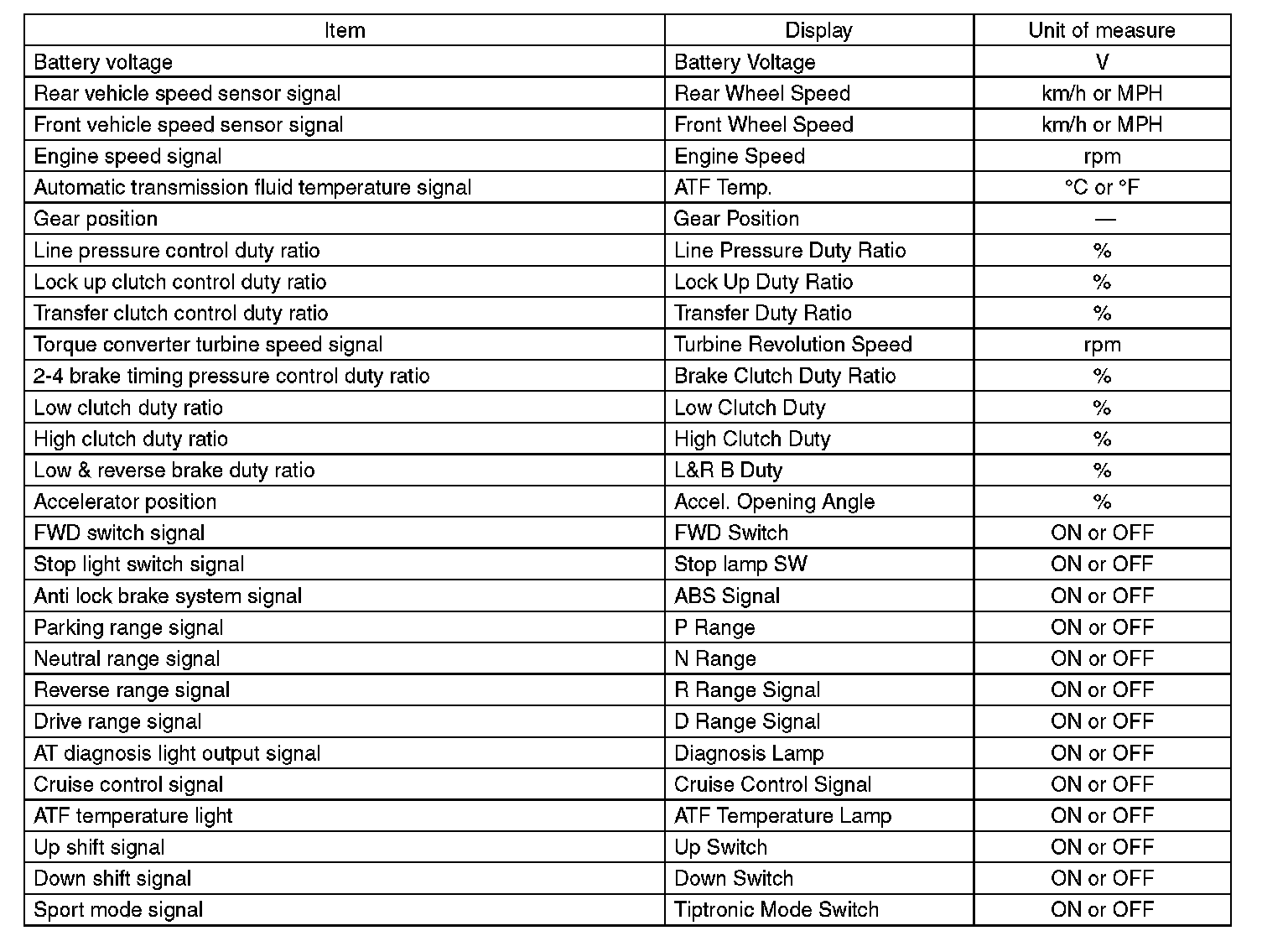
The list of support data is as shown below.
NOTE:
For details concerning the operation procedure, refer to "PC application help for Subaru Select Monitor". Read Diagnostic Trouble Code (DTC)