AcuraLink Control Unit (XM Receiver) Removal/Installation
AcuraLink Control Unit (XM Receiver) Removal/Installation
With AcuraLink
SRS components are located in this area. Review the SRS component locations Locations, and the precautions and procedures Service and Repair before doing repairs or service.
1. Remove the center console Center Console Removal/Installation.
2. Remove the HandsFreeLink control unit Service and Repair.
3. Remove the audio-navigation unit Audio-Navigation Unit Removal/Installation (With Navigation).
4. Remove the bolts (A), and loosen the bolt (B).
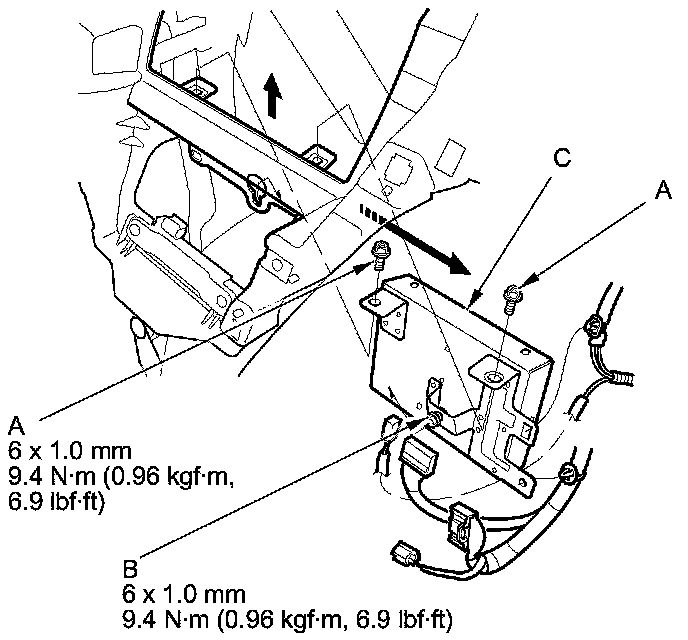
5. Pull the AcuraLink control unit (XM receiver) (C) out, then disconnect the connectors from the AcuraLink control unit (XM receiver), and detach the clips.
6. Install the AcuraLink control unit (XM receiver) in the reverse order of removal.
NOTE: If you replaced the AcuraLink control unit (XM receiver) make sure it has the latest software Programming and Relearning.
7. Call XM Satellite Radio to update the client's account with the new XM/HIP serial number. Also call Acura Client Services to reactivate the AcuraLink.