Starting Procedure For Diagnostic Mode [Car-Navigation System]
STARTING PROCEDURE FOR DIAGNOSTIC MODE [CAR-NAVIGATION SYSTEM]1. Turn the ignition switch to the ACC or ON position.
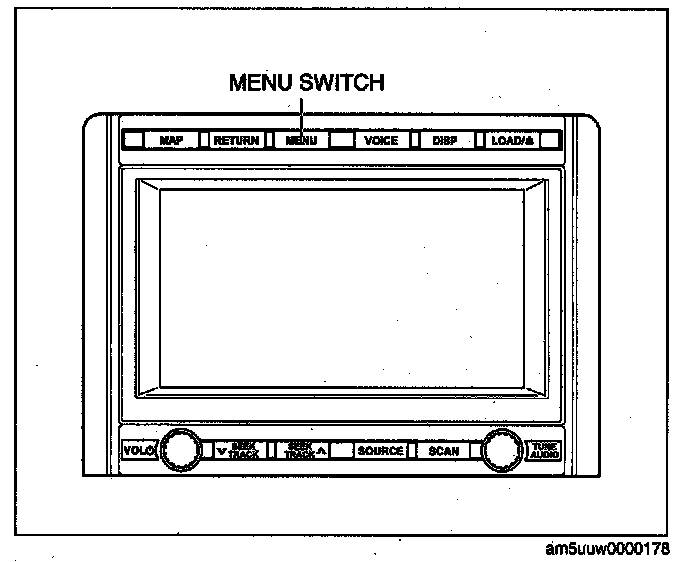
2. Press the MENU switch (panel switch).
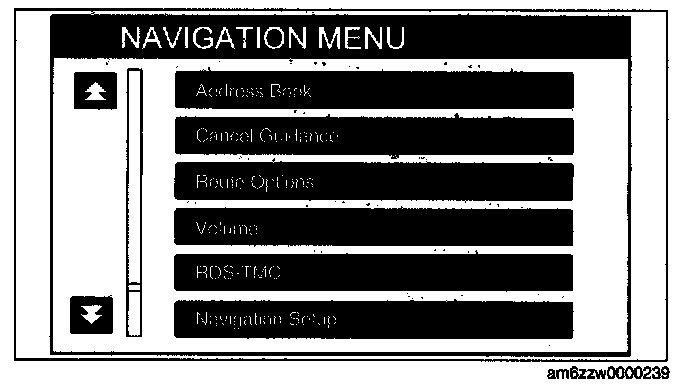
3. Select "Navigation Setup".
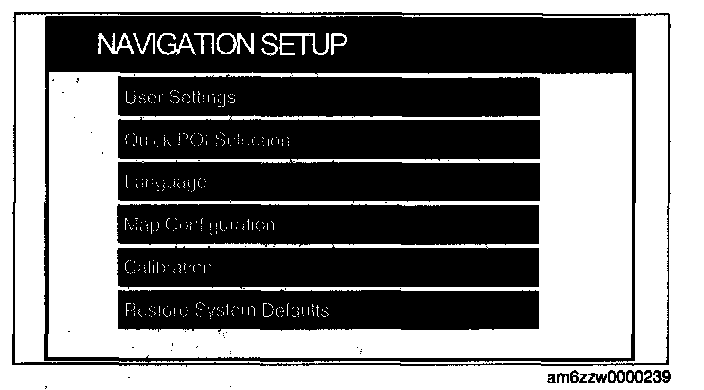
4. Select "Calibration".
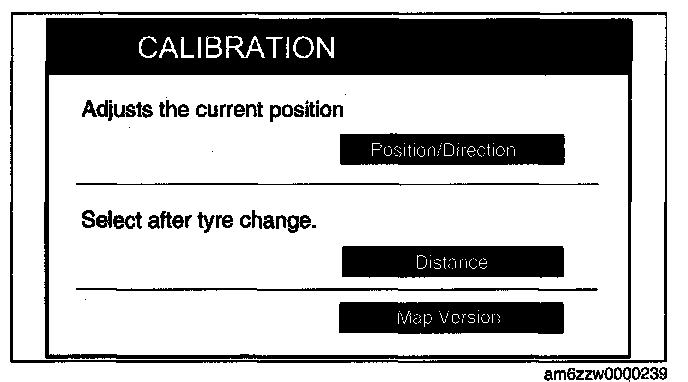
5. Select "Map Version".
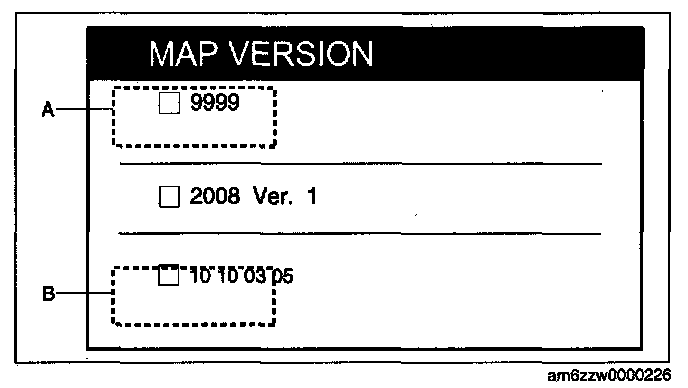
6. Press the A portion of the MAP VERSION screen two times.
7. Press the B portion of the MAP VERSION screen two times.
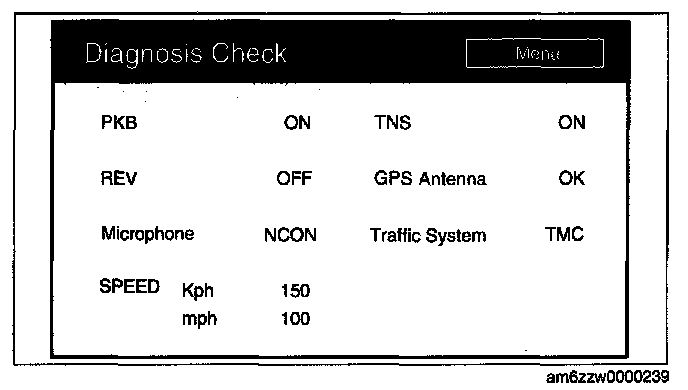
8. Select "Menu".
9. Select the items to be inspected from the diagnosis menu. (See DIAGNOSTIC CHECK [CAR-NAVIGATION SYSTEM].) Diagnostic Check [Car-Navigation System]
10. To stop the on-board diagnostic mode, switch the ignition to off.