Operation
VDC Sequence ControlOPERATION
1) While the VDC sequence control is performed, the operation of the hydraulic unit can be checked using the brake tester or pressure gauge after the hydraulic unit solenoid valve is operated.
2) VDC sequence control can be started by Subaru Select Monitor.
VDC SEQUENCE CONTROL WITH SUBARU SELECT MONITOR
NOTE:
In the event of any trouble, sequence control will not operate.
1) Connect the Subaru Select Monitor to data link connector under the driver's side instrument panel lower cover.
2) Turn the ignition switch to ON.
3) Run the "PC application for Subaru Select Monitor".
4) Set the Subaru Select Monitor to "Brake Control System" mode.
5) When the "VDC Inspection Mode" is selected from the "Function Check Sequence" menu, the "VDC sequence control" will start.
6) Press "OK" after "Press "OK"" is displayed.
7) Operation points will be displayed on Subaru Select Monitor.
CONDITIONS FOR VDC SEQUENCE CONTROL
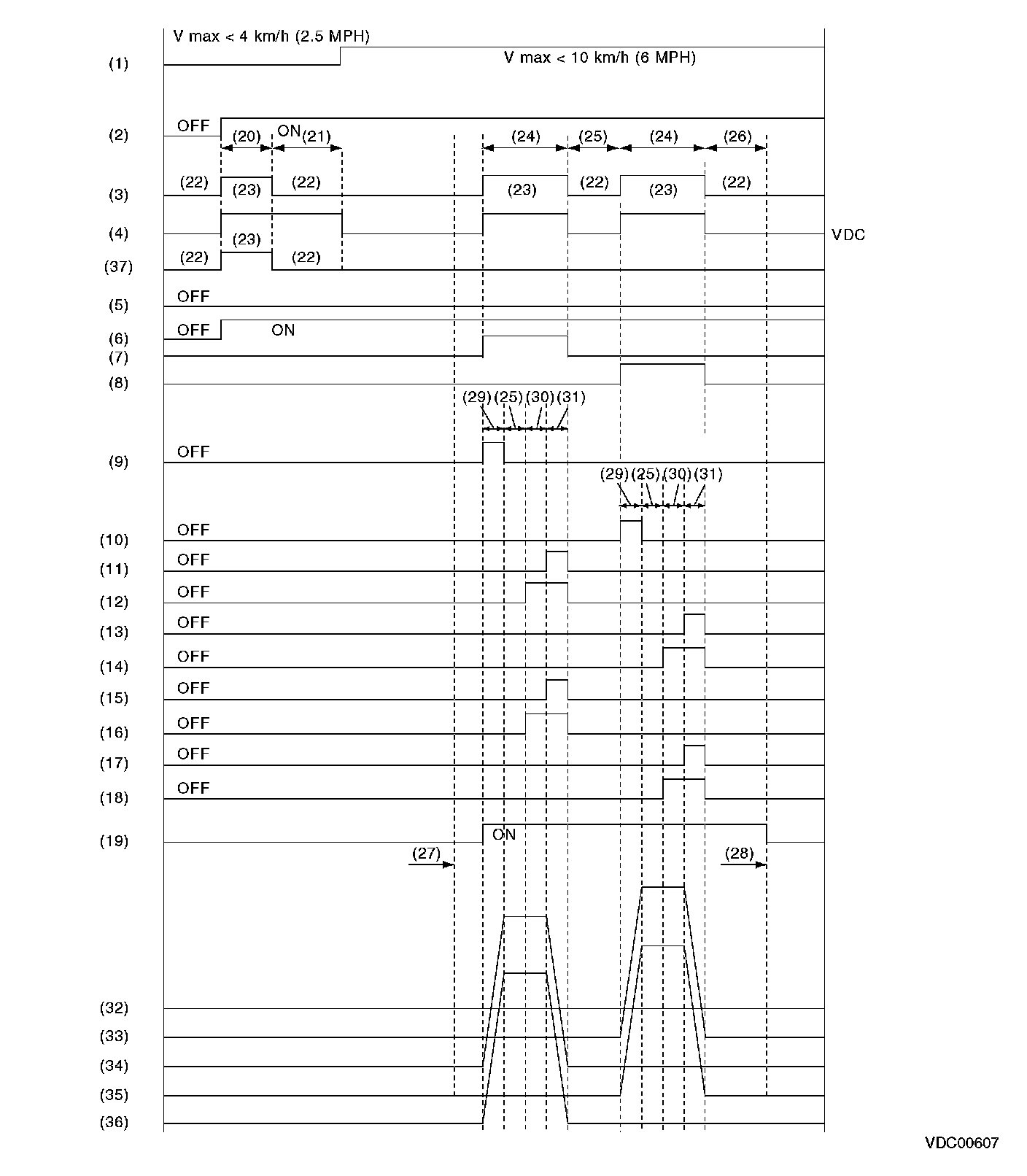
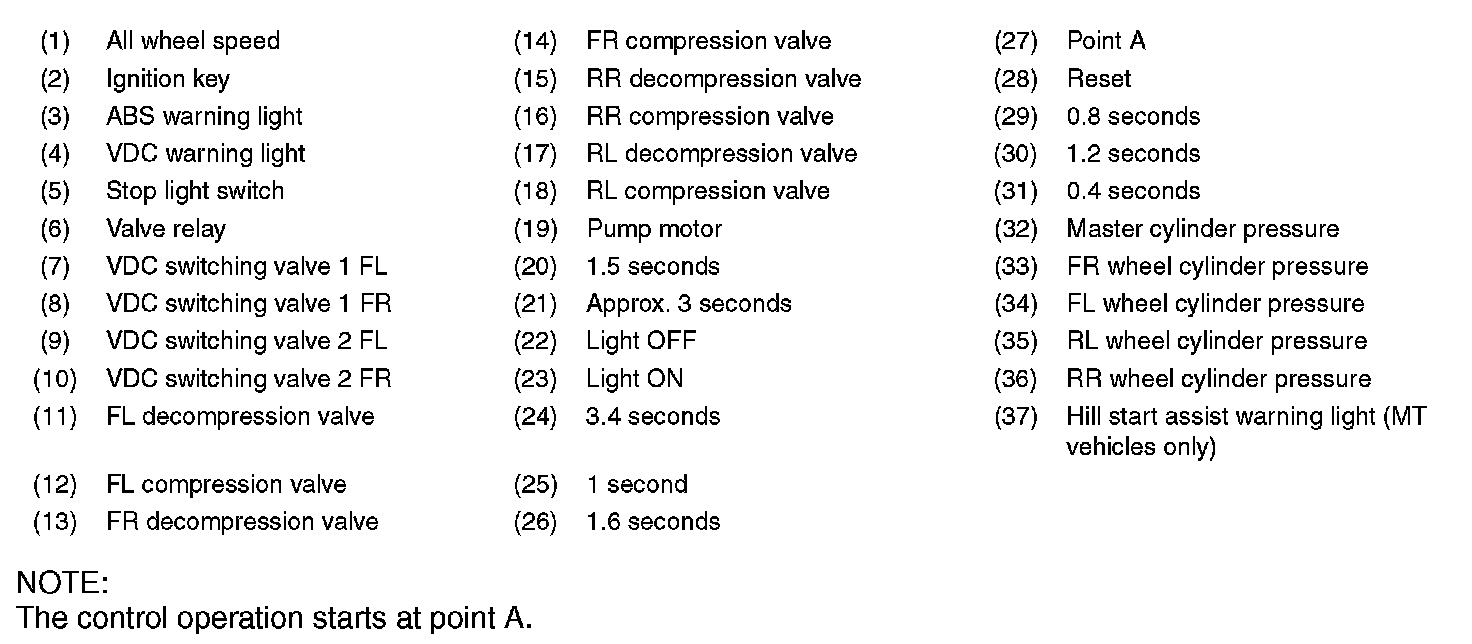
NOTE:
The control operation starts at point A.