Displaying & Reading Trouble Codes
NOTE: This is the only information provided by the manufacturer for reading diagnostic trouble codes.General Troubleshooting Information
The self-diagnostic function of the driving position memory system detects system problems. This information can be retrieved by displaying diagnostic trouble code.
Displaying the Diagnostic Trouble Code (DTC)
1. Turn the ignition switch OFF, and move the seat to a non-memorized position.
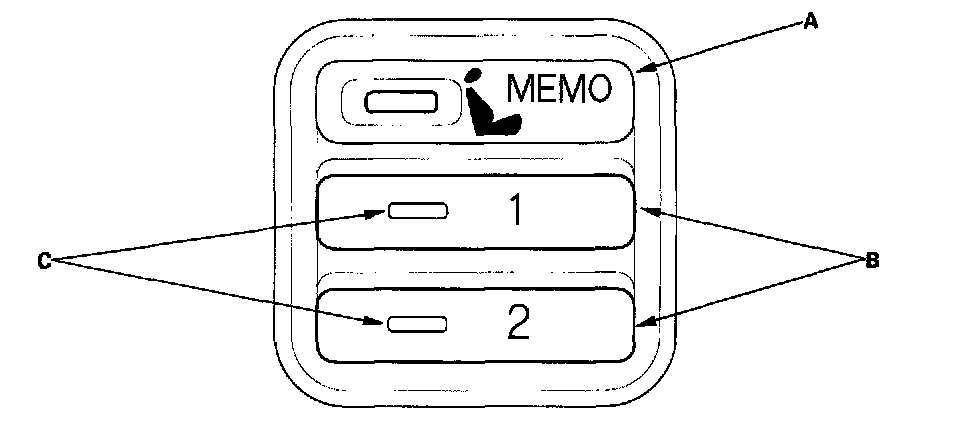
2. Press and hold the MEMO button (A) and both position buttons (B) at the same time.
3. Turn the ignition switch ON (II), and wait at least 1 second, then release the three buttons.
4. After 1 second, the position button indicators (C) will blink to show the DTC.
DTC Indications
No System Problem Pattern:
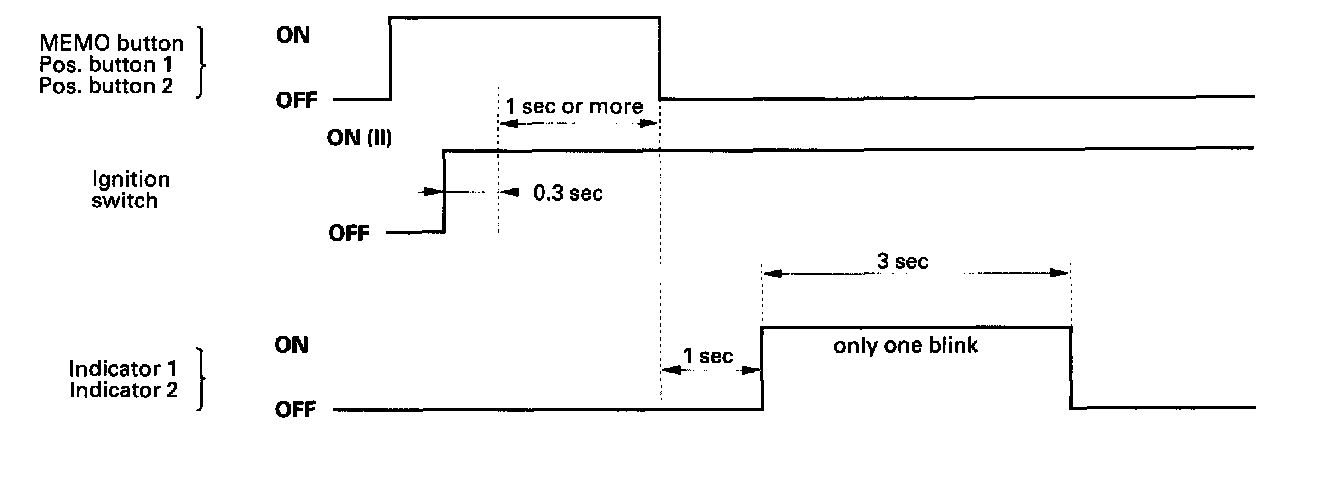
If there is no DTC stored, the indicators blink only once (3 seconds).
System Problem Pattern:
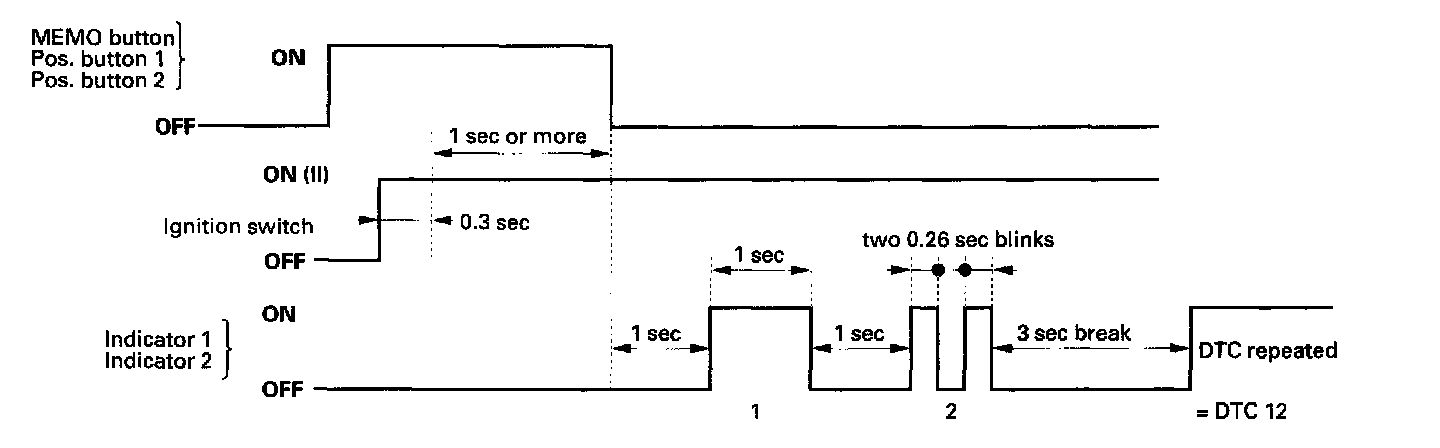
If a system problem occurs and a DTC is stored, the indicators will show the DTC. The first digit is indicated by the number of long (1 second) blinks, and the second digit is indicated by the number of short (0.26 second) blinks. There is a 3 second break between each DTC when there are multiple DTCs.