Multimedia Display 1 Control Module
Rear Seat Entertainment System, High Alpine
Multimedia Display 1 Control Module
• Removal and installation of Multimedia Display 1 Control Module (J744) and Multimedia Display 2 Control Module (J747) are identical.
- Switch off all electrical consumers.
- Remove the key.
Removing
- Remove the luggage compartment trim panel on the left side.
- Remove the screw - 3 - (3 Nm).
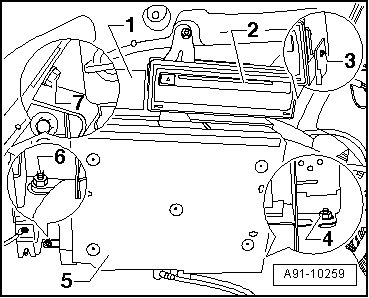
- Remove the navigation system with CD drive control module (J401) with the mounting frame - 2 -. Refer to => [ Navigation System with CD Drive Control Module ] Removal and Replacement.
- Remove Multimedia Signal Splitter (R181) - 1 -. Refer to => [ Multimedia Signal Splitter ]. Multimedia Signal Splitter
- Remove nuts - 4 - (front and rear), - 6 - and - 7 - (3 Nm).
- Carefully pull mounting frame - 5 - out of installation recess and disconnect harness connectors to vehicle wiring harness.
- Remove both bolts - arrows - (2 Nm) on underside of mounting frame.
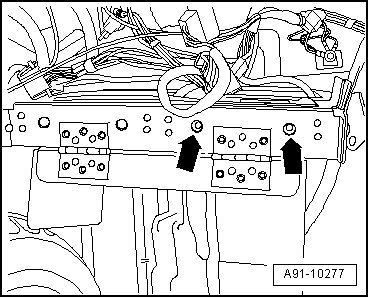
- Remove both bolts - arrows - (2 Nm) on upper side.
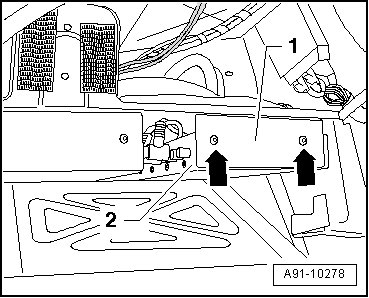
- Carefully swivel multimedia display 1 control module - 2 - out of mounting frame - 1 - and disconnect electrical connections.
Identify the harness connections to assist the installation.
Installing
- Install in reverse order of removal.