Reset Procedure
Resetting the Engine Oil Life Indicator
On LX, EX and EX-L Models
Your dealer will reset the display after completing the required maintenance service. You will see "OIL LIFE 100 % - on the odometer/ trip meter display the next time you turn the ignition switch to the ON (II) position.
If maintenance service is done by someone other than your dealer - reset the maintenance minder as follows:
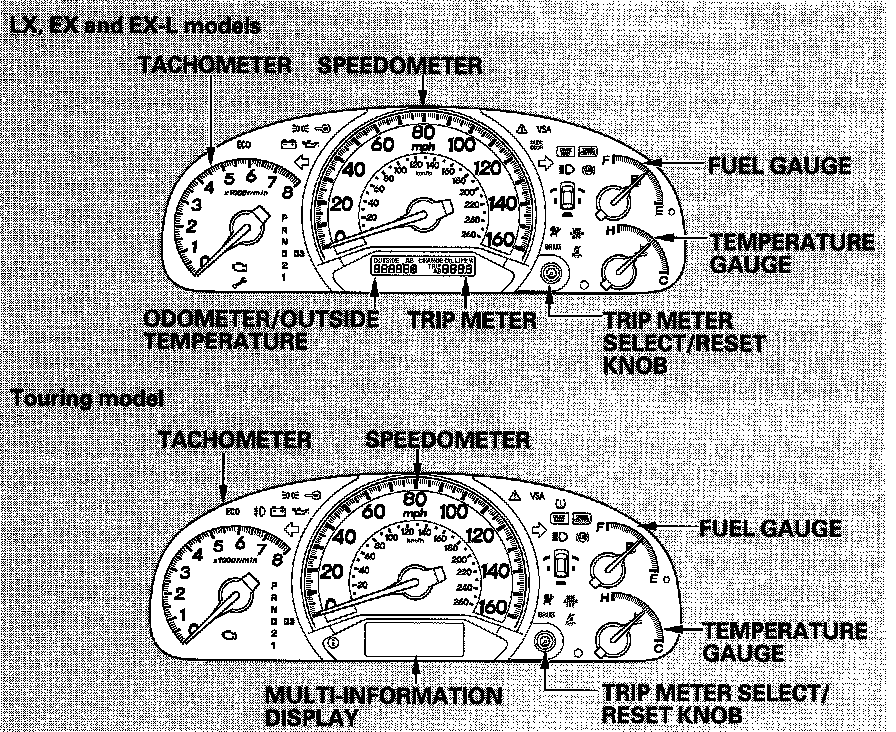
1. Turn the ignition switch to the ON (II) position.
2. Press the Select/Reset knob until the engine oil life indicator is displayed.
3. Press the Select/Reset knob for more than 10 seconds. The engine oil life indicator and the maintenance item code(s) will blink.
4. Press the Select/Reset knob for more than 5 seconds. The maintenance items code(s) will disappear, and the engine oil life will reset to 1OO.
On Touring Models
1. Turn the ignition switch to the ON (II) position.
2. Press the Sel/Reset knob on the steering wheel until the engine oil life indicator is displayed.
3. Press the Sel/Reset knob on the steering wheel for about 10 seconds. The display will change to the "Custom Setup" mode.
4. Press the Select/Reset knob on the steering wheel the maintenance items code(s) will disappear, and the engine oil life will reset to 1OO.
5. If you want to cancel resetting, press the "Info" button on the steering wheel. The display changes and shows "Cancel." Pree the Sel/Reset button. This cancelsthe resetting procedure, and the screen returns to the normal display mode.
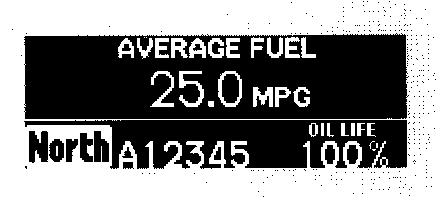
6. When you select "Reset" and press the Sel/Reset button, the multi-information display resets as shown.