ECM Reprogramming Using an ECM ID CODE
IMPORTANT NOTES:^ This bulletin uses a special ECM Reprogramming procedure.
^ In this procedure, an ECM ID CODE must be entered into ASIST (instead of a Model and Model Year) to get the right Reprogramming data.
^ Only use this "ECM I.D. Code" procedure for this incident or the repair will not work.
The following steps are used to obtain the ECM reprogramming data from ASIST using an ECM ID CODE.
^ If you do not know how to do ECM Reprogramming,
^ see the "Special ECM Reprogramming Procedure for ECM I.D. Entry" shown in this bulletin.
^ If you do know how to do ECM Reprogramming, continue with the following special reprogram steps using an ECM ID CODE.
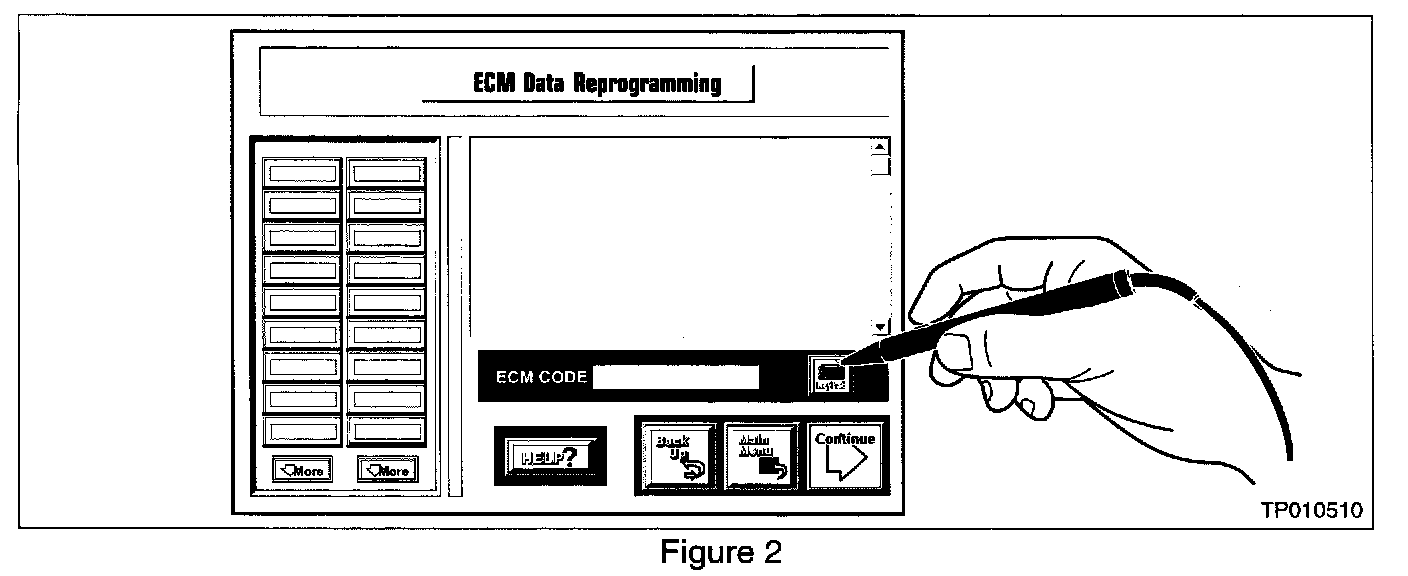
1. Click on the Keypad button (see Figure 2).

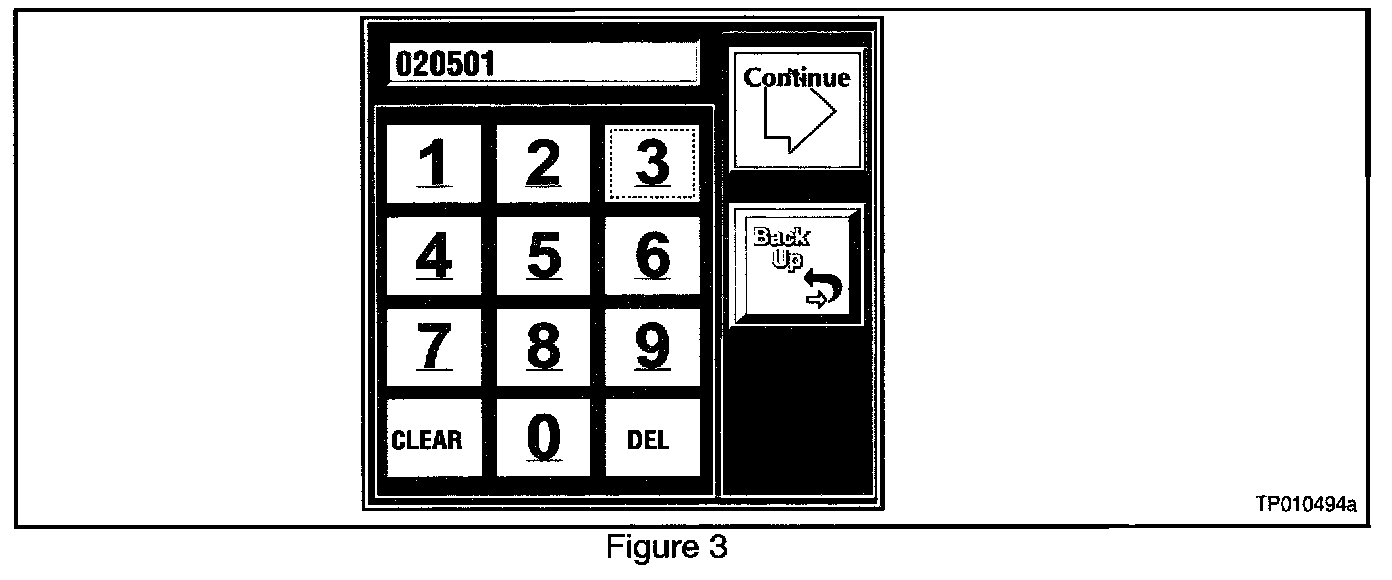
2. Using the digit keys on the Keypad (see Figure 3), enter ECM ID Code (see "Chart A" for the ECM ID Code).
3. Then click the "Continue" button on the keypad.
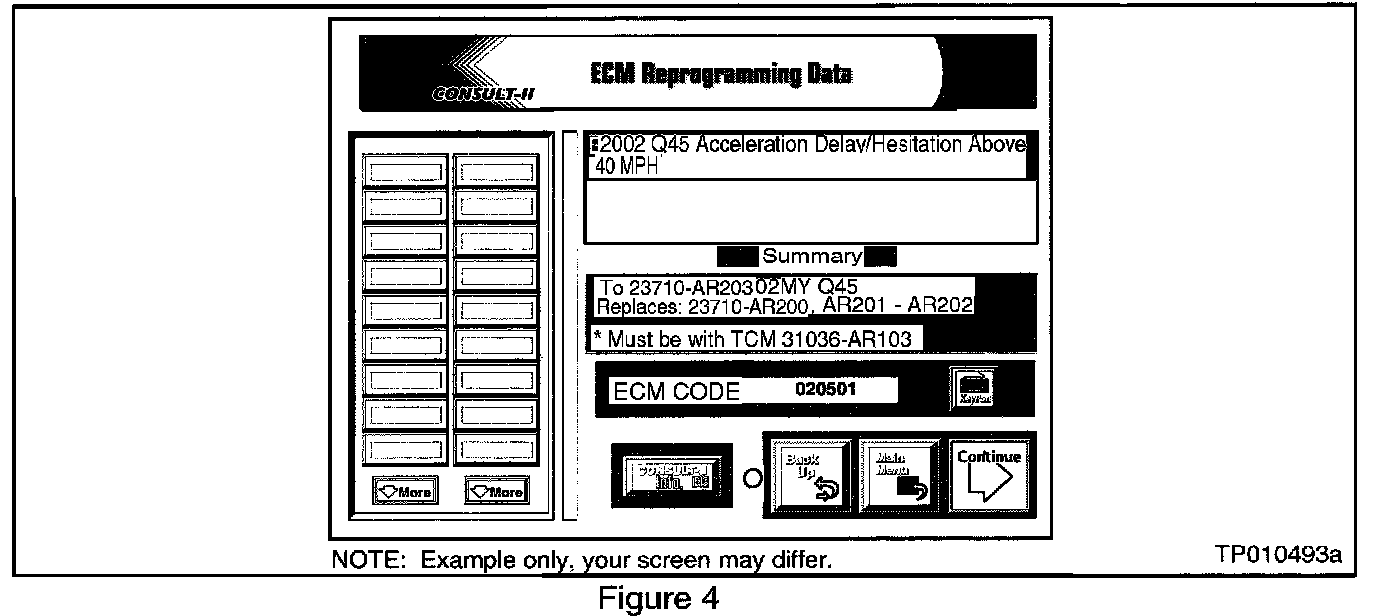
4. Click the "Continue" button on the ECM Data Reprogramming screen (see Figure 4) to proceed to CONSULT-II setup.
5. Perform ECM Reprogramming from CONSULT-II to update the car's ECM data (to) the new Part Number).
6. When ECM Reprogramming is done, test drive the vehicle. See "Vehicle Test Drive" below.
Vehicle Test Drive
Test drive the vehicle with 1/8 throttle application (engine RPM less than 2000). Vehicle should upshift through gears 1-2, 2-3, and 3-4.