With Transmitter Activation Tool
ID REGISTRATION WITH TRANSMITTER ACTIVATION TOOLThis procedure must be done after replacement of a low tire pressure warning transmitter or BCM.
CAUTION: If CONSULT-II is used with no connection of CONSULT-II CONVERTER, malfunction might be detect during self-diagnosis depending on control unit which carry out CAN communication.
1. With the ignition switch OFF, connect CONSULT-II and CONSULT-II CONVERTER to the data link connector, then turn the ignition switch ON.
2. Select "START (NISSAN BASED VHCL)".
3. Touch "BCM" on "SELECT SYSTEM" screen.
NOTE: If "BCM" is not indicated, go to "CAN COMMUNICATION".
4. Select "AIR PRESSURE MONITOR" on "SELECT WORK ITEM" screen.
5. Select "WORK SUPPORT" on "SELECT DIAG MODE" screen, and select "ID REGIST".
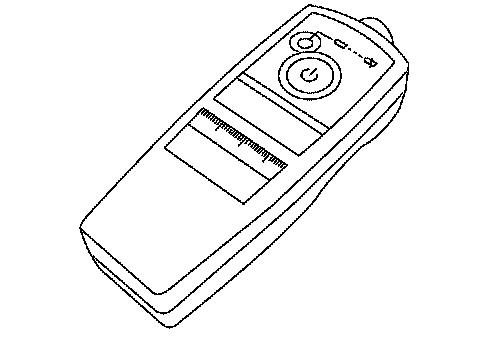
6. With the transmitter activation tool (J-45295) pushed against the front left transmitter position of the tire air valve, press the button for 5 seconds.
Tool number - (J-45295)

7. Register the IDs in order from FR LH, FR RH, RR RH and RR LH. When ID registration of each wheel has been completed, a buzzer sounds and the warning lamp flashes.
8. After completing all ID registrations, press "END" to complete the procedure.
NOTE: Be sure to register the IDs in order from FR LH, FR RH, RR RH, to RR LH, or the self-diagnostic results display will not function properly.