Service Procedure
Step A: Confirm This Bulletin Applies.
1. With CONSULT-II "ON" print the Transmission/Transmission Control Module Part Number as shown.
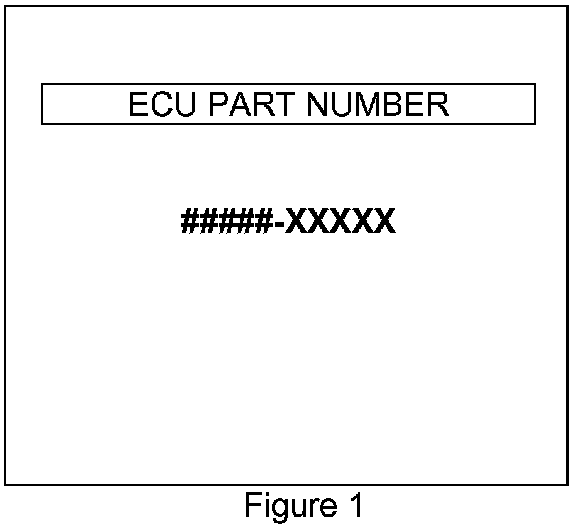
^ Figure 1 is an example of the Part Number (P/N) printout.
^ This is the Transmission/Transmission Control Module (TCM) Part Number (P/N).
NOTE:
^ ##### is exactly what you will see on your CONSULT-II printout. It represents the first 5 digits of the P/N which is 31020 for all QX56 vehicles.
^ XXXXX is the last 5 digits of the part number. This number may be different depending on your vehicle's configuration (engine/transmission combination etc).
2. Attach this printout to the Repair Order.
^ You'll use the TCM P/N to see if this bulletin applies.
3. Check the TCM P/N on the printout from step 1 (Figure 1):
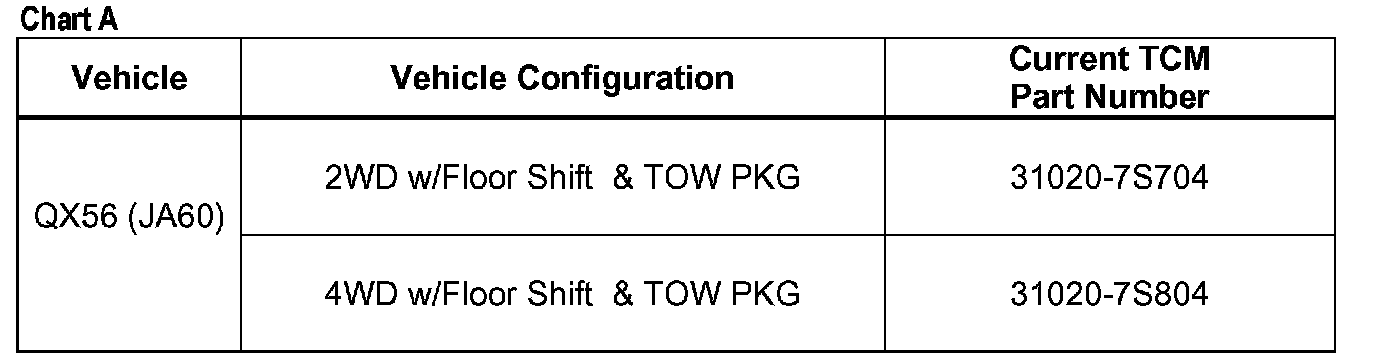
^ Compare your vehicle's TCM P/N to those shown under Current TCM P/N in Chart A shown.
A. If your vehicle's TCM P/N matches a Current TCM P/N in the chart above:
^ This bulletin applies perform TCM reprogramming.
B. If your vehicle's TCM P/N does not match a P/N in the chart above:
^ This bulletin does not apply. Go back to ASIST for further diagnostic and repair information.
Step B: REPROGRAM THE TCM
Vehicle TCM Reprogramming Overview
^ There are four basic steps:
1. Download (transfer) reprogramming data from ASIST into CONSULT-II.
2. Preparation steps before reprogramming TCM.
3. Reprogram the TCM.
4. Wrap-up after reprogramming is finished.
Step One: Download (Transfer) Reprogramming Data From ASIST Into CONSULT-II
^ For those familiar with TCM Reprogramming please review the following steps and use them as a Quick Reference for TCM reprogramming.
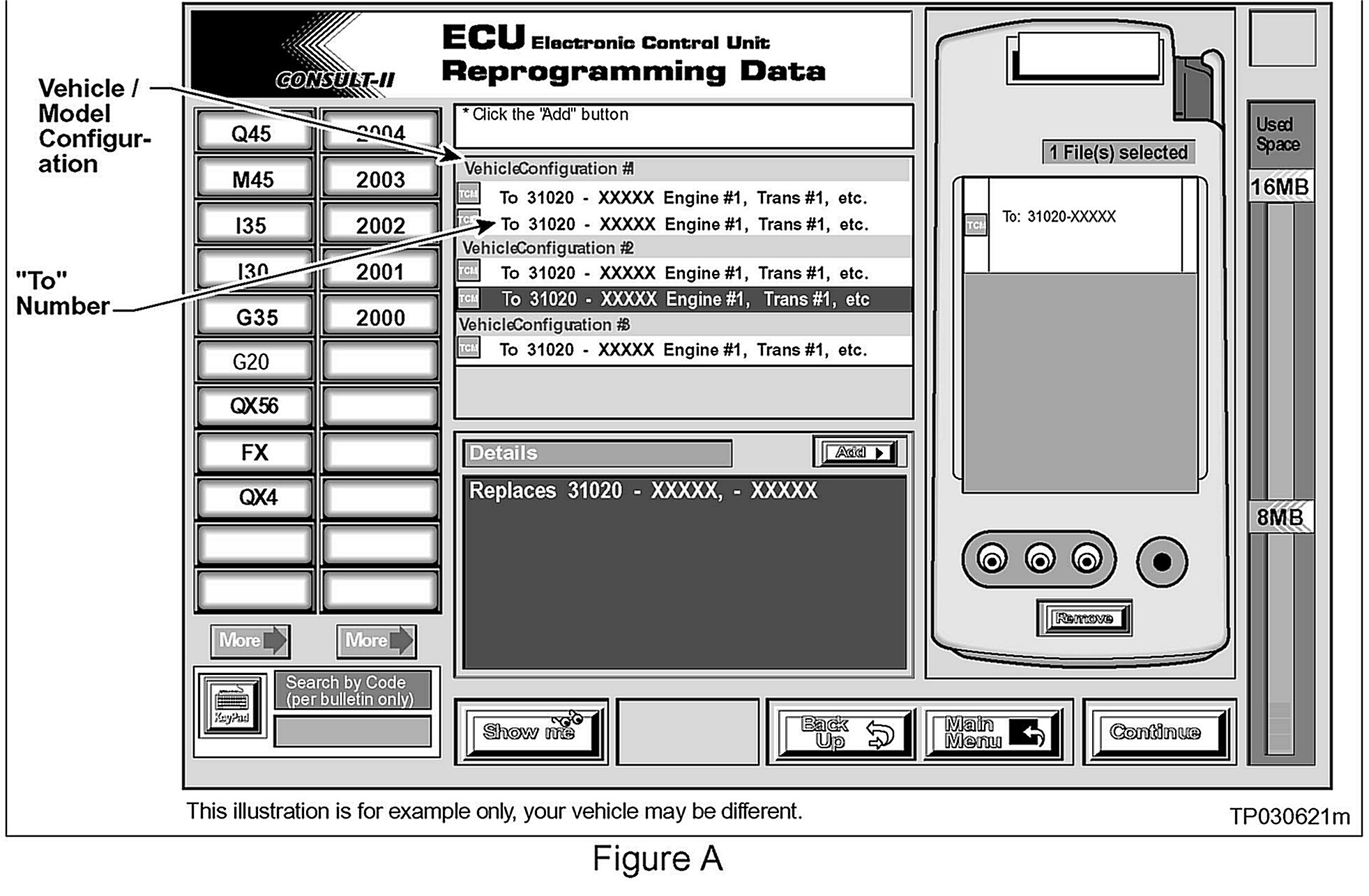
1. Select vehicle model and model year (Example: QX56 2004).
2. Select the correct reprogramming data:
a. Locate the specific Model Configuration (Example: 2WD w/Floor Shift & TOW).
NOTE:
Model Configuration may include items such as engine type transmission type and vehicle options such as ASCD TCS ABS etc.
b. Select (click on) the "To" number.
NOTE:
The "To" number will read: 31020-XXXXX.
3. Click on the Add button.
^ This will add the data you selected to the File(s) Selected list.
4. Write the "To" number on the Repair Order.
5. Click on Continue and follow directions to perform "data transfer" (download) from ASIST into CONSULT-II.
Step Two: Preparation Steps Before Reprogramming TCM
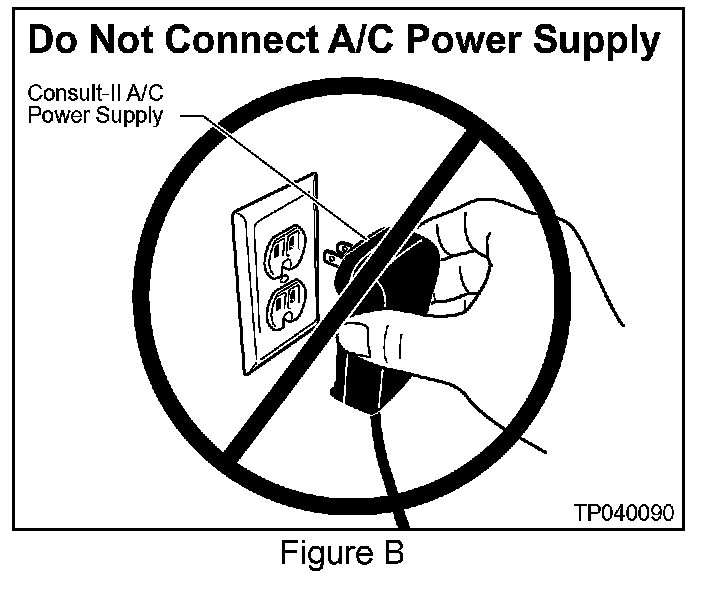
1. Connect a battery charger to the vehicle's battery. Set the charger to a low charge rate (trickle charge).
CAUTION:
For number 2 below and number 3, DO NOT connect the CONSULT-II A/C Power Supply.
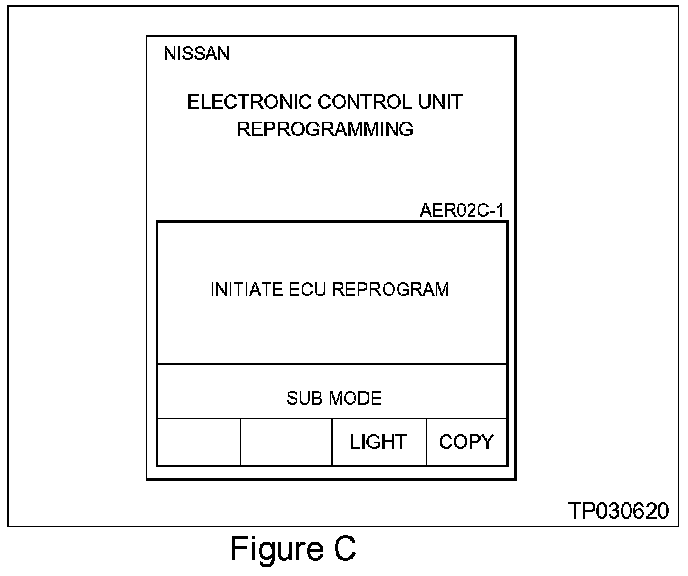
2. Press [SUB MODE] (see Figure C) then:
a. From the listed items find and select [BATTERY CHARGE].
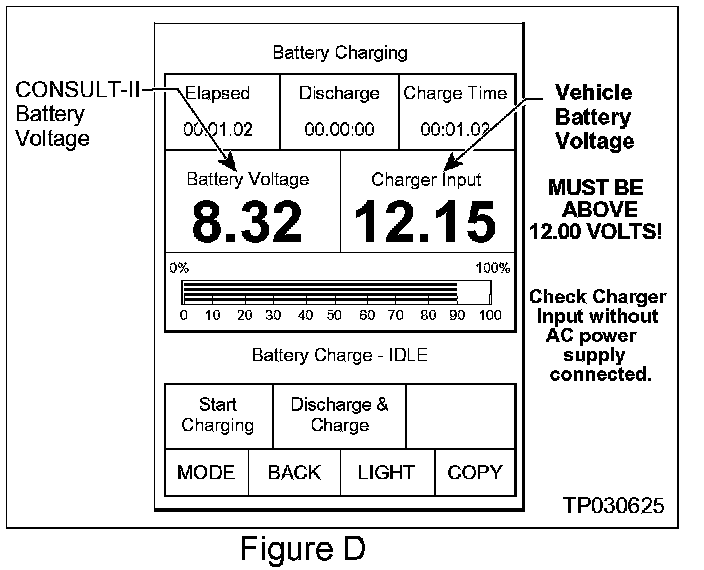
3. Check the CONSULT-II's Charger Input reading (see Figure D).
NOTE:
^ "Battery Voltage" is the voltage level of CONSULT-II's battery.
^ "Charger Input" is the voltage level of the vehicle's battery. (It must be above 12 volts.)
Step Three: Reprogram the TCM
Step Four: TCM Reprogramming "Wrap.up"
1. Turn the ignition and CONSULT-II OFF.
2. Disconnect CONSULT-II from the vehicle.
3. Start the Engine and make sure the MIL is OFF.
^ If its still ON use CONSULT-II with the Diagnostic (red/white) Card to erase any DTC's that may have stored in the TCM and/or the ECM during the reprogramming procedure.
4. Test-drive the vehicle and make sure the transmission operates correctly in all modes.
^ See the AT section of the appropriate Service Manual for operation specifications.