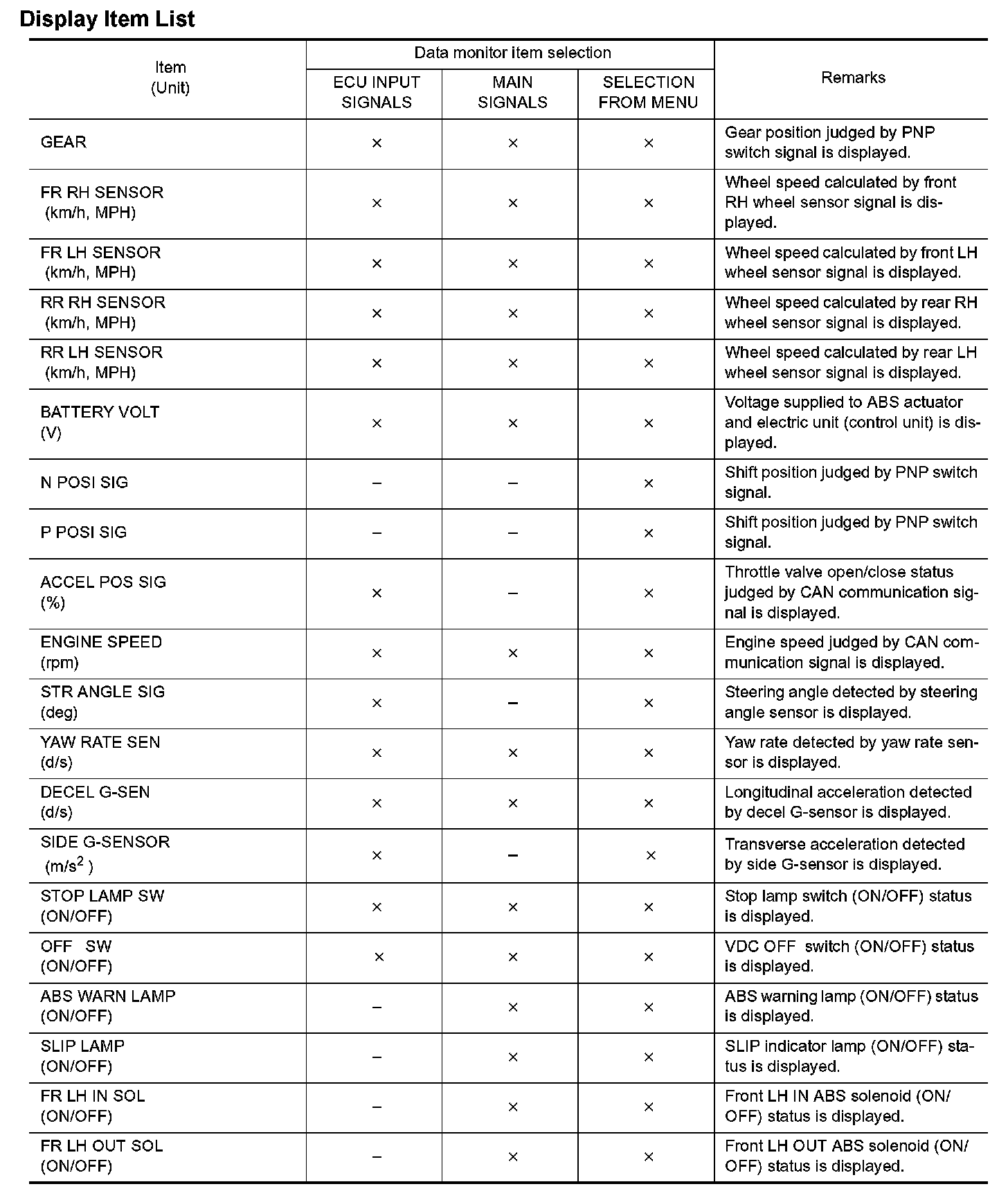
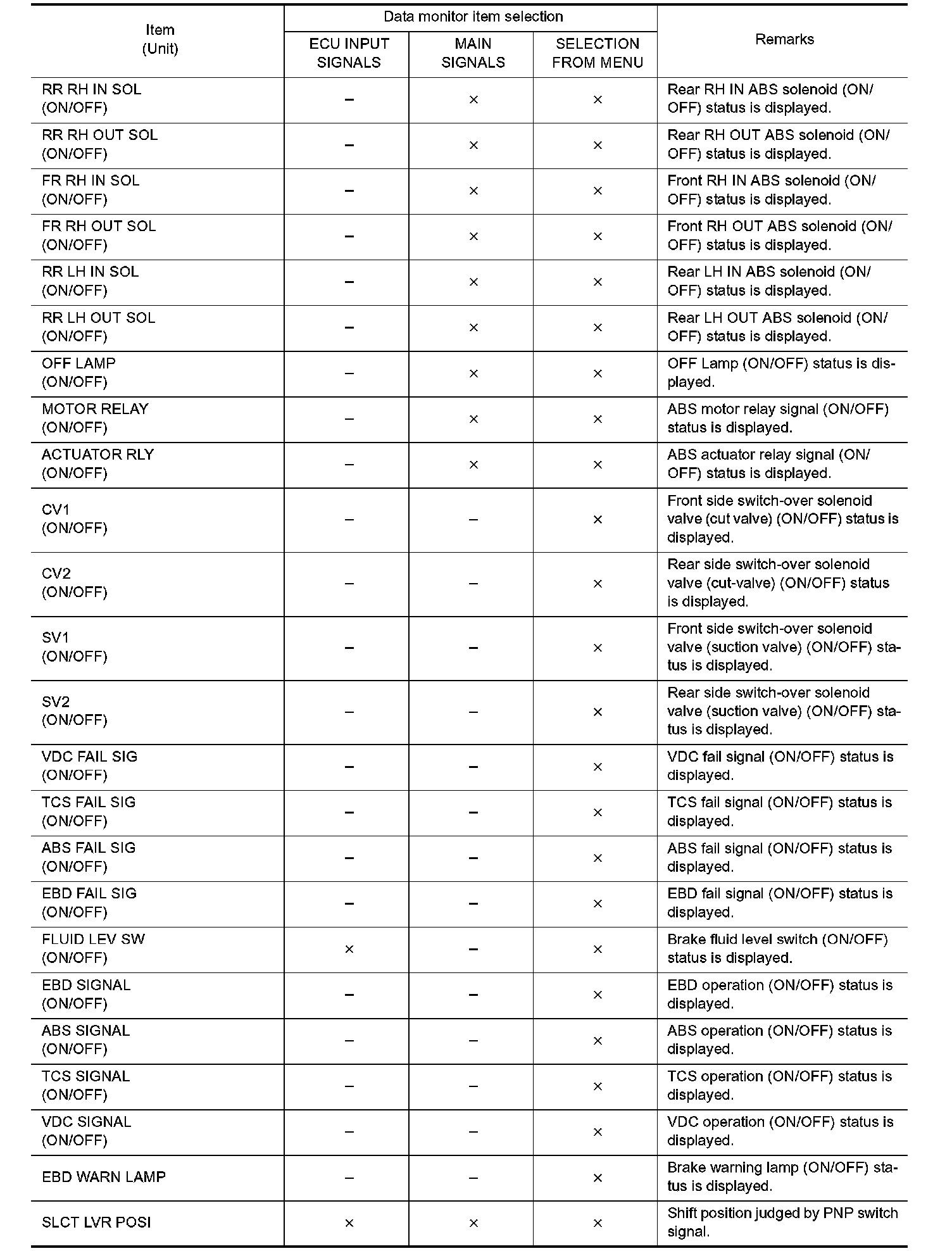
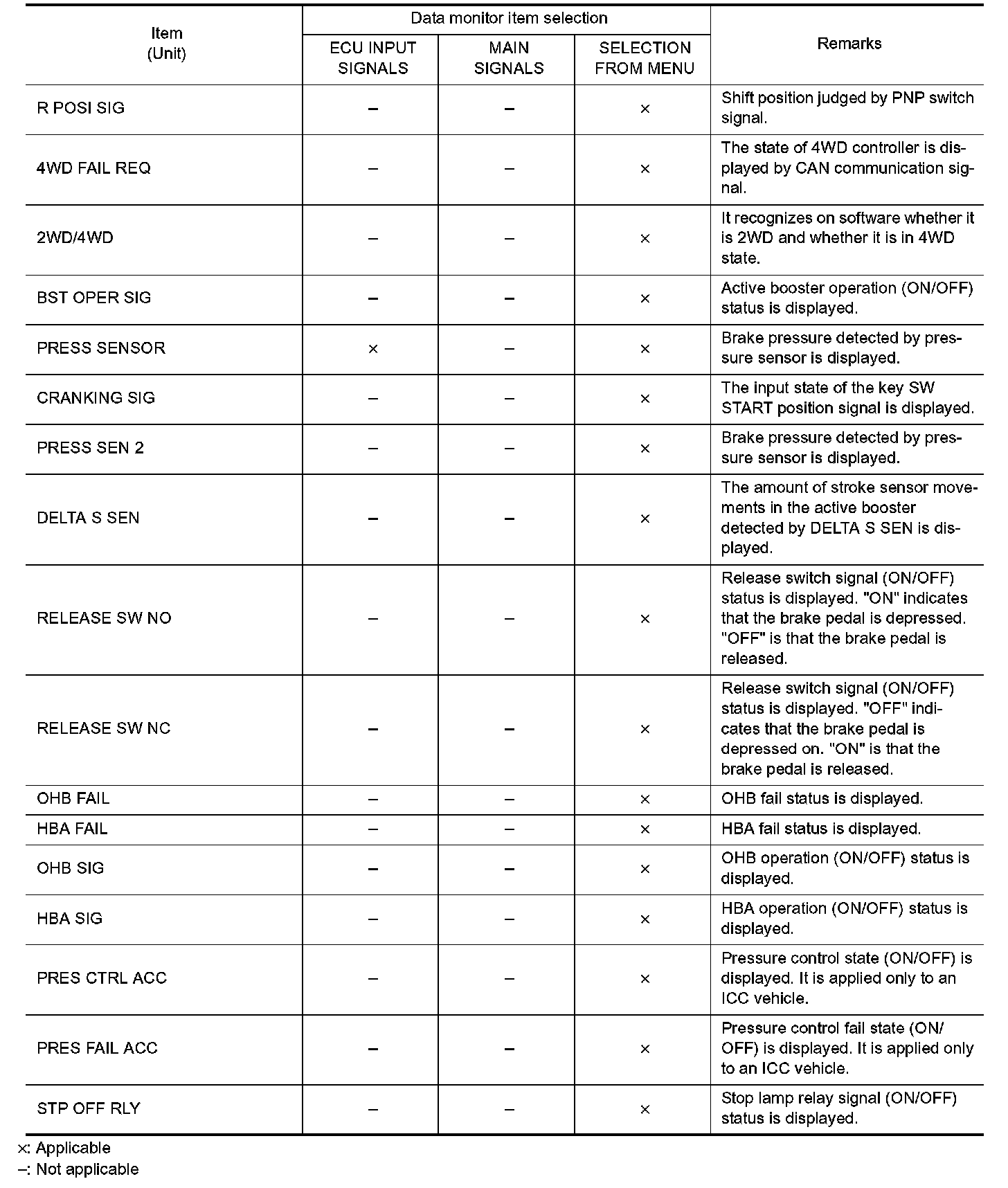
Data Monitor
DATA MONITOROperation Procedure
1. After turning OFF the ignition switch, connect CONSULT-II and the CONSULT-II CONVERTER to the data link connector.
CAUTION: If CONSULT-II is used with no connection of CONSULT-II CONVERTER, malfunctions might be detected in self-diagnosis depending on control unit which carries out CAN communication.
2. Touch "START (NISSAN BASED VHCL)", "ABS", "DATA MONITOR" in order on the CONSULT-II screen. If ABS is not indicated, go to GI-39, "CONSULT-II Data Link Connector (DLC) Circuit". Electrical Diagrams
CAUTION: When "START (NISSAN BASED VHCL)" is touched immediately after starting the engine or turning on the ignition switch, "ABS" might not be displayed in the SELECT SYSTEM screen. In this case, repeat the operation from step 2.
3. Return to the SELECT MONITOR ITEM screen, and touch "ECU INPUT SIGNALS", "MAIN SIGNALS", or "SELECTION FROM MENU". Refer to the following information.
4. When "START" is touched, the data monitor screen is displayed.
Display Item List: