Removal and Replacement
REMOVAL1. Remove the battery and the battery thermal guard from the battery tray as a unit. Refer to Battery in the index for the location of the proper battery removal procedures.
Fig.33 Battery Thermal Guard Remove/Install:
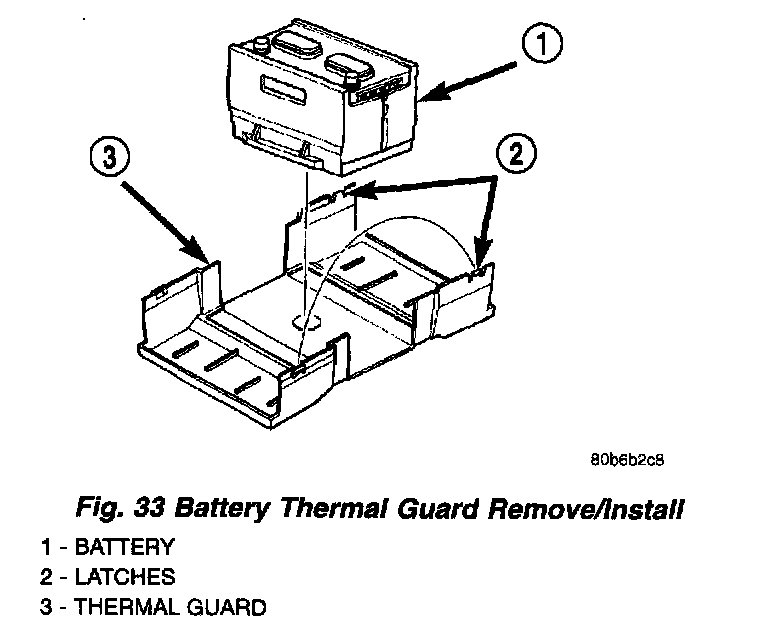
2. Carefully release the latch on each end of the battery thermal guard and remove the thermal guard from the battery (Fig. 33).
INSTALLATION
1. Clean and inspect the battery thermal guard. Refer to Battery in the index for the location of the proper battery thermal guard cleaning and inspection procedures.
2. Position the two halves of the battery thermal guard on opposite sides of the battery.
3. Carefully align the two halves of the battery thermal guard, then push them together until the latches on each end of the thermal guard are fully engaged.
4. Install the battery and the battery thermal guard into the battery tray as a unit. Refer to Battery in the index for the location of the proper battery installation procedures.