Navigation Display: Service and Repair
Navigation System Display Module
Removal
CAUTION: After switching of the ignition, wait for 2 minutes before disconnecting the battery. Failure to wait for 2 minutes will damage the navigation computer.
1. Disconnect the battery ground cable.
2. Remove the instrument panel console.
CAUTION: Cover fibre optic cable connectors to minimise dust ingress and avoid bending the cables in a radius of less than 30 mm.
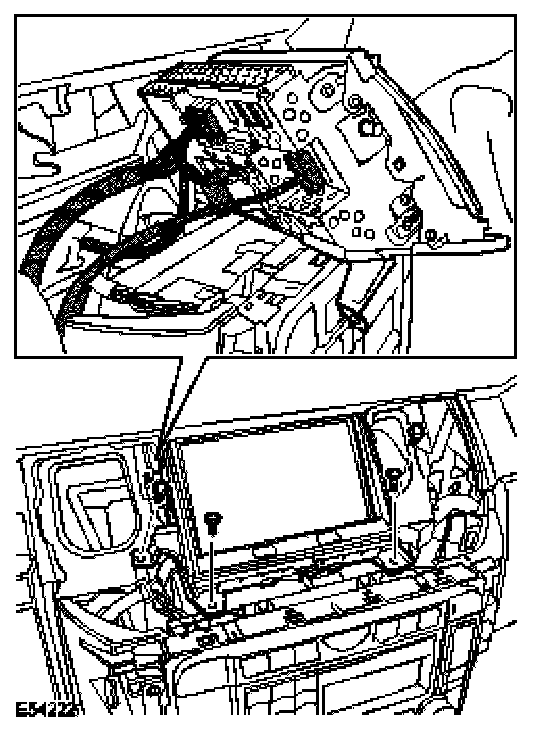
3. Remove the navigation system display module.
^ Remove the 4 Torx screws.
^ Disconnect the fibre optic connector.
^ Disconnect the 2 electrical connectors.
Installation
1. Install the navigation system display module.
^ Connect the electrical connectors.
^ Connect the fibre optic connector.
^ Tighten the Torx screws.
2. Install the instrument panel console.
3. Connect the battery ground cable.