Oil Change Reminder Lamp: Service and Repair
Message Center (If Equipped)
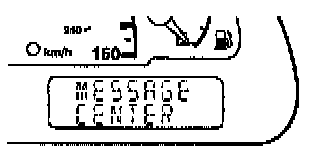
CHANGE OIL SOON/OIL CHANGE REQUIRED.
Displayed when the engine oil life remaining is 5 percent or less.
- When oil life left is between 5% and 0%, the CHANGE OIL SOON message will be displayed.
- When oil life left reaches 0%, the OIL CHANGE REQUIRED message will be displayed.
An oil change is required whenever indicated by the message center.
USE ONLY RECOMMENDED ENGINE OILS.
To reset the oil monitoring system to 100% after each oil change [approximately 8,000 km (5,000 miles) or 180 days] perform the following:
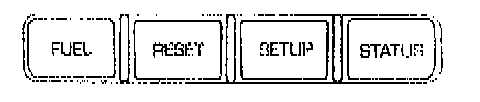
1. Press the STATUS control to access the System Check function.

Press RESET to reset oil %.

2. Press and hold the RESET control to set to 100%.

3. After a successful reset, the message center will display OIL LIFE SET TO 100%.
To reset the oil monitoring system to your personalized oil life %:
1. Press the STATUS control to access the System Check function.
Press RESET to reset oil %.

2. Press RESET and SETUP controls at the same time to activate a service mode which will display OIL LIFE XX% RESET TO ALTER.
3. Press RESET until you find your personalized OIL LIFE XX%.