Maintenance Required Lamp/Indicator: Service and Repair
Driver Controls
AWD DISABLED (vehicles equipped with AdvanceTrac only).
Displayed for 4 seconds then SEE OWNER'S MANUAL will display indicating that the AWD system is not operating properly. For further information, refer to Disabling AWD in the Driving chapter. See your dealer as soon as possible
CHECK AWD (vehicles equipped with AdvanceTrac only).
Displayed when the AWD system is not operating properly. If the warning stays on or continues to come on, contact your dealer immediately.
CHECK FUEL CAP.
Displayed when the fuel filler cap is not properly installed. Check the fuel filler cap for proper installation. Refer to Fuel filler cap in the Maintenance and specifications chapter.
CHANGE OIL SOON/OIL CHANGE REQUIRED.
Displayed when the engine oil life remaining is 5 percent or less. When oil life left is between 5% and 0%, the CHANGE OIL SOON message will be displayed. When oil life left reaches 0%, the OIL CHANGE REQUIRED message will be displayed.
An oil change is required whenever indicated by the message center and according to the recommended maintenance schedule. USE ONLY RECOMMENDED ENGINE OILS.
To reset the oil monitoring system to 100% after each oil change [approximately 8,000 km (5,000 miles) or 180 days] perform the following:
1. Select this function from the SETUP control for current display mode.
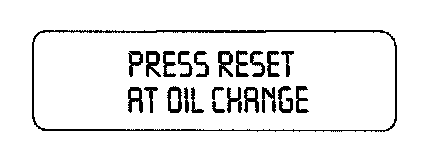
2. Press and release the RESET control to display "HOLD RESET TO CONFIRM".
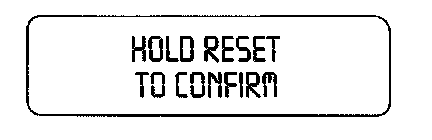
3. Press and hold the RESET control to display "OIL LIFE SET TO 100%". Your oil life is now reset.
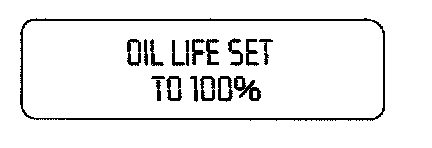
To reset the oil monitoring system to your personalized oil life %:
1. From step 3 above.

2. Release the RESET control momentarily, then press RESET and SETUP controls at the same time to activate a service mode which will display "OIL LIFE XX% RESET TO ALTER".
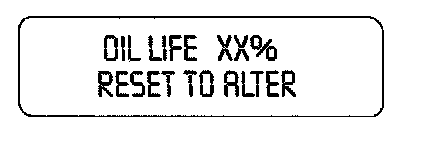
3. Press RESET until you find your personalized OIL LIFE XX%
4. With your personalized OIL LIFE XX% displayed, press SETUP to continue the system check.
DATA ERR.
These messages indicate improper operation of the vehicle network communication between electronic modules.
- Fuel computer
- Oil life
- Charging system
- Door sensor
- Washer fluid
- Brake fluid
- Compass
- Outside temperature
- Engine sensor
Contact your dealer as soon as possible if these messages occur on a regular basis.
CELL PHONE USE
The use of Mobile Communications Equipment has become increasingly important in the conduct of business and personal affairs. However, drivers must not compromise their own or others' safety when using such equipment. Mobile Communications can enhance personal safety and security when appropriately used, particularly in emergency situations. Safety must be paramount when using mobile communications equipment to avoid negating these benefits.