Using Indexes and Charts
Diagnostic index
The diagnostic index lists the symptoms of specific malfunctions. Select the symptoms related or most closely relating to the malfunction.
Quick diagnosis chart (if mentioned)
The quick diagnosis chart lists diagnosis and inspection procedures to be performed specifically relating to the cause of the malfunction.
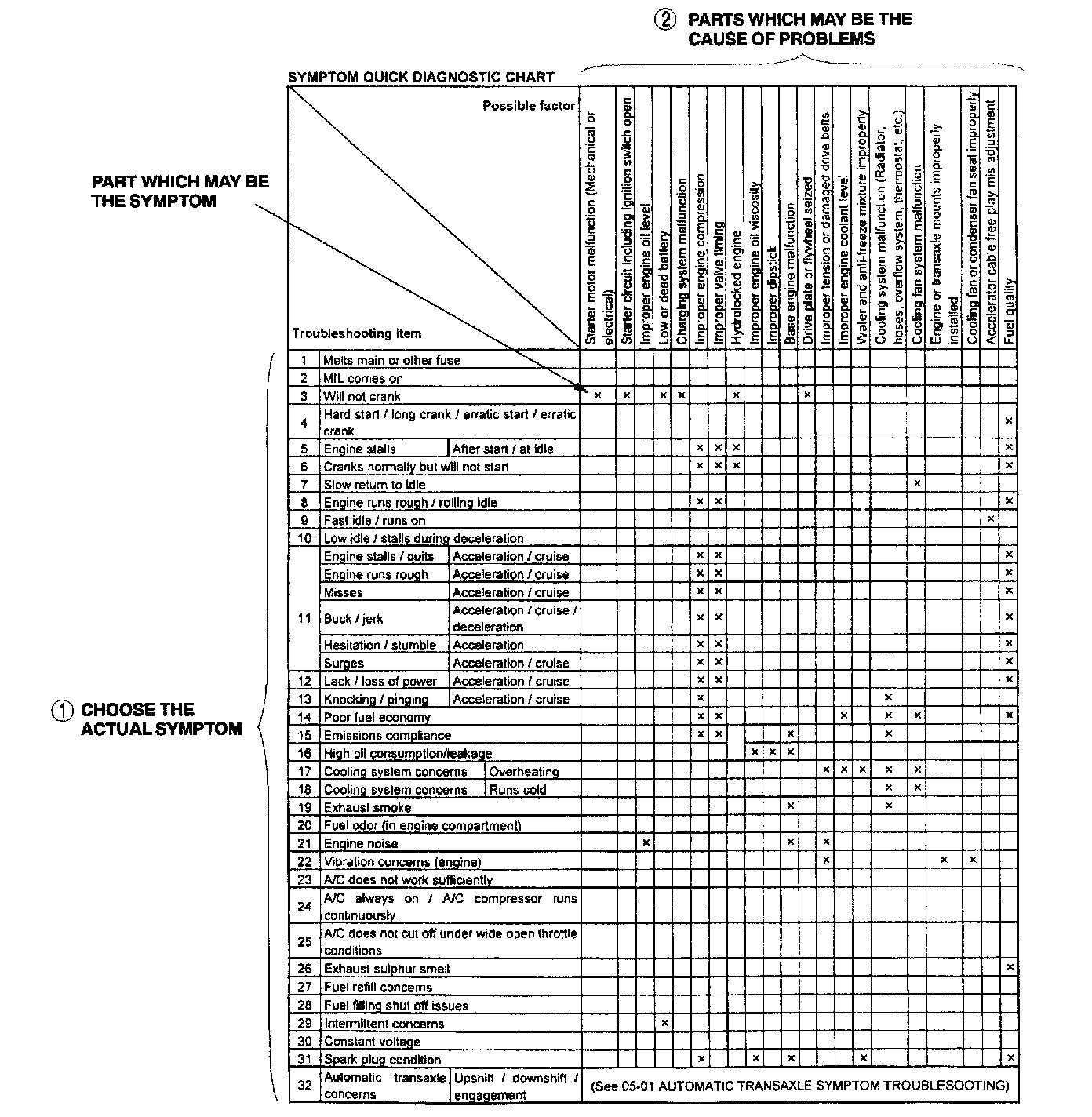
Using the quick diagnosis chart
The chart lists the relation between the symptom and the cause of the malfunction.
The chart is effective in quickly narrowing down the relation between symptom and cause of the malfunction. It also specifies the area of the common cause when multiple malfunction symptoms occur.
The appropriate diagnostic inspection relating to malfunction cause as specified by the symptoms can be selected by looking down the diagnostic inspection column of the chart.
Symptom troubleshooting
Symptom troubleshooting quickly determines the location of the malfunction according to symptom type.
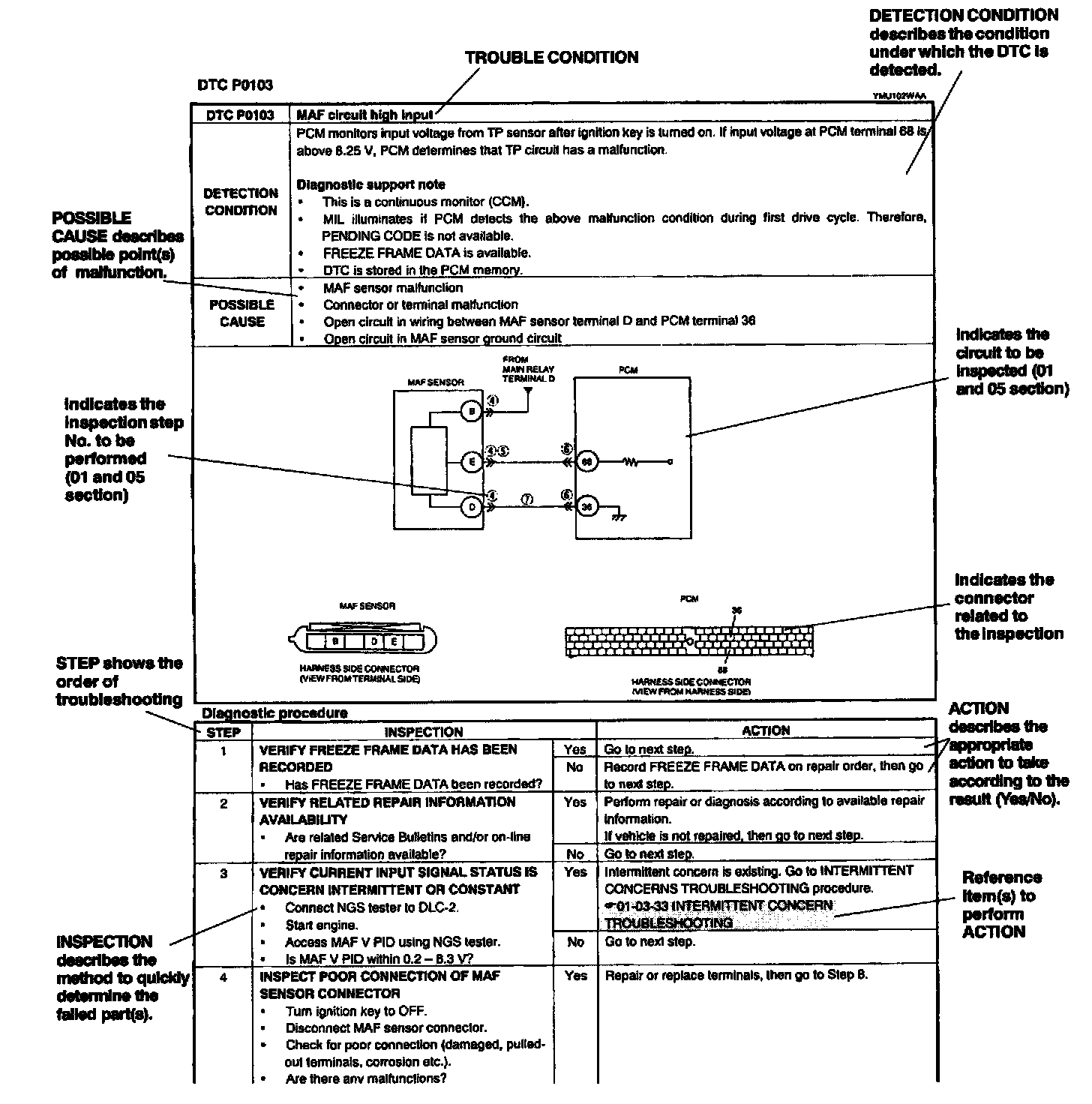
Using the DTC troubleshooting flow
DTC troubleshooting flow shows diagnostic procedures inspection methods, and proper action to take for each DTC.
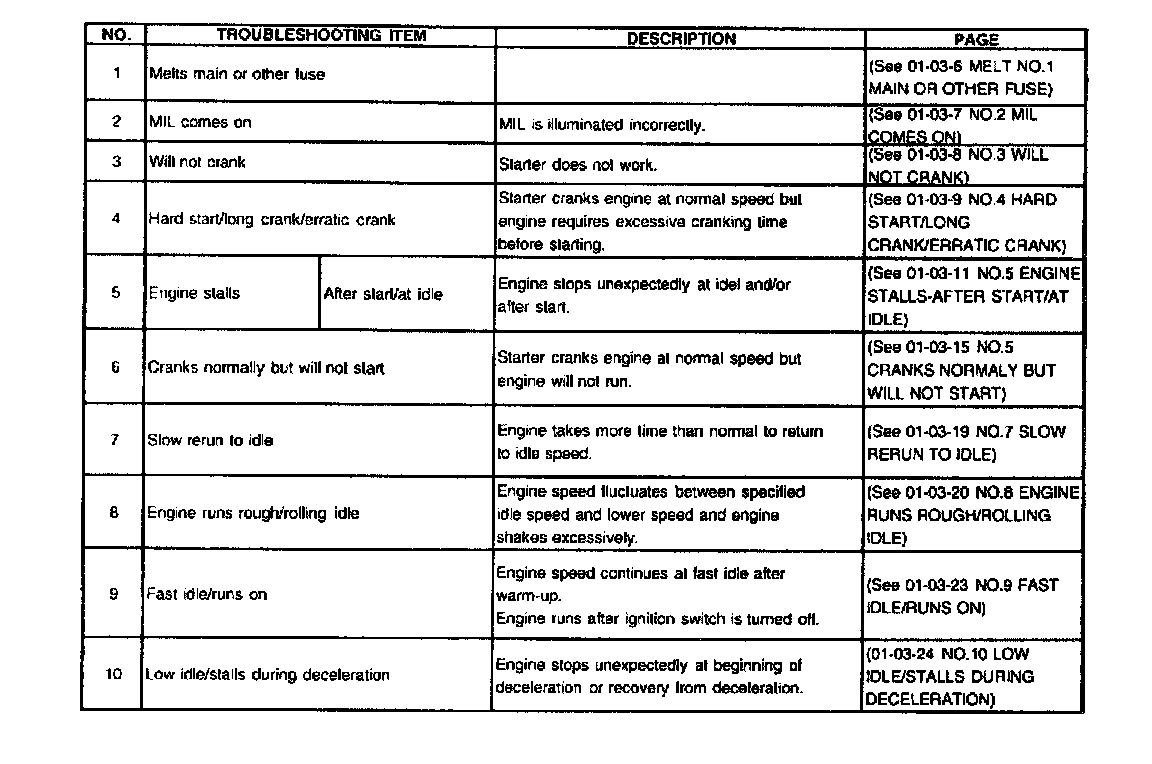
Using the diagnostic Index
The symptoms of the malfunctions are listed in the diagnostic index for symptom troubleshooting.
The exact malfunction symptoms can be selected by following the index.