Programming and Relearning
INSTRUMENT CLUSTER CONFIGURATIONNOTE:
- If all the following conditions are met, the odometer data (total traveled distance) in the previous instrument cluster is automatically transferred to a new instrument cluster during the configuration. If any of the conditions are not met, odometer-data transfer cannot be performed.
Previous instrument cluster
- No malfunction (Configuration data can be read using the M-MDS.)
New instrument cluster
- Odometer display is less than 100 km
- Odometer has no malfunction
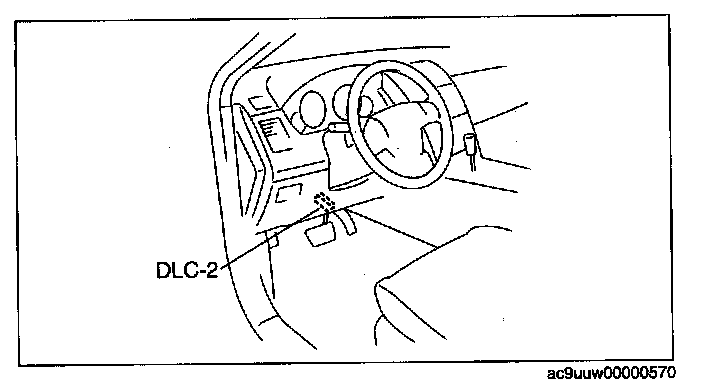
1. Connect the M-MDS to the DLC-2.
2. After set up the M-MDS (including the vehicle recognition), the following can be selected from the M-MDS screen.
- When using the IDS (laptop PC)
1. Select the "Toolbox" tab.
2. Select "Module Programming".
- When using the PDS (Pocket PC)
1. Select "Programming".
2. Select "Module Programming".
3. Select "Programmable Module Installation".
4. Select "IC" and perform procedures according to directions on the M-MDS screen.
- If odometer data is to be transferred to a new instrument cluster, perform the following procedure:
1. Select "Programmable Parameters" from the menu.
2. Select "Odometer Write", and perform the procedure following the screen.
NOTE: During the odometer data writing procedure, As-Built Data (VIN and Vehicle Data) input is requested. Obtain the As-Built Sheet for the vehicle, and input the necessary data.
5. Retrieve DTCs using the M-MDS and verify that there is no DTC present.
- If any DTC is present, perform applicable DTC inspection. (See DTC TABLE [INSTRUMENT CLUSTER]) Diagnostic Trouble Code Descriptions