Component Tests and General Diagnostics
INFORMATION DISPLAY INSPECTION
1. Disconnect the negative battery cable.
2. Remove the upper column cover. Service and Repair
3. Remove the instrument cluster with the connector connected. Removal and Replacement
4. Remove the switch panel. Service and Repair
5. Remove the information display with the connector connected. Service and Repair
6. Connect the negative battery cable.
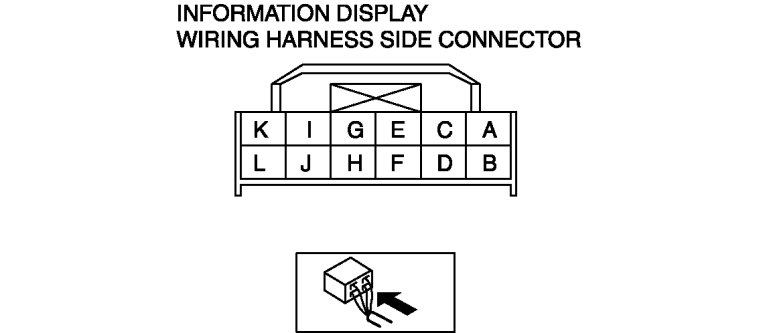
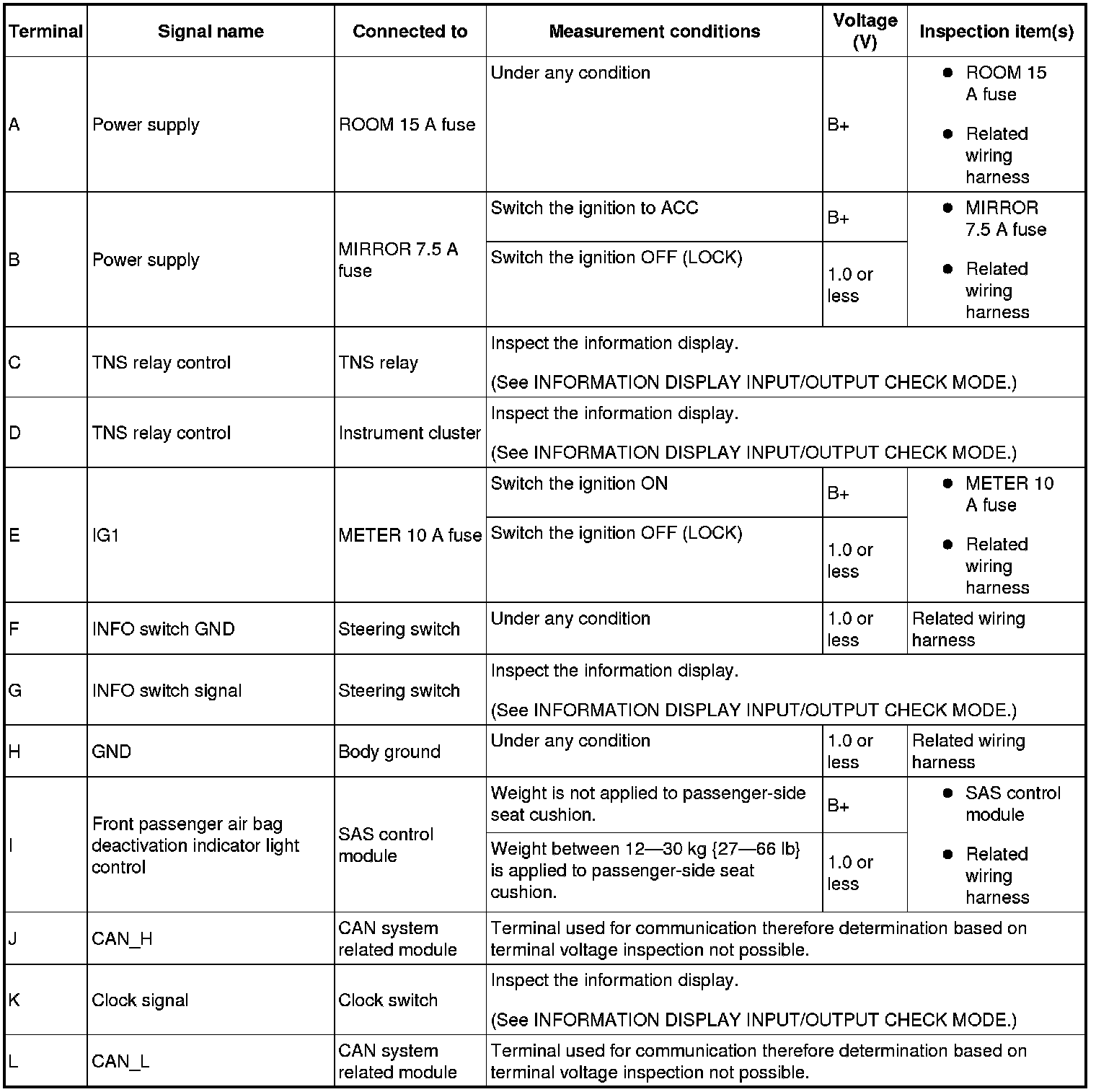
7. Measure the voltage according to the terminal voltage table.
- If the voltages cannot be verified as indicated in the terminal voltage table, inspect the parts under "Inspection item(s)".
- If the system does not work normally even though the parts or related wiring harnesses do not have any malfunction, replace the information display.
Terminal Voltage Table (Reference)