Input Switch Code Check
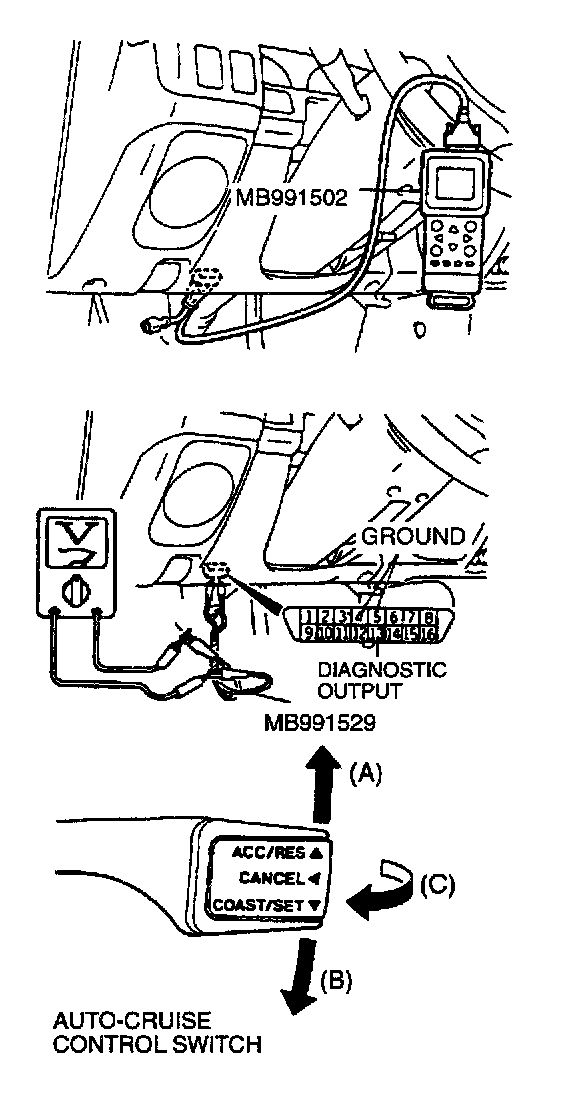
Required Special Tools:
MB991502: Scan Tool MUT-II
MB991529: Diagnostic Trouble Code Check Terminal
CAUTION: To prevent damage to the scan tool MB991502, make sure the ignition switch is "OFF" before connecting or disconnecting the scan tool MB991502.
1. Connect the scan tool or a voltmeter to the data link connector (16-pin) under the instrument panel under cover.
2. Turn the ignition switch "ON."
3. Push the auto-cruise control switch in the direction of arrow (B) in the illustration. Then press the cruise control main switch to the "ON" position, and within 1 second push the cruise control switch back in the direction of arrow (A).
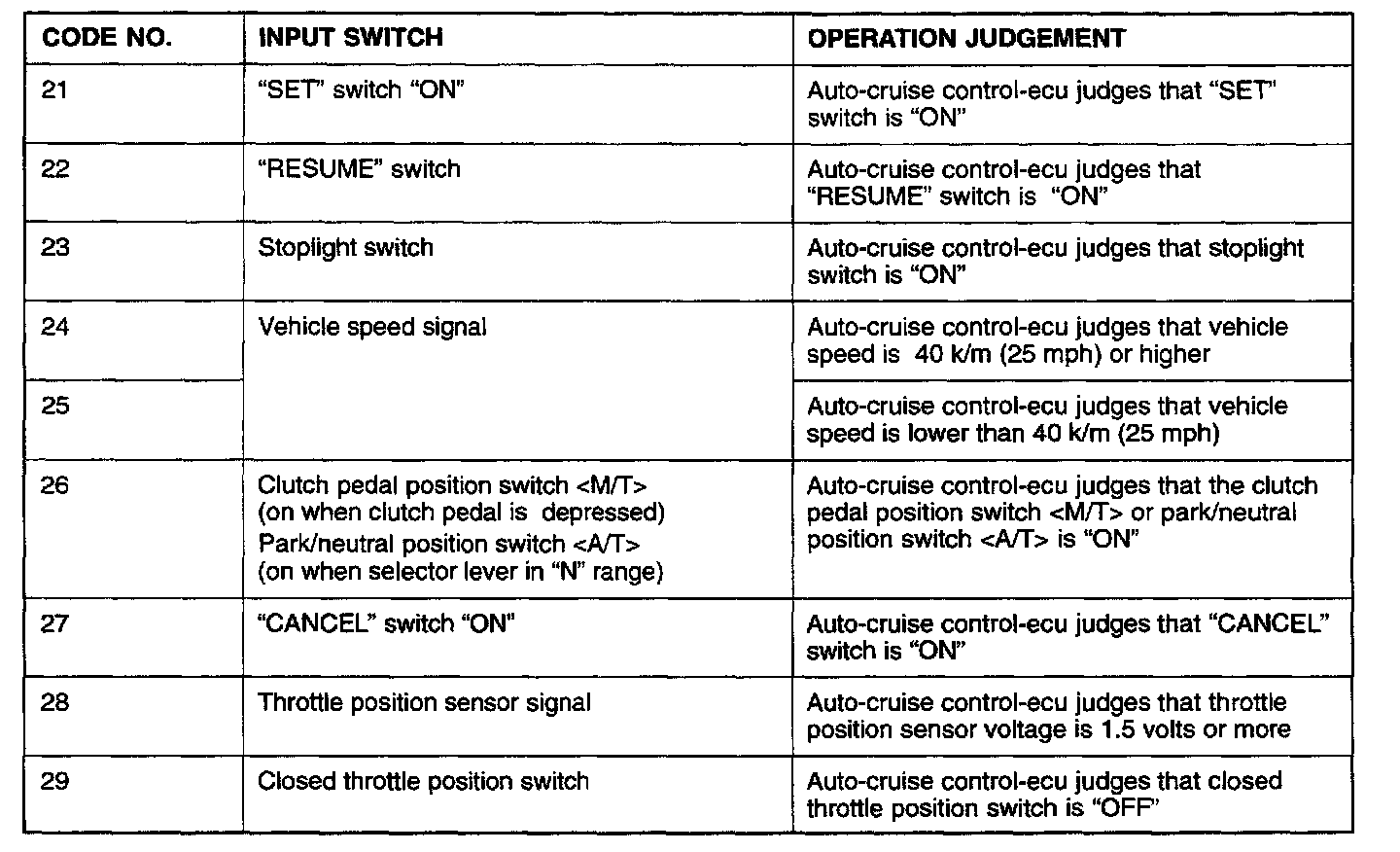
4. Operate each switch listed in the input inspection table and take a reading of the input switch codes with the scan tool or a voltmeter.