Inspection Procedure 4
Auto-cruise Control cannot be Set.COMMENT
The fail-safe function is probably cancelling auto-cruise control. In this case, scan tool MB991502 can be used to check the trouble symptoms in each system by checking the diagnostic trouble codes. The scan tool can also be used to check if the circuits of each input switch are normal or not by checking the input switch codes.
TROUBLESHOOTING HINTS (The most likely causes for this case:)
- Malfunction of the auto-cruise control switch.
- Malfunction of the PCM.
DIAGNOSIS
Required Special Tool:
- MB991502: Scan Tool (MUT-II)
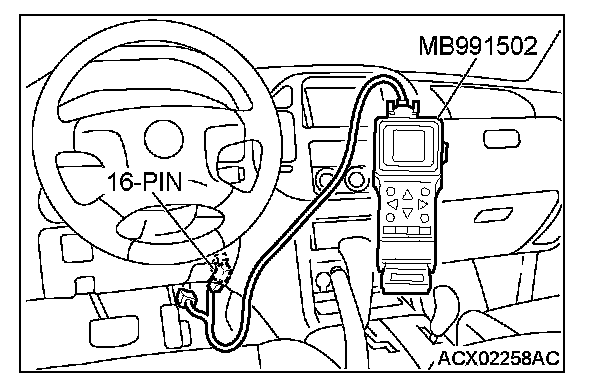
STEP 1. Using scan tool MB991502, read the diagnostic trouble code.
CAUTION: To prevent damage to scan tool MB991502, always turn the ignition switch to the "LOCK" (OFF) position before connecting or disconnecting scan tool MB991502.
1. Connect scan tool MB991502 to the data link connector.
2. Turn the ignition switch to the "ON" position.
3. Check for auto-cruise control system diagnostic trouble code.
4. Turn the ignition switch to the "LOCK" (OFF) position.
Q: Is DTC set?
YES: Refer to Diagnostic Trouble Code Chart.
NO: Go to Step 2.
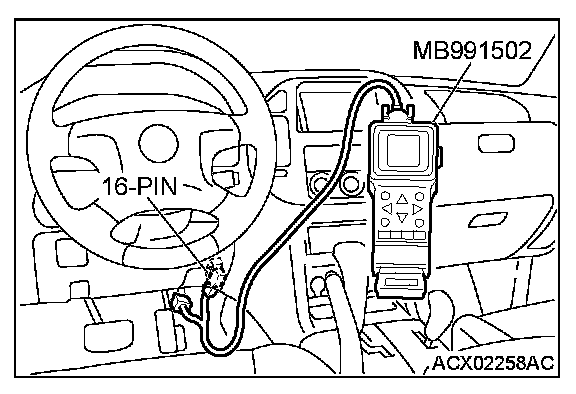
STEP 2. Using scan tool MB991502, check data list item 04: Cancel Switch, item 07: Transmission Range Switch.
CAUTION: To prevent damage to scan tool MB991502, always turn the ignition switch to the "LOCK" (OFF) position before connecting or disconnecting scan tool MB991502.
1. Connect scan tool MB991502 to the data link connector.
2. Turn the ignition switch to the "ON" position.
3. Set scan tool MB991502 to data reading mode for auto-cruise control system item 04, Cancel Switch.
- When "CANCEL" switch is at the ON position, the display on scan tool MB991502 should be "ON."
- When "CANCEL" switch is at the OFF position, the display on scan tool MB991502 should be "OFF."
4. Set scan tool MB991502 to data reading mode for auto-cruise control system item 07, Transmission Range Switch.
- When selector lever is at the "P" or "N" position, the display on scan tool MB991502 should be "ON."
- When selector lever is at the "R" or "D" position, the display on scan tool MB991502 should be "OFF."
5. Turn the ignition switch to the "LOCK" (OFF) position.
Q: Is the switch operating properly?
YES: It can be assumed that this malfunction is intermittent. Refer to How to Use Troubleshooting/Inspection Service Points - How to Cope with Intermittent Malfunction.
NO: Follow the symptom procedures below.
- Item 04: Refer to Symptom Procedures number 3.
- Item 07: Refer to Symptom Procedures number 2.