TCL Operation Check
TCL OPERATION CHECKRequired Special Tools:
- MB991958: Scan Tool (M.U.T.-III Sub Assembly)
- MB991824: V.C.I.
- MB991827: M.U.T.-III USB Cable
- MB991910: M.U.T.-III Main Harness A
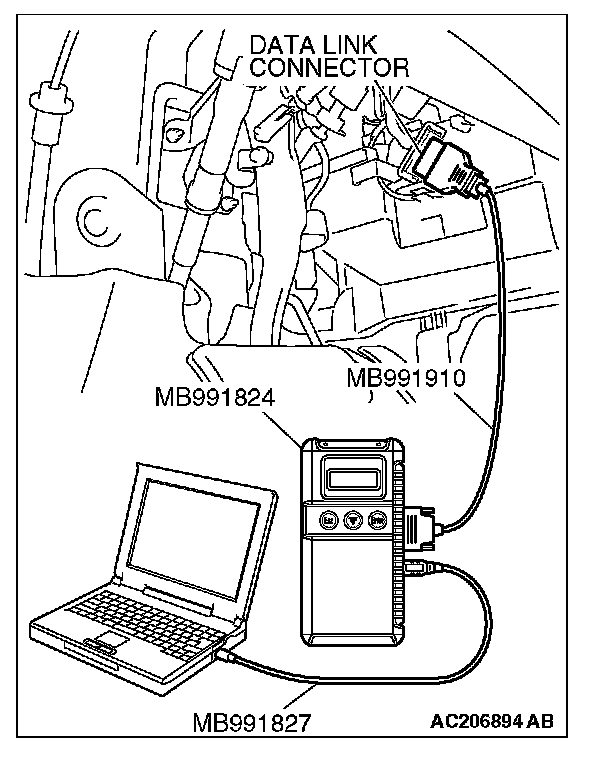
CAUTION: To prevent damage to scan tool MB991958, always turn the ignition switch to the "LOCK" (OFF) position before connecting or disconnecting scan tool MB991958.
1. Connect scan tool MB991958 to the data link connector.
2. Turn the ignition switch to the "ON" position.
CAUTION: The engine speed increases after the actuator test because the actuator test continues for only three seconds. Therefore, release the accelerator pedal immediately.
3. Use scan tool MB991958 to check the actuator test.
- Item 09: Engine TCL Drive.
- When the accelerator pedal is depressed at the same time that the button for actuator test item 09 displayed on scan tool MB991958 is pressed, the system prevents the engine speed from rising for three seconds.
4. Turn the ignition switch to the "LOCK" (OFF) position.
5. Disconnect scan tool MB991958.
6. If defective, repair it. (Refer to TCL diagnosis - Symptom Procedures - Inspection Procedure 6).