Clear All DTC's As Follows
Clear all DTCs as follows:1. Reconnect the MUT-III and turn the ignition to the ON position.
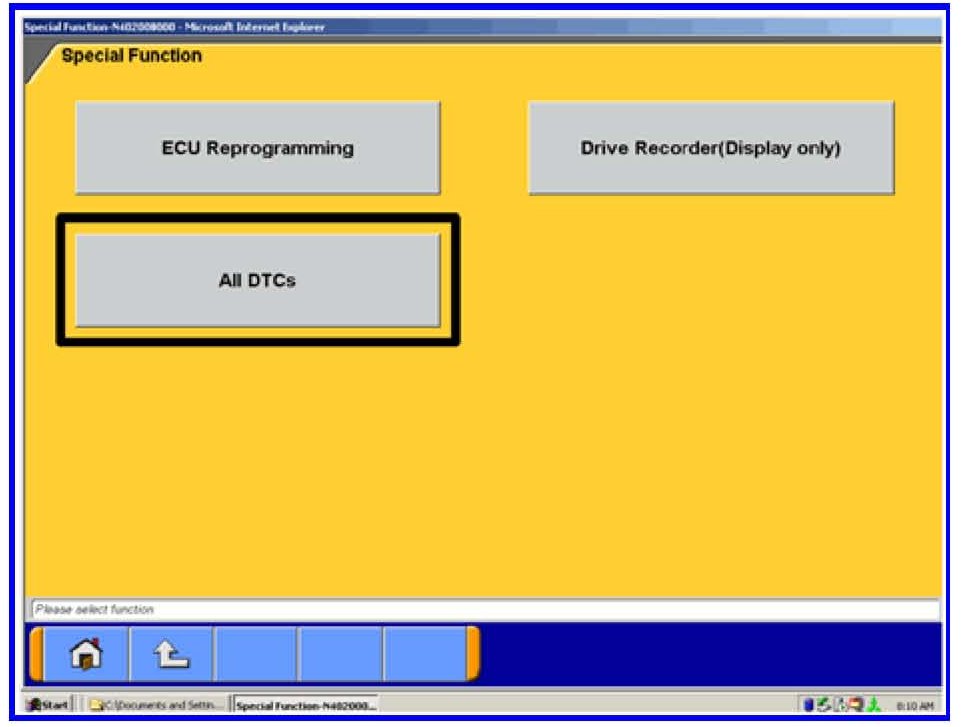
2. Select All DTCs
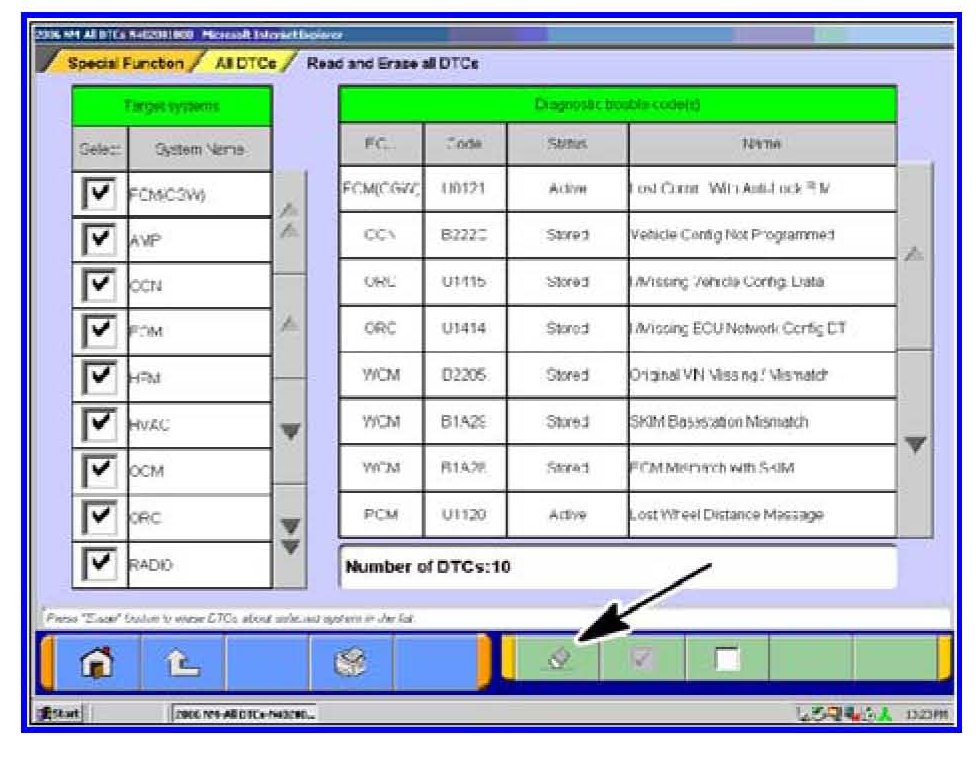
3. Click on the Erase button at the bottom of the screen.
4. Verify that there are now no DTCs listed. If DTCs are listed, diagnose using service manual procedures.
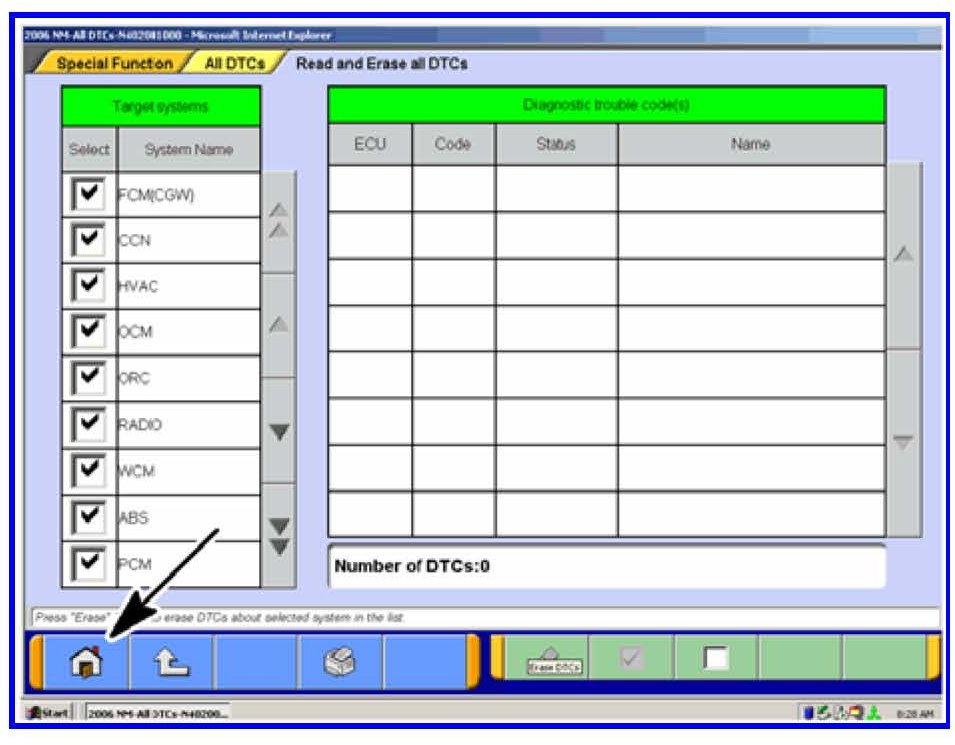
NOTE:
If DTC P1745 is noted in memory, contact Techline for instructions prior to proceeding. Click on the "Home" icon to return to the main page.
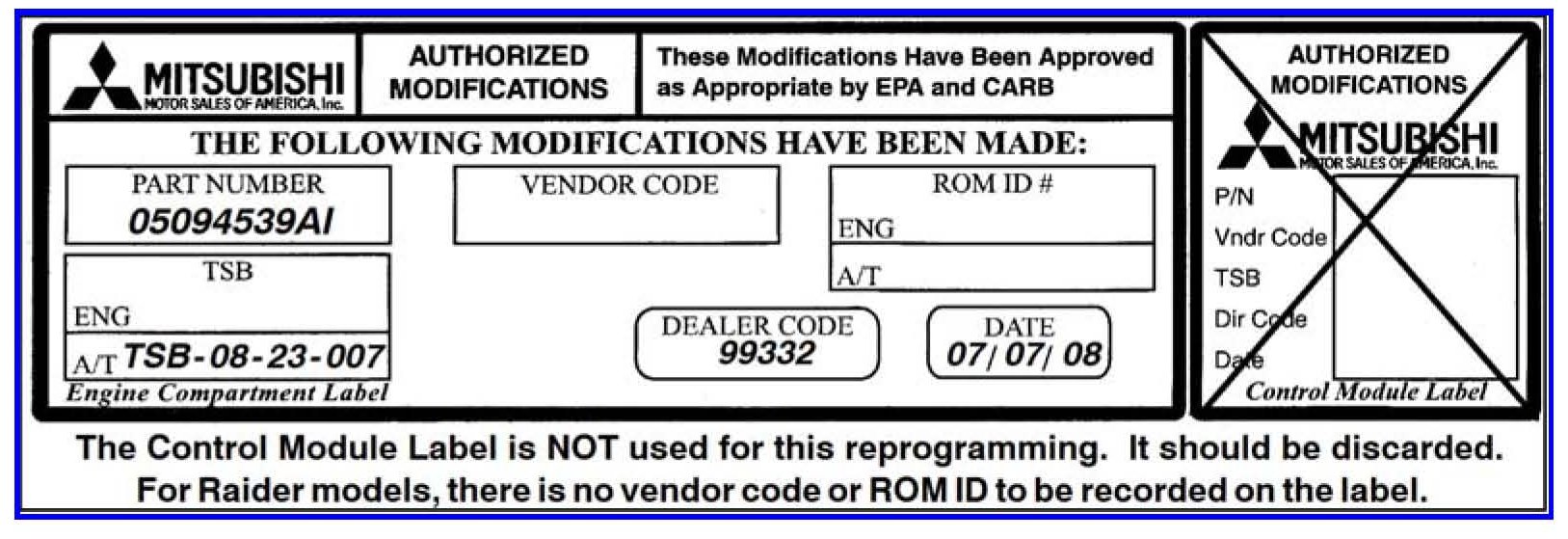
5. Using a ball-point pen, enter the new ECU part number, your dealer code, this TSB number (TSB-08-23-007) and the current date on the Engine Compartment / Control Module Label (part no. MSSF024G00).
6. Carefully remove all dirt and oil from a vacant area near the VECI label on the underside of the hood, and affix the Engine Compartment label.