Confirm Medic-II/MUT-III Information
CONFIRM MEDIC-II/MUT-III INFORMATION1. Confirm that your MEDIC-II/MUT-III is updated with the correct information to complete reprogramming.
For MEDIC-II users only:
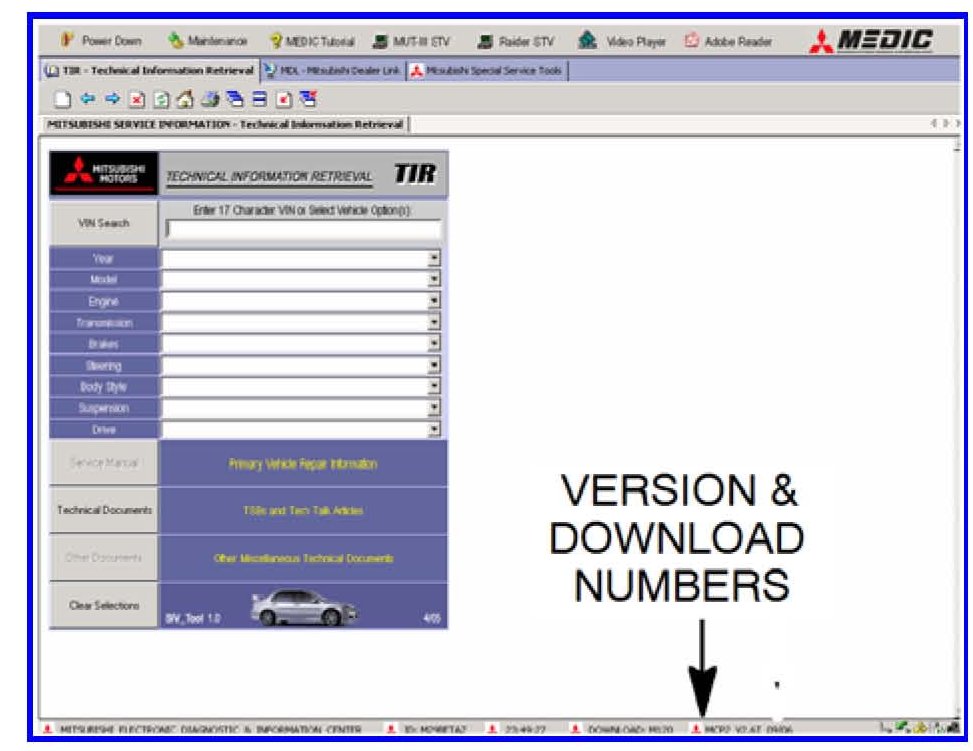
Verify that the MEDIC-II is at version 4.5 and at download M224 or
higher.
a. If your MEDIC-II is at download M224 or higher, go to the Reprogramming Procedure.
b. If your MEDIC-II download is below M224, update your MEDIC-II as follows.
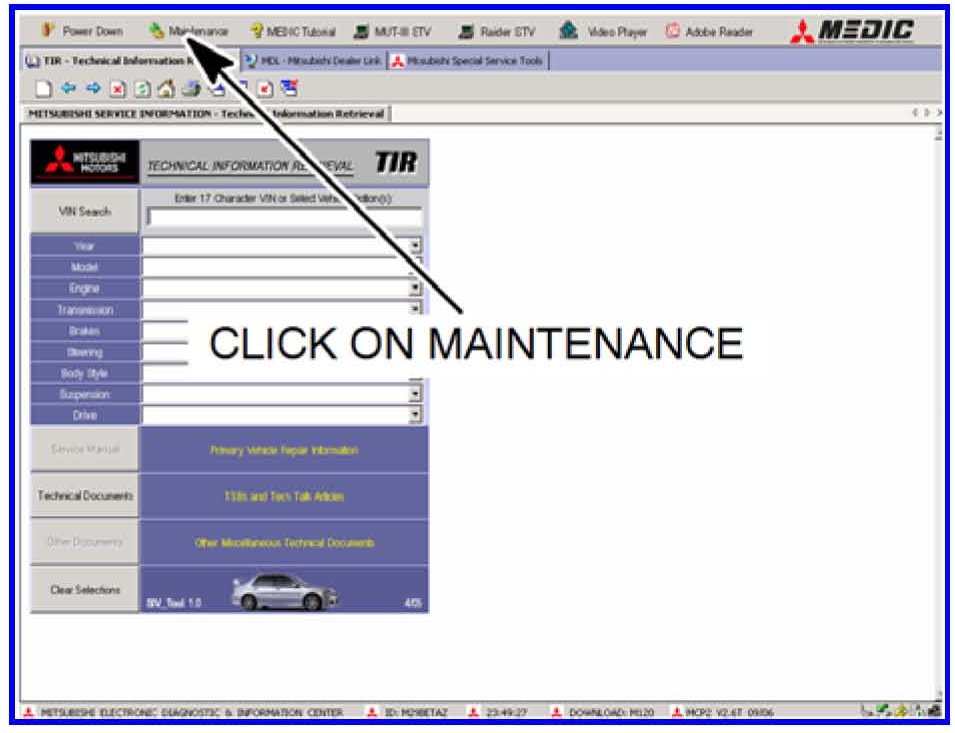
On the MEDIC-II main screen, click on "Maintenance".
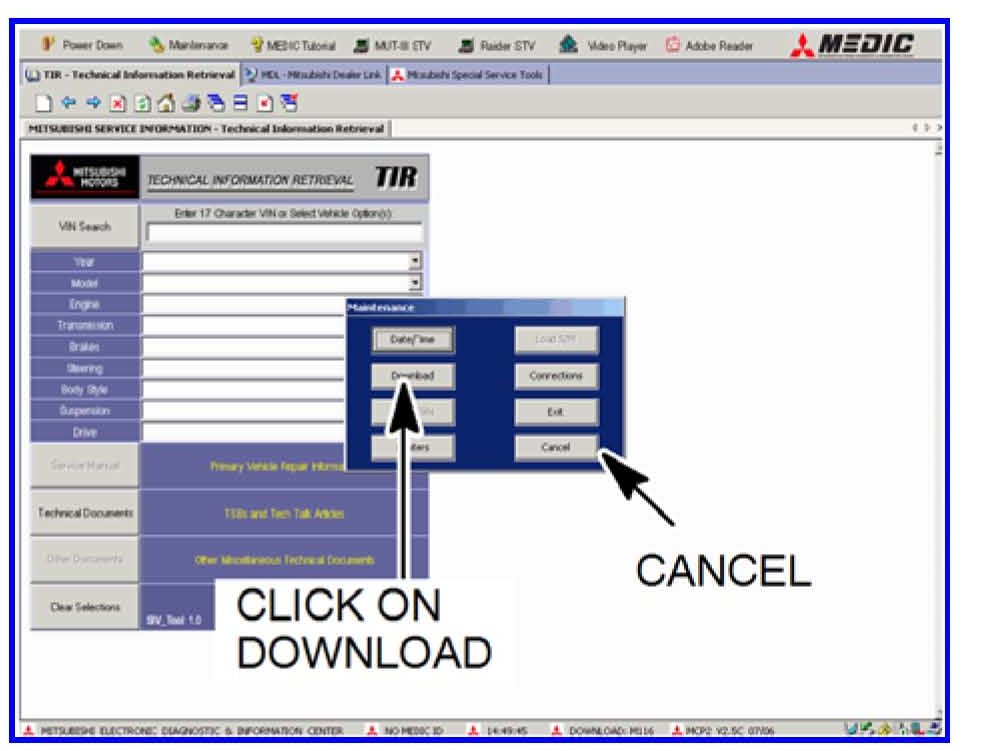
Click on "Download". After the download completes, click on "Cancel" to exit the "Maintenance" window.
GO TO REPROGRAMMING PROCEDURE.
For Stand-alone MUT-III users only:
If you have a stand alone Scan Tool (MUT-III), transfer the reprogramming data from the Reflash Update CD to your MUT-III laptop as follows:
a. With the MUT-III laptop on, close the Raider STV and MUT-III STV.
b. Install the Reflash Update CD into the laptop.
c. Follow the instructions displayed on-screen for loading the database onto your laptop.