Final System Check (All Incident Cases)
1. Use CONSULT-II to erase all DTCs stored in the ECM.2. Confirm that Front Oxygen Sensors H02S1 (B1) and H02S1 (B2) are functioning by performing steps 2A through 2C, below.
NOTE:
Run the vehicle for five minutes before beginning step 2A. Steps 2A and 2B should be performed with the engine at 2000 rpm with no-load (transmission in Neutral or Park. Parking brake set).
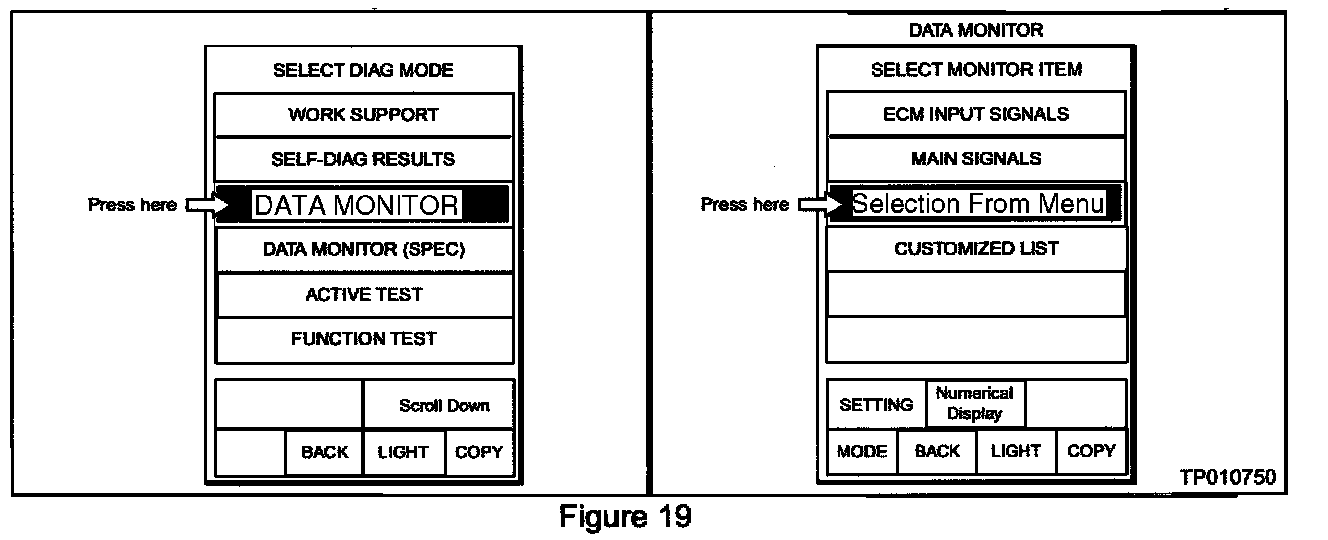
A. Select "Data Monitor." then "Selection From Menu" in CONSULT-II (see Figure 19).
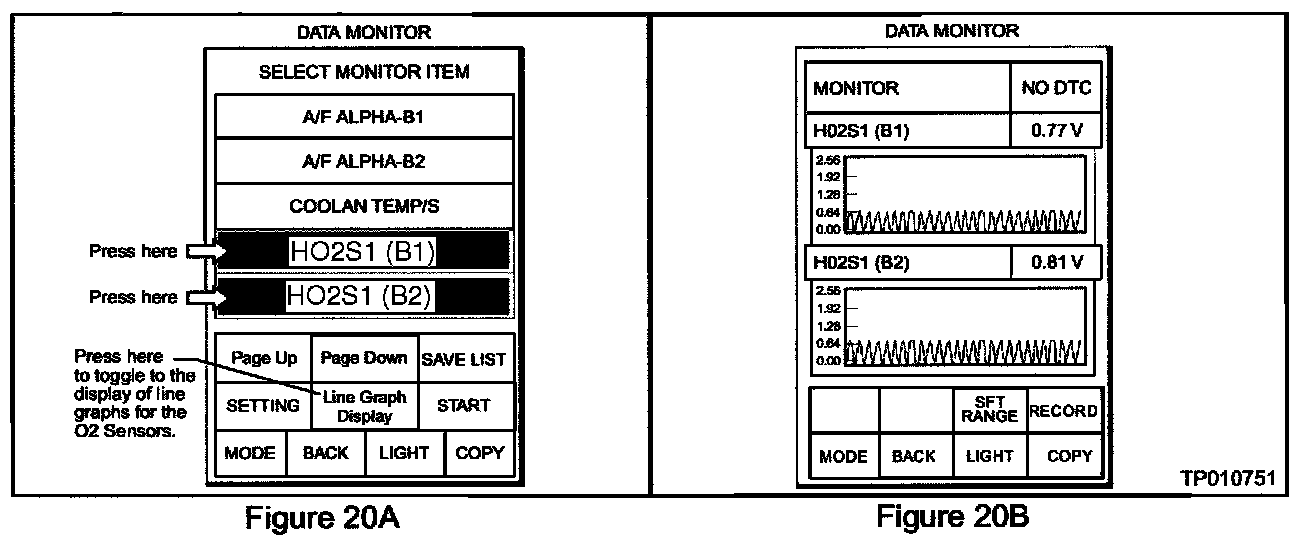
B. Select "HO2S1 (B1)" and "H02S1 (B2)" and press the "Line Graph Display" button (see Figure 20A) to toggle to the display of line graphs for the oxygen sensors (see Figure 20B), then press "Start".
C. The sensors are working correctly if both are cycling up and down (oscillating) and the voltage reading remains below 1 Volt.
3. Use CONSULT-II to confirm no other DTCs have reset.
^ If no other DTCs have reset, the repair is finished.
^ If other DTCs have reset, refer to the EC Section of the appropriate Service Manual for diagnostic assistance.