Service Procedure
You will perform the following, as required:^ Determine the DTC Stored in the ECM from the CONSULT-II Self-diagnosis results.
^ ECM Part Number Check to determine if this bulletin applies.
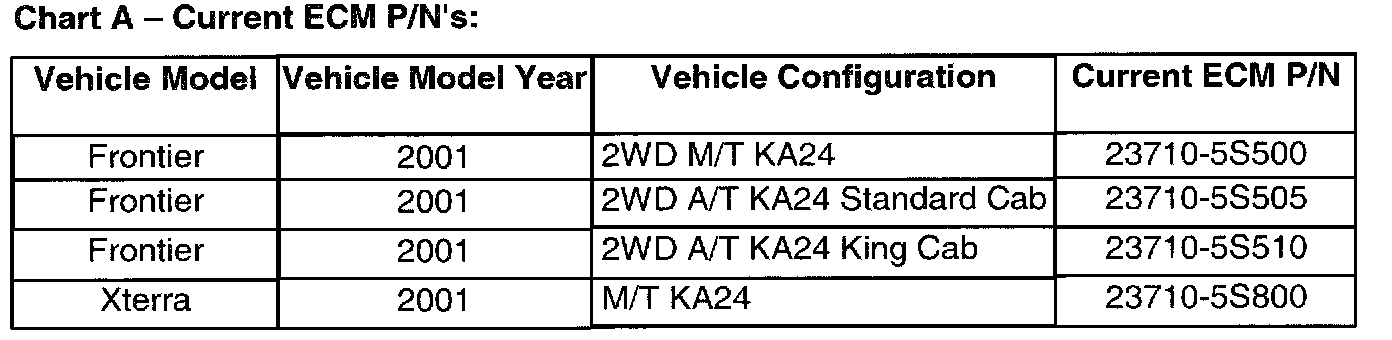
^ ECM Reprogramming (required if the ECM P/N in the vehicle matches one of those listed under "Current ECM P/N" in Chart A shown).
IMPORTANT:
Do NOT replace the catalytic converters as part of this procedure.
Determine the DTC Stored in the ECM:
1. Determine which DTC code is stored in the vehicle's ECM by performing CONSULT-II Self-Diagnosis.
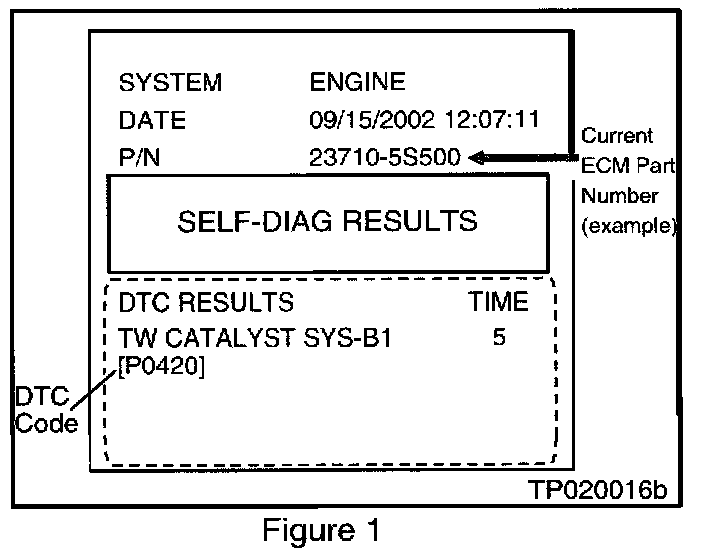
2. Print out the Self-Diagnosis results for use in ECM Part Number. See Figure 1 for an example of the CONSULT-II Self-Diagnosis printout.
ECM Part Number Check
1. Compare the vehicle's current ECM P/N (from your CONSULT-II Self Diagnosis printout) to those shown under Current ECM P/N in Chart A.
A. If the ECM P/N in the vehicle matches one of those listed under "Current ECM P/N" in Chart A.
^ Look in the "Vehicle Configuration" column in Chart A (above) and determine the vehicle "configuration." Make a note of the vehicle configuration and perform ECM Reprogramming.
B. If the ECM P/N in the vehicle does not match one of those listed under "Current ECM P/N" in Chart A.
^ This bulletin does not apply. Use the appropriate Electronic Service Manual (ESM) to further diagnose and repair the incident.
ECM Reprogramming
1. Perform ECM Reprogramming to install the latest available ECM data.
^ Refer to "ECM Reprogramming For Nissan Vehicles" in this bulletin.
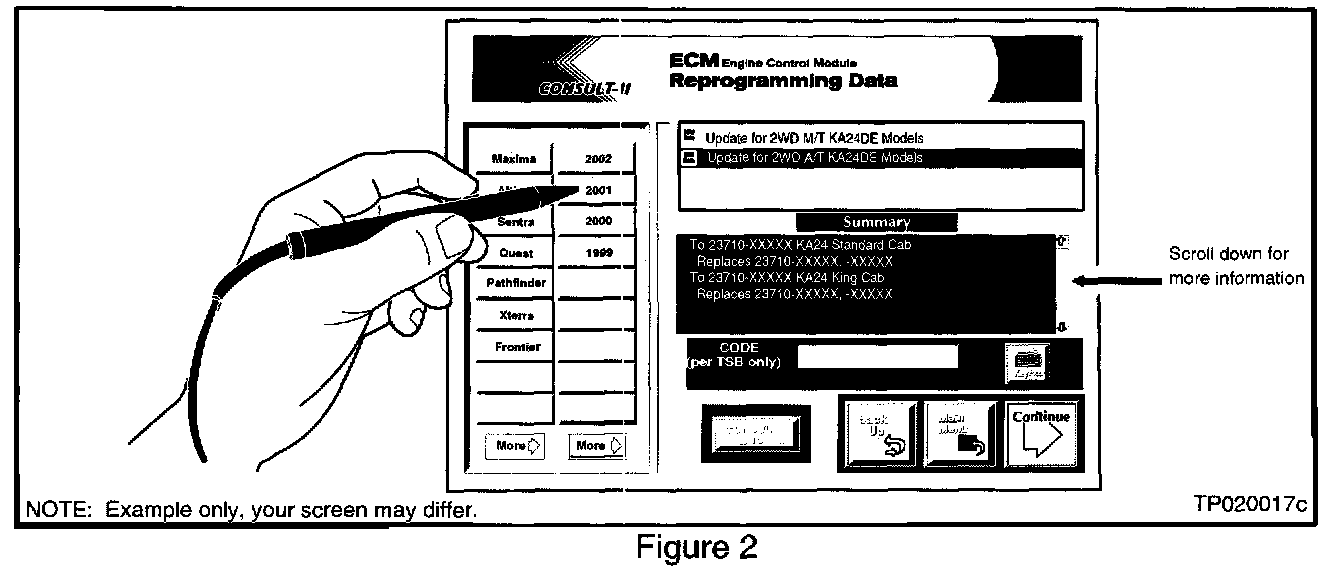
^ For those familiar with ECM Reprogramming the following as shown.
A) Select model and model year for the applied vehicle (i.e. Frontier, 2001).
B) Locate the vehicle configuration, you made note of in step 1A, from those listed in the upper right ECM data description window.
C) Make a note of the "To" number listed in the "ECM Reprogramming Data" Summary screen.
NOTE:
The "To" number will read: 23710-XXXXX.
D) Press "Continue" and follow directions to perform data download from ASIST to CONSULT-II.
E) When reprogramming from CONSULT-II, select the "To" number that you made note of in step C, above.
2. Use CONSULT-II to do the following:
^ Confirm DTC P0420 is repaired.
^ Erase the DTC code.
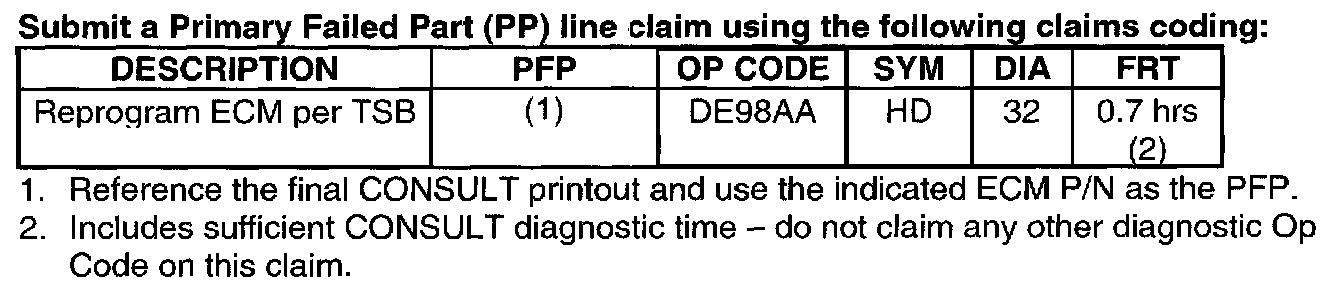
CLAIMS INFORMATION