Service Procedure
Step A: Remove and replace the valve body.
1. A. Write down all radio station presets.
B. Disconnect both battery cables (negative cable first).
C. Wait at least 3 minutes after the battery cables are disconnected.
2. Remove the CVT dipstick. Raise the vehicle on a hoist.
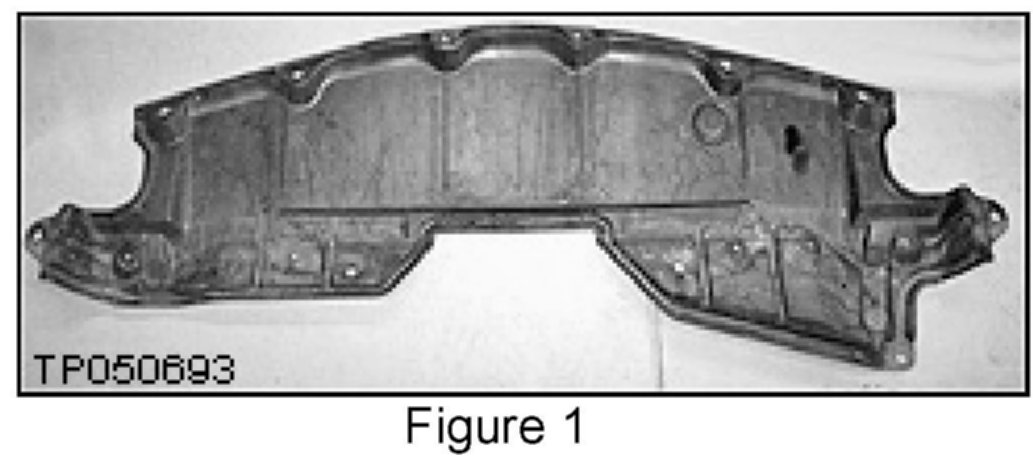
3. Remove the undercover from below the front bumper cover (see Figure 1).
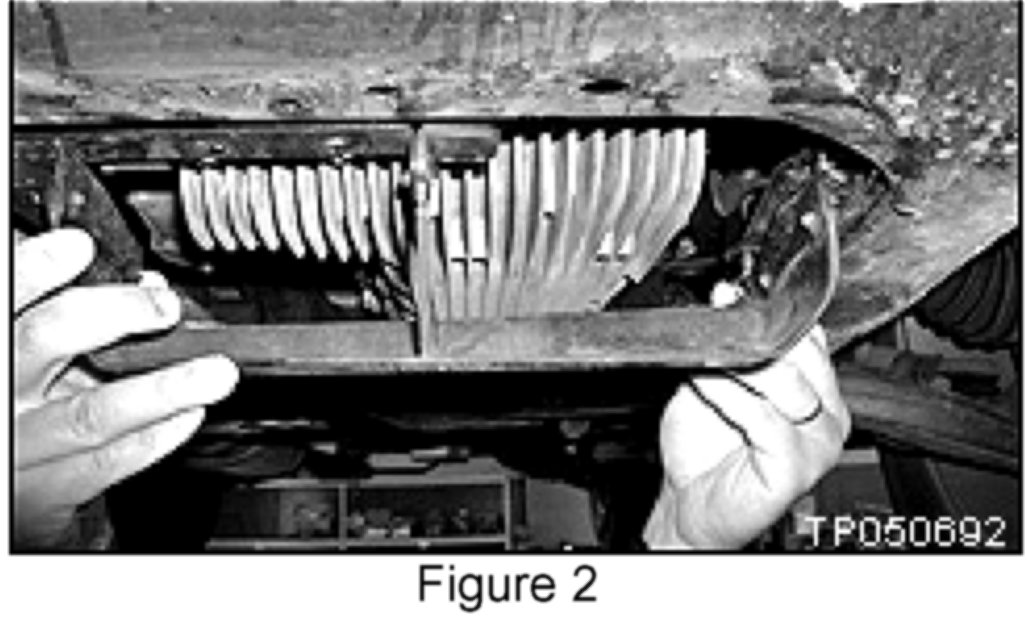
4. Remove the air guide (scoop) (see Figure 2).
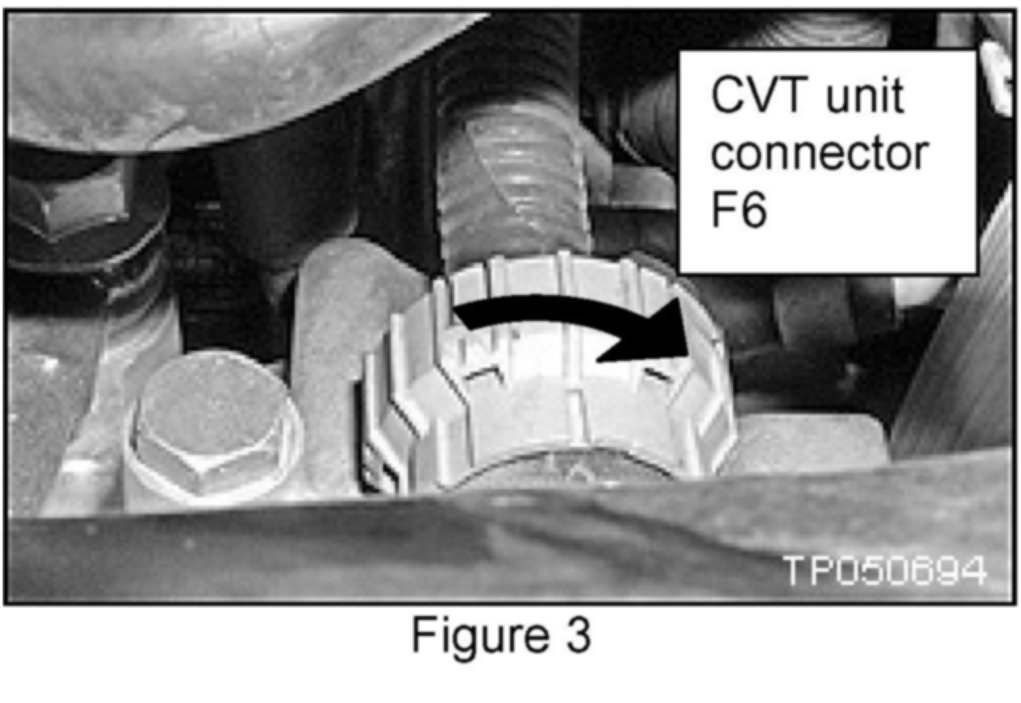
5. Disconnect the CVT unit harness connector F6 by turning counterclockwise (see Figure 3).
6. Loosen and remove the transmission pan drain plug to remove the CVT fluid.
7. Loosen and remove the 20 oil pan bolts to remove the oil pan.
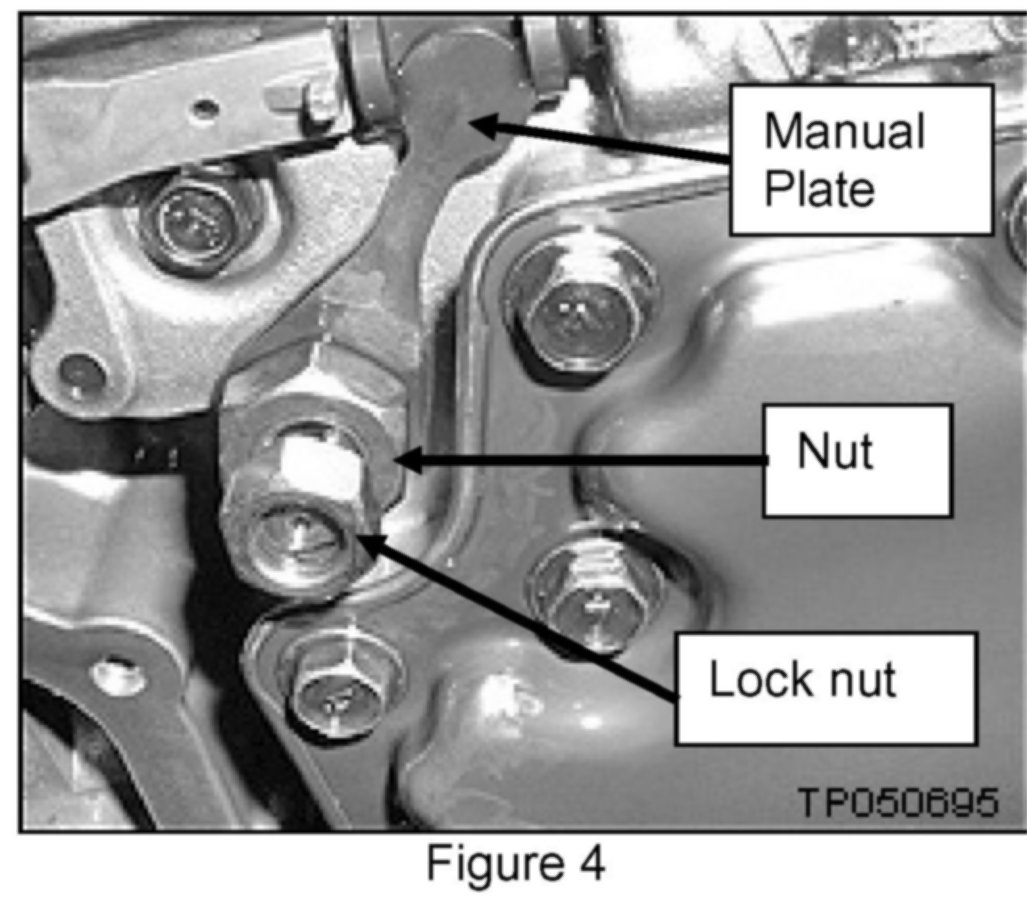
8. Remove the nut and lock nut to remove the manual plate.
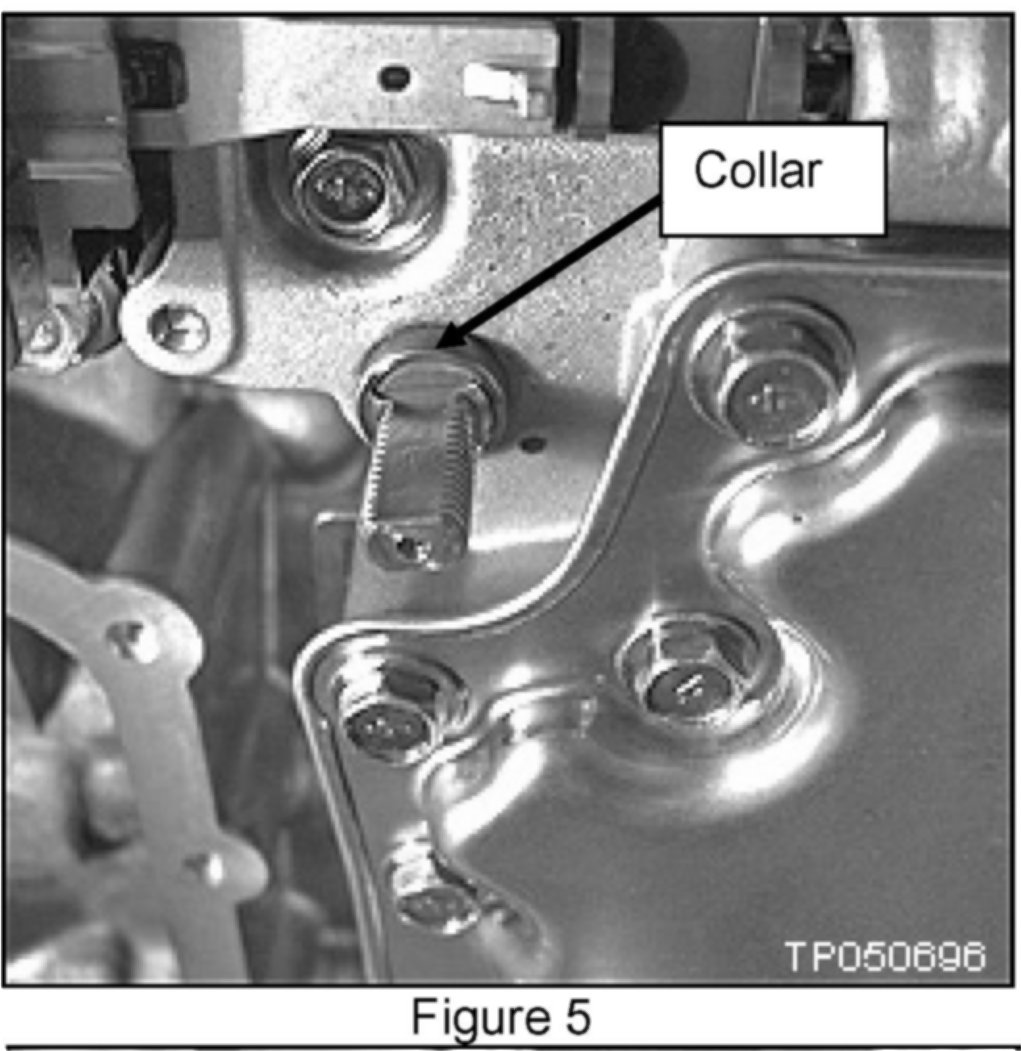
9. Remove the collar from the manual shaft.
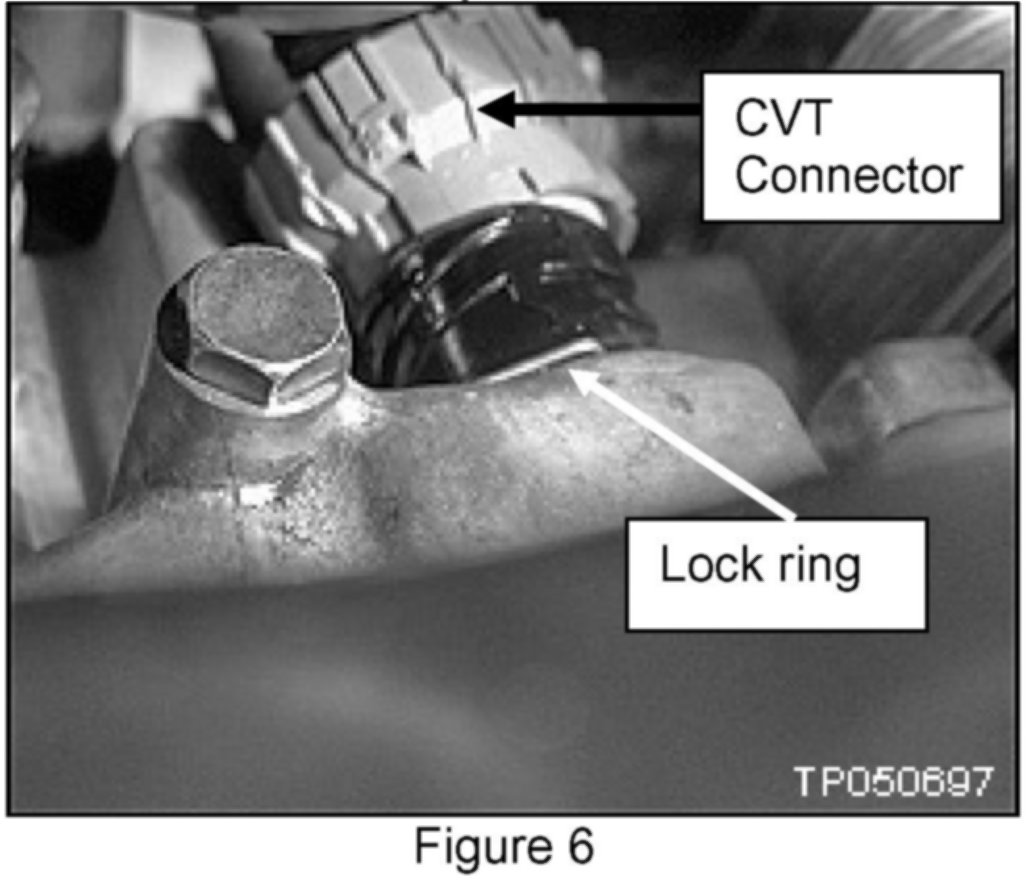
10. Remove the large lock ring holding the CVT connector to the transmission case (see Figure 6).
^ Push the transmission side of the harness down inside the transmission case to remove it.
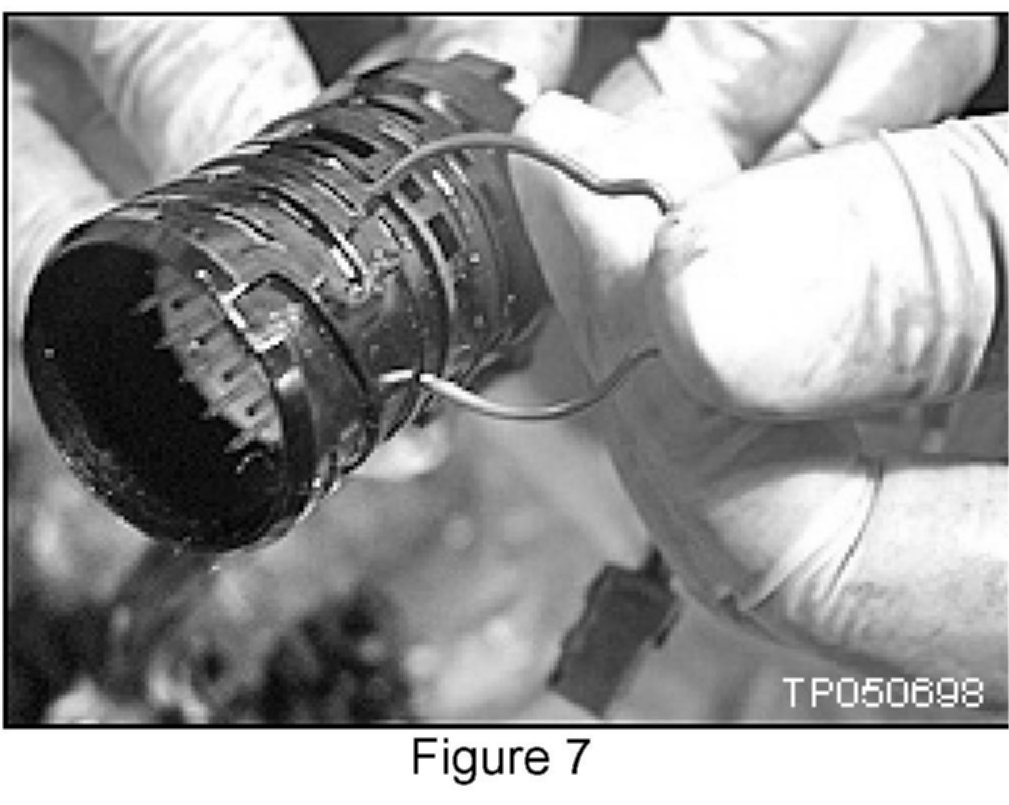
^ Transmission side of CVT harness connector and lock ring shown removed from the transmission case (see Figure 7).
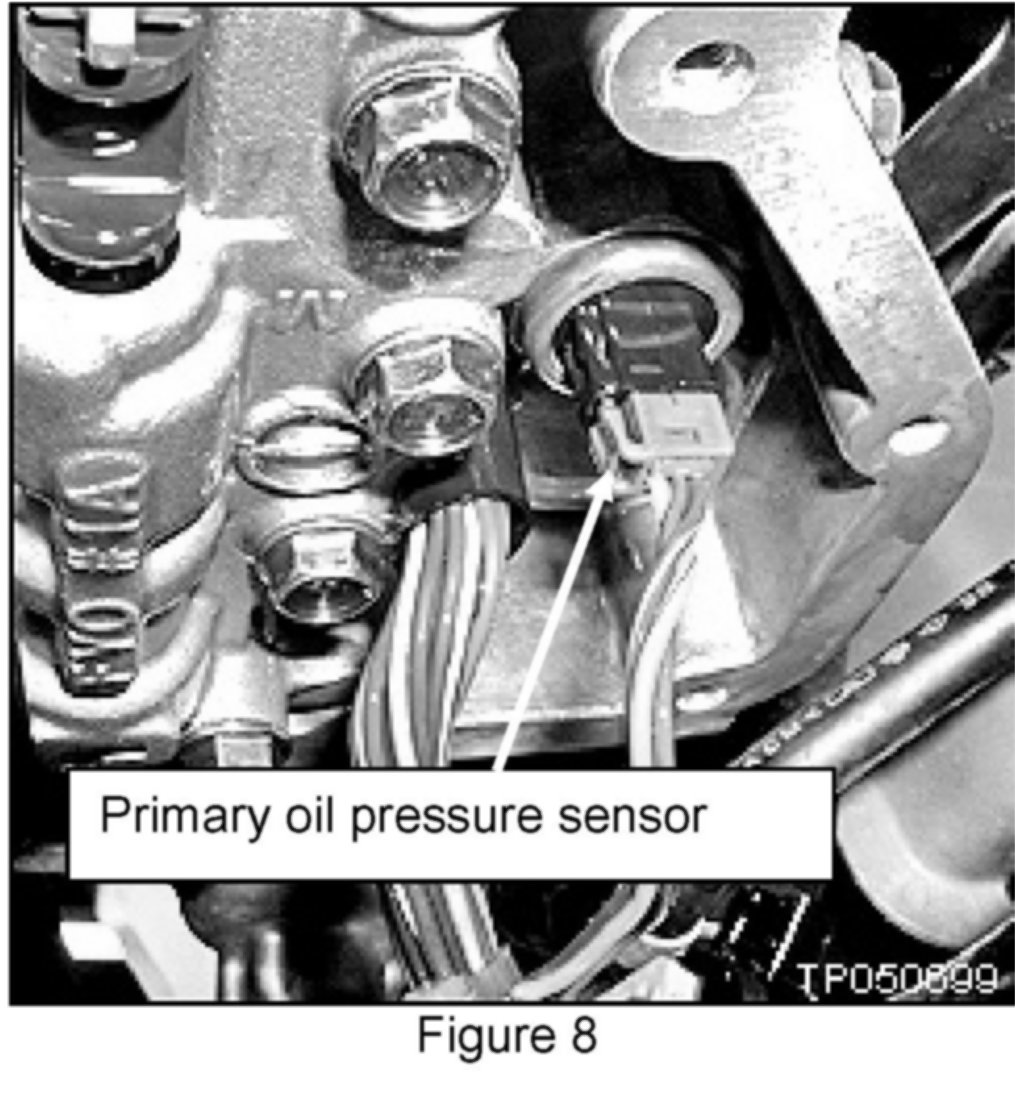
11. Disconnect the harness of the Primary oil pressure sensor.
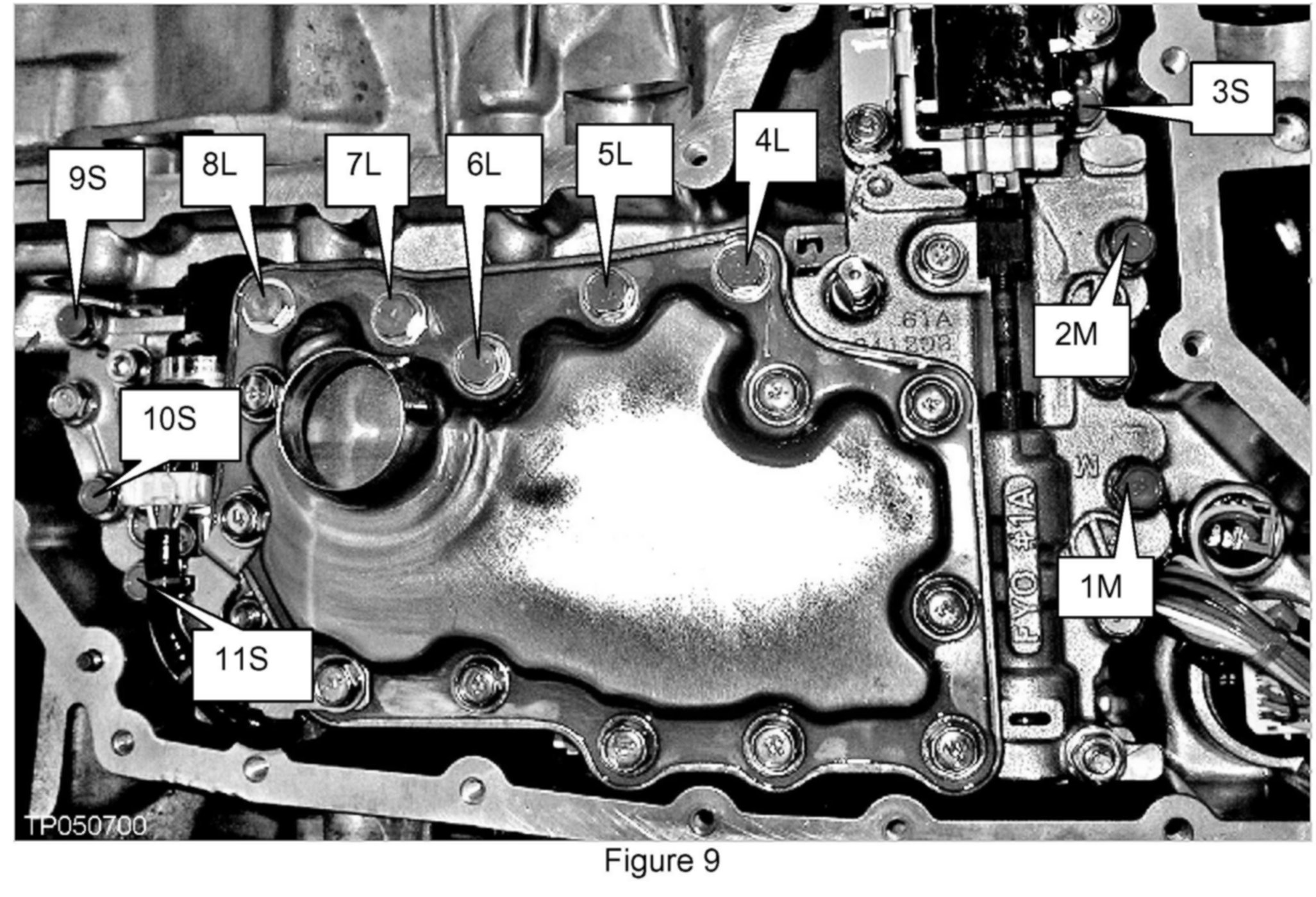
12. Remove the bolts attaching the valve body to the transmission (see Figure 9).
^ There are 11 bolts shown and numbered for convenience.
^ There are 3 different length bolts which are identified by:
S-short
M-medium
L-long
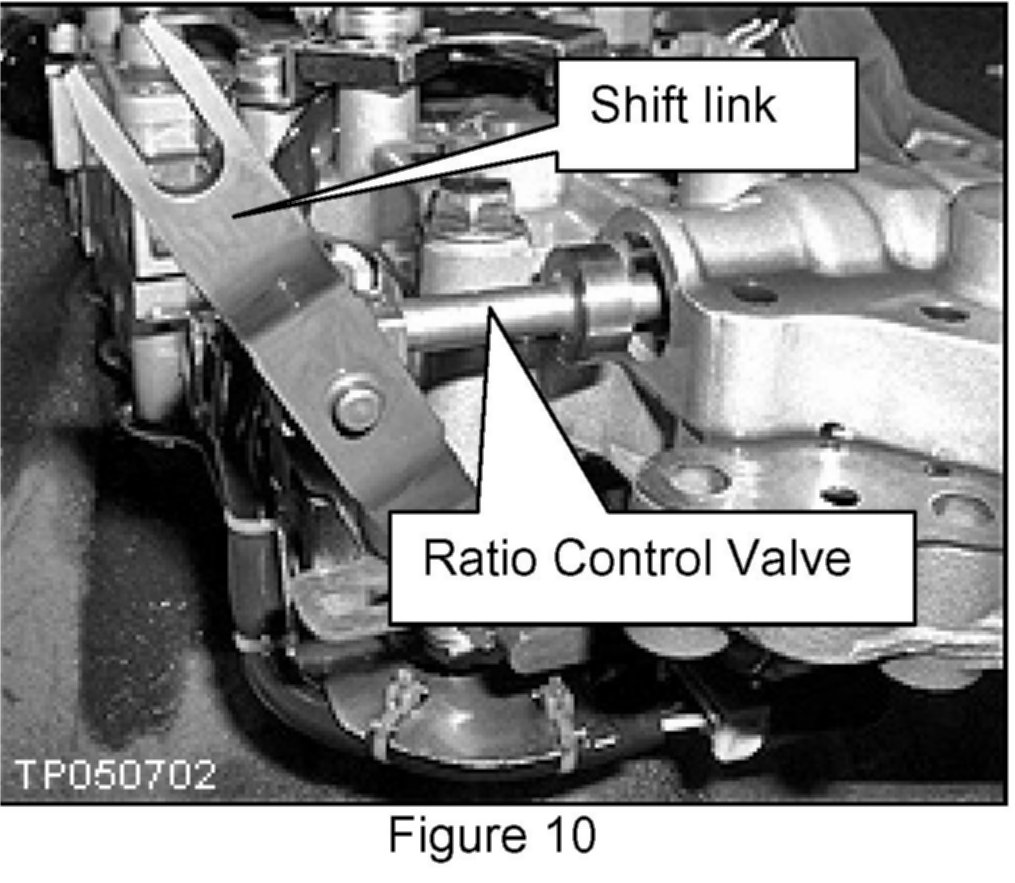
13. Remove the valve body. Note the position of the Ratio Control Valve and attached shift link.
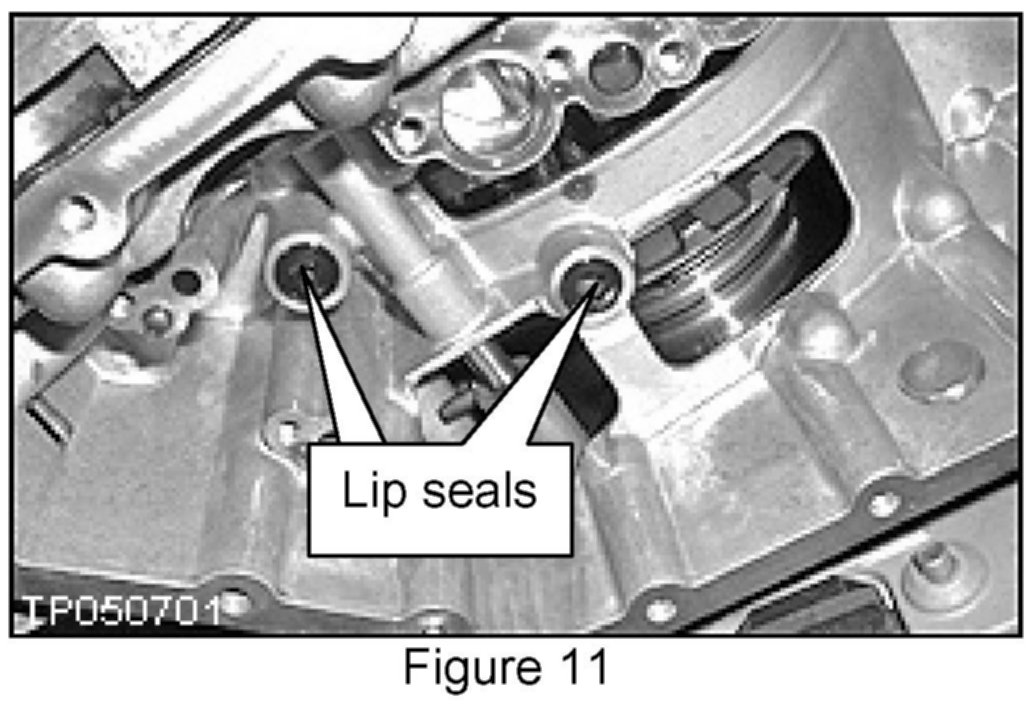
14. Make sure you replace the 2 lip seals shown in Figure 11.
^ Do not reuse the old lip seals.
^ Use petroleum jelly to keep the new lip seals in place during reassembly.
15. Carefully unpack the new valve body assembly. When installing the new valve body, be careful not to allow the Ratio Control Valve to fall out (see Figure 10).
^ If the Ratio Control Valve does fall out, check the condition of all surfaces especially the edges for damage.
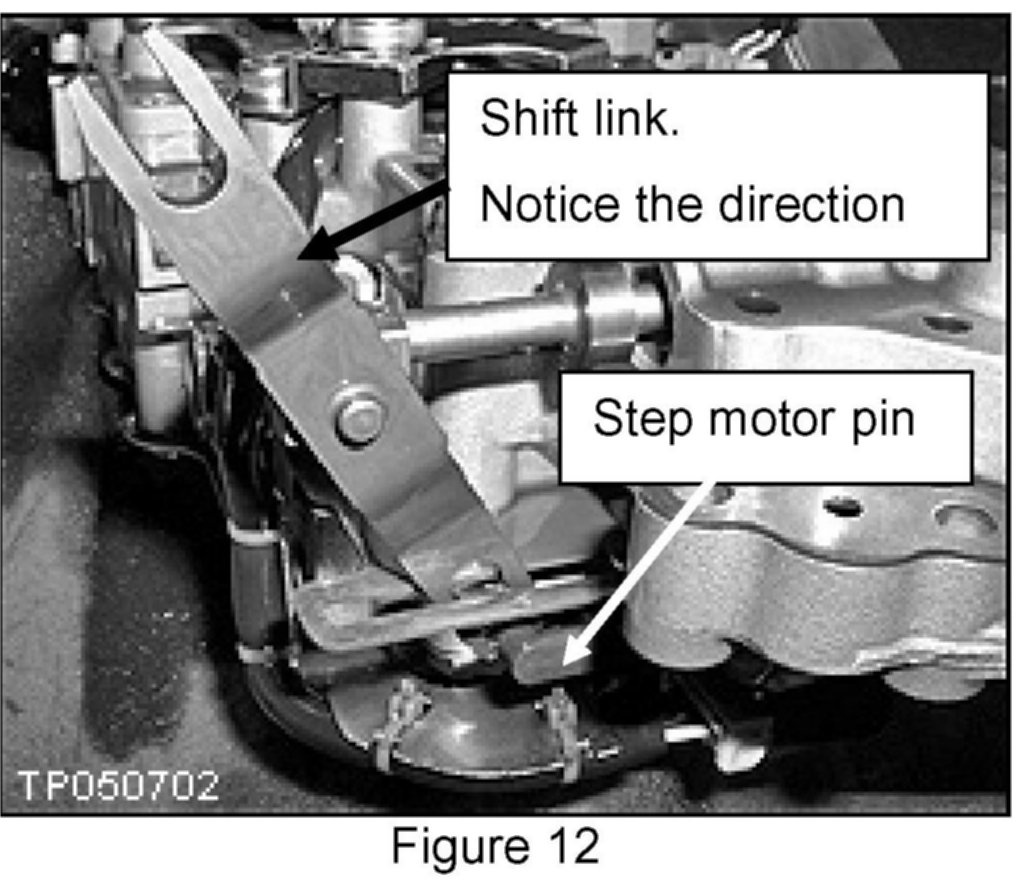
^ Confirm (double check) the direction of the shift link and the bottom of the shift link around the step motor pin (see Figure 12).
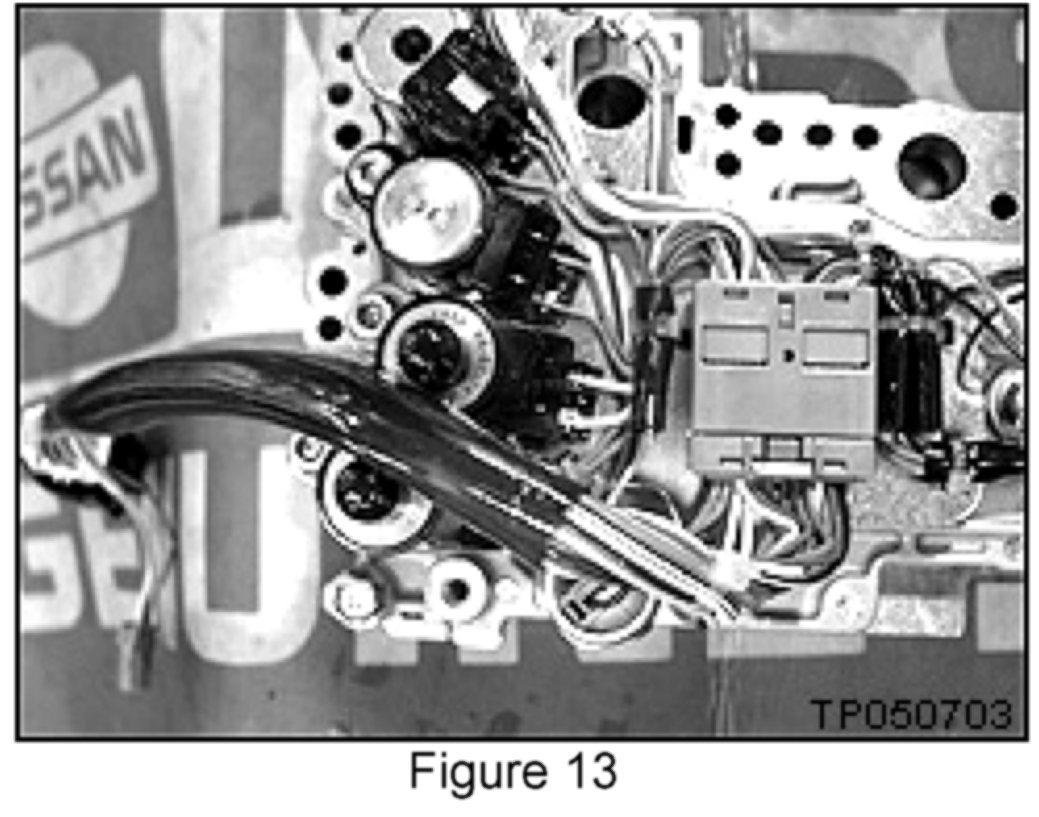
16. Route the harness around the outside of the Valve body as shown (see Figure 13).
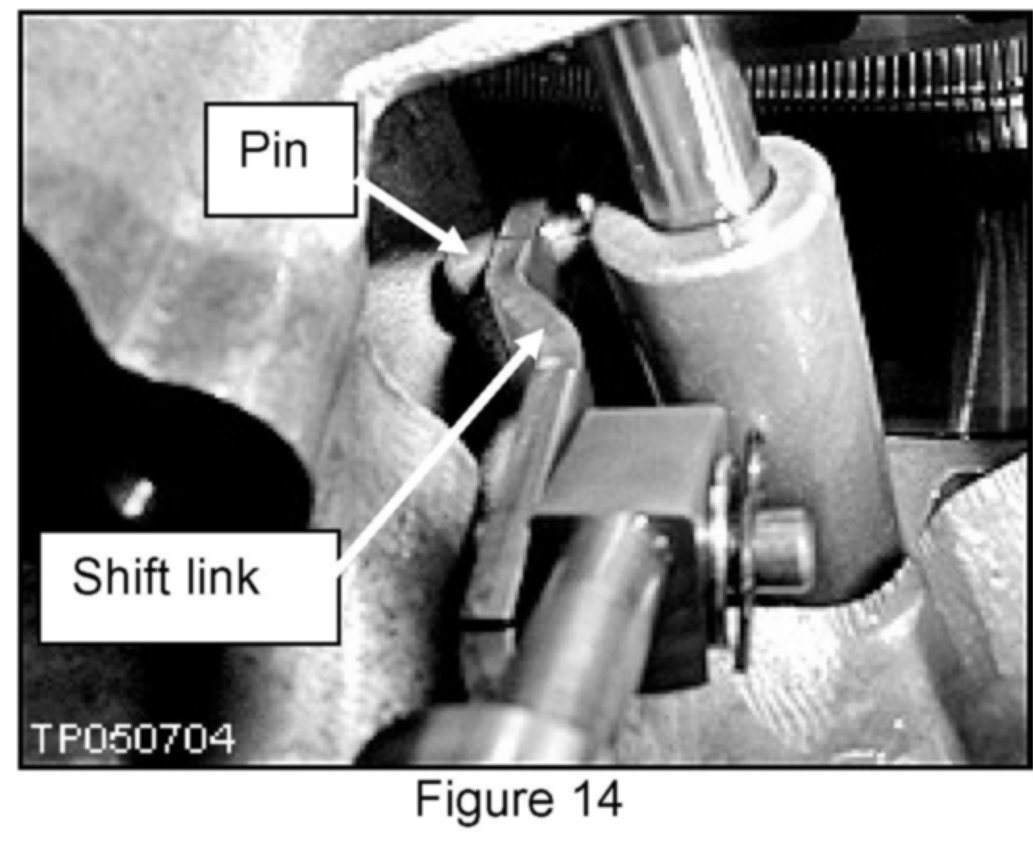
17. Install the new valve body and shift link with the fork end of the shift link around the pin as shown (see Figure 14).
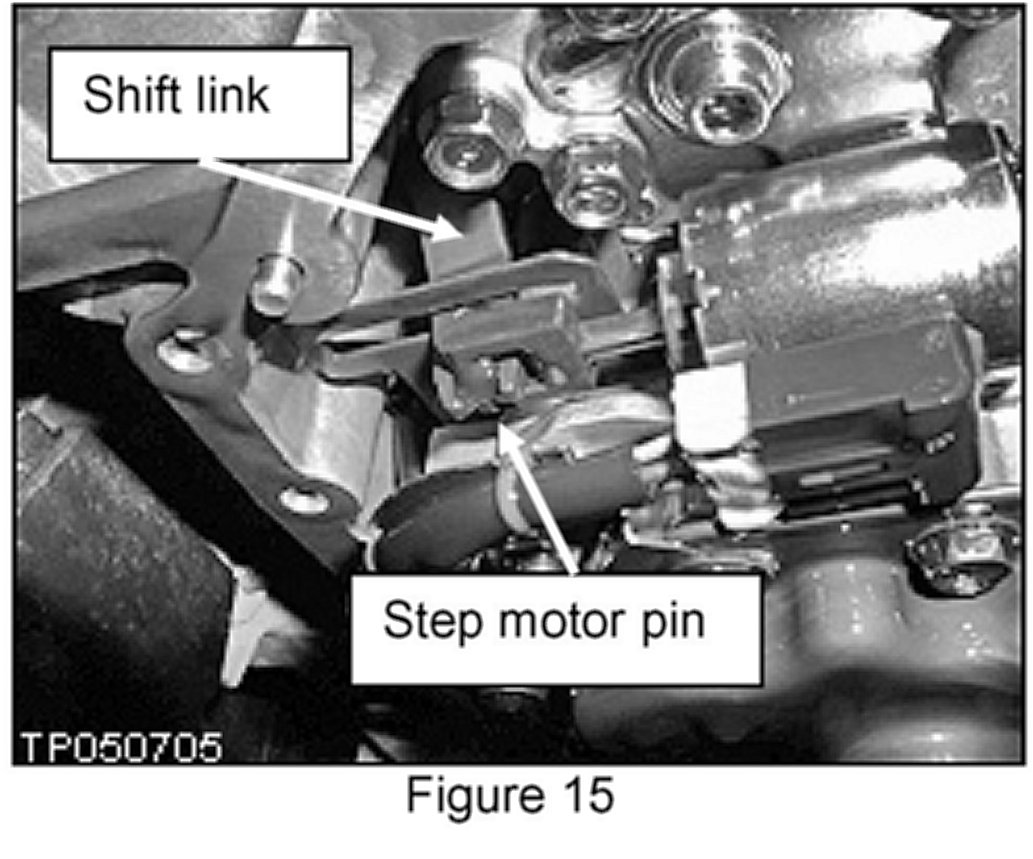
18. While you are doing Step 17 above, the lower end of the shift link must stick through the bottom of the step motor pin as shown (see Figure 15).
^ Install the CVT dipstick.
IMPORTANT CHECKS:
^ Make sure the upper end (forked end) of the shift link is positioned around the pin after you install the new valve body. Space is very limited in the work area.
^ Make sure there is adequate clearance between the dipstick and harness.
19. Install and torque the 11 valve body bolts removed in Step 12 (see Figure 9).
^ Tightening torque: 6.9-8.9 N m (0.7-0.9 kg-m, 61-78 in-lb).
^ Torque sequence as per Figure 9: 6-7-5-8-4-9-3-10-2-11-1.
20. Re-install the collar on the manual shaft removed in Step 9 (see Figure 5).
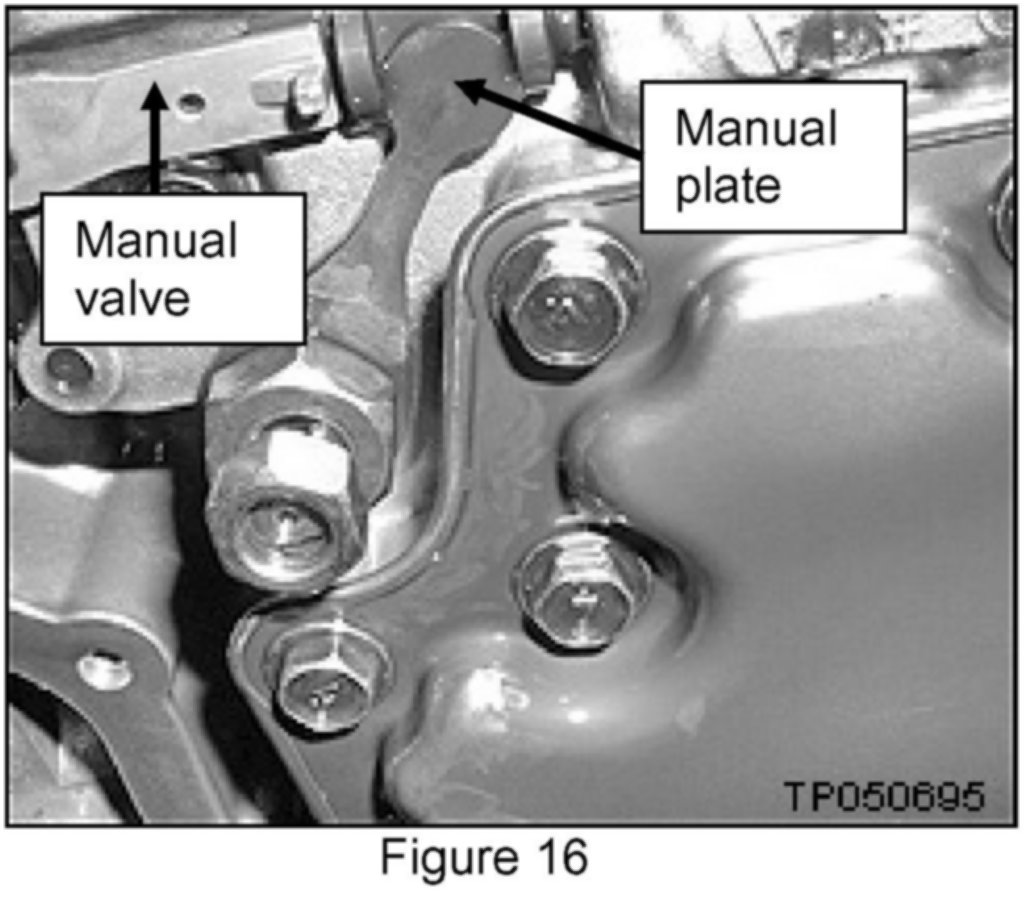
21. Align the manual plate with the notch in the manual valve.
Note:
First, tighten 19 mm nut, then tighten the 14 mm lock nut with the specified tightening torque.
^ Use a Torque wrench to tighten both the 14 mm and 19 mm nuts; same torque spec for both:
20.6-23.5 Nm
(2.1-2.3 kg-m,
15.1-17.3 ft-lb)
22. Reconnect the harness to the primary oil pressure sensor as shown in Step 11 and Figure 8.
23. Reinsert the CVT connector with locking ring into the case as shown in Figure 6 and Figure 7. Check that the locating notch is properly engaged.
24. Install the oil pan and bolts.
^ Make sure oil pan and magnets are free of contamination particles.
^ Tightening Torque:
Aluminum oil pan - 5.4 - 7.4 Nm (0.5 - 0.7 kg-m, 3.9 - 5.4 lb-ft).
Iron oil pan - 6.9 - 10.8 Nm (0.7 - 1.1 kg-m, 5.0 - 7.9 lb-ft).
25. Install the battery cables. Negative cable last.
26. Fill and check the CVT fluid level.
27. Reprogram the radio presets.
28. Erase the TCM EEPROM memory.
a. Connect CONSULT-II to data link connector.
b. Turn ignition switch ON. Confirm that CONSULT-II is turned ON.
c. Move selector lever to "R" position.
d. Touch START on CONSULT-II.
e. On CONSULT-II select TRANSMISSION > SELF-DIAG RESULTS.
f. Press on the Brake (Brake switch ON).
g. Press the accelerator pedal (0.5/8 - 4/8 throttle) not to exceed half, and hold it in the half or less open position. (This will set the closed throttle position signal to OFF and the wide open throttle position signal to OFF.)
h. On CONSULT-II touch ERASE, then touch YES.
I. Wait 3 seconds and then release the accelerator pedal.
j. Turn ignition switch OFF.
Step B: REPROGRAM THE TCM
Vehicle TCM Reprogramming Overview
^ There are four basic steps:
1. Download (transfer) reprogramming data from ASIST into CONSULT-II.
2. "Preparation" steps before reprogramming TCM.
3. Reprogram the TCM.
4. "Wrap-up" after reprogramming is finished.
Step One: Download (Transfer) Reprogramming Data From ASIST Into CONSULT-II
^ For those familiar with TCM Reprogramming, please review the following steps and use them as a Quick Reference for TCM reprogramming.
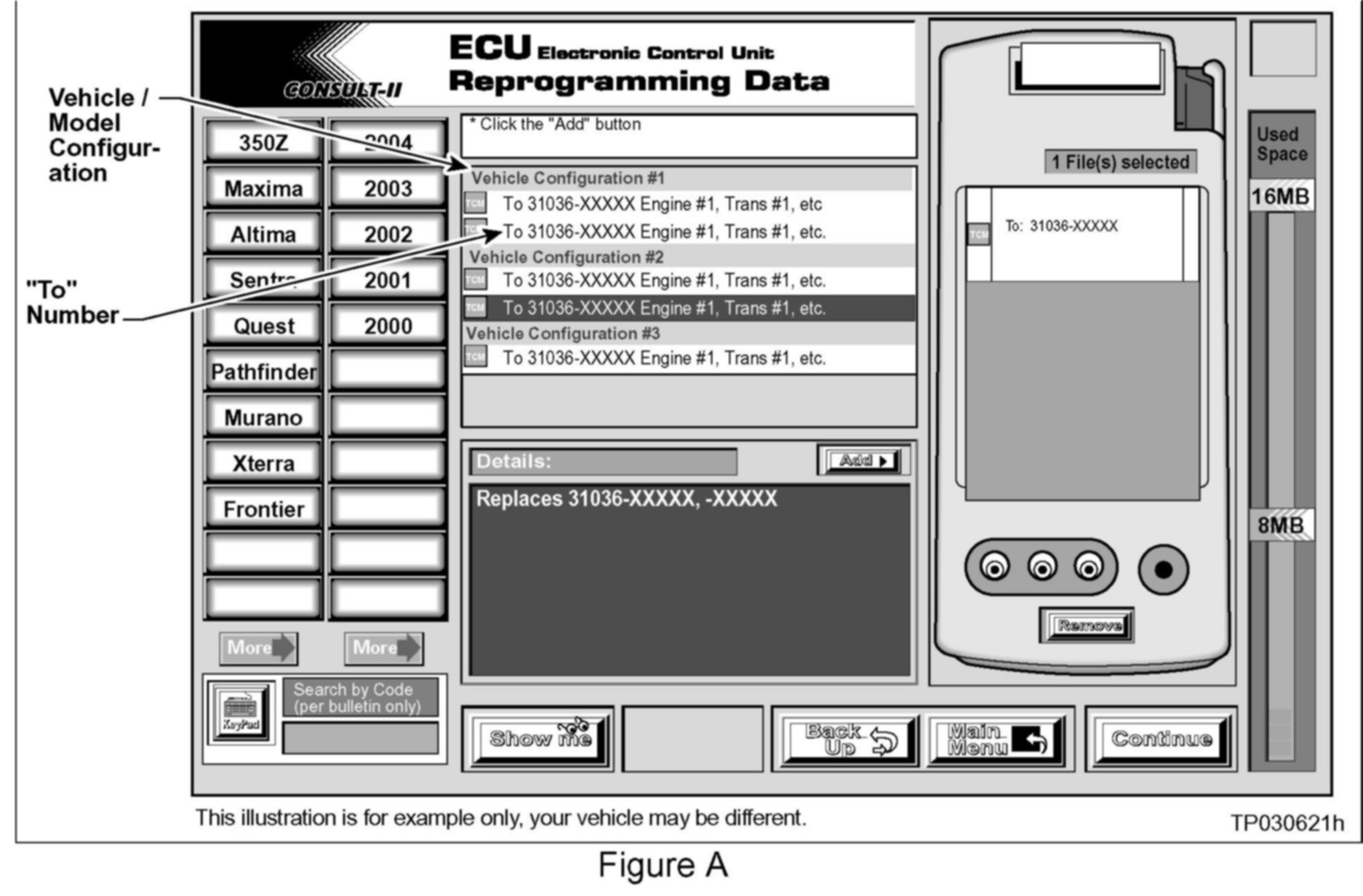
1. Select vehicle model and model year (example: Murano, 2004).
2. Select the correct reprogramming data:
a. Locate the specific "Model Configuration" (Example: VQ35, CVT, 2WD).
NOTE:
Model Configuration may include items such as engine type, transmission type, and vehicle options such as ASCD, TCS, ABS etc.
b. Select (click on) the "To" number.
NOTE:
The "To" number will read: 31036-XXXXX.
3. Click on the "Add" button.
^ This will add the data you selected to the "File(s) Selected" list.
4. Write the "To" number on the Repair Order.
5. Click on "Continue" and follow directions to perform "data transfer" (download) from ASIST into CONSULT-II.
Step Two: Preparation Steps Before Reprogramming TCM
1. Connect a battery charger to the vehicle's battery.
^ Set the charger to a low charge rate (trickle charge).
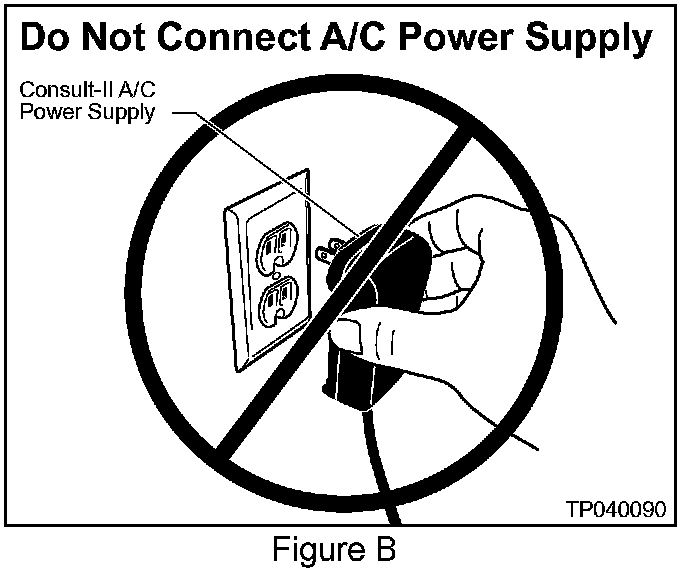
CAUTION:
For number 2 and number 3 below, DO NOT connect the CONSULT-II A/C Power Supply.
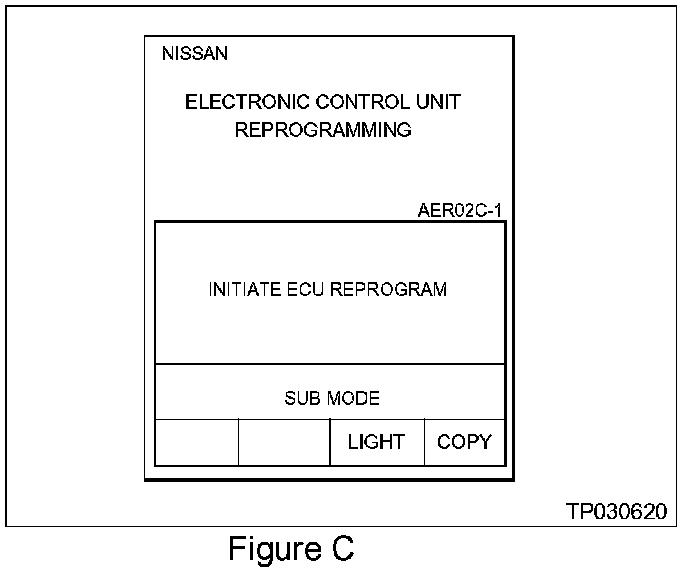
2. Press [SUB MODE] (see Figure C) then:
a. From the listed items, find and select [BATTERY CHARGE].
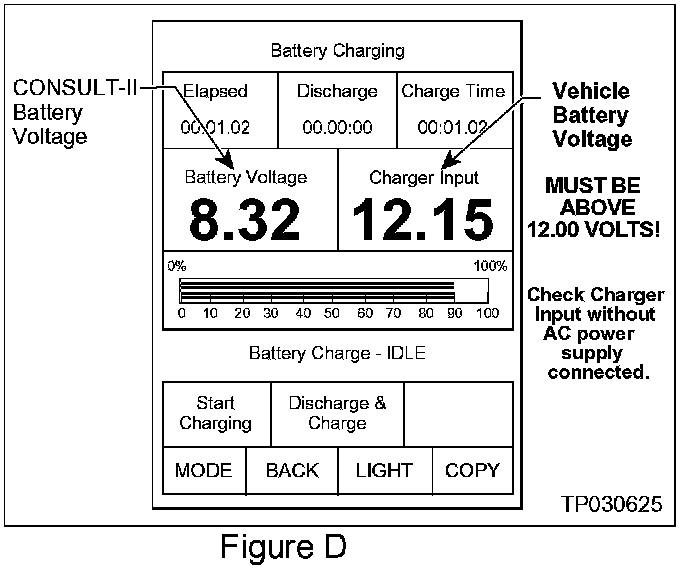
3. Check the CONSULT-II's "Charger Input" reading (see Figure D).
NOTE:
^ "Battery Voltage" is the voltage level of CONSULT-II's battery.
^ "Charger Input" is the voltage level of the vehicle's battery. (It must be above 12 volts.)
Step Three: Reprogram the TCM
Step Four: TCM Reprogramming "Wrap-up"
1. Turn the ignition and CONSULT-II OFF.
2. Disconnect CONSULT-II from the vehicle.
3. Start the Engine and make sure the MIL is OFF.
^ If it's still ON, use CONSULT-II with the Diagnostic (red/white) Card to erase any DTC's that may have stored in the TCM and/or the ECM during the reprogramming procedure.
4. Confirm there are no leaks from the transmission. Test-drive the vehicle and make sure the transmission operates correctly in all modes and has a normal power level when starting from a stop.
See the AT section of the appropriate Service Manual for operation specifications.