Initialization
InitializationThis procedure is for initializing the current location. Perform "Initialize Location" when the vehicle is transported a long distance by trailer.
Map with grey background appears and the vehicle location cannot be adjusted by scrolling the display when the vehicle location in the memory is out of the area of the inserted map data. Perform "Initialize Location" when this occurs.
NOTE:
- Only initialize the system when the display & NAV- control unit is replaced. If the system is initialized in other cases, it may cause inaccurate positioning of the position marker for a while.
- Initialize the system outside for receiving the radio wave from the GPS satellite.
HOW TO PERFORM
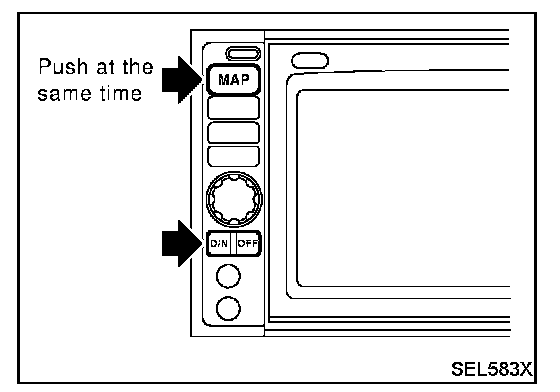
1. Switch the navigation system mode to self-diagnosis by pushing both "MAP" and "D/N" switches at the same time for more than 5 seconds.
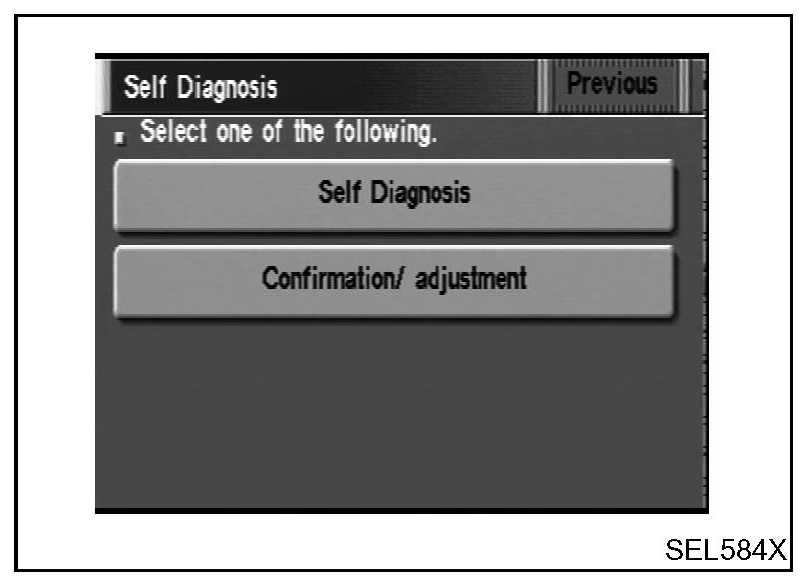
2. Touch "Confirmation/ adjustment".
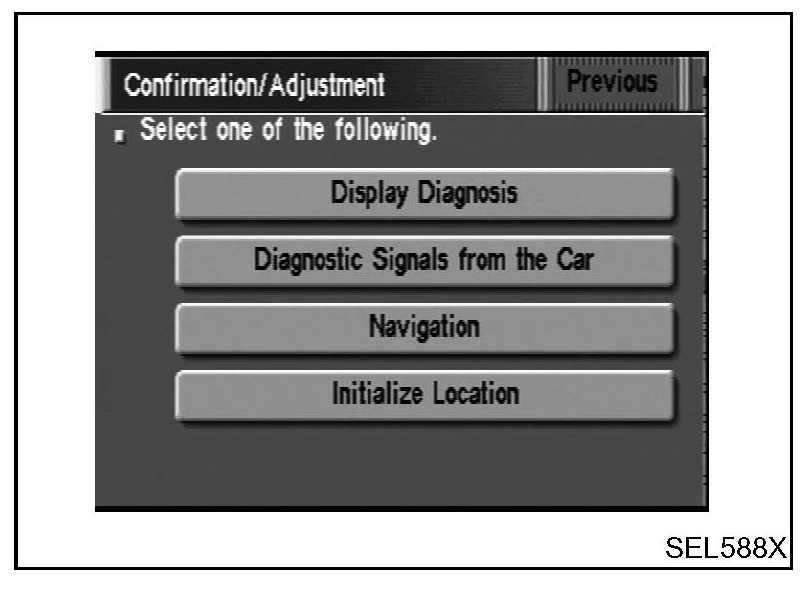
3. Touch "Initialize Location". Then the previous screen is displayed.
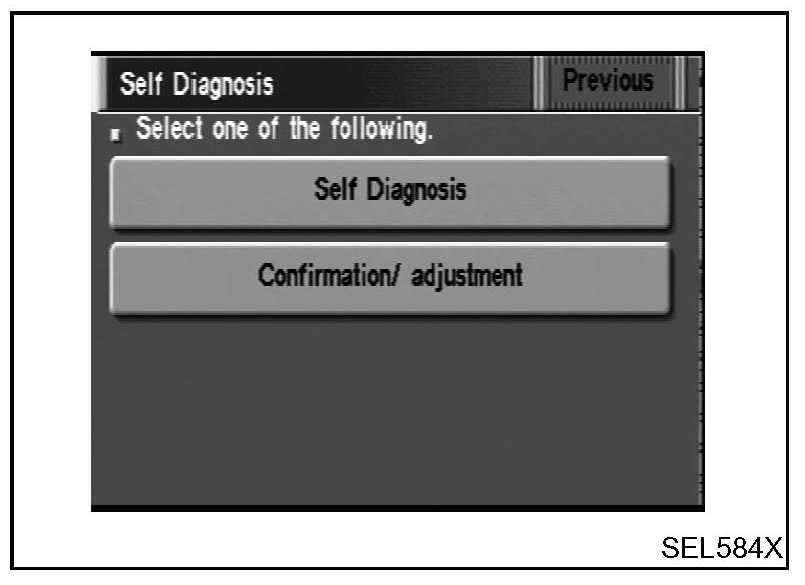
4. Push "Previous" switch.
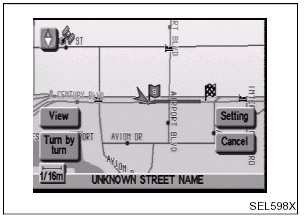
5. Push the "MAP" switch.
6. Touch "Setting".
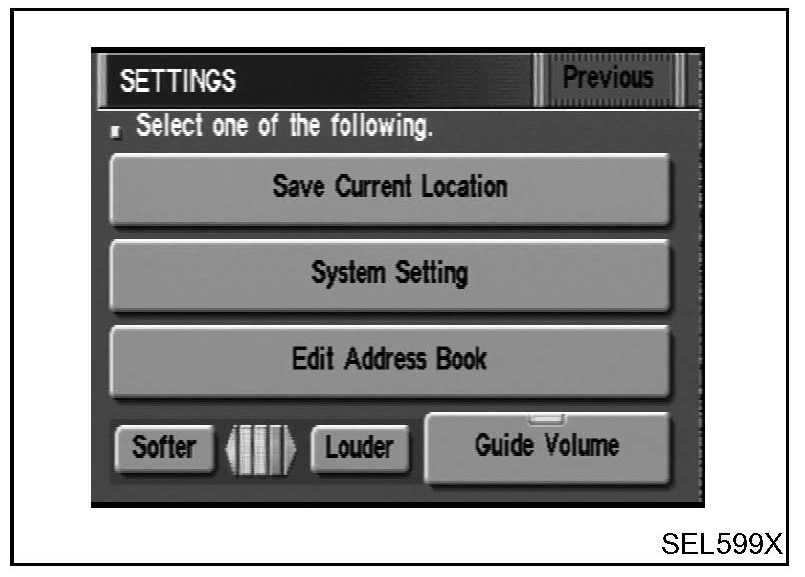
7. Touch "System Setting".
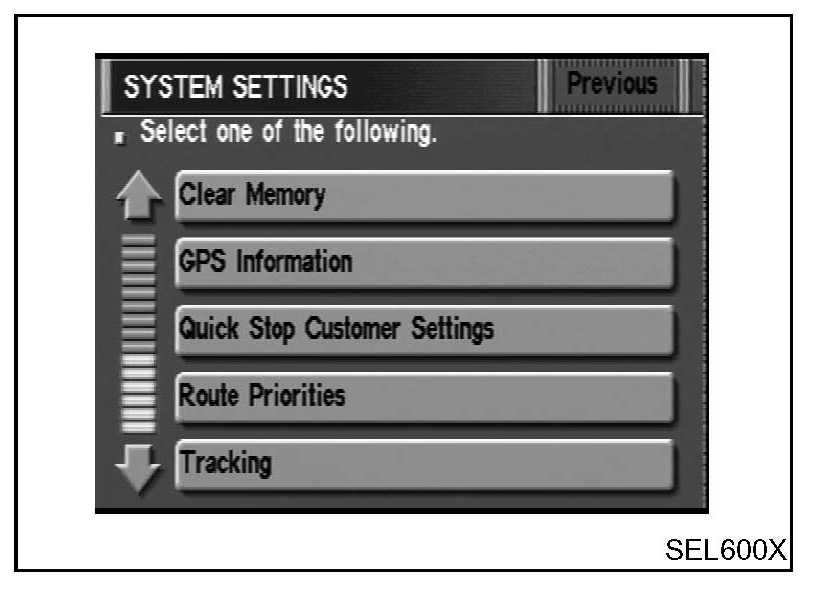
8. Touch "GPS Information".
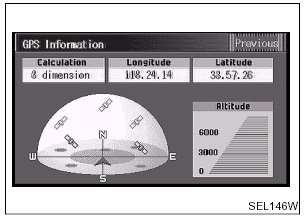
9. More than one GPS satellite icon turns green. (It may take 1 to 15 minutes.)
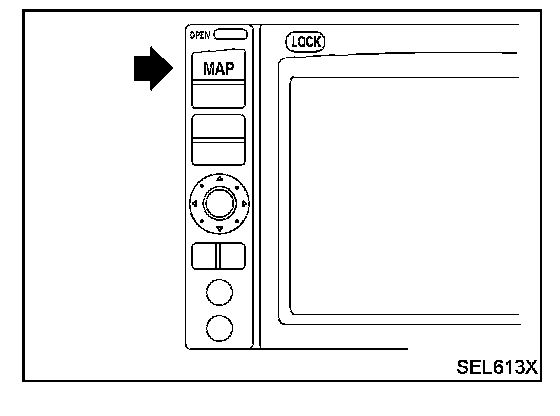
10. Push "MAP" switch and check the following.
- Confirm that the GPS icon on the map turns green.
- Then the position marker should show the current location.
- Position marker rotates corresponding to the movement of the vehicle.
11. Initialization is completed.