CONSULT-II Operation
CONSULT-II Functions (BCM)
CONSULT-II can display each diagnostic item using the following test modes: work support, self-diagnosis, data monitor, and active test through data reception and command transmission via the BCM CAN communication lines.
CONSULT-II OPERATION
CAUTION: If CONSULT-II is used with no connection of CONSULT-II CONVERTER, malfunctions might be detected in self-diagnosis depending on control unit which carries out CAN communication.
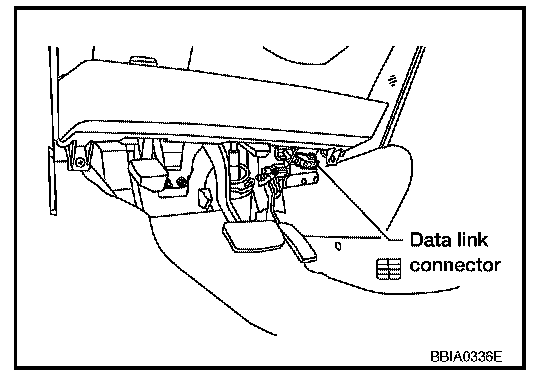
1. With the ignition switch OFF, connect CONSULT-II and CONSULT-II CONVERTER to the data link connector, then turn the ignition switch ON.
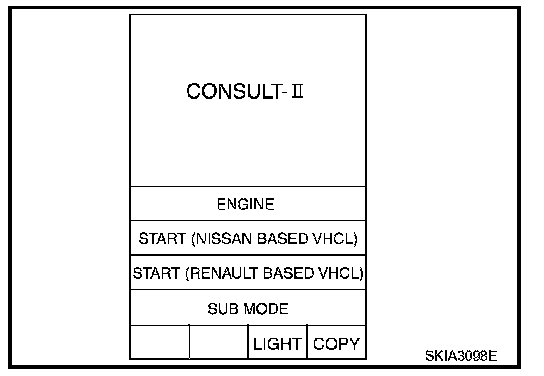
2. Touch "START (NISSAN BASED VHCL)".
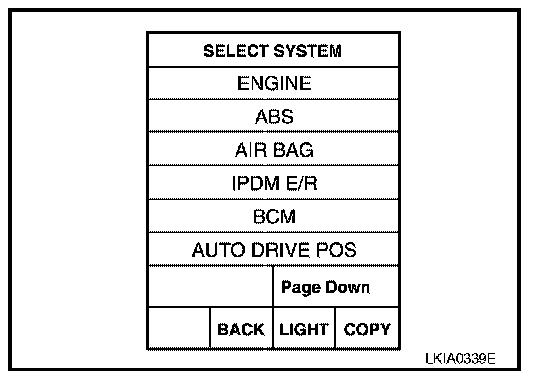
3. Touch "BCM" on the "SELECT SYSTEM" screen.
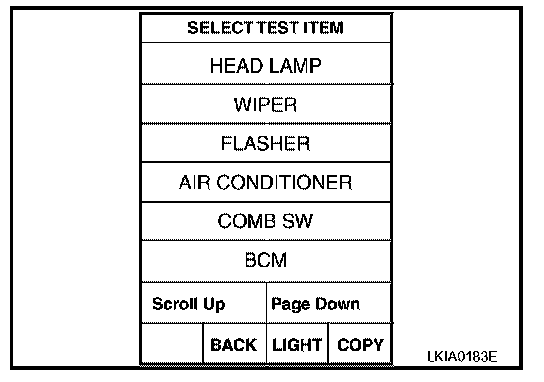
4. Select the desired part to be diagnosed on the "SELECT TEST ITEM" screen.