Data Monitor Mode
DATA MONITOR MODENOTICE:
1. The CONSULT-II electrically displays shift timing and lock-up timing (that is, operation timing of each solenoid).
Check for time difference between actual shift timing and the CONSULT-II display. If the difference is noticeable, mechanical parts (except solenoids, sensors, etc.) may be malfunctioning. Check mechanical parts using applicable diagnostic procedures.
2. Shift schedule (which implies gear position) displayed on CONSULT-II and that indicated in Service Manual may differ slightly. This occurs because of the following reasons:
- Actual shift schedule has more or less tolerance or allowance,
- Shift schedule indicated in Service Manual refers to the point where shifts start, and
- Gear position displayed on CONSULT-II indicates the point where shifts are completed.
3. Display of solenoid valves on CONSULT-II changes at the start of shifting, while gear position is displayed upon completion of shifting (which is computed by TCM).
Operation procedure
1. Perform "CONSULT-II START PROCEDURE". Refer to GI-37, "CONSULT-II Start Procedure". With Manufacturer's Scan Tool
2. Touch "DATA MONITOR".
NOTE: When malfunction is detected, CONSULT-II performs REAL-TIME DIAGNOSIS. Also, any malfunction detected while in this mode will be displayed at real time.
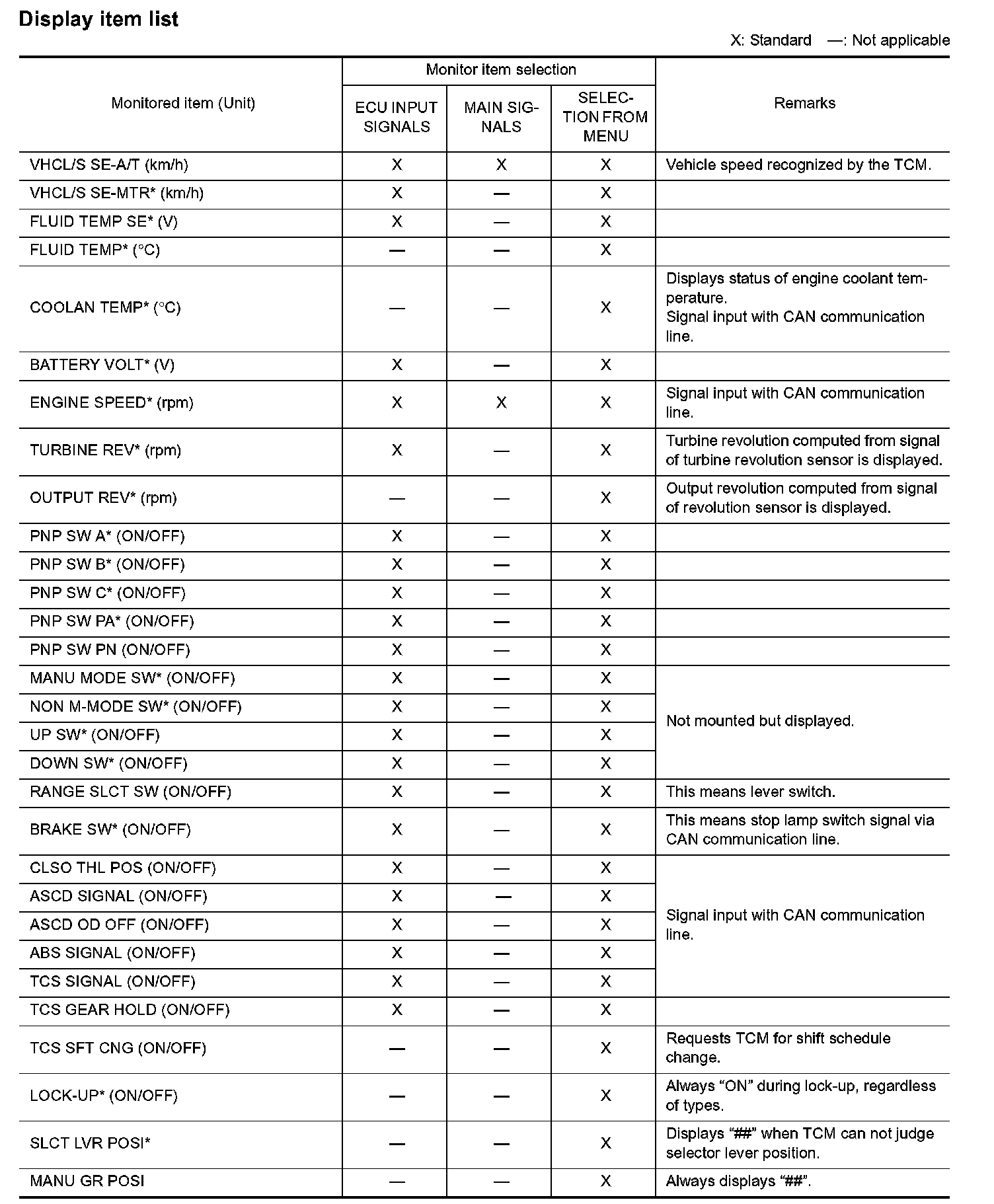
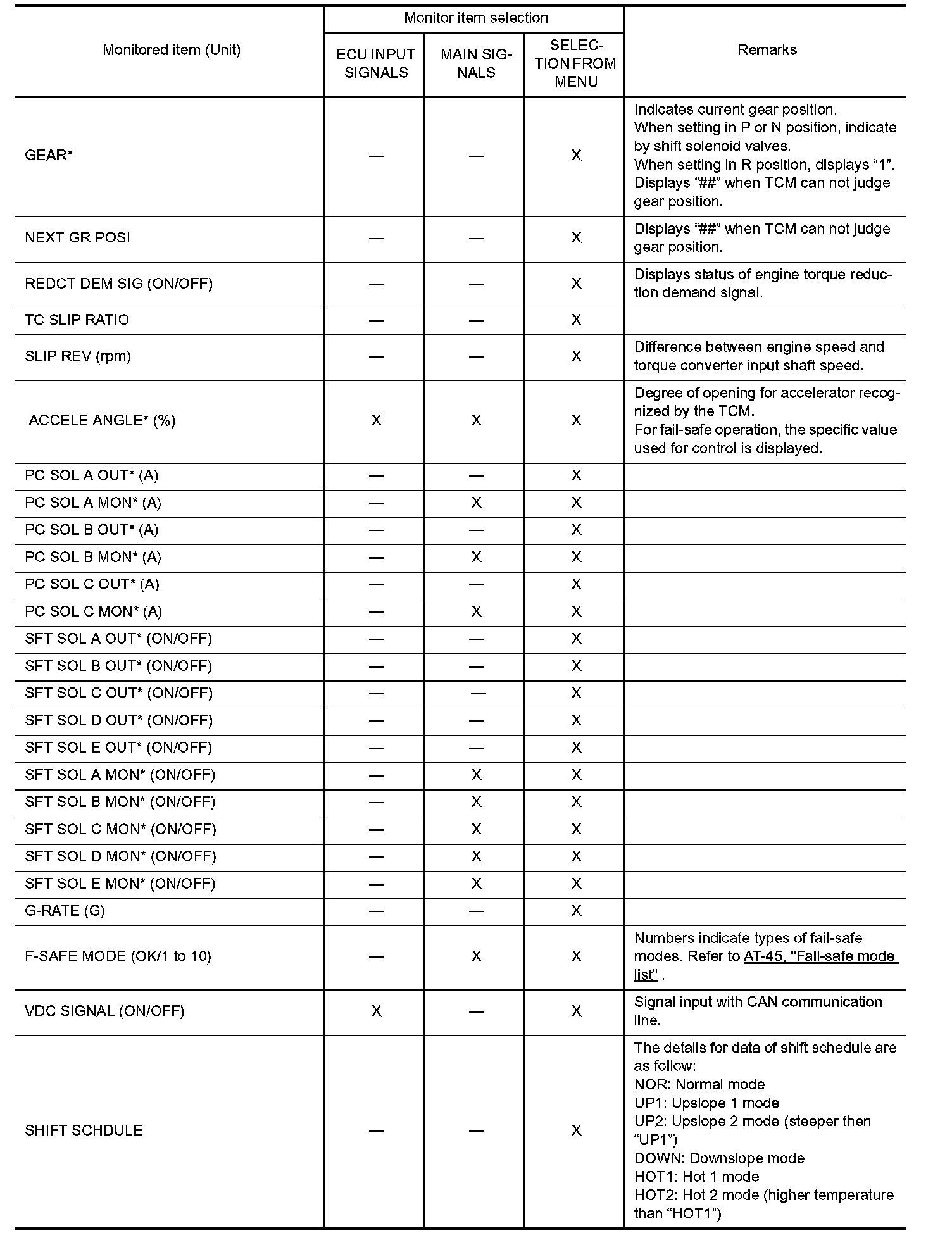
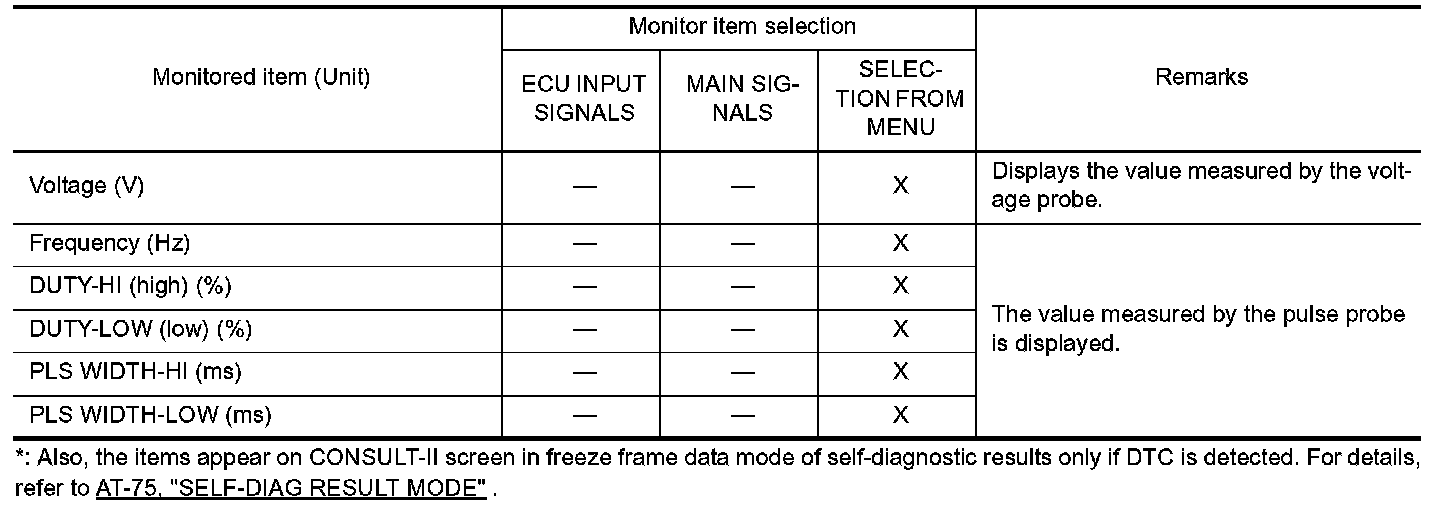
Display item list (Part 1):