CONSULT Function
DIAGNOSIS SYSTEM (ECM)
CONSULT Function
FUNCTION
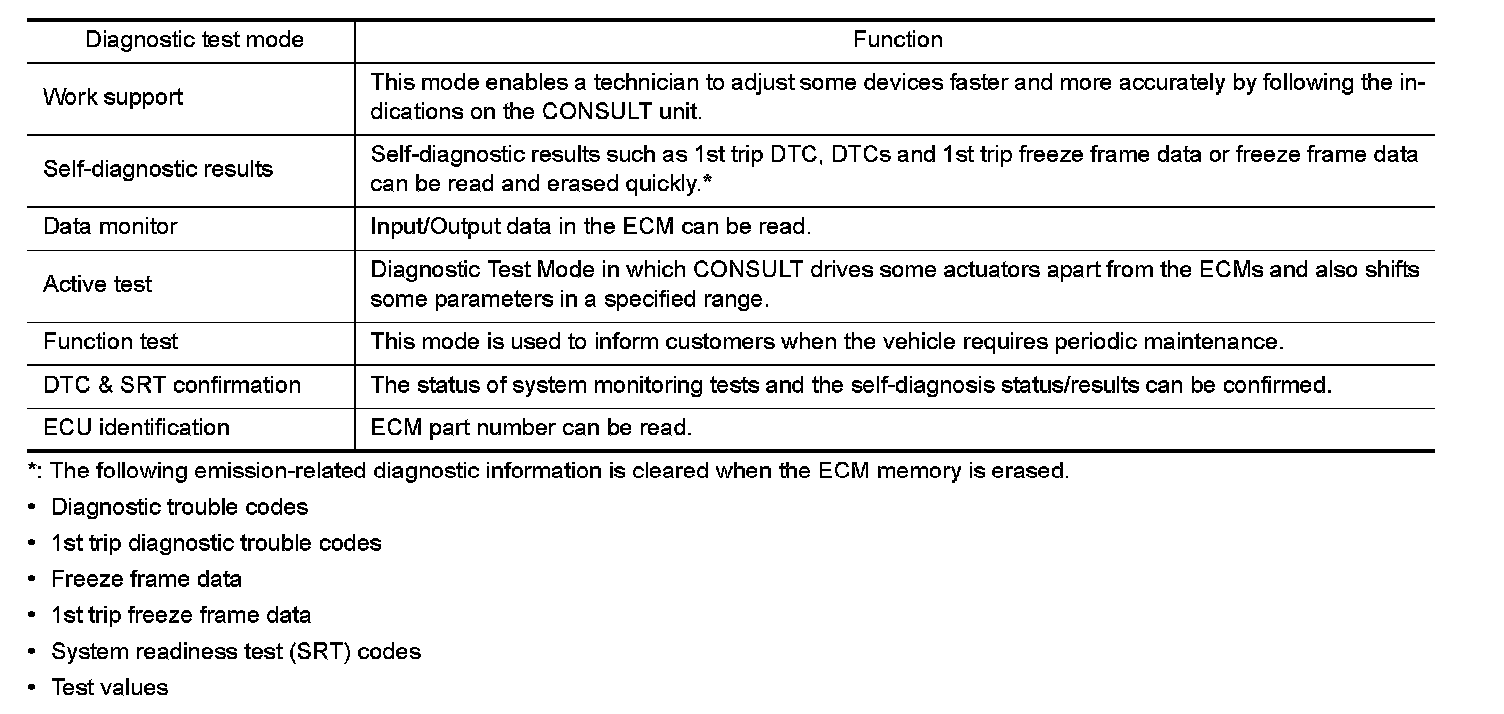
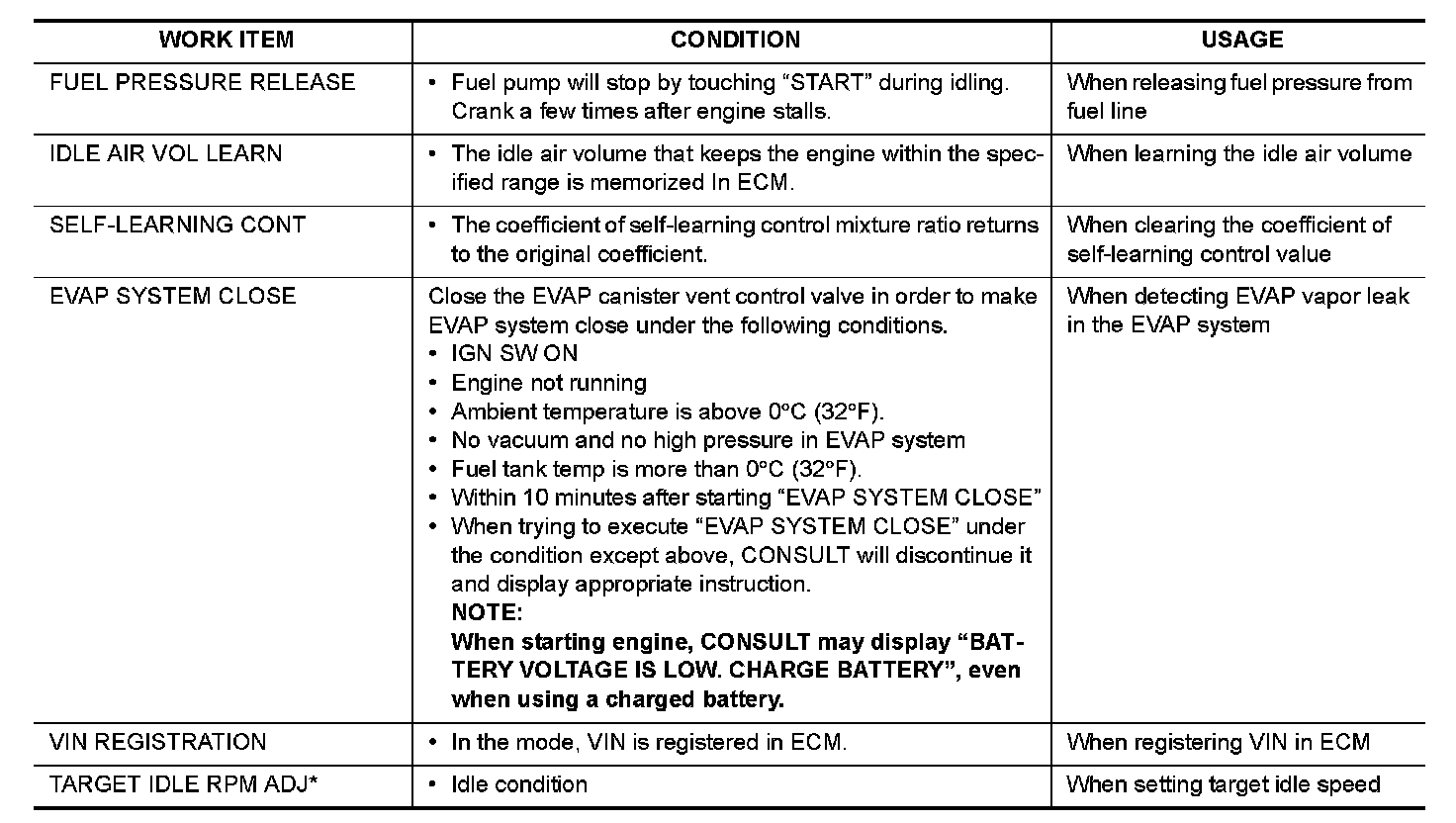
WORK SUPPORT MODE
Work Item

SELF-DIAGNOSTIC RESULT MODE
Self Diagnostic Item
Regarding items of DTC and 1st trip DTC, Testing and Inspection.)
How to Read DTC and 1st Trip DTC
DTCs and 1st trip DTCs related to the malfunction are displayed in "self-diag results".
- When ECM detects a 1st trip DTC, 1t" is displayed for "TIME".
- When ECM has detected a current DTC, "0" is displayed for "TIME".
- If "TIME" is neither "0" nor "1t", the DTC occurred in the past and ECM shows the number of times the vehicle has been driven since the last detection of the DTC.
How to Erase DTC and 1st Trip DTC
NOTE:
- If the ignition switch stays ON after repair work, be sure to turn ignition switch OFF once. Wait at least 10
seconds and then turn it ON (engine stopped) again.
- If the DTC is not for A/T related items (see Testing and Inspection), skip step 1.
1.Erase DTC in TCM. Testing and Inspection.
2.Select "ENGINE" with CONSULT.
3.Select "SELF-DIAG RESULTS".
4.Touch "ERASE". (DTC in ECM will be erased.)
Freeze Frame Data and 1st Trip Freeze Frame Data
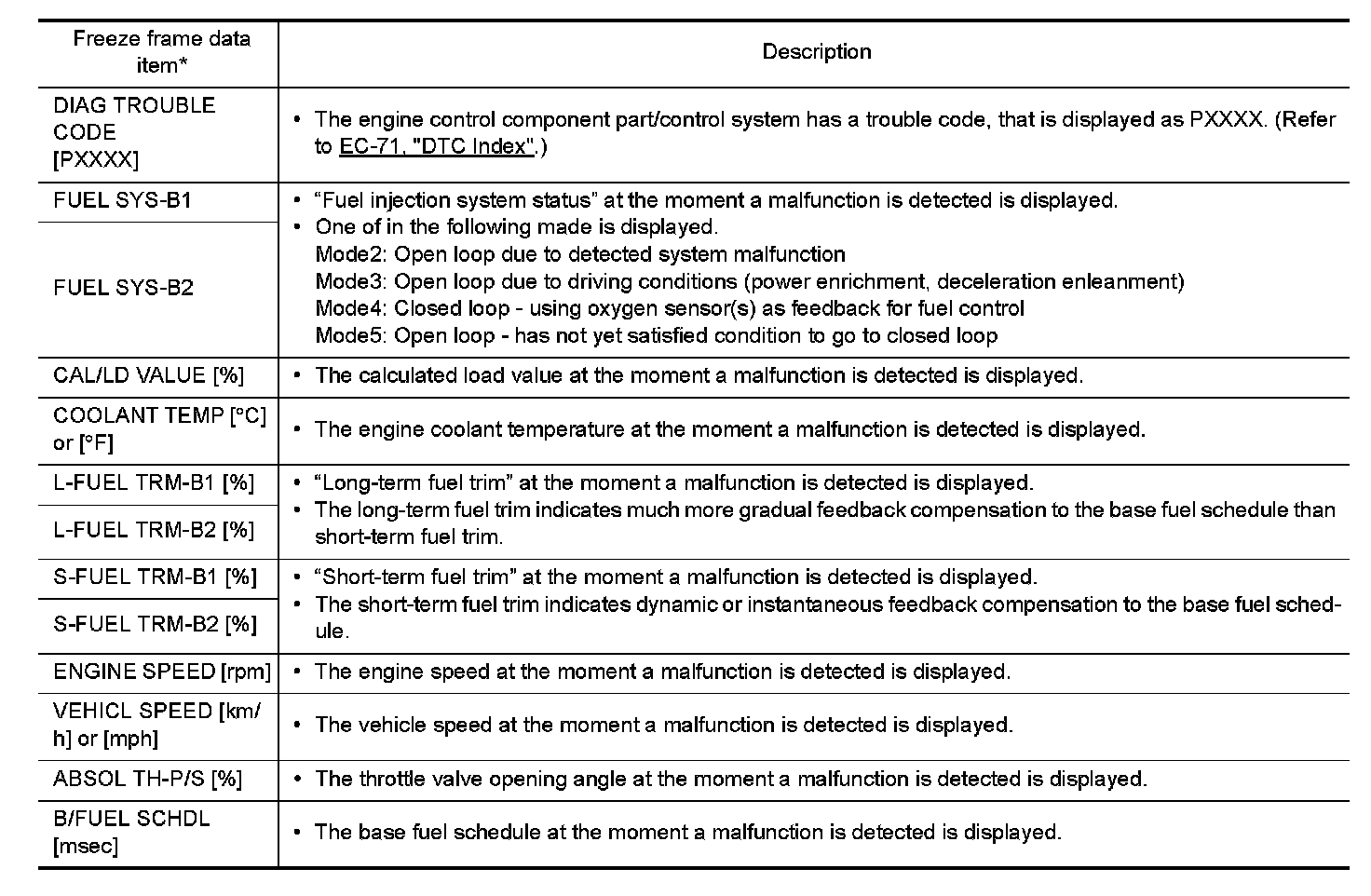
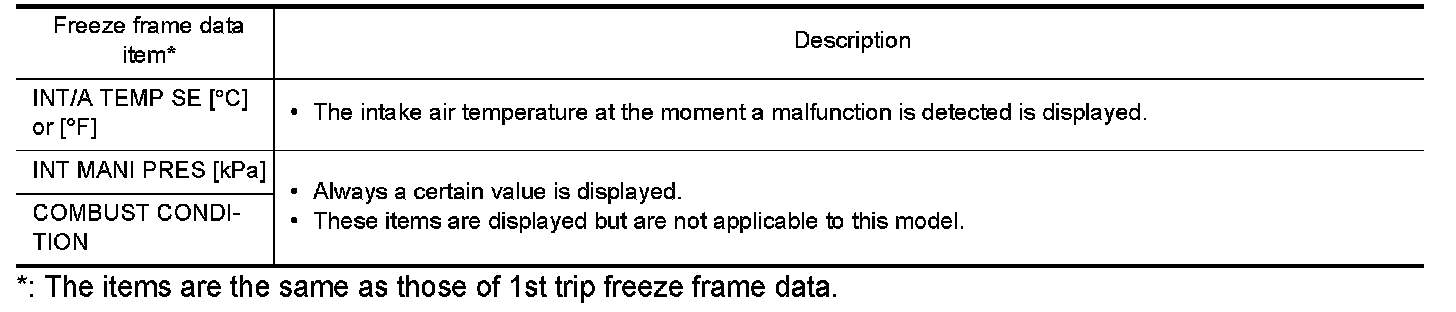
*: The items are the same as those of 1st trip freeze frame data.
DATA MONITOR MODE
Monitored Item
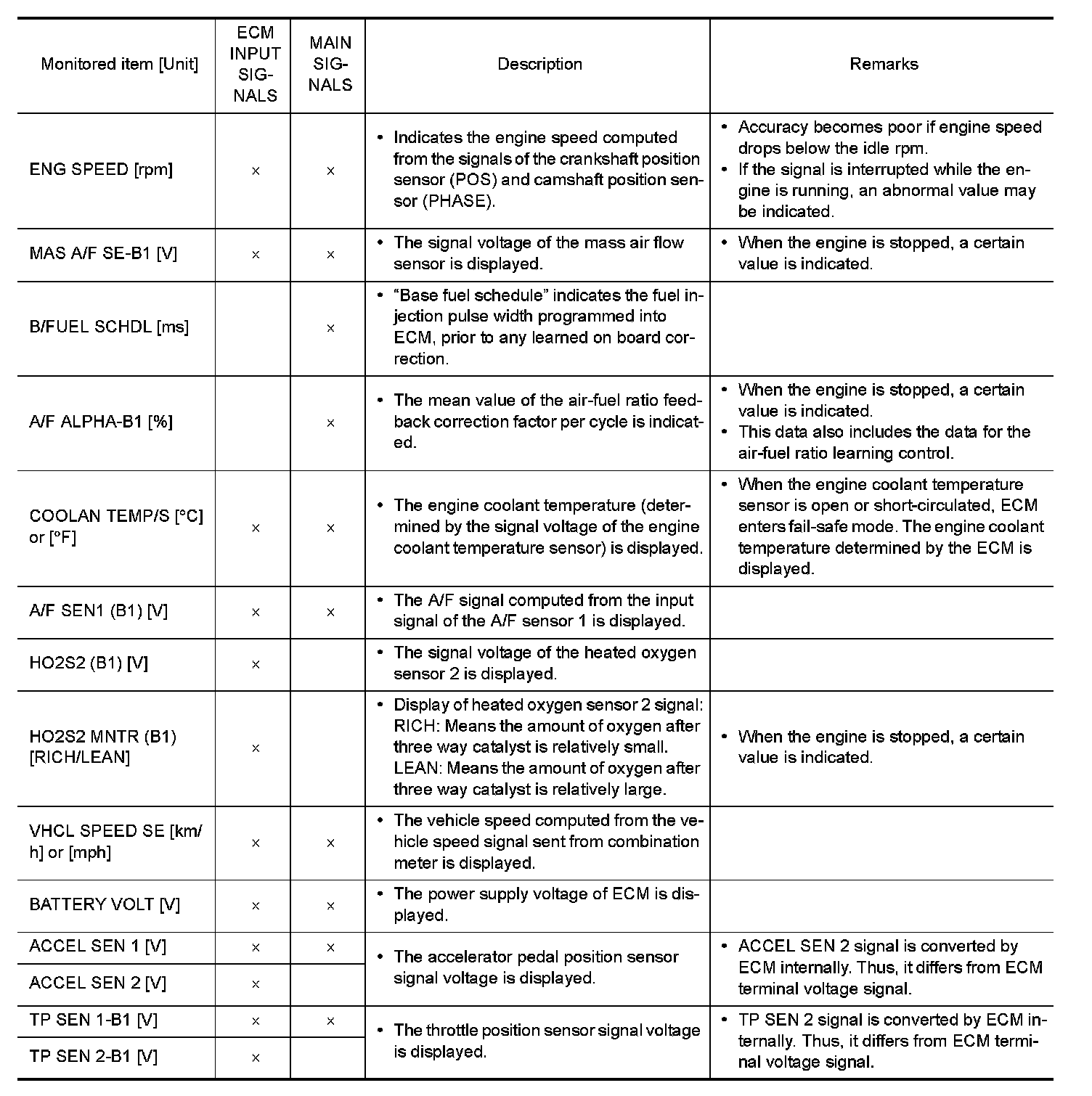
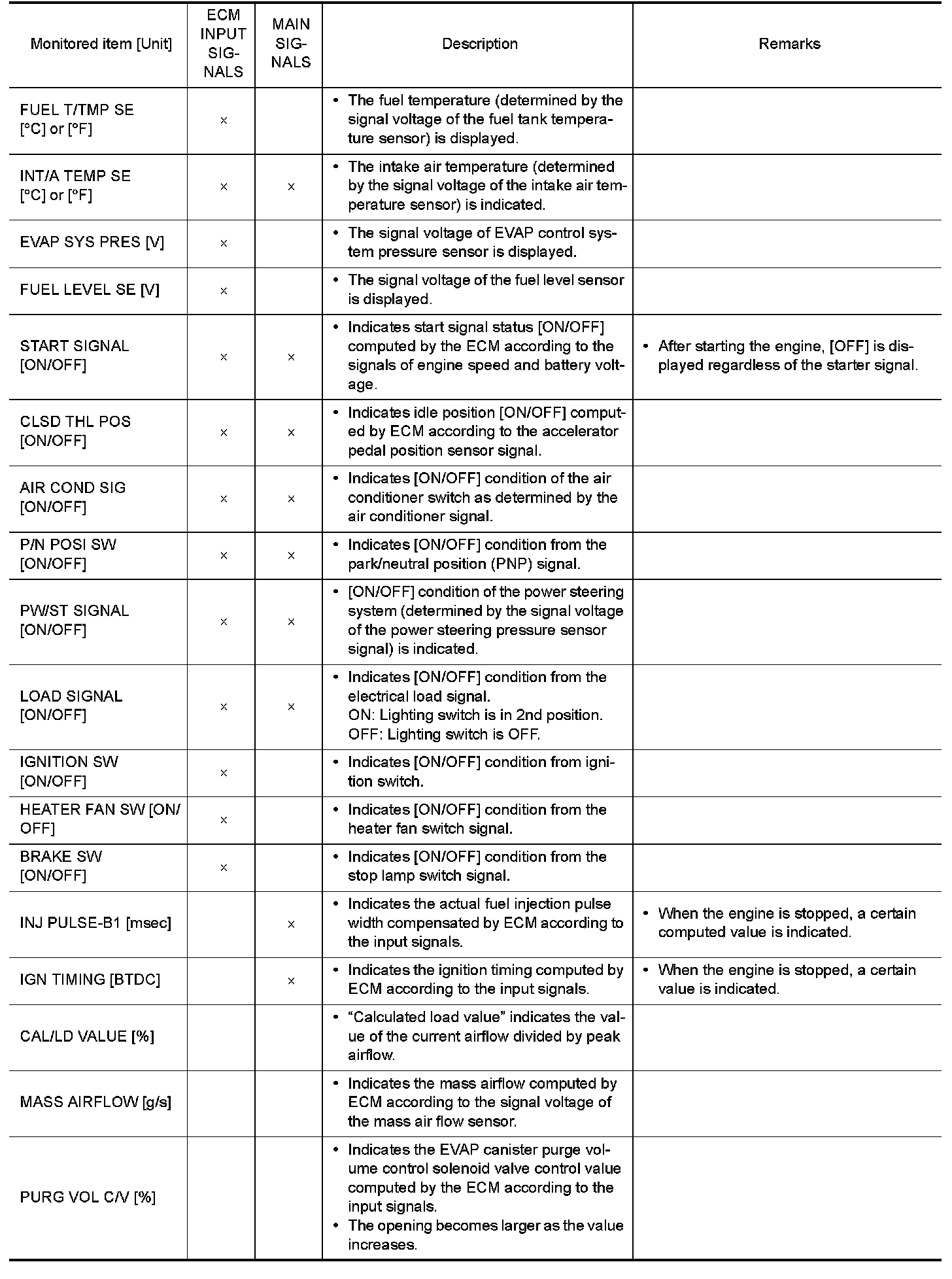
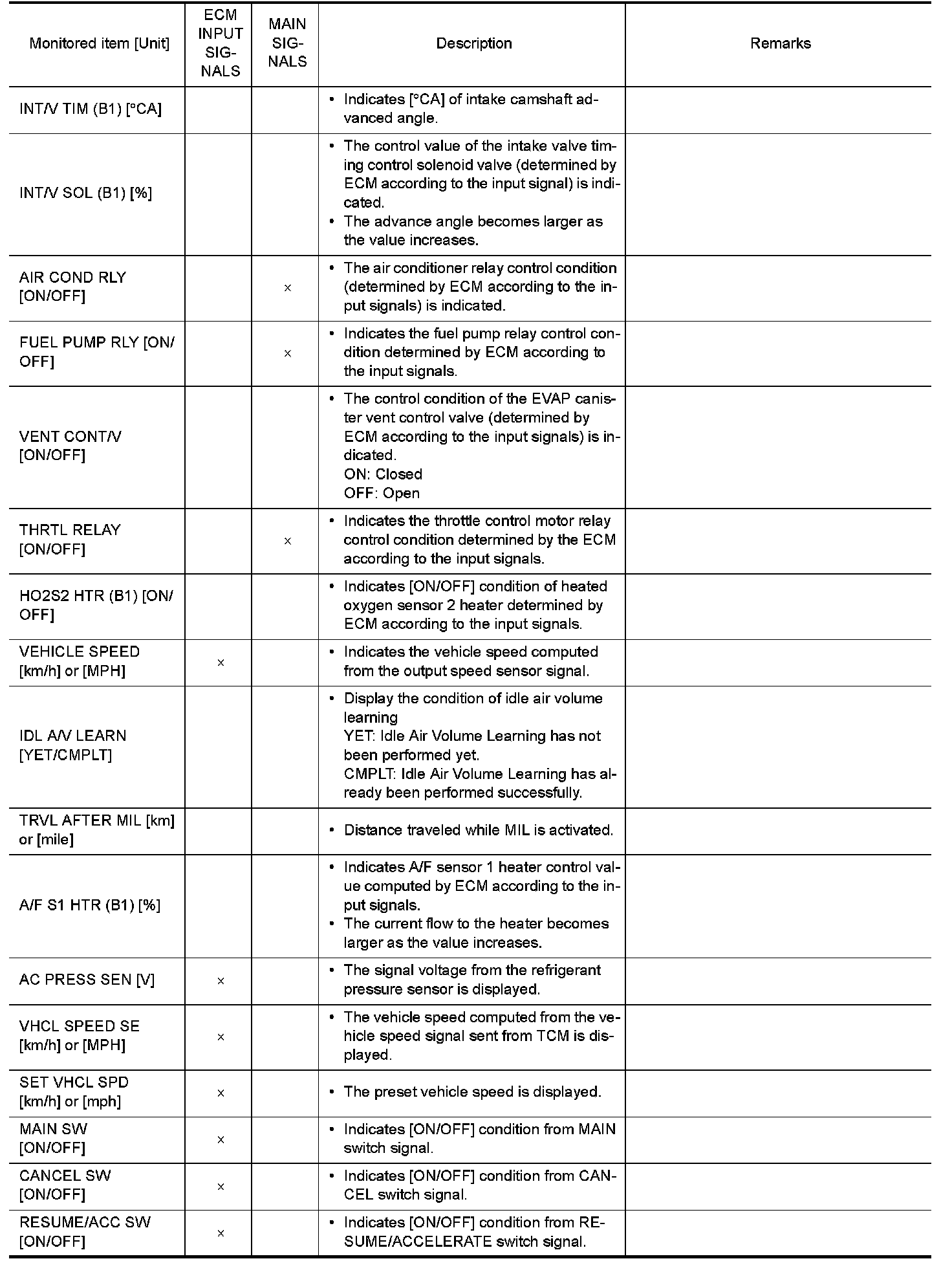
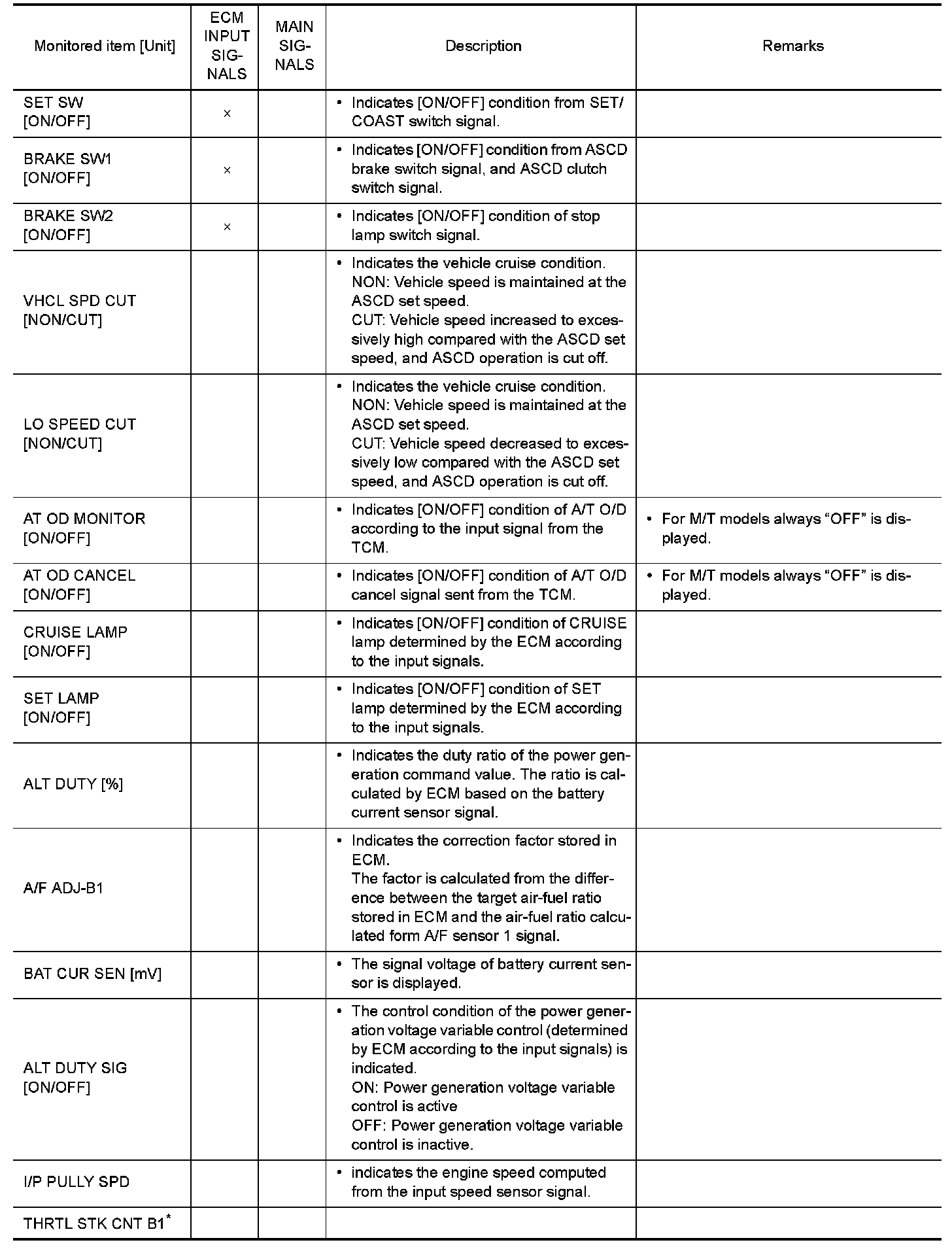
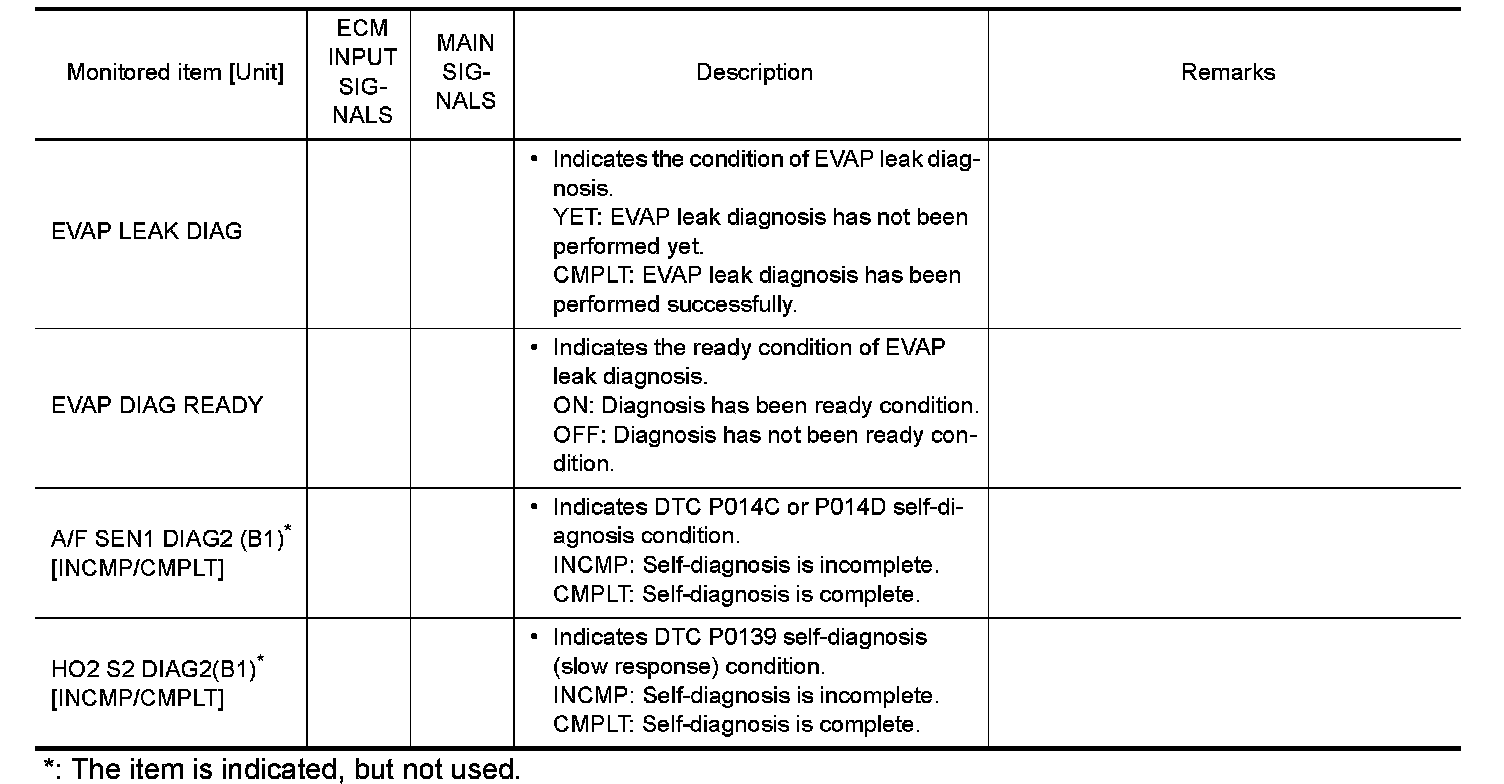
*: The item is indicated, but not used.
NOTE:
Any monitored item that does not match the vehicle being diagnosed is deleted from the display automatically.
ACTIVE TEST MODE
Test Item
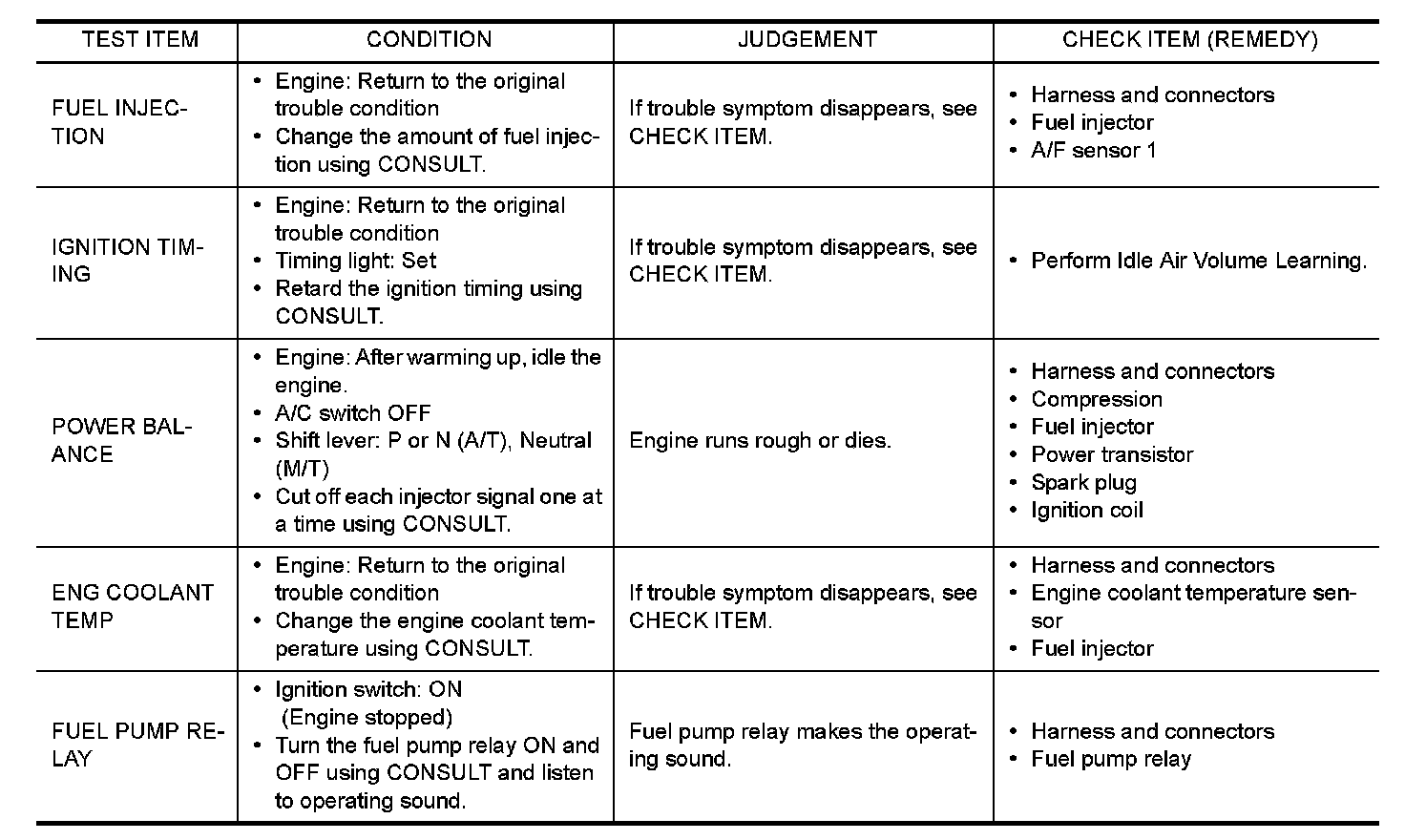
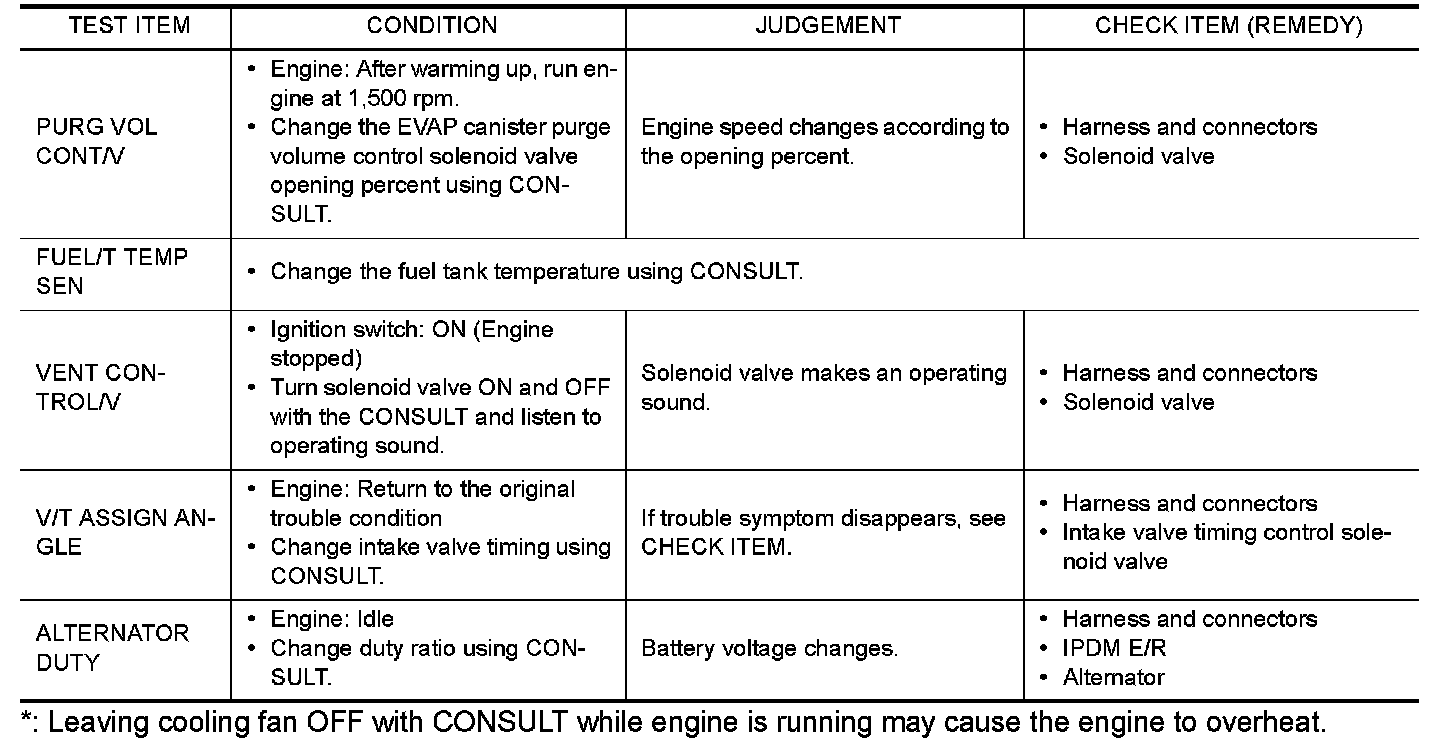
*: Leaving cooling fan OFF with CONSULT while engine is running may cause the engine to overheat.
DTC & SRT CONFIRMATION MODE
SRT STATUS Mode
For items whose SRT codes are set, "CMPLT" is displayed on the CONSULT screen; for items whose SRT
codes are not set, "INCMP" is displayed.
SRT WORK SUPPORT Mode
This mode enables a technician to drive a vehicle to set the SRT while monitoring the SRT status.
DTC WORK SUPPORT Mode
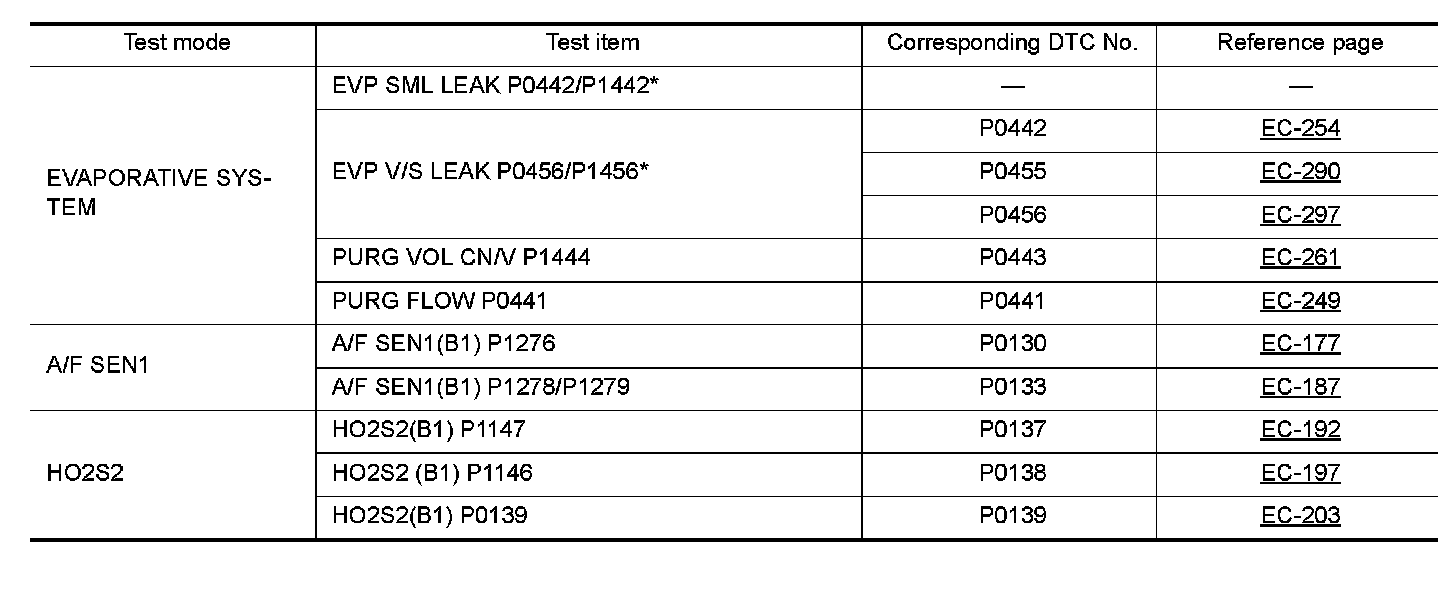
*: DTC P1442 and P1456 does not apply to D40 models but appears in DTC Work Support Mode screens.