Scan Tool Testing and Procedures
DIAGNOSIS SYSTEM (TCM)
CONSULT Function (TRANSMISSION)
APPLICABLE ITEM
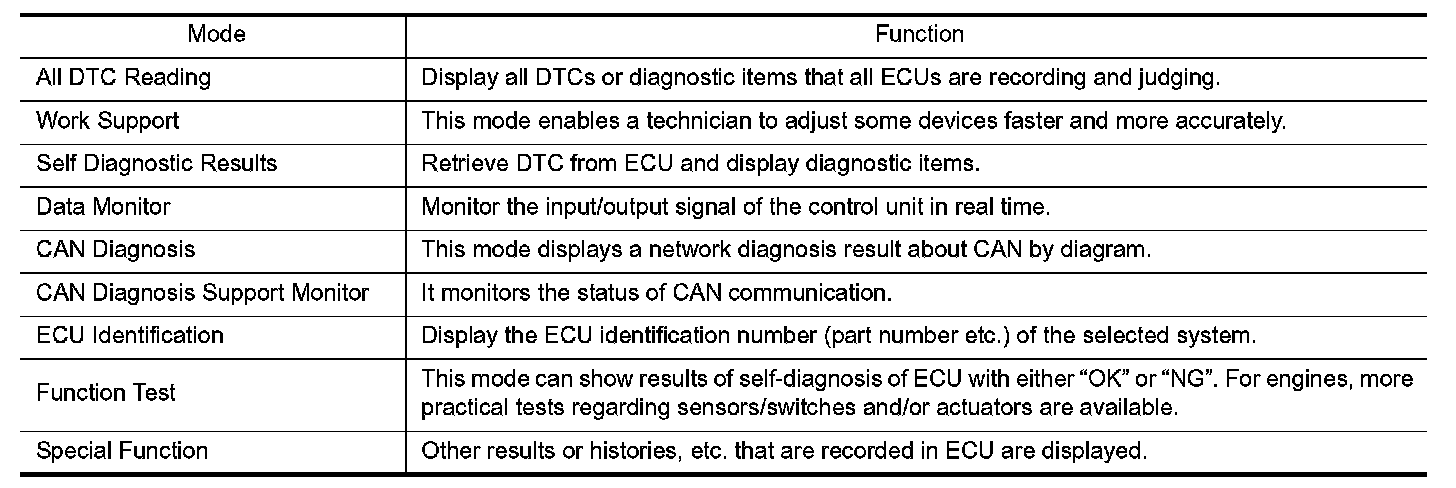
SELF DIAGNOSTIC RESULTS
Display Item List
Testing and Inspection.
How to Read DTC
DTC is displayed on "Self Diagnostic results" of CONSULT.
When DTC is currently detected, "CRNT" is displayed. If "PAST" is displayed, it shows a malfunction occurred in the past.The trip number of drive without malfunction of concerned DTC can be confirmed with "IGN counter" inside "FFD".
How to Erase DTC
NOTE:
- If the battery terminal is disconnected, the TCM memory is erased. (The disconnection time varies from several seconds to several hours.
- If the ignition switch is left ON after repair, turn OFF the ignition switch and wait for 10 seconds or more.
Then, turn the ignition ON again. (Engine stop)
1.Touch "TRANSMISSION" of CONSULT.
2.Touch "Self Diagnostic Result".
3.Touch "Erase". (DTC memorized in TCM is erased.)
IGN Counter
IGN counter is displayed in "FFD". It displays the number of operations of ignition switch from OFF to ON after DTC recovery to normal.
- If malfunction (DTC) is currently detected, "0" is displayed.
- The displayed number counts up at each operation of ignition switch from OFF to ON after recovery to normal, such as 1 --> 2 --> 3...38 --> 39.
- If the number of operation exceeds 39, the displayed number will be fixed at "39" until the self diagnosis result is erased.
DATA MONITOR
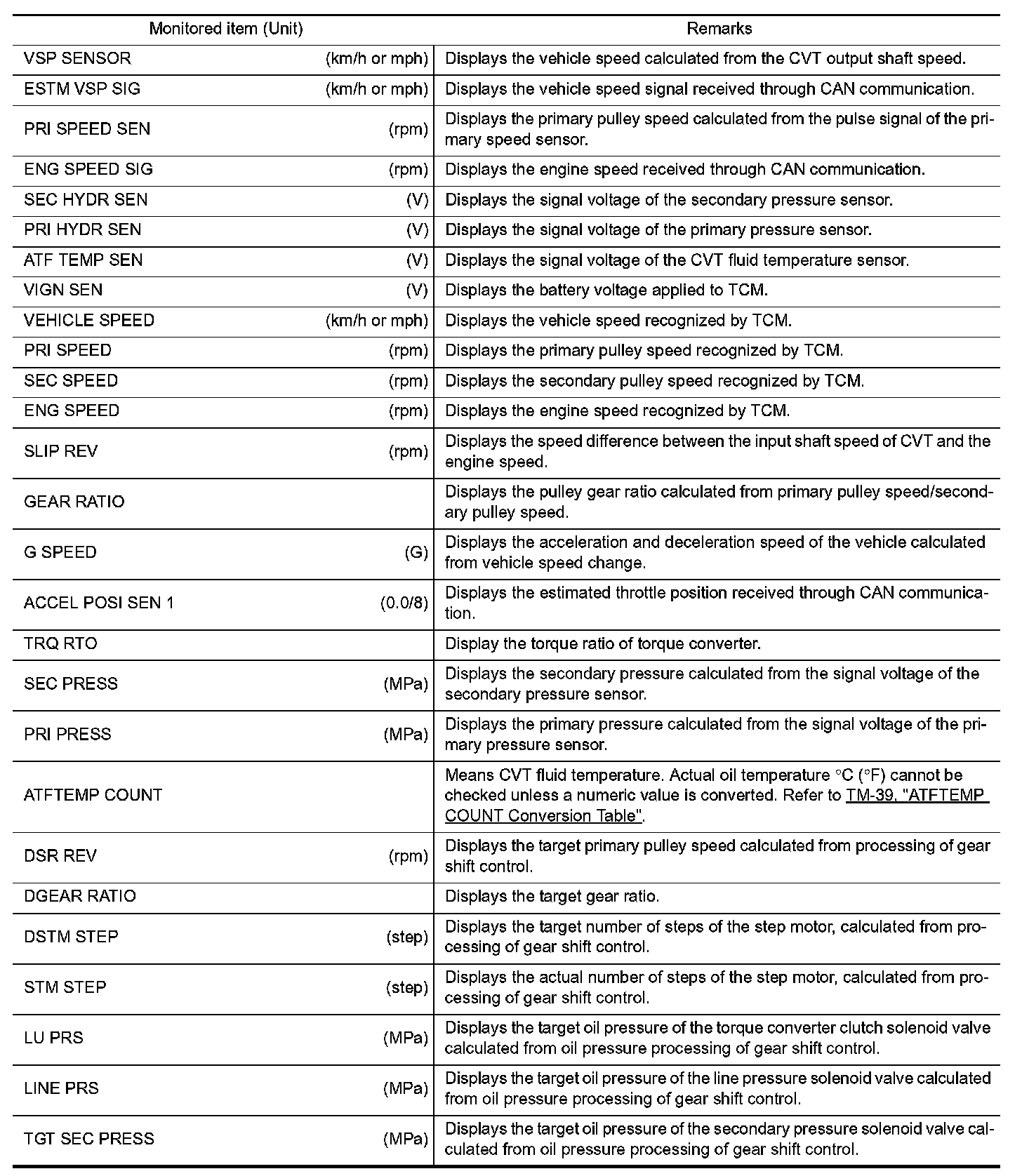
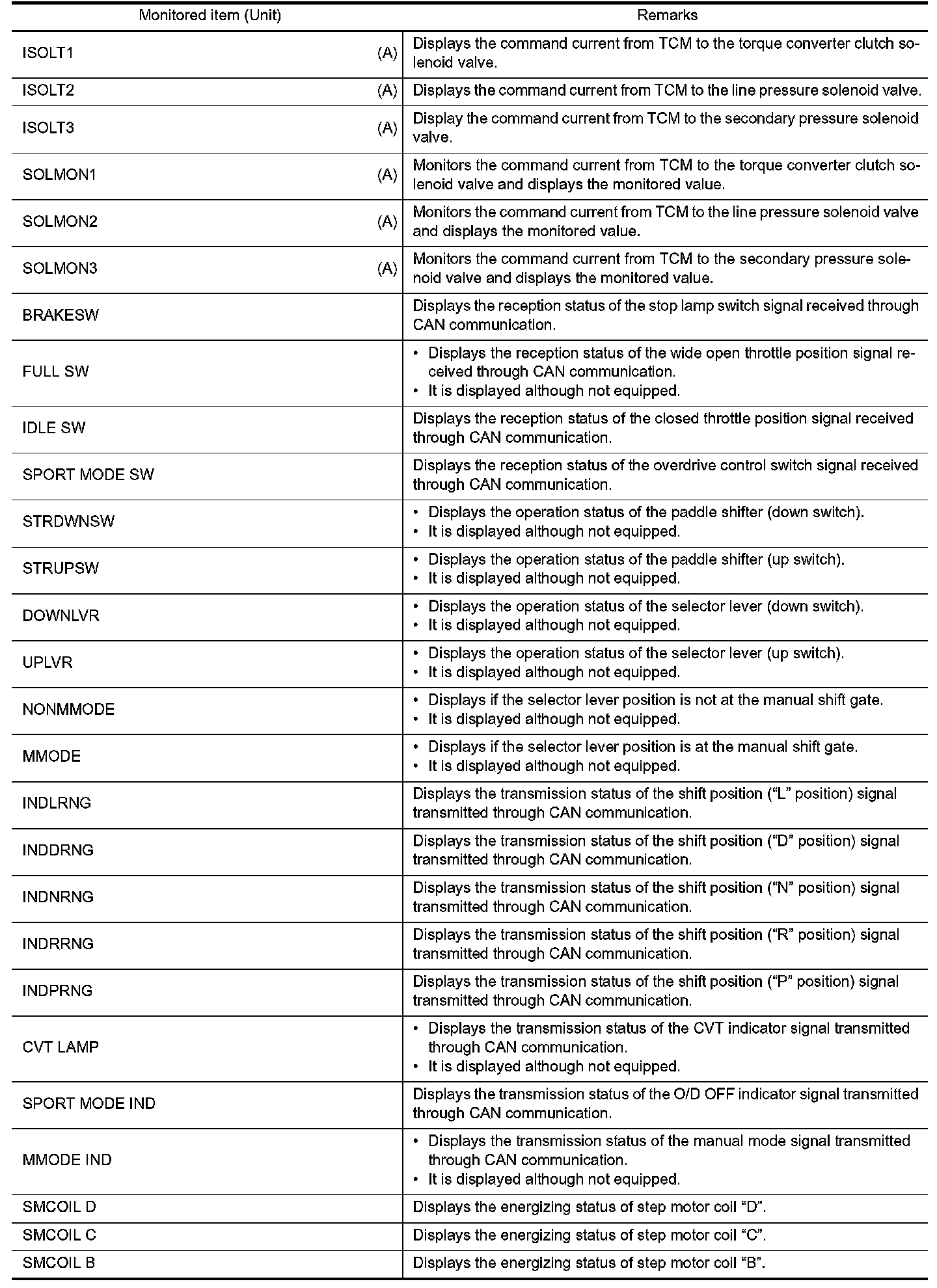
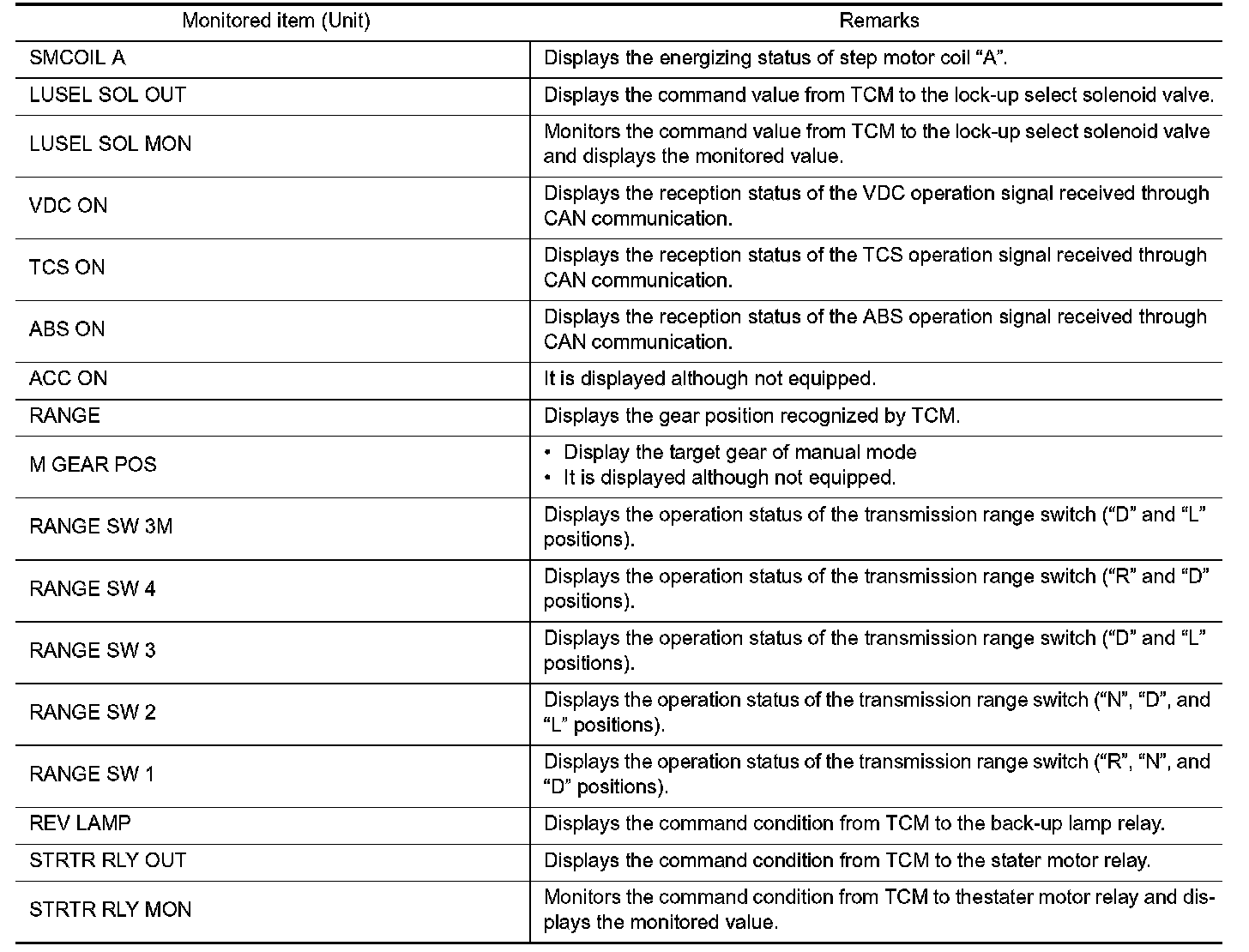
WORK SUPPORT

Engine Brake Adjustment

CAUTION:
Mode of "+1", "0", "1", "2", "OFF" can be selected by pressing the "UP", "DOWN" on CONSULT
screen. However, do not select mode other than "0" and "OFF". If the "+1" or "1" or "2" is selected, that might cause the irregular driveability.
Check CVT Fluid Deterioration Date

CAUTION:
Touch "CLEAR" after changing CVT fluid, and then erase "CVTF DETERIORATION DATE".