Rear
Rear Disc RotorINSPECTION
1. Secure disc rotor by tightening the five wheel nuts.
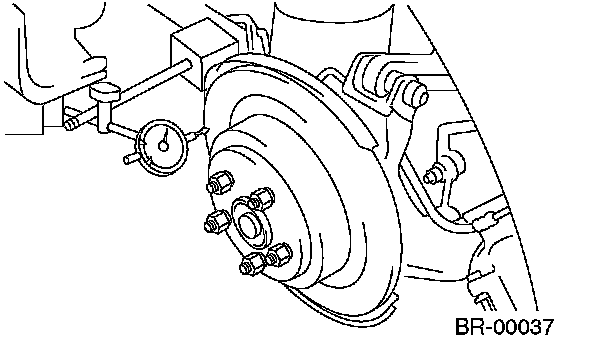
2. Set a dial gauge on the disc rotor. Turn disc rotor to check runout.
CAUTION: Securely fix disc rotor to hub.
NOTE:
^ Make sure that dial gauge is set 10 mm (0.39 inch) inward of rotor outer perimeter.
^ If disc rotor runout is above standard value, inspect play of hub bearing axial direction and runout of axle hub. If the runout of disc rotor exceeds the limit, check for abnormal free play at hub bearing and runout in the thrust direction. If the hub bearing is okay, resurface the disc rotor. After resurfacing, check disc rotor thickness as in step 3.
Disc rotor runout limit: 0.075 mm (0.0030 inch)
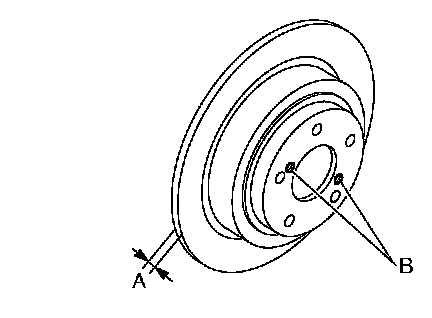
3. Measure disc rotor thickness. If the thickness of disc rotor is below service limit, replace the disc rotor.
NOTE: Make sure that micrometer is set 10 mm (0.39 inch) inward of rotor outer perimeter.
Disc rotor thickness: A
Standard value 10 mm (0.39 inch)
Service limit 8.5 mm (0.335 inch)