Reading Diagnostic Trouble Codes
DIAGNOSTIC TROUBLE CODE CHECKNote: A scantool (Tech-1 or generic OBD-II) must be used to read stored DTCs on this model. No provision is made to output "flash out" codes.
1) Prepare OBD-II generic scan tool or SUZUKI scan tool (Tech-1).
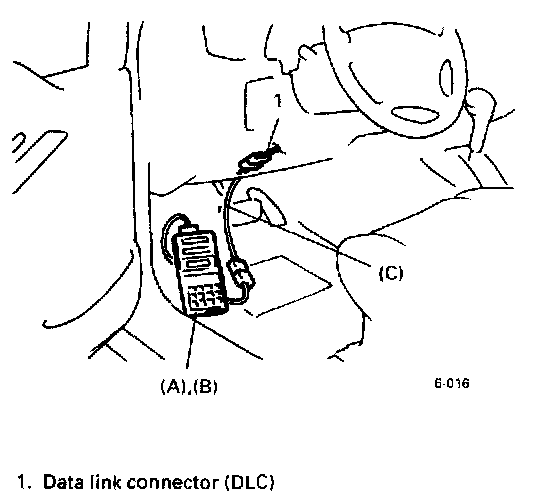
2) Connect it to data link connector (DLC) located on underside of instrument panel at driver's seat side.
Special Tool
(A) SUZUKI scan tool
(B) Mass storage cartridge including ECM (OBD-II) 1.0 or later
(C) J1962 DLC cable (16/14 pin DLC cable)
3) Turn ignition switch ON and confirm that MIL lights.
4) Read DTC and freeze frame data according to instructions displayed on scan tool and print them or write them down. Refer to scan tool operator's manual for further details.
If communication between scan tool and ECM is not possible, check if scan tool is communicable by connecting it to ECM in another car. If communication is possible in this case, scan tool is in good condition. Then check data link connector and serial data line (circuit) in the car with which communication was not possible.
5) After completing the check, turn ignition switch off and disconnect scan tool from data link connector.