Registered VIN (Vehicle Identification Number) Data Check
Registered VIN Data Check1. Connect SUZUKI scan tool to data link connector (DLC) (1) located on underside of instrument panel at driver's seat side.
Special Tool
(A): SUZUKI scan tool
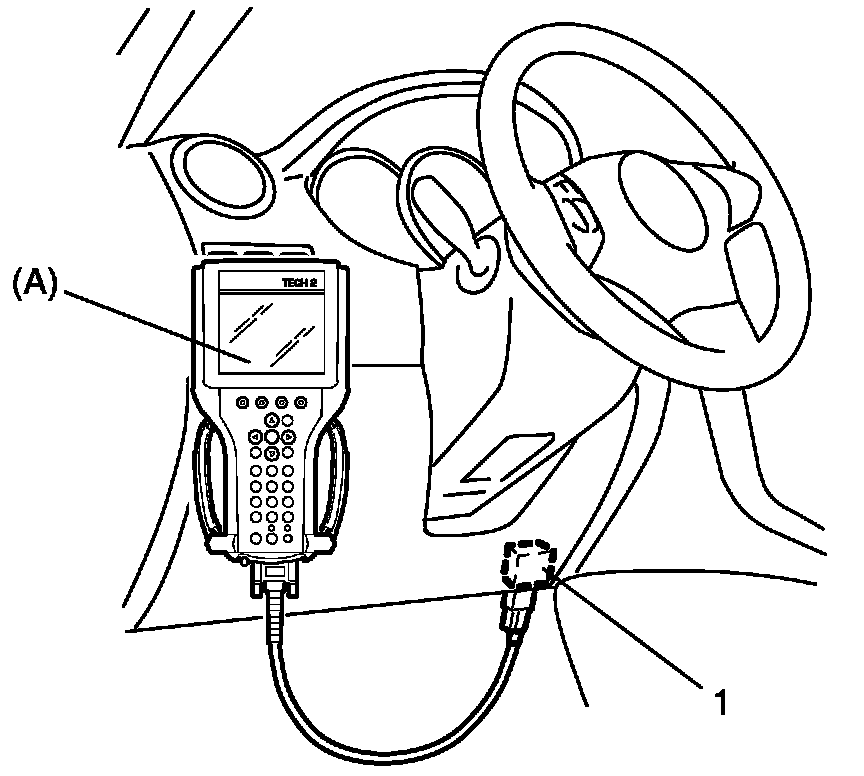
2. Turn ignition switch to ON position.
3. Select "VIN registration" command in SELECT MODE menu of SUZUKI scan tool.
4. Confirm whether code of 17 digits displayed on SUZUKI scan tool is corresponding to VIN shown on the left side of instrument panel.
If displayed VIN does not correspond to instrument panel VIN, register VIN (vehicle identification number) data into ECM referring to VIN Registration.
5. Push "EXIT" button of SUZUKI scan tool.