Disassembly and Reassembly
DISASSEMBLY1. REMOVE GENERATOR PULLEY
SST 09820-63010 (09820-06010, 09820-06020)
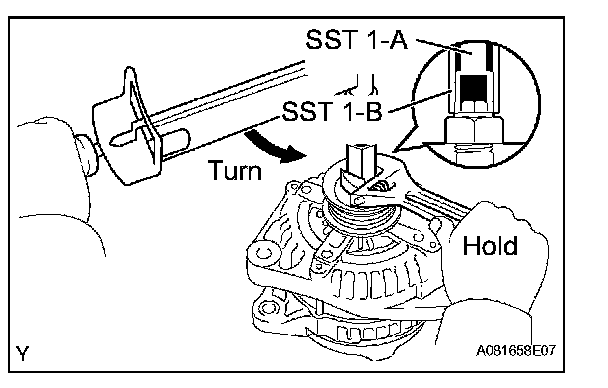

a. Hold SST 1-A with a torque wrench, and tighten
SST 1-B clockwise to the specified torque.
Torque: 39 N.m (400 kgf.cm, 29 ft.lbf)
NOTE: Check that SST is secured to the rotor shaft.
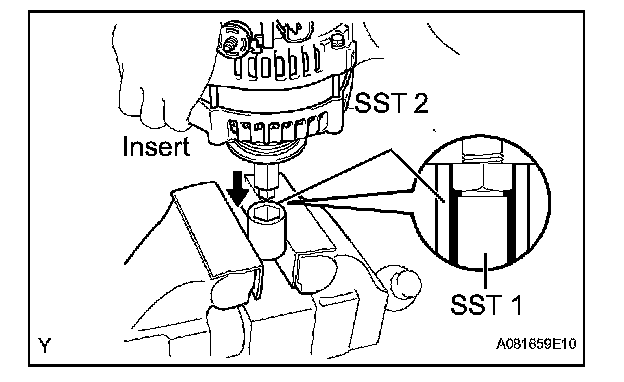
b. Clamp SST 2 in a vise.
c. Insert SST 1-A and B into SST 2, and attach the pulley nut to SST 2.
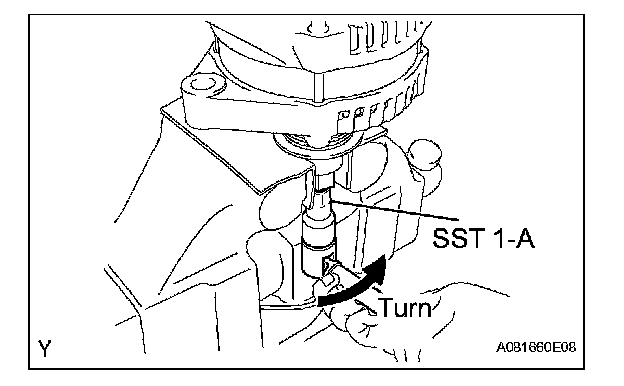
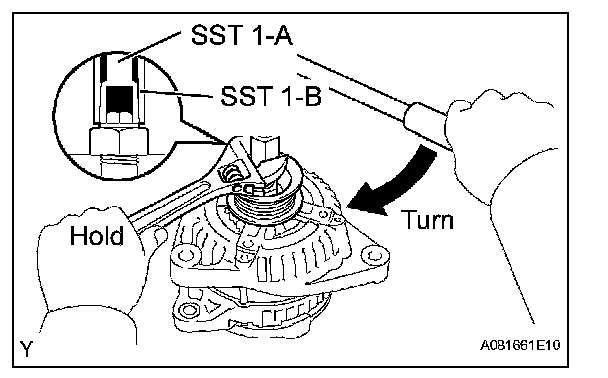
d. To loosen the pulley nut, turn SST 1-A in the direction shown in the illustration.
NOTE: To prevent damage to the rotor shaft, do not loosen the pulley nut more than one-half turn.
e. Remove the generator from SST 2.
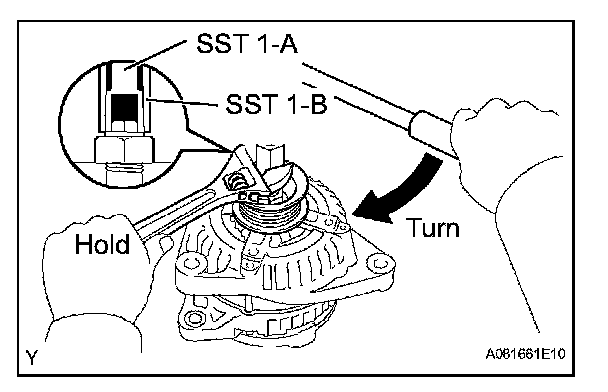
f. Turn SST 1-B, and remove SST 1-A and B.
g. Remove the pulley nut and generator pulley.
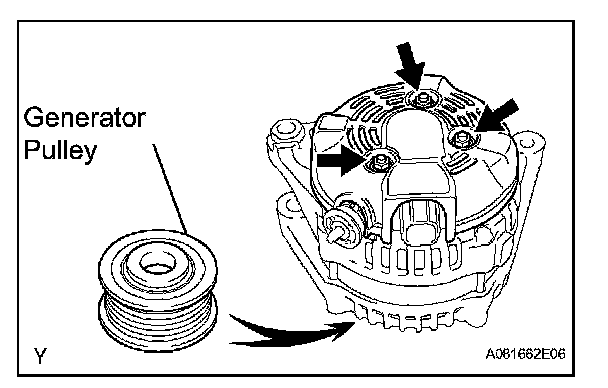
2. REMOVE GENERATOR REAR END COVER
a. Place the generator on the generator pulley.
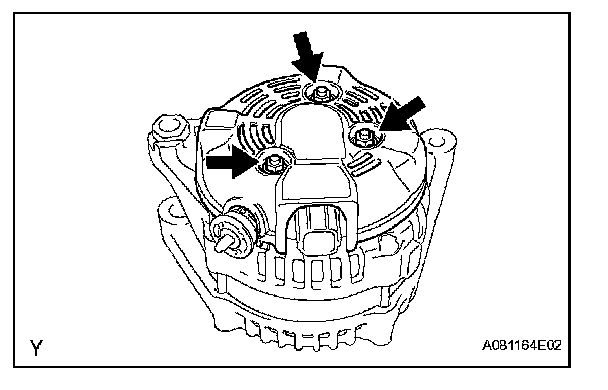
b. Remove the 3 nuts and the generator rear end cover.
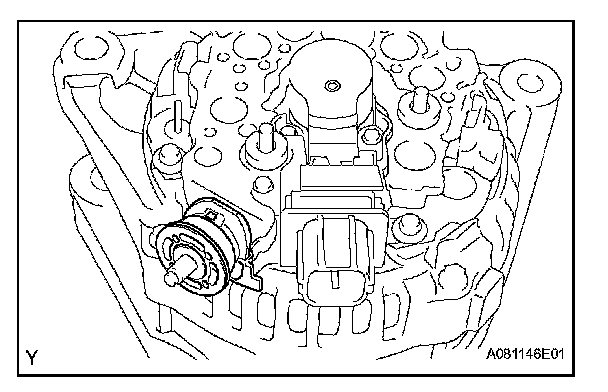
3. REMOVE TERMINAL INSULATOR
a. Remove the terminal insulator from the generator rectifier end frame.
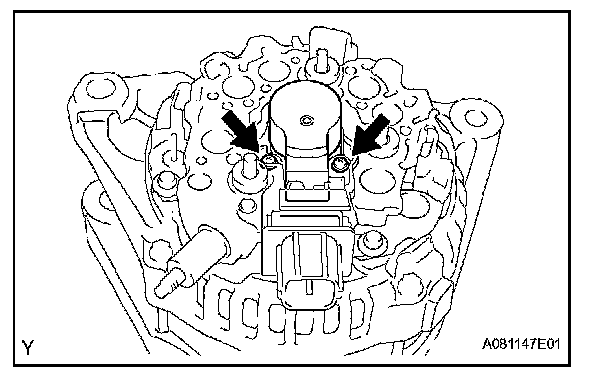
4. REMOVE GENERATOR BRUSH HOLDER ASSEMBLY
a. Remove the 2 screws and the generator brush holder.
5. REMOVE GENERATOR RECTIFIER END FRAME
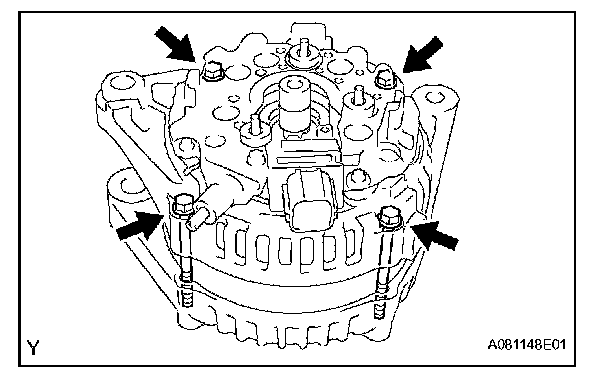
a. Remove the 4 bolts.
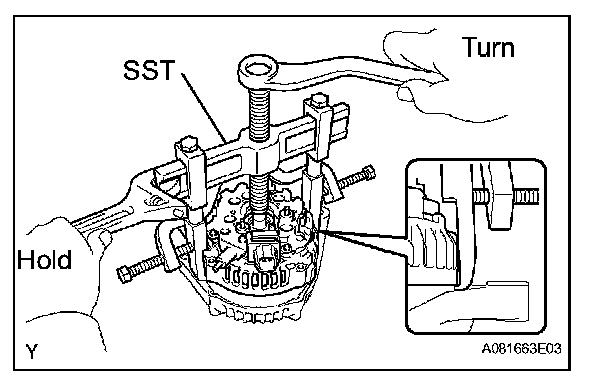
b. Using SST, remove the generator rectifier end frame.
SST 09950-40011 (09951-04020, 09952-04010, 09953-04020, 09954-04010, 09955-04071, 09957-04010, 09958-04011)
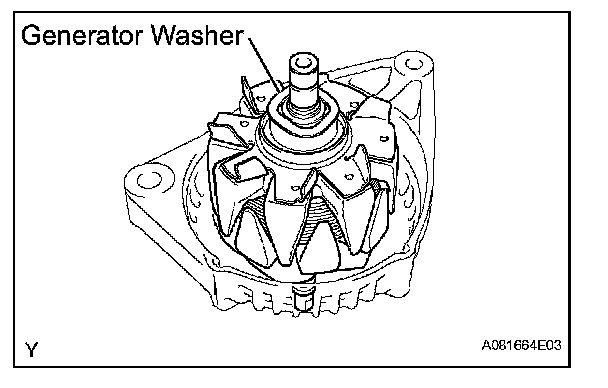
6. REMOVE GENERATOR ROTOR ASSEMBLY
a. Remove the generator washer and the generator rotor.
7. REMOVE GENERATOR DRIVE END FRAME BEARING
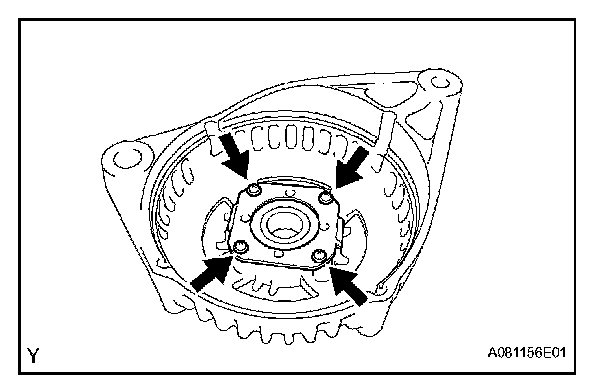
a. Remove the 4 screws and the retainer plate.
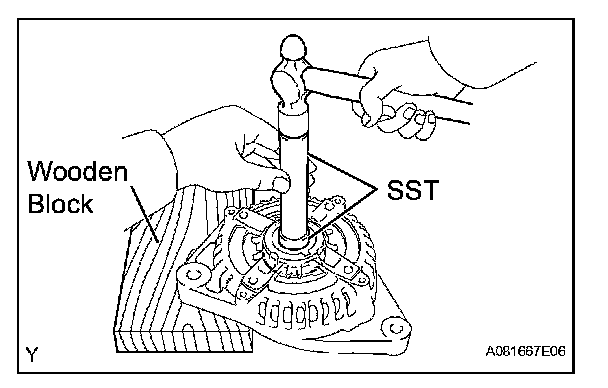
b. Using SST, tap out the bearing.
SST 09950-60010 (09951-00250), 09950-70010 (09951-07100)
REASSEMBLY
1. INSTALL GENERATOR DRIVE END FRAME BEARING
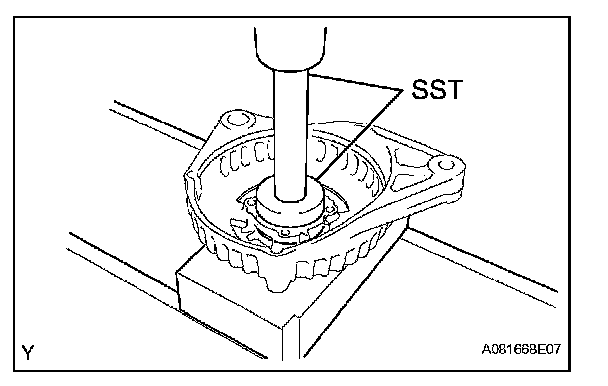
a. Using SST and a press, press in a new bearing.
SST 09950-60010 (09951-00470), 09950-70010 (09951-07100)
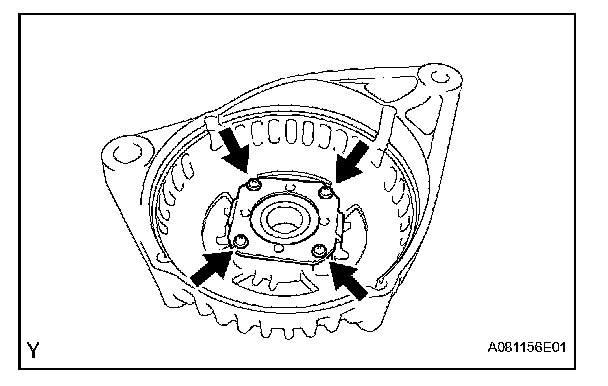
b. Install the retainer plate with the 4 screws.
Torque: 2.6 N.m (27 kgf.cm, 23 in.lbf)
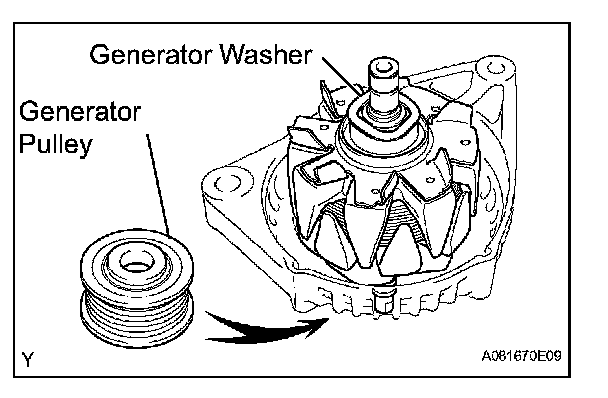
2. INSTALL GENERATOR ROTOR ASSEMBLY
a. Place the generator drive end frame on the generator pulley.
b. Install the generator rotor and the generator washer.
3. INSTALL GENERATOR RECTIFIER END FRAME
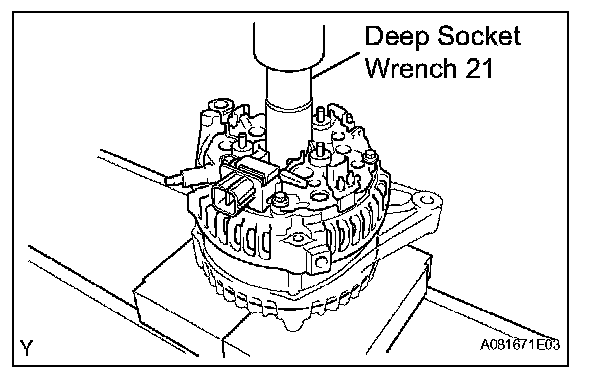
a. Using deep socket wrench 21 and a press, press in the generator rectifier end frame carefully.
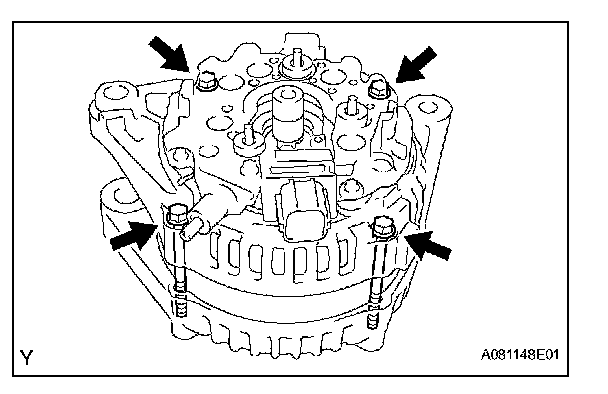
b. Tighten the 4 bolts.
Torque: 5.8 N.m (59 kgf.cm, 51 in.lbf)
4. INSTALL GENERATOR BRUSH HOLDER ASSEMBLY
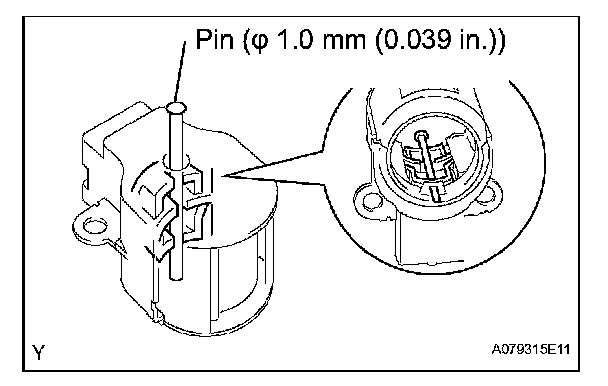
a. While pushing the 2 brushes to inside the brush holder, insert a pin (pi 1.0 mm (0.039 in.)) into the brush holder hole.
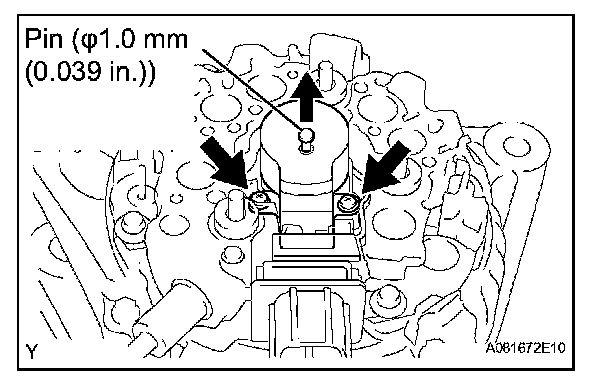
b. Install the generator brush holder with the 2 screws.
Torque: 1.8 N.m (18 kgf.cm, 16 in.lbf)
c. Pull out the pin (pi 1.0 mm (0.039 in.)) from the generator brush holder.
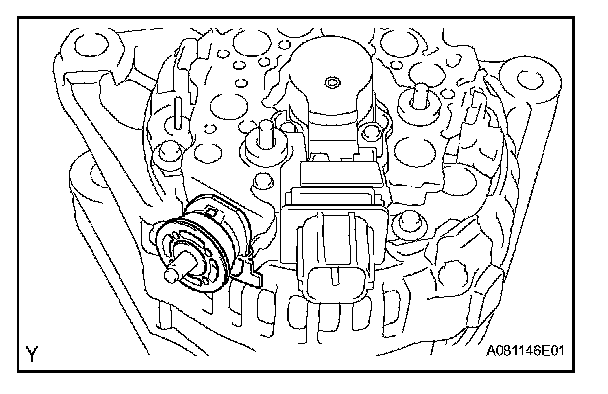
5. INSTALL TERMINAL INSULATOR
a. Install the terminal insulator to the generator rectifier end frame.
NOTE: Pay attention the mounting orientation of the terminal insulator.
6. INSTALL GENERATOR REAR END COVER
a. Install the generator rear end cover with the 3 nuts.
Torque: 4.6 N.m (47 kgf.cm, 41 in.lbf)
7. INSTALL GENERATOR PULLEY
SST 09820-63010 (09820-06010, 09820-06020)
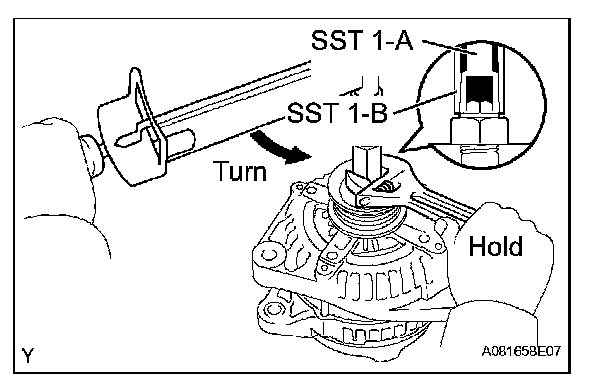

a. Install the generator pulley to the rotor shaft by tightening the pulley nut by hand.
b. Hold SST 1-A with a torque wrench, and tighten SST 1-B clockwise to the specified torque.
Torque: 39 N.m (400 kgf.cm, 29 ft.lbf)
NOTE: Check that SST is secured to the rotor shaft.
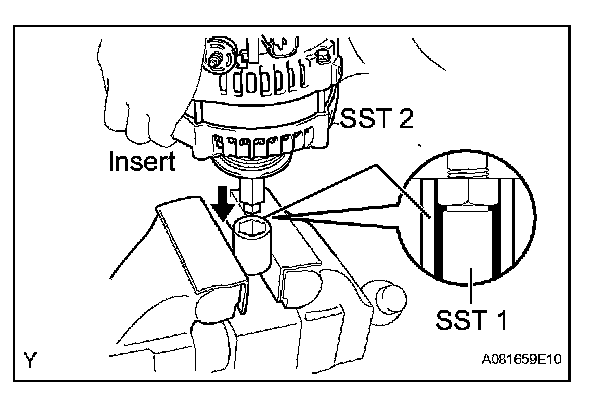
c. Clamp SST 2 in a vise.
d. Insert SST 1-A and B into SST 2, and attach the pulley nut to SST 2.
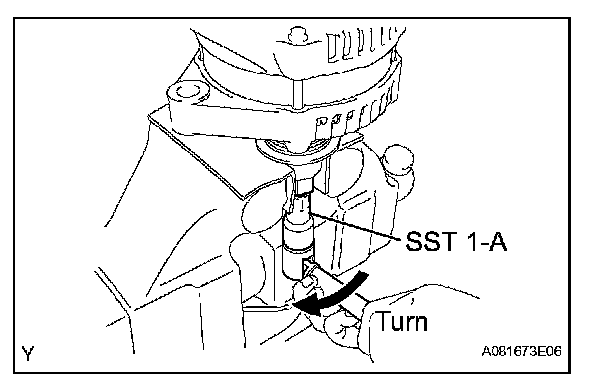
e. Tighten the pulley nut by turning SST 1-A in the direction shown in the illustration.
Torque: 111 N.m (1,125 kgf.cm, 81 ft.lbf)
f. Remove the generator from SST 2.
g. Turn SST 1-B, and remove SST 1-A, B.
h. Turn the generator pulley, and check that the generator pulley moves smoothly.