Registration
REGISTRATION1. REGISTER TRANSMITTER IDs
NOTICE:
- Register the transmitter IDs after the tire pressure warning ECU or the tire pressure warning valve and transmitters have been replaced.
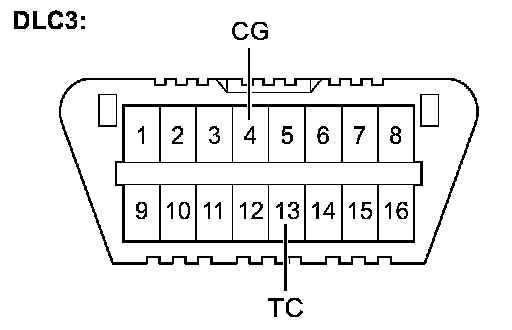
- If the transmitter IDs cannot be registered, the tire pressure warning ECU is probably in initialization mode. Initialization mode can be terminated by making a short circuit between terminals TC and CG of the DLC3 connector.
- In order to avoid damage to the tire pressure warning valve and transmitters, observe the instructions when removing and installing the tire pressure warning valve and transmitters.
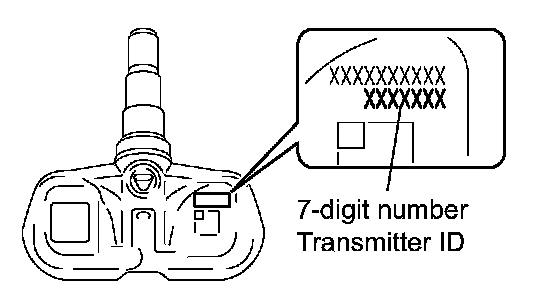
a. Prepare the all transmitter ID data before starting registration.
HINT:
- Read the registered transmitter IDs that are stored in the ECU using the intelligent tester and note them down.
- If reading stored transmitter IDs is impossible due to malfunctions of components such as the tire pressure warning antenna and receiver, remove the tires from the wheels and check the IDs located on the tire pressure warning valves and transmitters.
- When replacing the tire pressure warning valves and transmitters, note down the IDs written on the tire pressure warning valves and transmitters.
b. Connect the intelligent tester to the DLC3.
c. Turn the ignition switch to the ON position.
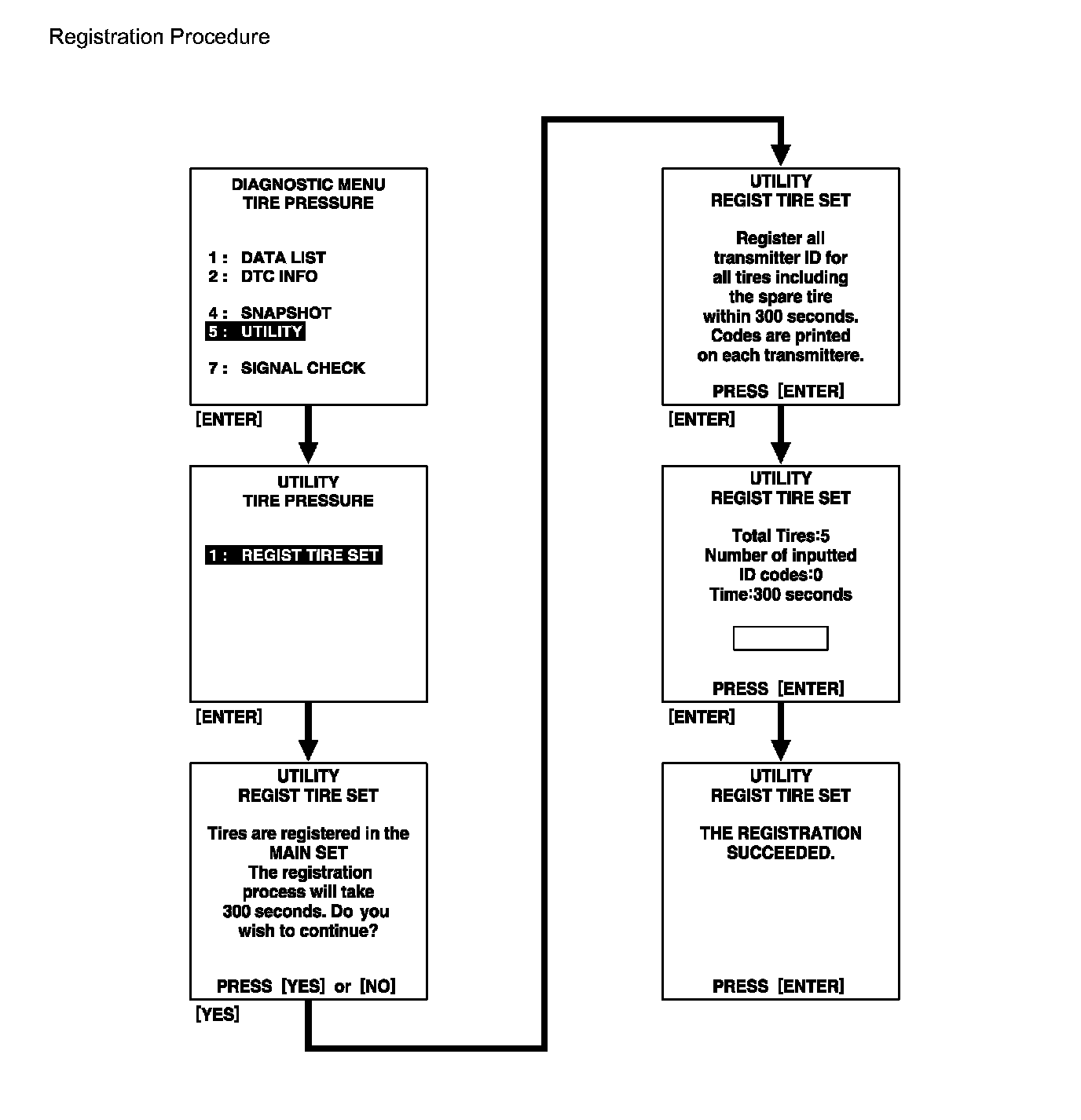
d. Select the REGIST TIRE by following the prompts displayed on the intelligent tester screen (UTILITY-REGIST TIRE).
NOTICE:
- The previously registered IDs will be deleted from the memory when the registration is completed. If the procedures of the registration are not completed within 5 minutes, the mode returns to normal operation mode.
- When the system is in initialization mode after the reset switch has been operated, the registration is disabled until the initialization process is canceled or completed.
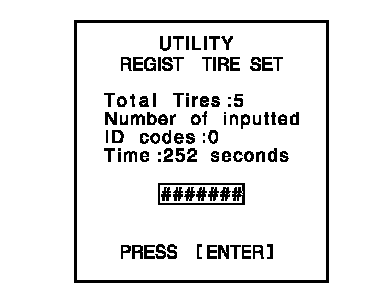
e. Input the IDs (ID1 to ID5) using the intelligent tester and transmit them to the tire pressure warning ECU.
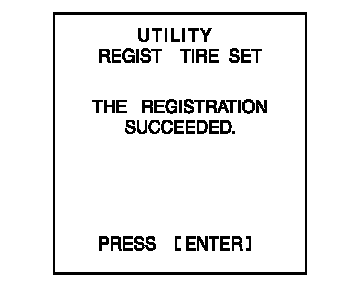
f. When the ID transmission has successfully been completed, the message shown in the illustration appears on the tester screen.
g. Turn the ignition switch to the OFF position, and then turn to the ON position.
h. Select "SIGNAL CHECK" on the intelligent tester.
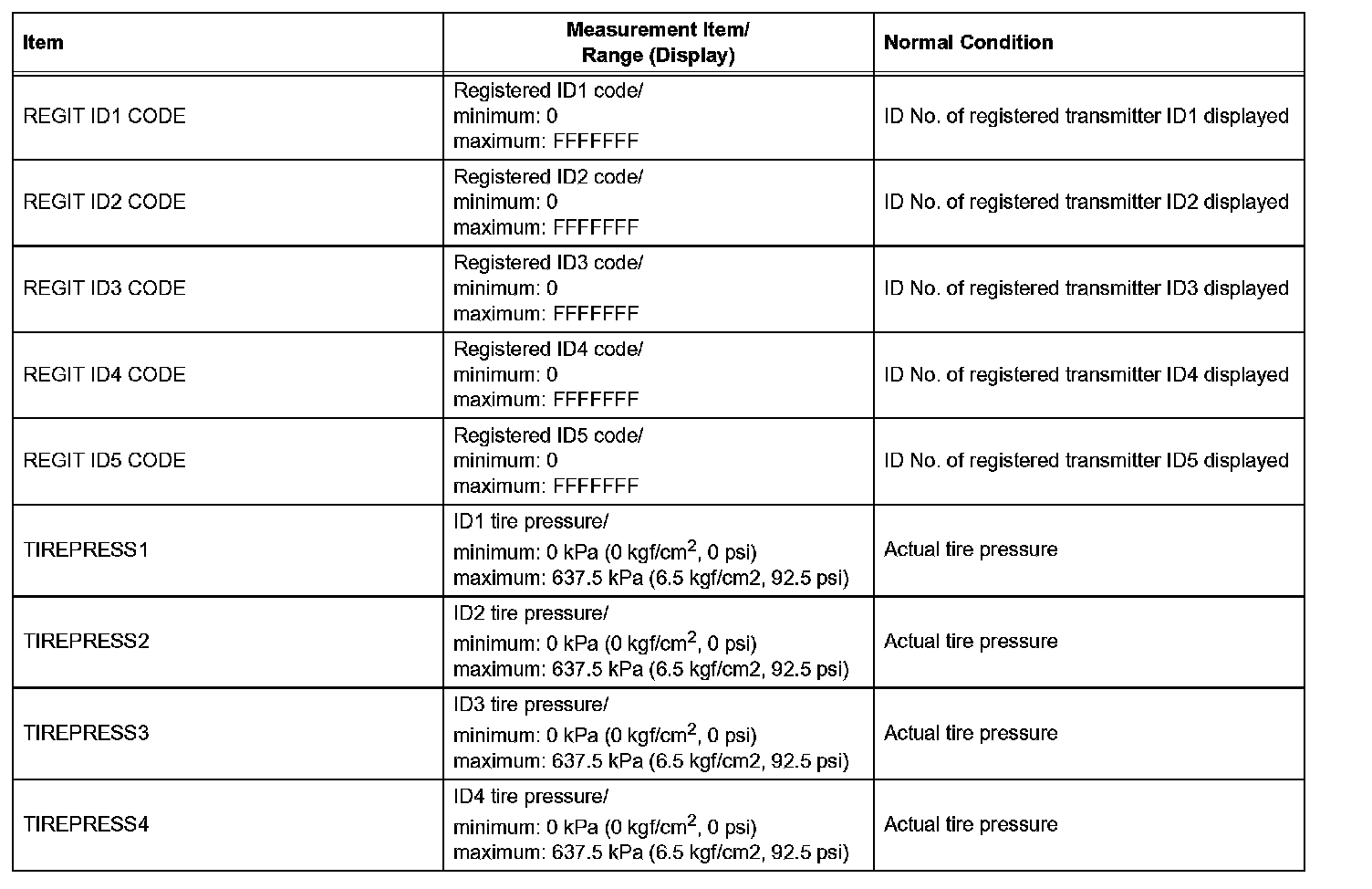

i. Confirm that the transmitter IDs and the data of tire pressure of all the tires are displayed on the intelligent tester screen.
NOTICE:
- It may take up to 1 minute to update the tire pressure data.
- If the IDs have not been registered, DTC C2171/71 is set in the tire pressure warning ECU after approximately 30 minutes.
j. Disconnect the intelligent tester with the ignition switch turned OFF.