Programming and Relearning
REGISTRATION1. DESCRIPTION OF CODE REGISTRATION
It is necessary to register the transmitter ID in the tire pressure warning ECU when replacing the tire pressure warning valve and transmitter and/or tire pressure warning ECU.
Prepare all transmitter ID data before starting registration.
(a) Before registration
(1) In case of tire pressure warning ECU replacement.
- Read the registered transmitter IDs that are stored in the old ECU using the intelligent tester and note them down.
- If reading stored transmitter IDs is impossible due to malfunctions of components such as the tire pressure warning antenna and receiver, remove the tires from the wheels and check the IDs located on the tire pressure warning valves and transmitters.
(2) In case of tire pressure warning valve and transmitter replacement.
- Take a note of the 7 digit number (transmitter ID) written on the tire pressure warning valve and transmitter.
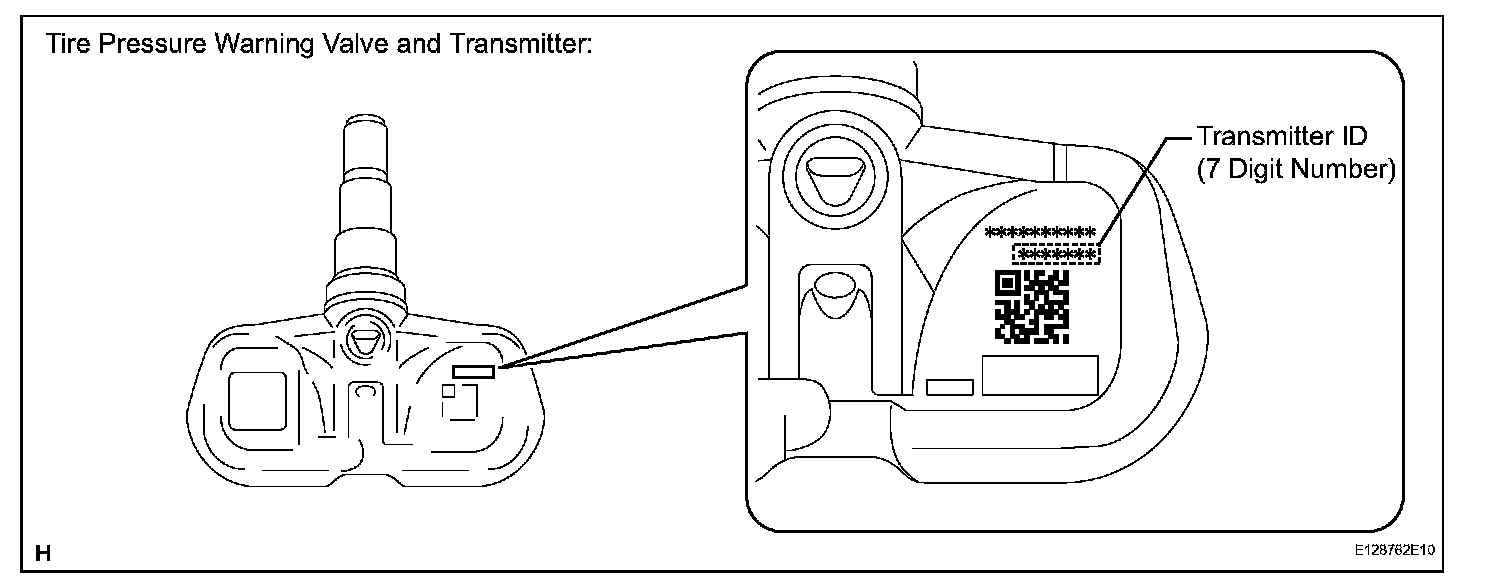
NOTICE:
The transmitter ID is written on the tire pressure warning valve and transmitter.
It will be unable to be read after installing the tire pressure warning valve and transmitter on the tire and wheel. Therefore, take a note of the transmitter ID before installing the tire pressure warning valve and transmitter.
2. REGISTER TRANSMITTER ID
(a) Set the air pressure of all wheels to the specified value.
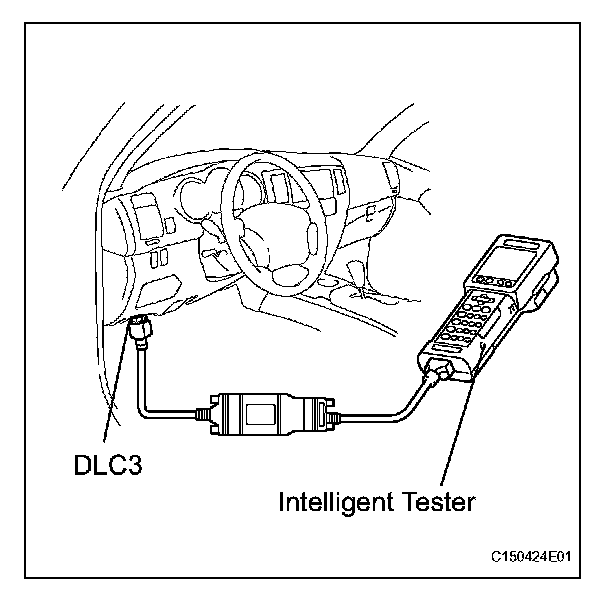
(b) Connect the intelligent tester to the DLC3 (Procedure "A").
(c) Turn the ignition switch ON (Procedure "B").
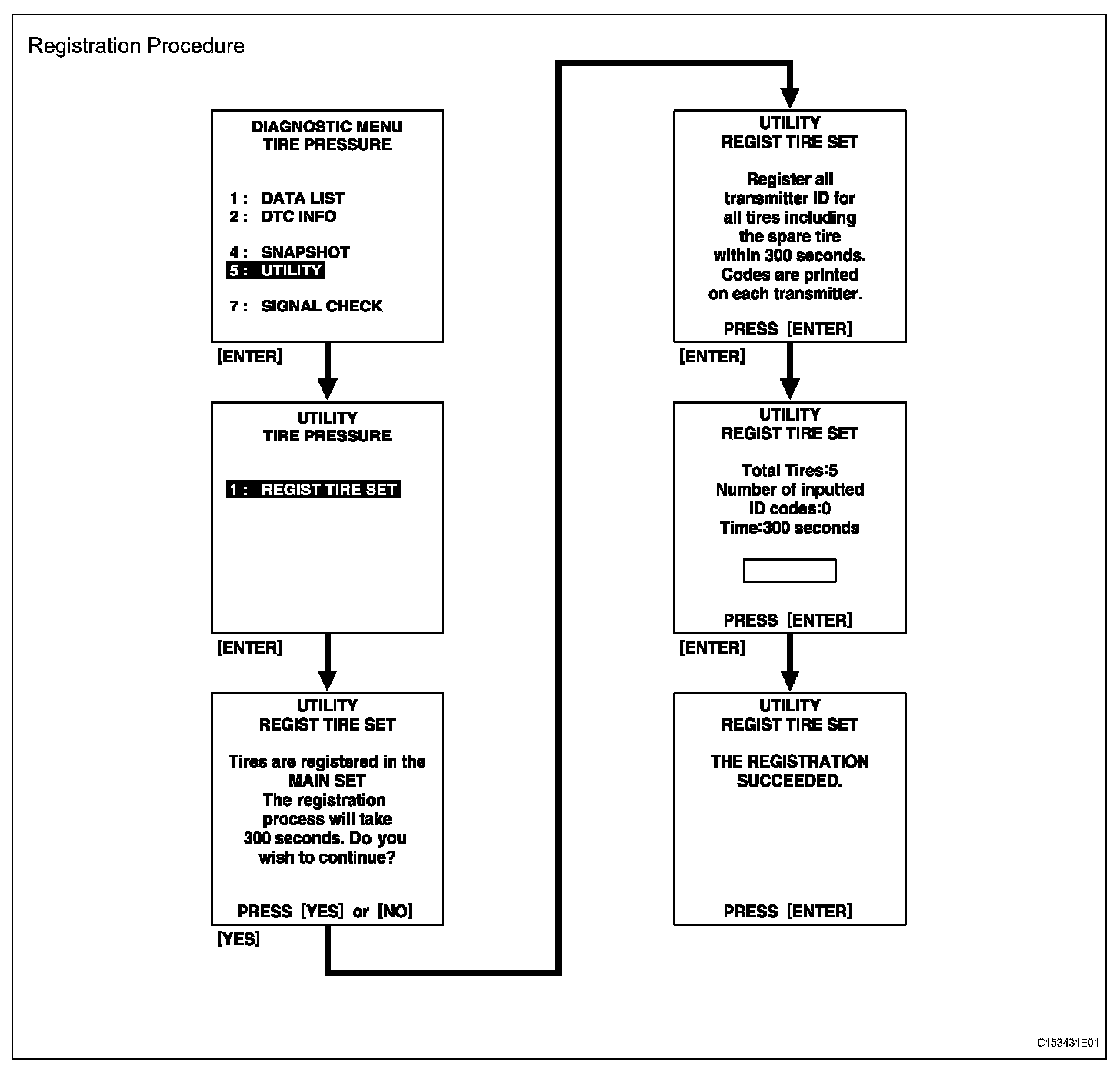
(d) Select the REGIST TIRE following the intelligent tester screen (UTILITY - REGIST TIRE) (Procedure "C").
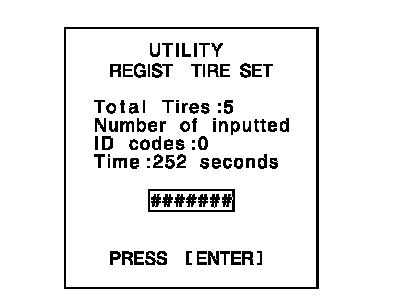
(e) Input the IDs (ID1 to ID5) using the intelligent tester and transmit them to the tire pressure warning ECU (Procedure "D").
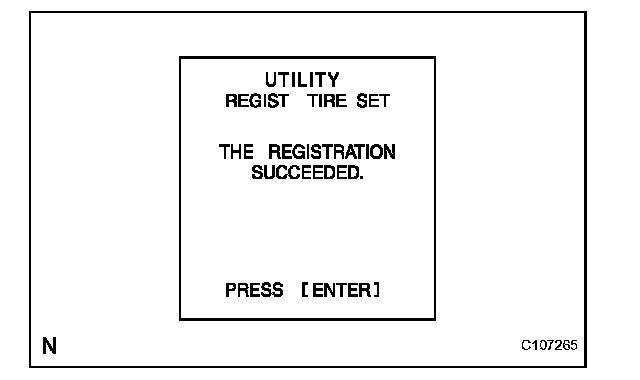
(f) Set the ID transmission condition to "ID Registration is complete" (Procedure "E").
HINT:
- The previously registered IDs will be deleted from the memory when the registration is completed.
- If the procedures "C" to "D" are not completed within 5 minutes, the mode will return to normal operation mode.
3. CONFIRMATION OF TRANSMITTER ID REGISTRATION
(a) Connect the intelligent tester to the DLC3 (ignition switch is OFF).
(b) Turn the ignition switch ON.
(c) Select "TIREPRESS" by following the prompts displayed on the intelligent tester.
(d) Confirm that the data of tire pressure of all tires (including the spare tire) are displayed on the intelligent tester screen.
NOTICE:
- It may take up to about 2 or 3 minutes to update the tire pressure data. If the values are not displayed after a few minutes, perform troubleshooting according to the inspection procedure for DTCs C2121/21 to C2125/25. C2121
- DTC C2171/71 is set in the tire pressure warning ECU if all of the following occur: 1) the IDs have not been registered for 51 minutes or more; 2) vehicle speed of 8 km/h (5 mph) or more is detected; and 3) no signals are received for another 12 minutes or more.
- If normal pressure values are displayed, the IDs have been registered correctly.
- If the tire pressure values are not displayed after a few minutes, the IDs may be incorrect or the system may have a malfunction.