Hybrid System - Plug-In Charge Check Procedure

T-SB-0043-12
February 17, 2012
Plug-In Charge Check
Service Category
General
Section
Pre-Delivery Service
Market
USA

Applicability
Introduction
To ensure the off-board charging functions and charging system are operating properly, inspect the charging functions during Pre-Delivery Service (PDS) following the procedures in this bulletin.
NOTICE
Be sure to carefully review, and understand, all applicable Repair Manual and Owner' Manual operational procedures and notes for charging before performing this inspection.

Warranty Information
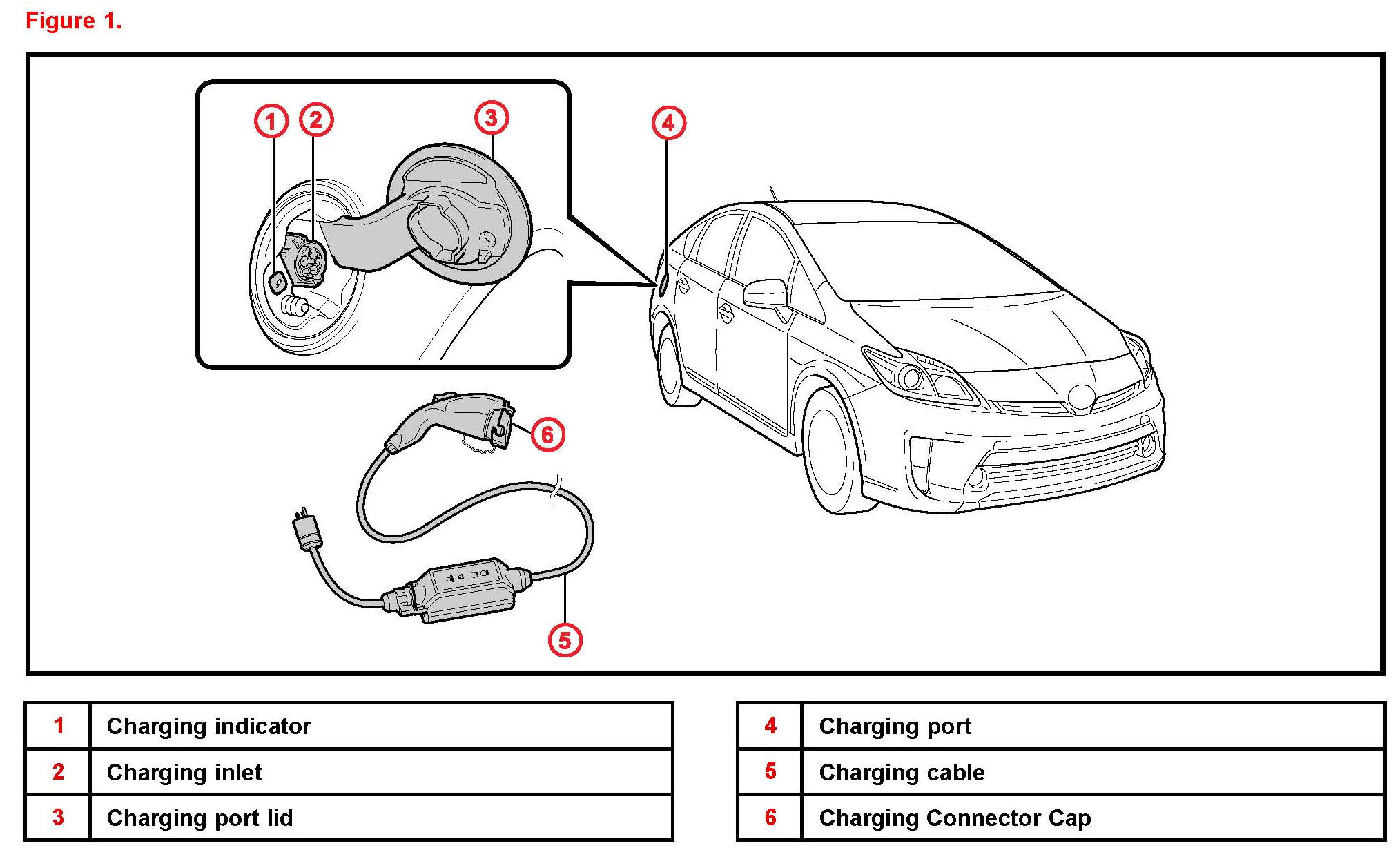
Before Inspection
1. When using the Charging Cable with Charging Circuit Interrupting Device (CCID), observe the following precautions.
A. Cables other than those intended for exclusive use with this vehicle cannot be used for charging.
2. Power Sources:
NOTE
Confirm power sources meet the following criteria before charging.
A. External power source must be AC120V outlet (NEMA 5-15R) with a Ground-Fault-Circuit-Interrupter (GFCI) and a circuit breaker. Use of a 15A individual circuit is strongly recommended to ensure the charging cable operates properly.
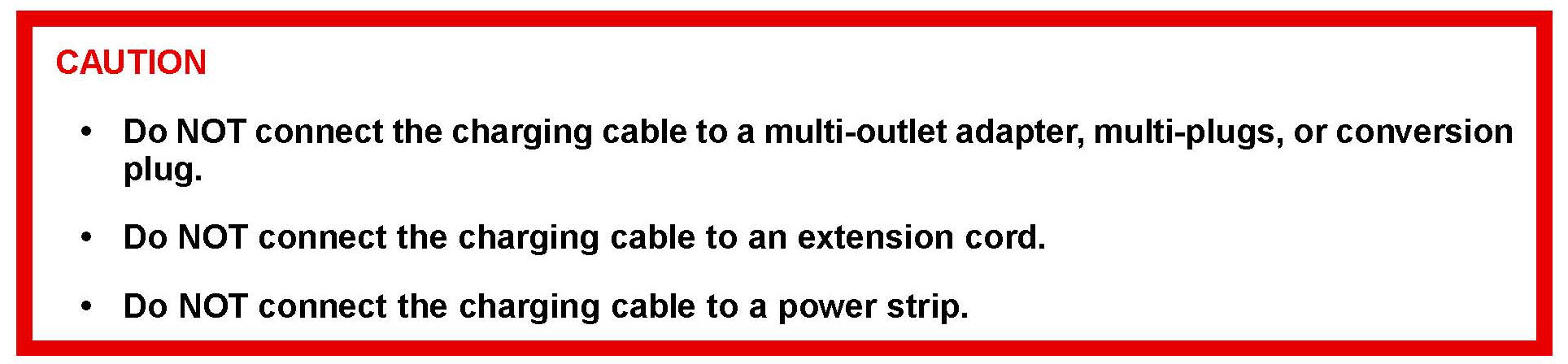
CAUTION
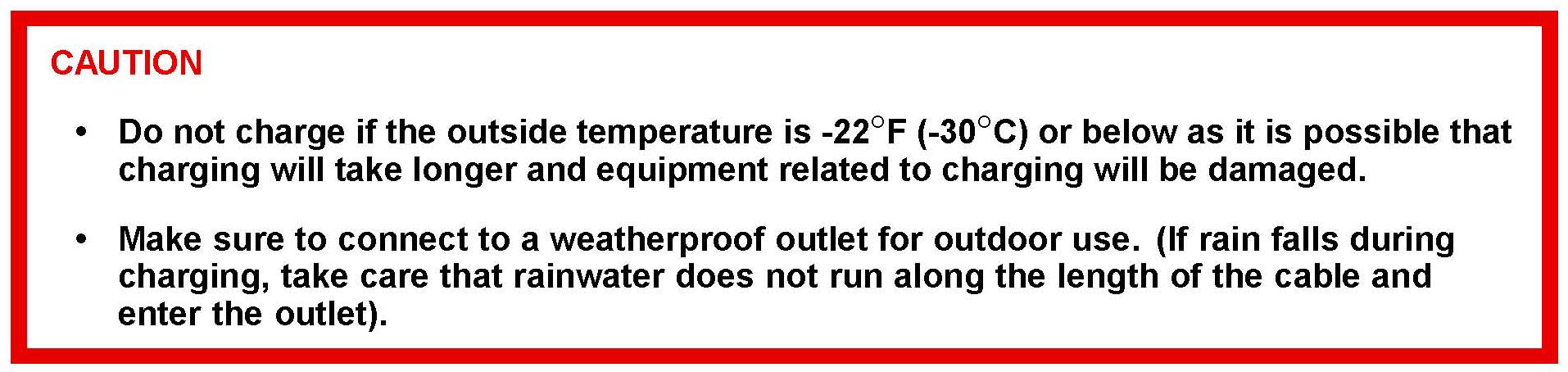
CAUTION
Inspection
1. Confirm the following before charging:
^ The parking brake is applied.
^ Vehicle is in the park position. The "P" position switch (transmission shift main switch) is on.
^ There is no electrical load being applied, such as lights, wipers, audio system, seat heaters, etc.
^ The "POWER" switch is OFF.
2. Check Charging Function:
A. Check the condition of the charging cable provided with the vehicle.
B. Insert the charging cable firmly into the outlet of the external power source.
C. Check that the power indicator of the CCID is illuminated.
HINT
If the power indicator does not illuminate, ensure that the plug is firmly connected with the outlet.
D. Press the test button on the CCID to check that the electrical leakage detection function operates properly.
^ If the error warning indicator illuminates when the test button is pressed, the function is operating correctly.
^ After the test has been completed, press the reset button to turn off the error warning indicator.
HINT
^ Charging cannot be carried out while the error warning indicator is illuminated.
^ If the error warning indicator does not come on even if the test button is pressed, it is likely that the function is not operating correctly. Stop charging immediately and refer to the Repair Manual.
E. Press the vehicle's charging port lid to open.
F. Remove the charging connector cap.
G. Insert the charging cable into the vehicle's charging inlet.
HINT
^ When inserting, make sure not to press the latch release button.
^ Align with the guide position shown on the underside of the charging connector,and push in until a click is heard.
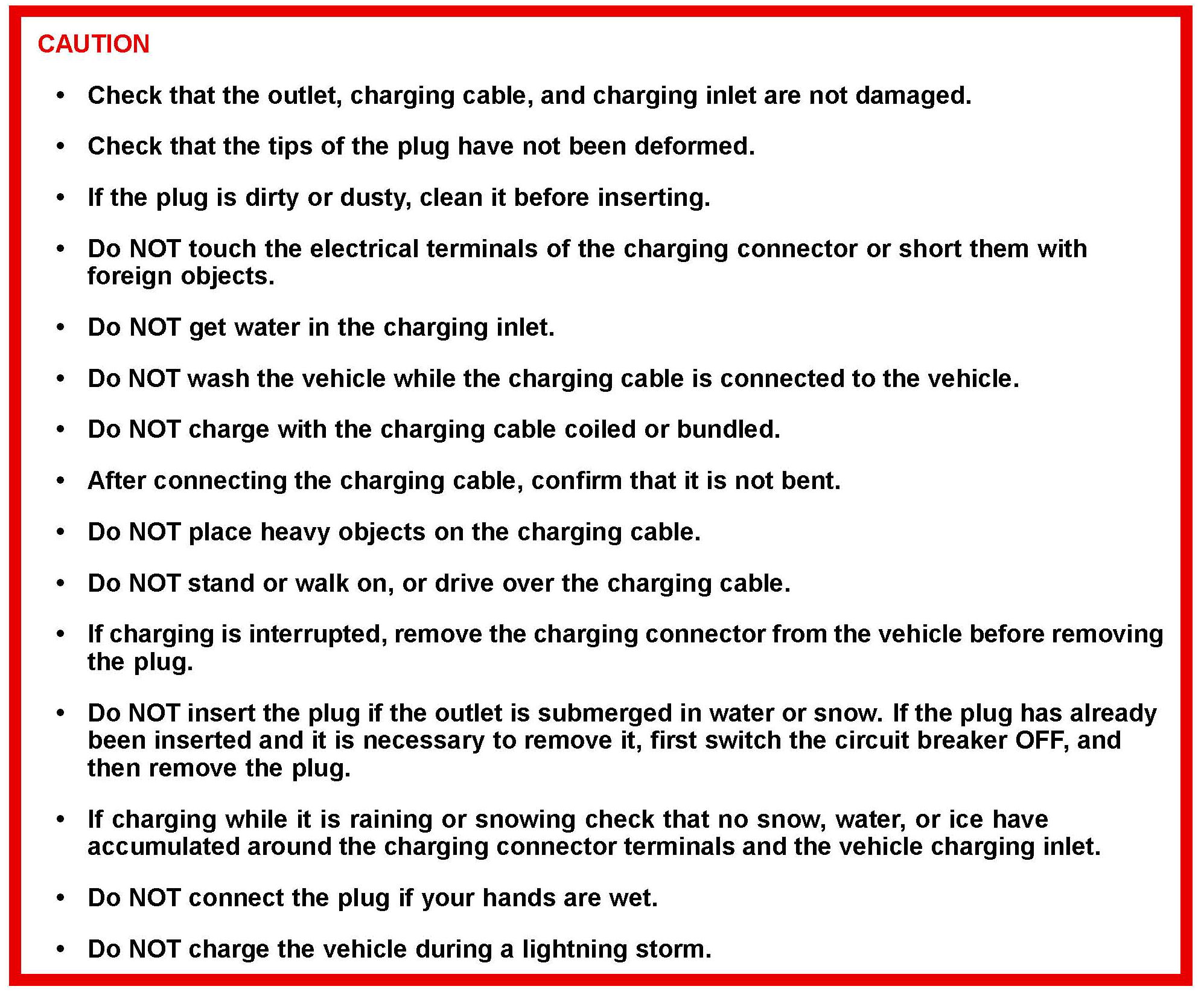
CAUTION
H. Confirm that the charging indicator is illuminated.
HINT
^ Charging cannot be started if the charging indicator does not illuminate when the charging cable is inserted.
^ The charging indicator will turn off when charging is completed.
^ For safety purposes, the hybrid system will not "READY" ON while the charging cable is connected to the vehicle, even if the "POWER" switch is operated.
^ If the charging cable is connected while the "READY" indicator light is illuminated, the hybrid system will stop automatically, and driving will not be possible.
^ When the charging cable is connected to the vehicle, the shift position cannot be changed from "P" to another position.
^ If the latch release button is pressed, charging will not begin even if the charging cable is connected.
I. Check energy monitor.
If the "POWER" switch is cycled ON during charging, the current charging status and the amount of time needed until charging is complete will be displayed on the energy monitor.
After confirming, cycle the "POWER" switch to OFF to turn off the display. If the display is left on, charging will take longer.
HINT
The first time the "POWER" switch is cycled ON after charging is completed; a message detailing the results of the charging will be displayed. Also, if an operation which cannot be carried out is attempted during charging, a warning message will be displayed.
J. If the error warning indicator on the CCID stays on during charging, press the reset button on the CCID. If the error warning indicator does not turn off after the reset button is pressed,an electrical leakage may be occurring in the path to the power source, or there may be a problem with the charging cable or the charging system. In this event, stop charging immediately, remove the charging cable and refer to the Repair Manual.
3. After Charging:
A. Pull the charging connector towards you while pressing the latch release button.
B. Attach the charging connector cap and close the charging port lid.
C. Remove the plug from the outlet.

CAUTION
D. Place the charging cable in the cargo area of the vehicle.
© 2012 Toyota Motor Sales, USA