Collision Avoidance - Rearview Monitor System Initialization

T-SB-0117-12
July 31, 2012
Rear View Monitor System Initialization
Service Category
General
Section
Pre-Delivery Service
Market
USA

Applicability
Introduction
As a result of the removal of the short pin, the power source to the steering angle sensor is cut off. When the short pin is reinstalled, the rear view monitor system will be operative, but it cannot display guide lines to assist parking operation because the center position is not recognized by the steering angle sensor. Please initialize the rear view monitor system after installing the short pin during PDS (Pre-Delivery Service).
NOTE
Any time the battery terminal has been disconnected, the rear view monitor system MUST be re-initialized.

Warranty Information
Repair Procedure
1. Start the engine.
2. Move the shift lever to the "R" (reverse) position to confirm that the Advanced Parking Guidance System is inoperative.
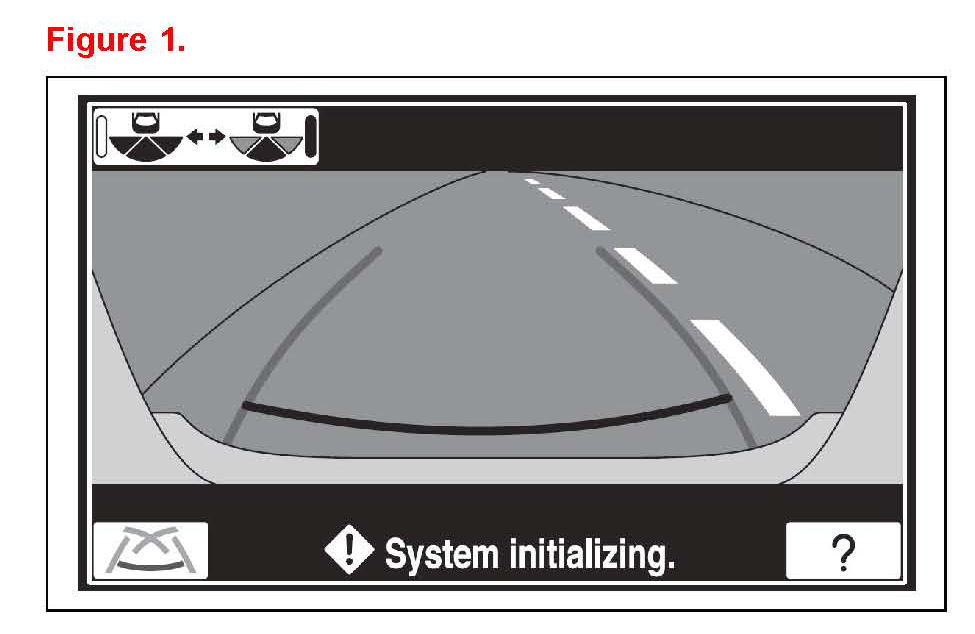
"System Initializing" appears on the rear view monitor as shown in Figure 1.
3. Move the shift lever to the "P" (park) position. Turn the steering wheel lock to lock.
4. Move the shift lever to the "R" (reverse) position and touch the parallel parking mode switch on the screen.
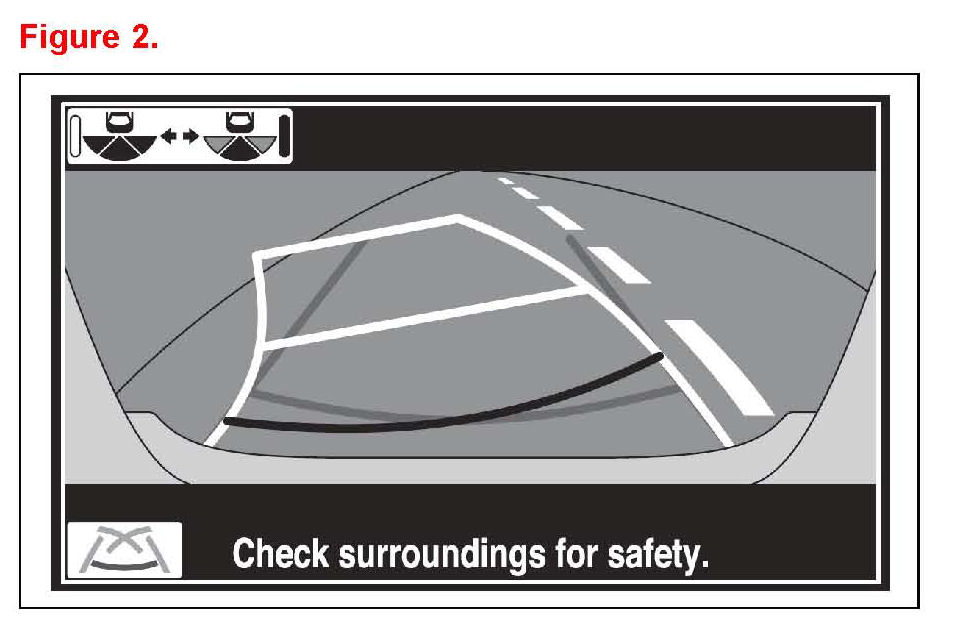
5. When the guide lines and "Check surroundings for safety" appear on the rear view monitor as illustrated in Figure 2, the initialization is complete.
© 2012 Toyota Motor Sales, USA