Satellite Digital Audio Receiver System (SDARS) Module
Satellite Digital Audio Receiver System (SDARS) Module
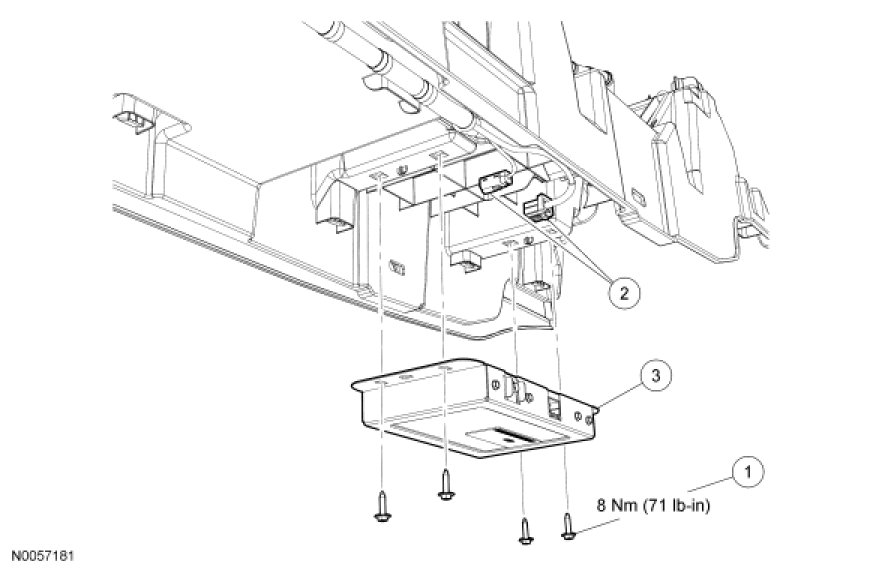

Removal and Installation
NOTE: This procedure applies to vehicles without navigation only. For vehicles with navigation, the Satellite Digital Audio Receiver System (SDARS) module is integral to the Audio Control Module (ACM).
1. NOTE: Module configuration is required when a new SDARS module is being installed.
Upload the SDARS module configuration information to the scan tool.
2. Remove the center console.
3. Remove the 4 screws and the SDARS module.
- Disconnect the electrical connectors.
- To install, tighten the screws to 8 Nm (71 lb-in).
4. To install, reverse the removal procedure.
- Download the configuration information to the SDARS module.