Diagnostic Check [Car-Navigation System]
DIAGNOSTIC CHECK [CAR-NAVIGATION SYSTEM]
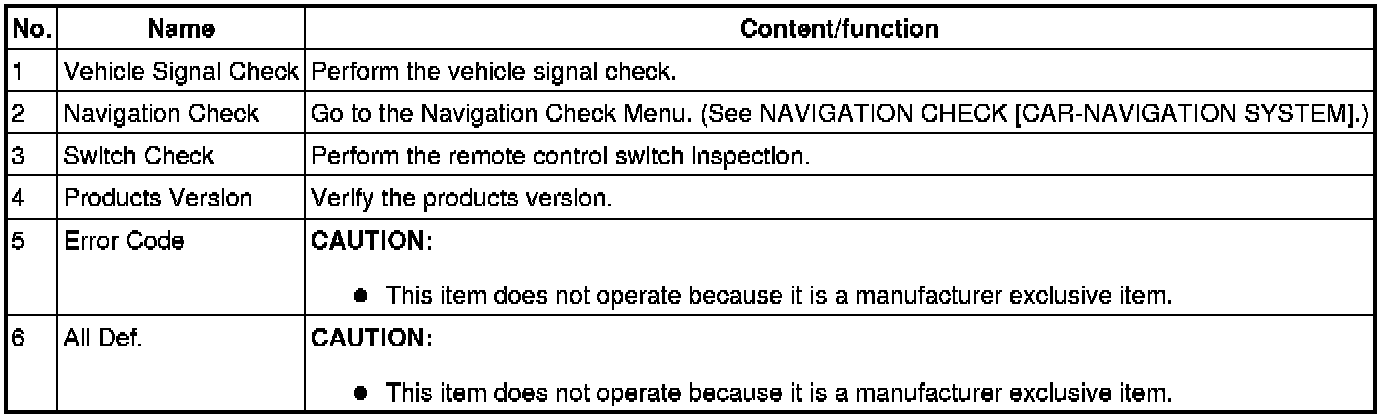
Inspection item list

Vehicle Signal Check
1. Turn ignition switch to ACC or ON position.
2. Launch the diagnostic mode. Starting Procedure For Diagnostic Mode [Car-Navigation System]
3. Select "Vehicle Signal Check".
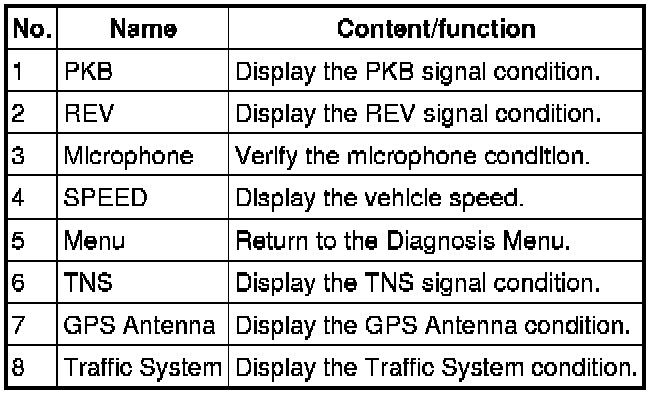
4. Verify the condition of the vehicle signal input to the display.
5. To stop the on-board diagnostic mode, turn the ignition switch to the LOCK position.

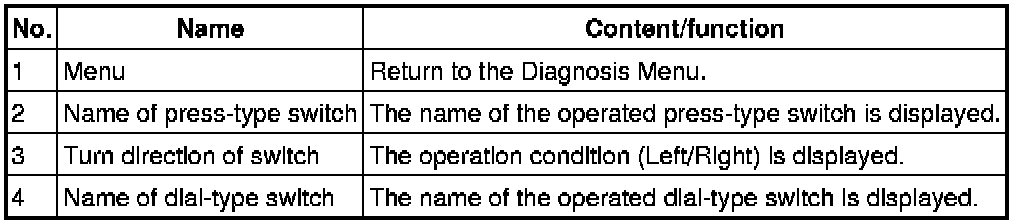
Switch Check
1. Turn ignition switch to ACC or ON position.
2. Launch the diagnostic mode. Starting Procedure For Diagnostic Mode [Car-Navigation System]
3. Select "Switch Check".
4. Operate the panel switches and verify that they operate correctly.
5. To stop the on-board diagnostic mode, turn the ignition switch to the LOCK position.

Products Version
1. Turn ignition switch to ACC or ON position.
2. Launch the diagnostic mode. Starting Procedure For Diagnostic Mode [Car-Navigation System]
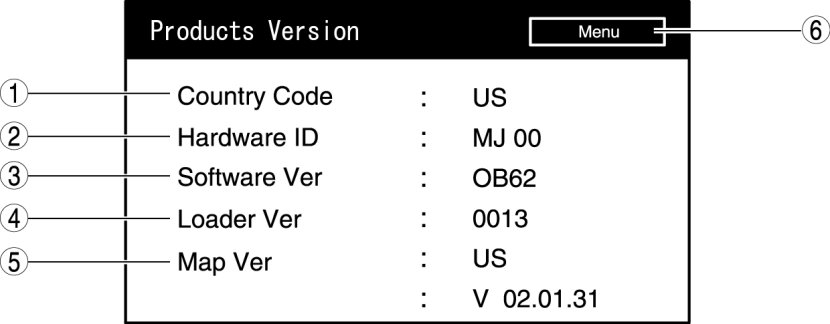
3. Select "Products Version".
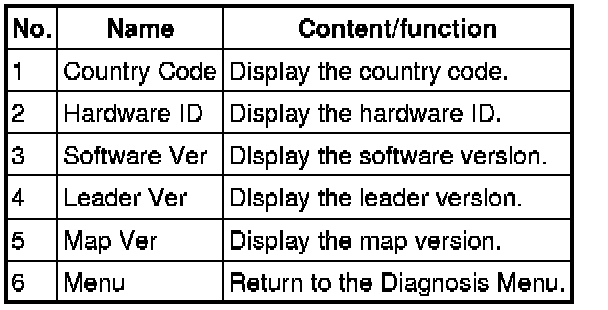
4. Verify each version.
5. To stop the on-board diagnostic mode, turn the ignition switch to the LOCK position.