Manuals through 2025 now available!
Our trusted friends have launched a new website named LEMON, which has newer manuals. It also contains all the CHARM manuals.
LEMON is the spiritual successor to CHARM, I recommend you try it!
Link:
lemon-manuals.la or
lemon-manuals.org.ua
(Some people have issue connecting. LEMON is investigating. For now, use Firefox or change your DNS server)
Or, hide this message:
temporarily or
permanently
Hard Disc Replacement
1.
Turn the ignition switch
OFF.
2.
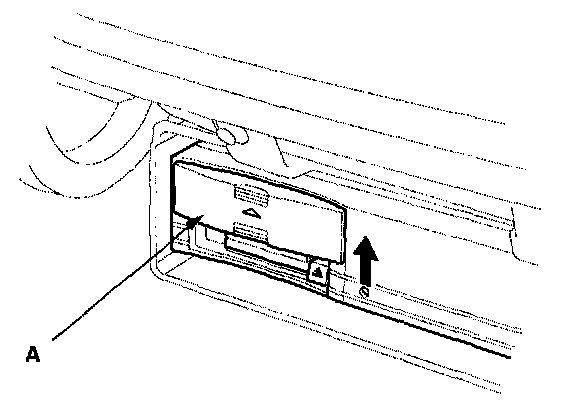
Slide the front cover (A) of
navigation unit up.
3.
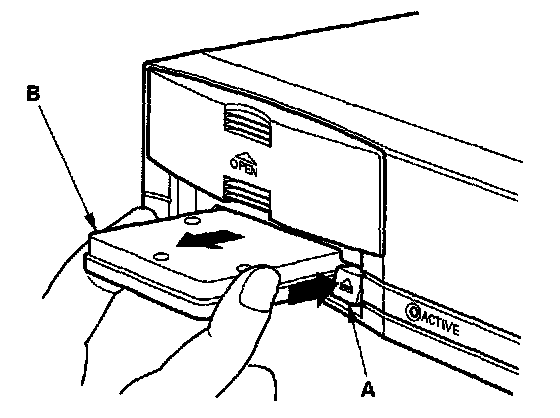
Press the EJECT (A) switch.
NOTE: Make sure the ignition switch is
OFF.
4.
Remove the hard disk(B).
5.
Insert the new hard disk.
6.
Slide the front cover down.
NOTE: After servicing, the front cover must be down. If you start up the navigation system with the front cover up, the display will indicate "NO Hard Disk".