Dashboard Side Vent Removal/Installation
Dashboard Side Vent Removal/Installation
Special Tools Required
- KTC Trim Tool Set SOJATP2014
*Available through the Acura Tool and Equipment Program, 888-424-6857
NOTE:
- Take care not to scratch the dashboard or the related parts.
- Use the appropriate tool from the KTC trim tool set to avoid damage when removing components.
- The driver's side vent is shown; the passenger's side vent is similar.
1. Remove these items:
- A-pillar trim Interior Trim Removal/Installation - Pillar Areas
- Driver's dashboard outer trim Driver's Outer Dashboard Trim Removal/Installation
- Passenger's dashboard trim Passenger's Dashboard Trim Removal/Installation
2. Remove the screws.
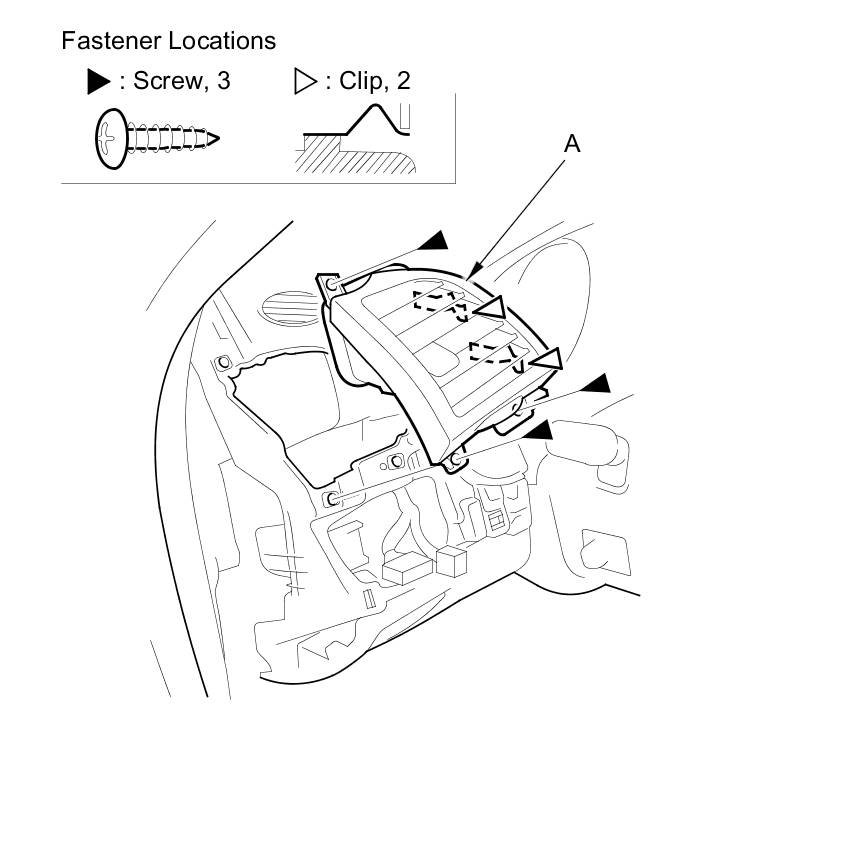
3. Pull out the side vent (A) to release the clips, then remove the vent.
4. Install the side vent in the reverse order of removal, and push the clips into place securely.