Component Tests and General Diagnostics
SH-AWD(R) Function Test
Special Tools Required
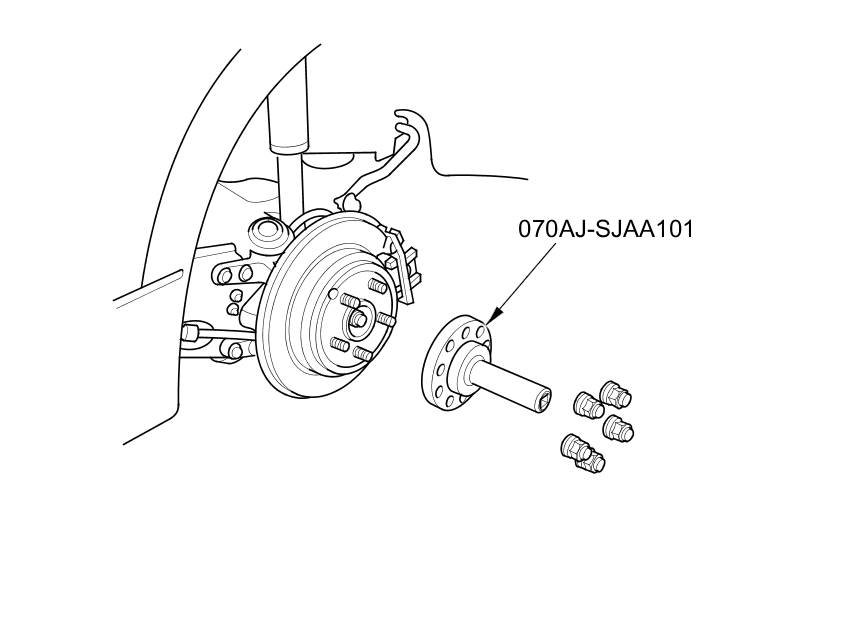
- Torque Wrench Adapter 070AJ-SJAA101
Direct Electromagnetic Clutch Test
NOTE: Before doing the SH-AWD Function Test, check the following conditions.
- Check to make sure there are no DTC detected.
- The shift lever is in P.
- The SH-AWD control unit has been initialized.
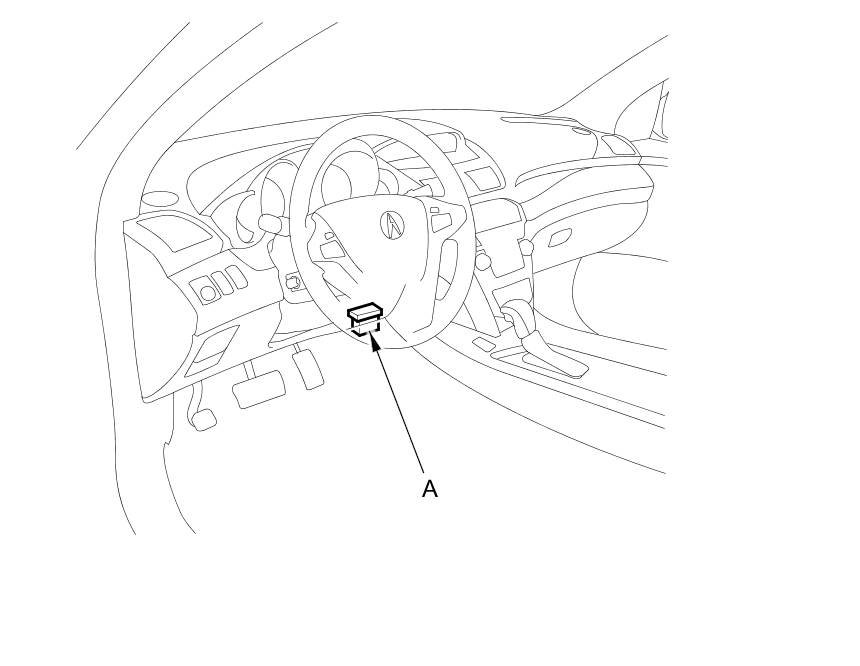
1. With the ignition switch in LOCK (0), connect the HDS to the data link connector (DLC) (A) behind the driver's dashboard lower cover.
2. Turn the ignition switch to ON (II).
3. Check that the differential fluid temperature is over 68 °F (20 °C) with the HDS. If it is below 68 °F (20 °C), raise the temperature by driving the vehicle in circles or by constantly turning.
4. Raise and support the vehicle Service and Repair.
5. Remove the rear wheels.
6. Install the torque wrench adapter on the rear wheel hub.
7. Do the Direct Electromagnetic Clutch Test with the HDS.
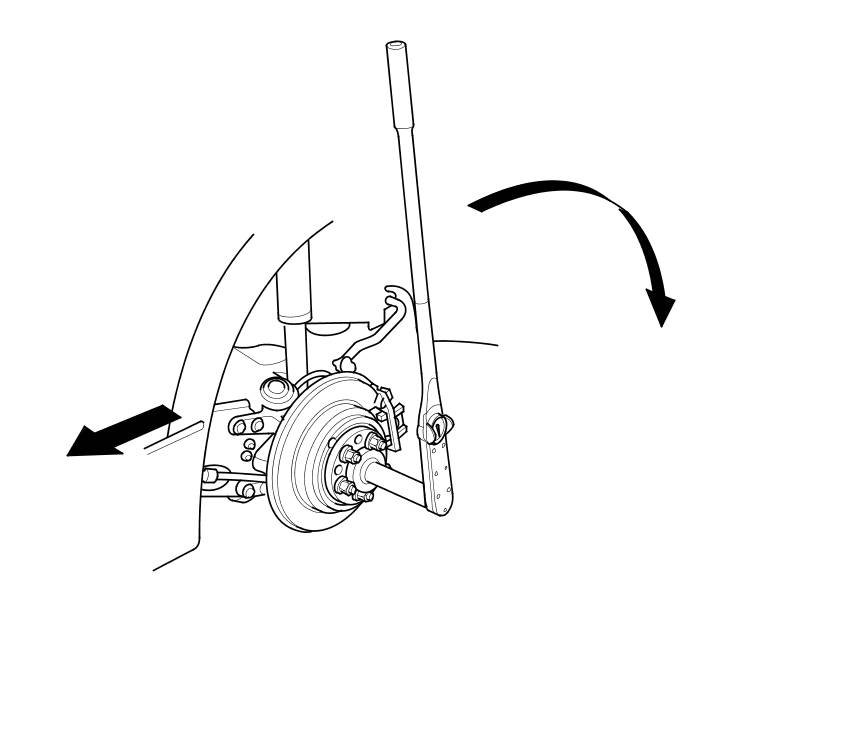
8. Install a torque wrench on the torque wrench adapter as shown. Write down the torque value with the HDS while slowly rotating the rear hub with the torque wrench as shown. (Turn the hub no more than 90 degrees in 7 to 10 seconds).
NOTE: Use a torque wrench capable of measuring up to 785 Nm (80.0 kg-m, 579 lb-ft) such as a commercially available Snap-on torque wrench TEC602A.
9. Enter the torque value into the HDS, and wait for the test to finish.
- If the result shows the clutch driving force is normal, the clutch assembly is OK.
- If the result shows the clutch driving force is abnormal, replace the differential fluid, and retest. If the result still shows the clutch driving force is abnormal, replace the right and left differential side cases Rear Differential Side Case Replacement.