Scan Tool Testing
1. Turn the ignition switch to OFF.
2. Locate the red connector in the engine compartment, near the ECU labeled ABS TEST.
NOTE: Only one multi-pin connector is used.
Vehicle Data Link Connector:
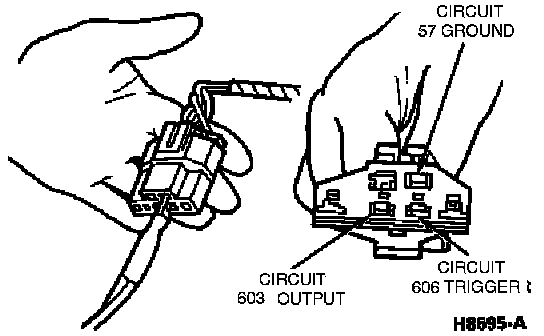
3. Connect the tester connector to the connector located in the engine compartment. Verify that the tester is in SLOW MODE.
NOTE: If the message LO BAT appears in the upper left corner of the read-out display and stays on, replace the tester's 9-volt battery before continuing with the self-test. The message LO BAT appears momentarily when power switch is turned OFF.
4. Turn on the power switch on the right side of the tester. A steady 00 or blank screen signifies that the tester is ready to start the self-test and receive diagnostic trouble codes.
5. With the ignition switch still OFF, push the self-test button in the center of the tester.
6. Push the self-test button again. This deactivates the self-test sequence.
Tester Screen Displays:
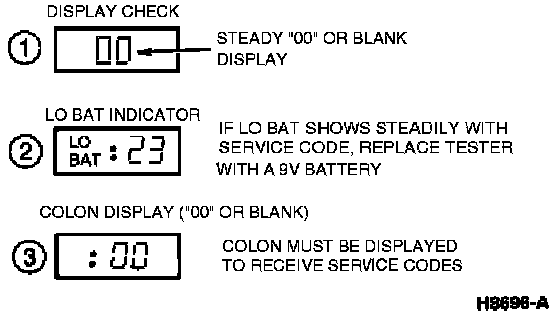
7. If the tester passes the above test (00 or blank screen with button in test position), proceed with the on-board self-test procedure. If any diagnostic trouble codes appear during the self-test, refer to the diagnostic trouble code index. Diagnostic Trouble Code Descriptions
NOTE: The diagnostic trouble codes can now be retrieved from the ECU. With Manufacturer's Scan Tool