Universal Serial Bus (USB) Cable And Port
Universal Serial Bus (USB) Cable and Port
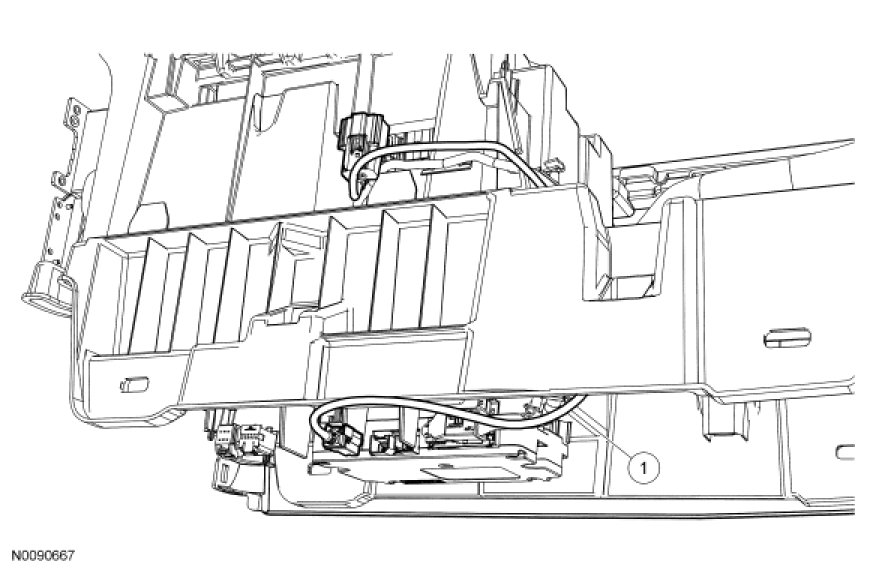

Removal and Installation
1. Remove the floor console.
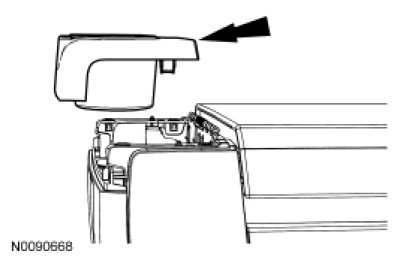
2. Remove the rear cupholder trim panel by pulling straight upward to disengage the clips.
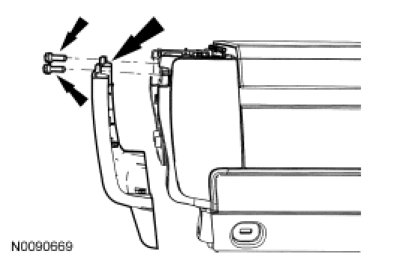
3. Remove the 2 screws and remove the floor console rear trim panel by pulling straight rearward to disengage the clips.
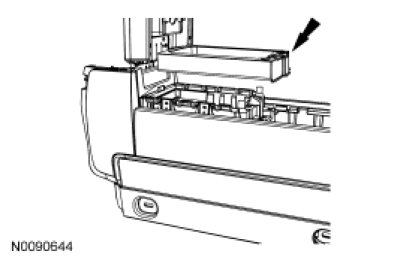
4. Remove the stowage bin surround trim by pulling straight upward to disengage the clips.
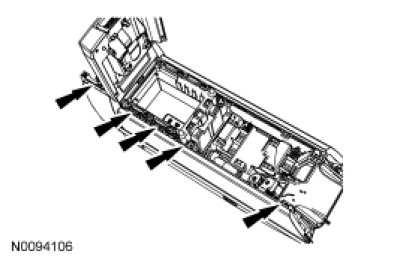
5. NOTICE: Once the screws are removed, the floor console RH trim panel must be moved upward to release the locator tabs, or damage to the tabs will occur.
Remove the 5 screws and the floor console RH trim panel.
6. Using a suitable flat-bladed tool, remove the audio input jack bezel by prying straight up.
- Disconnect the Universal Serial Bus (USB) port electrical connector.
7. Remove the USB cable and port.
- Disconnect the connection to the Accessory Protocol Interface Module (APIM).
8. To install, reverse the removal procedure.