Unit Check
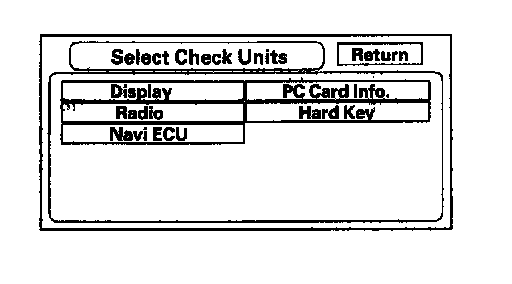
Unit Check
Select the item you want to check, and the test starts,
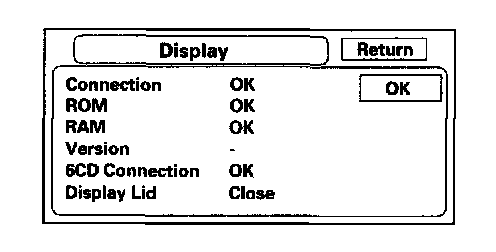
Display
This performs additional checks on the communication bus between the control unit and the display. In addition, the internal electronics and touch screen functionality are confirmed.
- When the connection is NG, first check for loose terminals at the navigation unit and the navigation display connections. Next check for an open or short in the communication line between the navigation unit and the navigation display. If the line is found to have an open or short, replace the affected shielded harness.
- If the ROM or RAM is NG, replace the navigation display.
- The version represents the software version in the display.Six CD connection checks the status of the connection between the CD changer and the audio unit. An NG represents an open in that circuit.
- Display Lid indicates if the front display panel is Open or Closed. This should always say, "Closed".
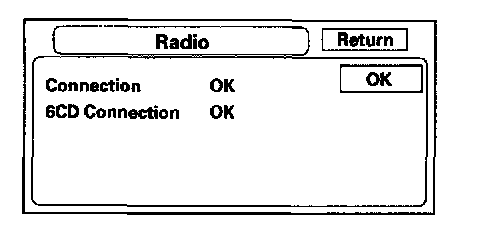
Radio
If the NG is indicated, check for loose audio unit connectors.
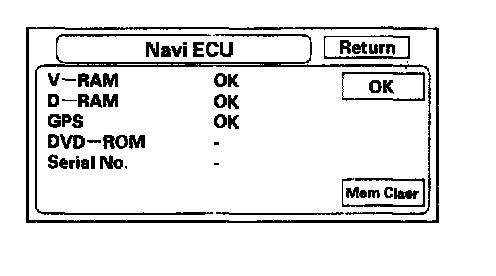
Navi ECU
This screen looks for problem with the navigation unit. When this diagnostic is initiated, there is a delay of up to a minute while it runs.
- If "V-RAM" or "D-RAM" is NG, then replace the navigation unit.
- If "GPS" indicates "NG (ANT)", then check the entire GPS antenna wire from the navigation unit to the antenna. If the wire is crushed or damaged, try a known good antenna. If this diagnostic reads OK, then order a new GPS antenna. If the diagnostic still reads NG (ANT), then replace the navigation unit.
- "DVD ROM" represents the database version on the DVD. This information can also be found in Setup Screen 4 by selecting System Information.
- "Serial No." should be the same as the serial number found on the underside of the navigation unit. This number is needed to obtain the security code from the Interactive Network (IN) system.
- Mem Clr is for factory use, and should never be used unless instructed by the factory. Accidental selection will erase the customer's personal data, PINS, and settings. If selected, a popup box is displayed asking if you want to clear the memory. If so, select "Yes".
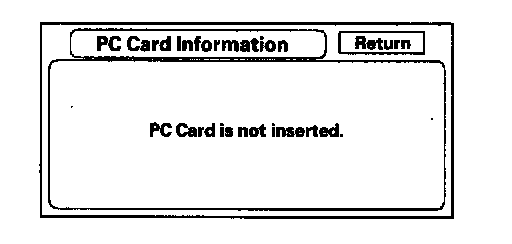
PC Card info
There is no PC Card in the PC slot, and the screen should say, "PC Card is not inserted". Do not insert any card or object into the slot.
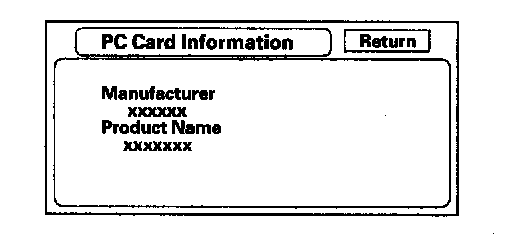
If the factory provides a PC card and instructs you to insert a card, then the screen displays the Manufacturer, and Product Name as shown in the following screen.
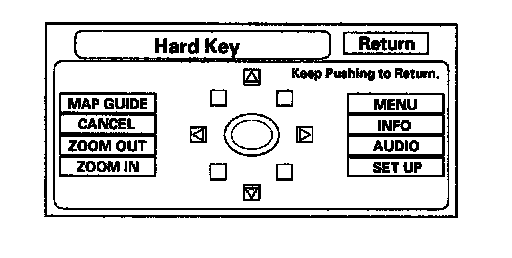
Hard Key
This diagnostic checks the status of each of the hard buttons surrounding the navigation display. When each hard button is pressed, the corresponding item on the screen should flash "blue". Touch the return key to exit.