Diagnostic Check [Car-Navigation System]
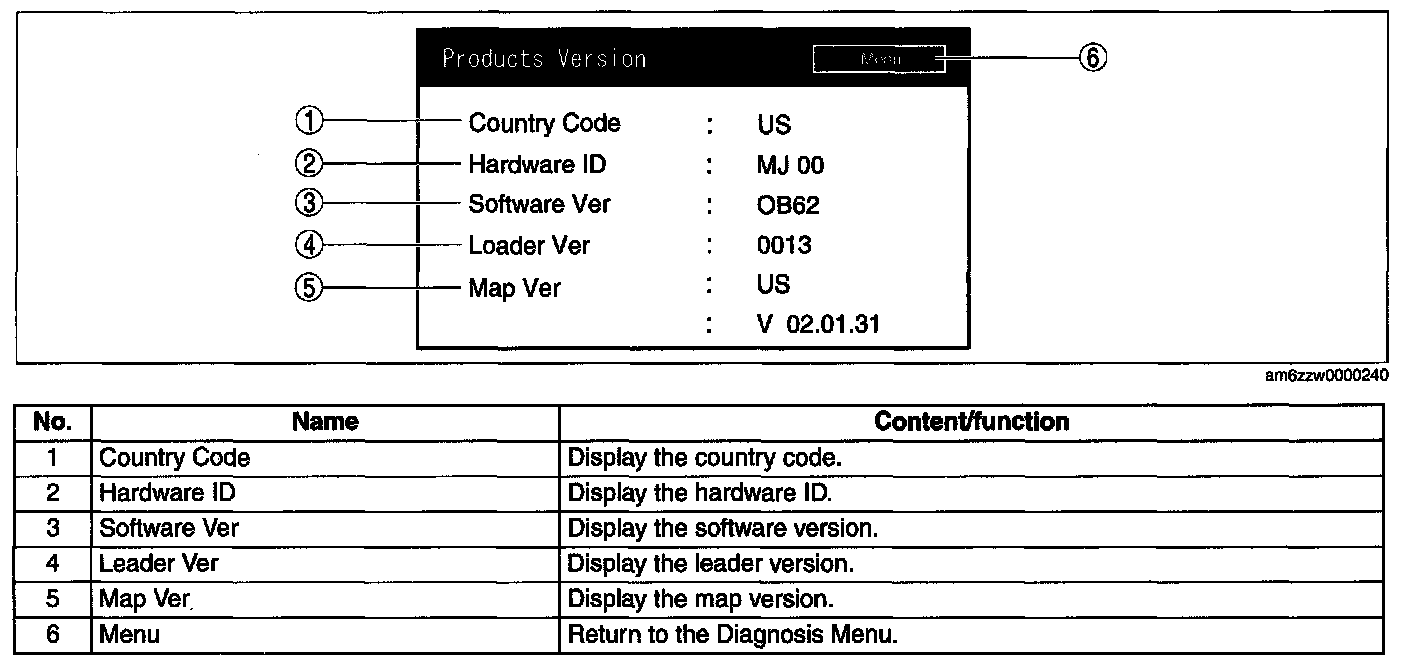
DIAGNOSTIC CHECK [CAR-NAVIGATION SYSTEM]Inspection Item List:
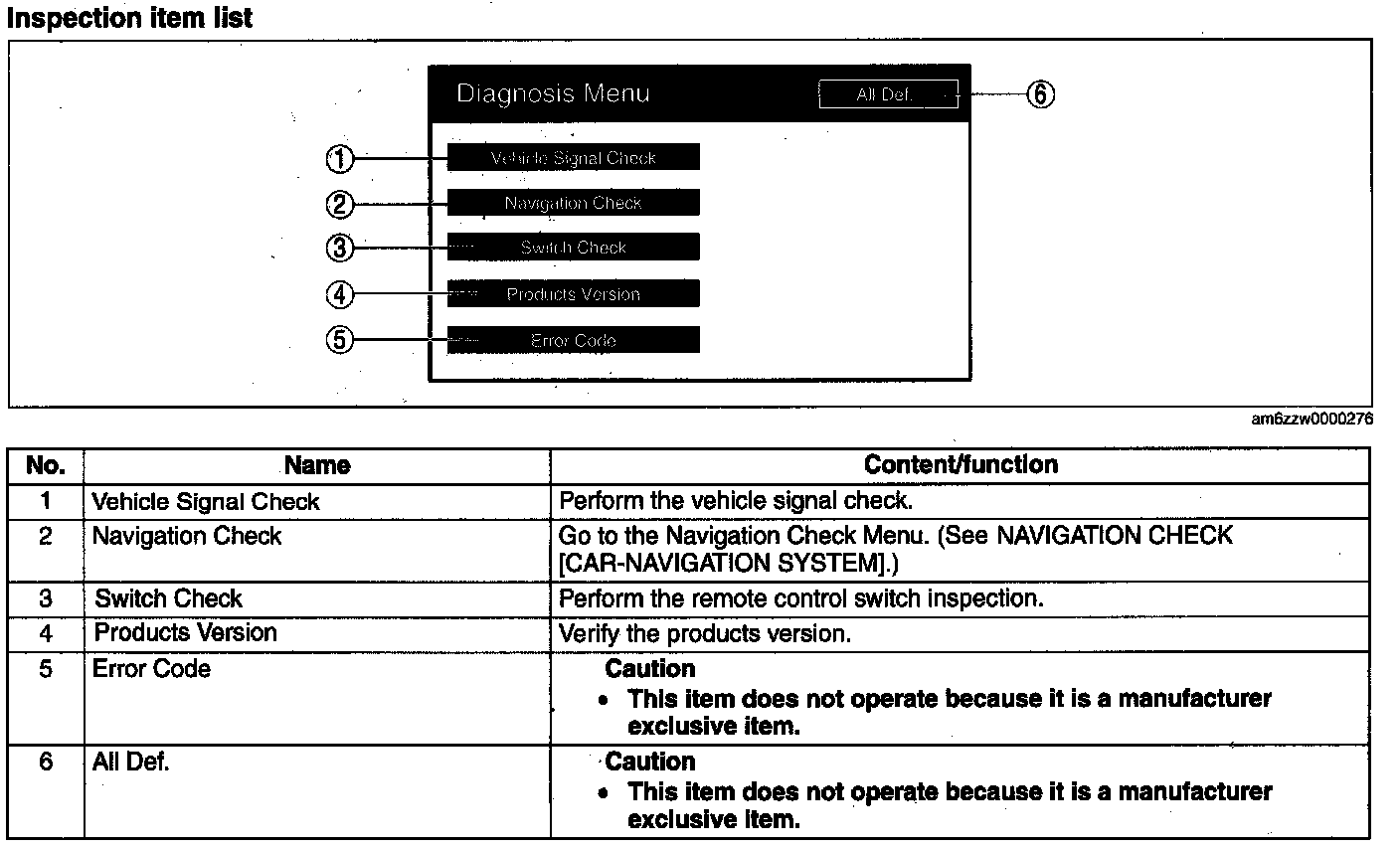
Vehicle Signal Check
1. Switch the ignition to ACC or ON.
2. Launch the diagnostic mode. (See STARTING PROCEDURE FOR DIAGNOSTIC MODE [CAR-NAVIGATION SYSTEM].) Starting Procedure For Diagnostic Mode [Car-Navigation System]
3. Select "Vehicle Signal Check".
4. Verify the condition of the vehicle signal input to the display.
5. To stop the on-board diagnostic mode, switch the ignition to off.
Switch Check
1. Switch the ignition to ACC or ON.
2. Launch the diagnostic mode. (See STARTING PROCEDURE FOR DIAGNOSTIC MODE [CAR- NAVIGATION SYSTEM].) Starting Procedure For Diagnostic Mode [Car-Navigation System]
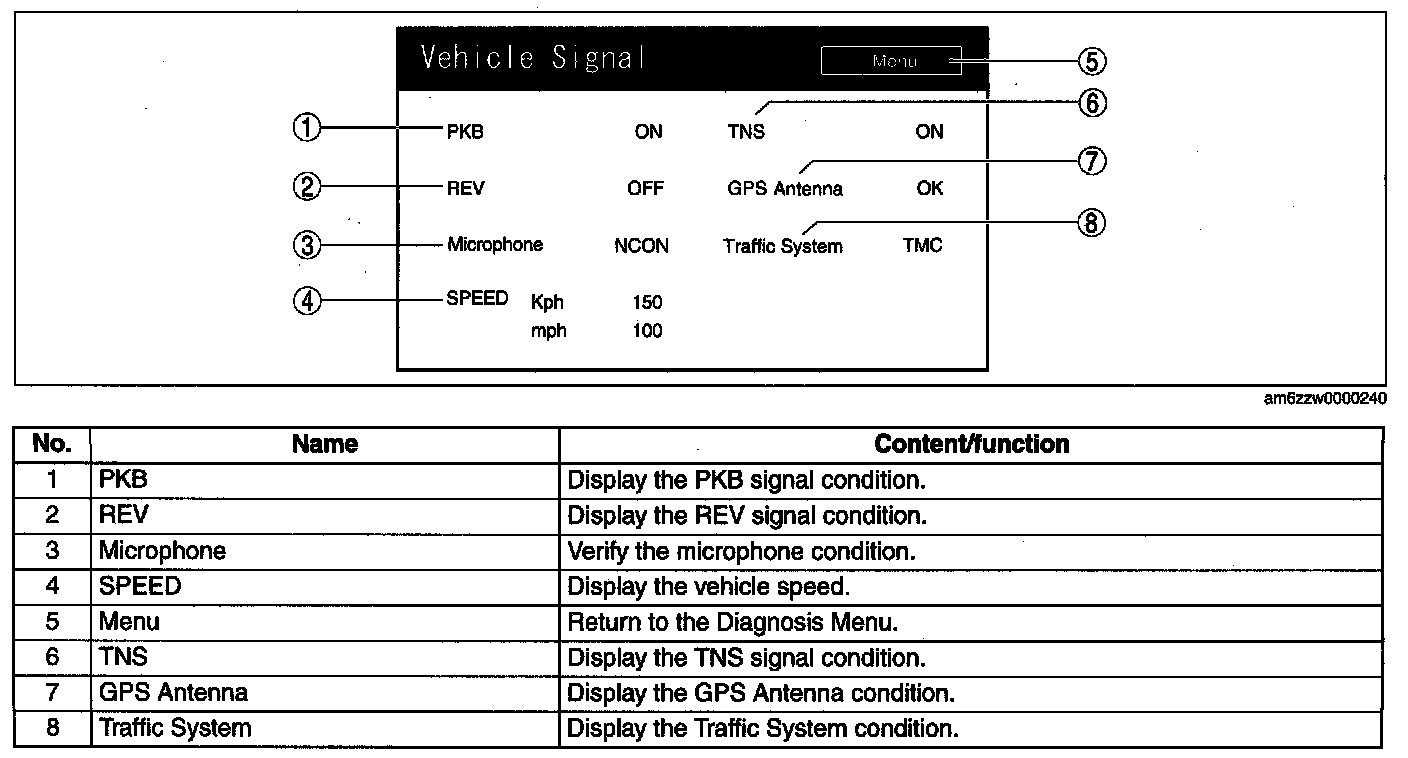
3. Select "Switch Check".
4. Operate the panel switches and verify that they operate correctly.
5. To stop the on-board diagnostic mode, switch the ignition to off.
Products Version
1. Switch the ignition to ACC or ON.
2. Launch the diagnostic mode. (See STARTING PROCEDURE FOR DIAGNOSTIC MODE [CAR- NAVIGATION SYSTEM].) Starting Procedure For Diagnostic Mode [Car-Navigation System]
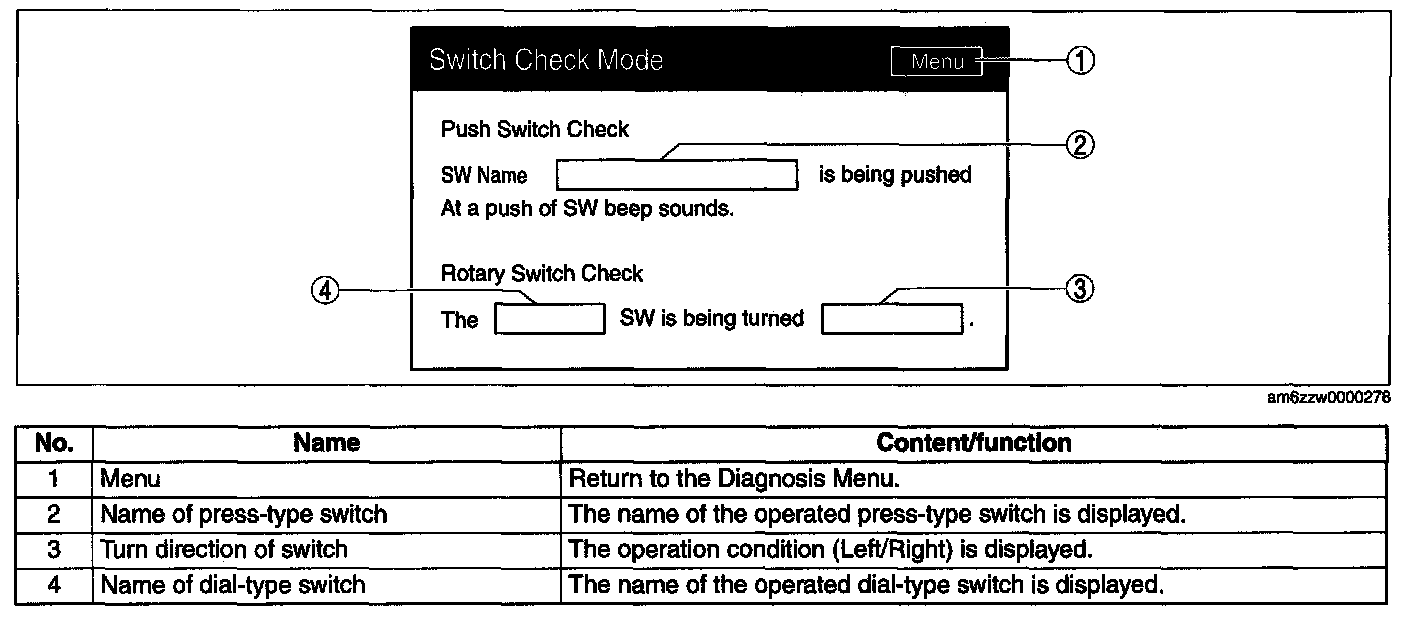
3. Select "Products Version".
4. Verify each version.
5. To stop the on-board diagnostic mode, switch the ignition to off.